TOOL PROFILE TOOLAI

Dubly.AI

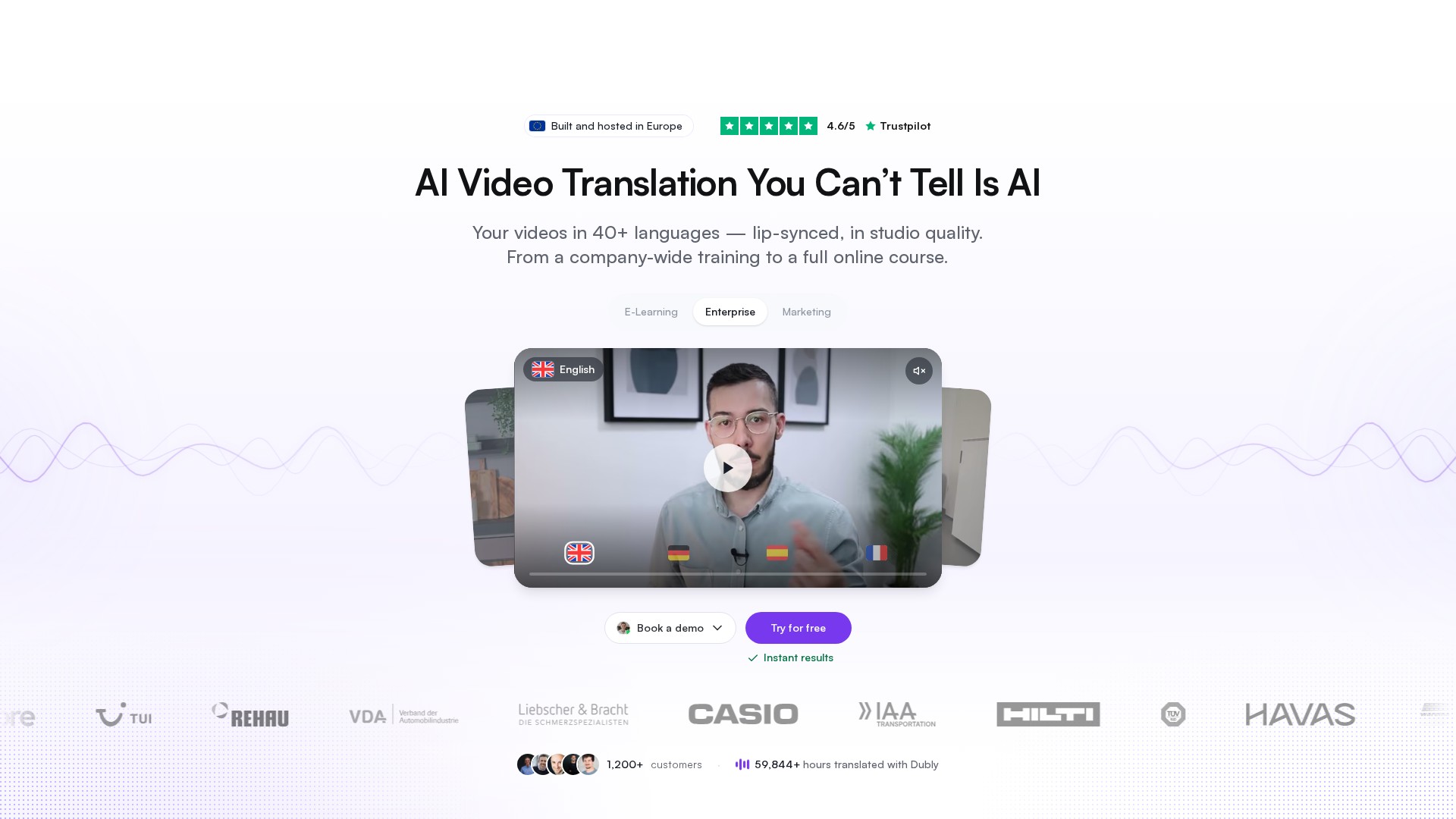
AI video translation and lip sync for professional localization, hosted in Germany

dubly.aiPRODUCT PREVIEW
Illustration published on the official product website; see the source page for its context. View full image
Illustration published on the official product website; see the source page for its context.Images: 4

THE BIG PICTURE

About Dubly.AI

Dubly.AI is an AI video translation platform that dubs videos into other languages while aiming to keep the result natural enough that viewers cannot easily tell it was generated. The site positions the product around three pillars: high-quality lip sync, voice cloning that preserves the original speaker's voice, and a translation editor that gives users control over individual words and segments. It is marketed primarily to companies — e-learning, marketing, internal communication and enterprise teams — rather than only individual creators.

The workflow is credit-based and built around video minutes. One credit translates one minute of video into one target language, and enabling lip sync doubles the cost to two credits per minute and language. The platform accepts mp4 and mov uploads up to 5 GB and also supports importing from a YouTube link. It advertises 100+ source languages, 40+ target languages and dialects, unlimited target languages per video, and unlimited video length. Outputs include MP4 video, MP3 audio (full mix, voice only or background only) and SRT subtitle files, with optional burned-in subtitles.

A notable part of the offering is data handling and European hosting. Dubly.AI states that videos are stored on servers in Germany, that it is GDPR-compliant, that a data processing agreement is included, and that customer content is not used to train AI models. The company also emphasizes human support on every plan, an included API for automation, and unlimited users with role-based access including an external reviewer role that does not consume a seat.

WHAT YOU CAN DO

A toolkit worth exploring

Get to know the capabilities. Find your own way to use them.

AI video translation

Translates video content into other languages, detecting speakers and language automatically. The platform advertises 100+ source languages, 40+ target languages and dialects, unlimited target languages per video and unlimited video length.

Lip sync

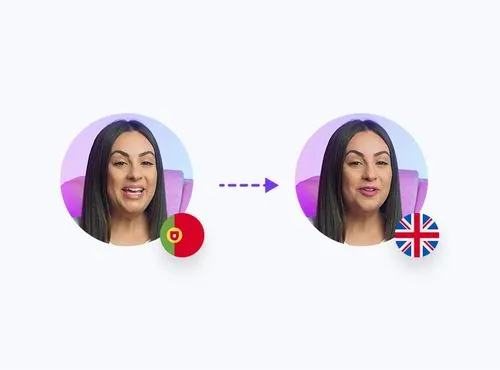
Adjusts a speaker's mouth movements to match the translated language so the video appears as if the speaker delivered the translated version. It is optional and enabled per video after the initial translation step, and costs two credits per minute and language instead of one.

Voice cloning and replacement voices

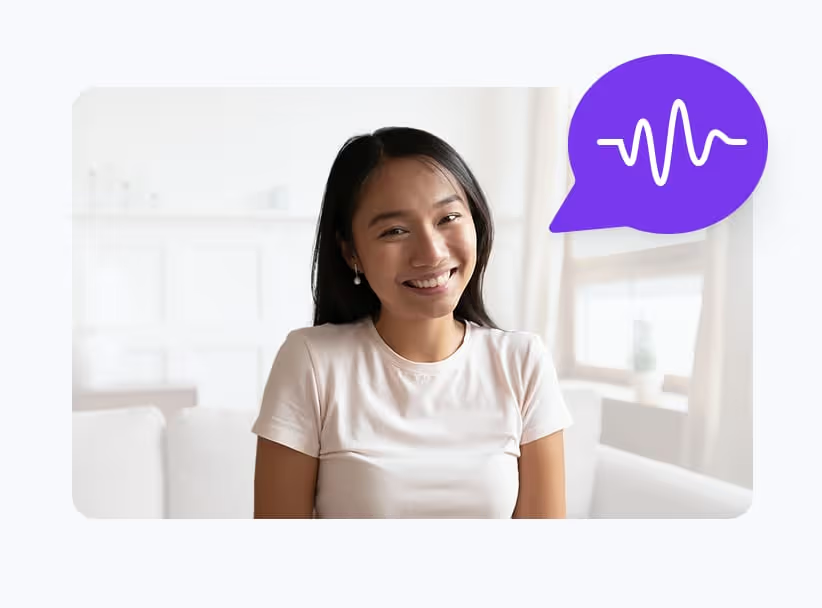
Clones the original speaker's voice so it stays recognizable in the new language, or lets users pick a replacement voice from a library or upload their own. Multi-speaker detection supports 1, 2 or auto 3+ speakers with per-segment speaker assignment and voice preview.

Translation editor

A per-segment editor where source script, translated script and timing sit side by side. Users can fix individual terms, exclude words from translation, control pronunciation, and set tone, formality and writing style, with unlimited revisions and the ability to apply edits across all languages at once.

Glossary and terminology control

Company-specific terms can be stored in a fixed glossary, and custom translations per term hold wording consistently across all target languages. Dubly.AI also offers help building the glossary during onboarding.

Subtitles and output formats

Every video comes with translated subtitles timed to the new audio track. Outputs include MP4 video, MP3 audio as full mix, voice only or background only, and SRT subtitle files, with burned-in subtitles available in two styles and a custom accent color.

Team management and collaboration

Unlimited users at no extra cost, with Owner, Admin, Member and external Reviewer roles. Reviewers can sign off on a dub without using a seat, share links can be PIN-protected, and projects, folders and multiple workspaces are supported.

API access

API access is included at no extra cost and lets teams wire translation into existing workflows instead of uploading videos one by one through the interface. The site shows a POST /v1/translations endpoint accepting a video URL, target languages, lip sync and voice cloning flags.

MADE FOR YOUR WORKFLOW

Where it fits into your day

USE CASE 01

E-learning and training localization

Course and training producers can translate instructional videos into multiple languages while keeping the instructor's voice and lip movements consistent, which the site presents as a core use case for e-learning and training content.

USE CASE 02

Marketing and UGC video localization

Marketing teams and creators can adapt promotional or social clips for different markets, using tone and formality controls and the translation editor to adjust wording before publishing.

USE CASE 03

Internal communication

Organizations can localize internal videos for multilingual workforces, with role-based access and reviewer sign-off so local teams can check translations before distribution.

USE CASE 04

Enterprise catalogue localization at scale

Large organizations can process whole video catalogues in batches, either through the included API or by sending a Google Drive or Dropbox link so Dubly.AI processes the batch on their behalf.

YOUR FIRST STEPS

From first click to first result

Try it on the official website
  1. Upload your video

    Upload a video file (mp4 or mov, up to 5 GB) or import from a YouTube link. Dubly.AI detects speakers and language automatically, and the first translation is ready in minutes according to the site.

  2. Choose target languages

    Select from 40+ target languages and dialects. The AI translates and clones the original voice; lip sync is optional and enabled per video after this standard translation step.

  3. Review and adjust the translation

    Read through the translation and change anything that does not fit. Select a word, pick an alternative, and repeat as often as needed at no extra cost. Edits can be applied across all languages.

  4. Enable lip sync and download

    Switch on lip sync so mouth movements match the new language, then download the finished video in full resolution. Lip sync is optional and enabled per video after the standard translation step.

PLAN YOUR NEXT STEP

A plan for the way you work

Credit-based pricing with three purchase modes: one-time purchase, monthly plan and yearly plan. One credit equals one minute of video translated into one target language; lip sync costs two credits per minute and language. A monthly plan example shown is 25 credits per month at €89 per month (listed as €99 reduced to €89), billed monthly and cancellable anytime.

Subscribe on the tool's website

PLAN

Monthly plan

25 credits per month, equal to 25 minutes of dubbing or 12 minutes with lip sync. Billed monthly, cancel anytime, with fresh credits every month and the ability to switch credit volume. Listed as €99 reduced to €89, which is €3.56 per credit.

€89

per month

  • 25 credits per month
  • 25 min dubbing or 12 min with lip sync
  • Billed monthly, cancel anytime
  • Fresh credits every month
  • Switch credit volume anytime
View plan on website

Prices, usage limits and terms can change. Confirm the latest details on the tool's official website before subscribing.

The pricing page shows 25 credits for €89 per month, reduced from €99 and billed monthly. Check the current page for yearly and one-time offers. Prices are net and exclude VAT.

Sources checked

A FEW MORE THINGS

Good questions. Useful answers.

More on the official website

What is a credit and how is it consumed?

One credit translates one minute of video into one target language. A 10-minute video in three languages therefore costs 30 credits. Lip sync doubles the cost to two credits per minute and language. Partial minutes are rounded up to the next full minute.

Do credits expire?

It depends on how they were bought. One-time purchase credits never expire and stay in the account until used. Monthly plan credits are valid for that month and expire at the end of it. Yearly plan credits stay valid for the full 12 months of the term.

Is my data used for AI training?

No. Dubly.AI states that none of the uploaded data, whether video or audio, is used to train AI models. Customer data is handled in isolation within a secure sandbox environment and is never mixed with other customer data.

Who owns the rights to the translated videos?

According to the site, users retain full rights to all translated videos. Dubly.AI states it does not claim any rights to the final content and places no restrictions on how the videos are used.

Which languages are supported?

Dubly.AI advertises 100+ source languages and 40+ target languages and dialects, including English variants, Japanese, Chinese, German, Hindi, French variants, Korean, Portuguese variants, Italian, Spanish variants, Indonesian, Dutch, Turkish, Filipino, Polish, Swedish, Bulgarian, Romanian, Arabic variants, Czech, Greek, Finnish, Croatian, Malay, Slovak, Danish, Tamil, Ukrainian, Hungarian, Vietnamese and Norwegian.

How long does a translation take?

Processing time varies with resolution and length. As a guideline, a 10-minute Full HD video takes about 10 minutes per language, and a 10-minute 4K video takes about 20 minutes per language. Minor variations may occur.

Is there a free trial?

Yes. Booking a personal demo provides a video of your own footage translated and lip-synced so you can assess the quality before committing.

KEEP EXPLORING

FROM THE COMMUNITY

What has your experience been?

YOUR NEXT DISCOVERY

More tools to explore

Explore all tools

MAKE YOUR NEXT MOVE

Ready to explore Dubly.AI?

Visit the official website to explore the latest features and get started.

Visit official website
Dubly.AIdubly.ai
Visit website

GALLERY

PASS IT ALONG

Share Dubly.AI