

Email and calendar
Ask for messages needing a reply and conflicting events first. Then choose one item to handle.
ٹول پروفائل TOOLAI
Start with one task. Let Muse work across your inbox, calendar and everyday apps.
 مکمل تصویر دیکھیں
مجموعی جائزہ
Muse is Meta’s personal AI agent for tasks across the apps you connect: research, file organization, reply drafts and planning.
For a first try, choose something small and easy to review. Outline tomorrow’s schedule, compare three products, or turn notes into a checklist. Specify the deadline, the output and the actions that need your approval.
قریب سے جائزہ
پروڈکٹ کی اسکرینز اور شائع شدہ مثالیں دیکھیں۔ کسی بھی تصویر کو قریب سے دیکھنے کے لیے کھولیں۔
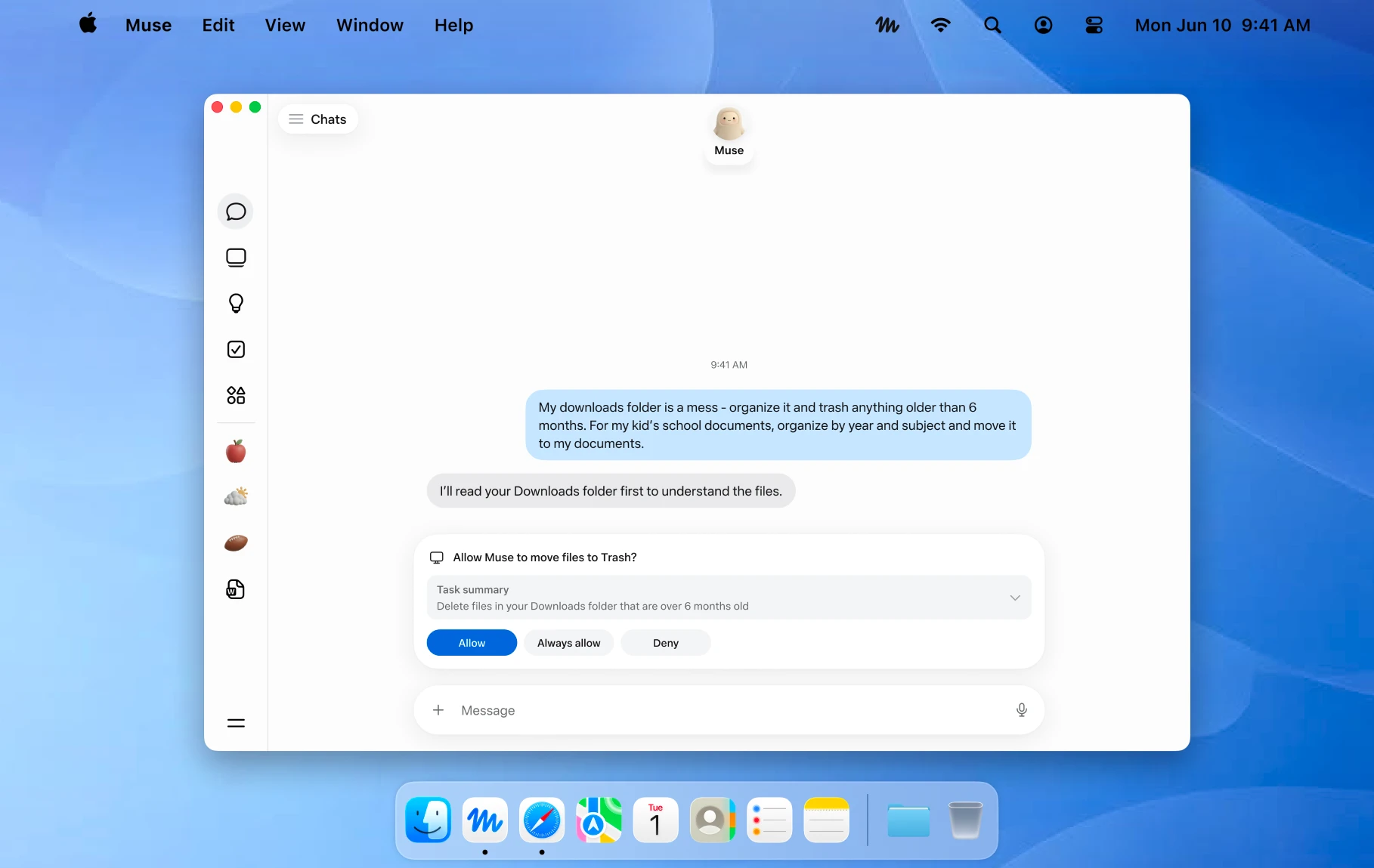
An official Mac example showing a file action awaiting approval. Image © Meta.
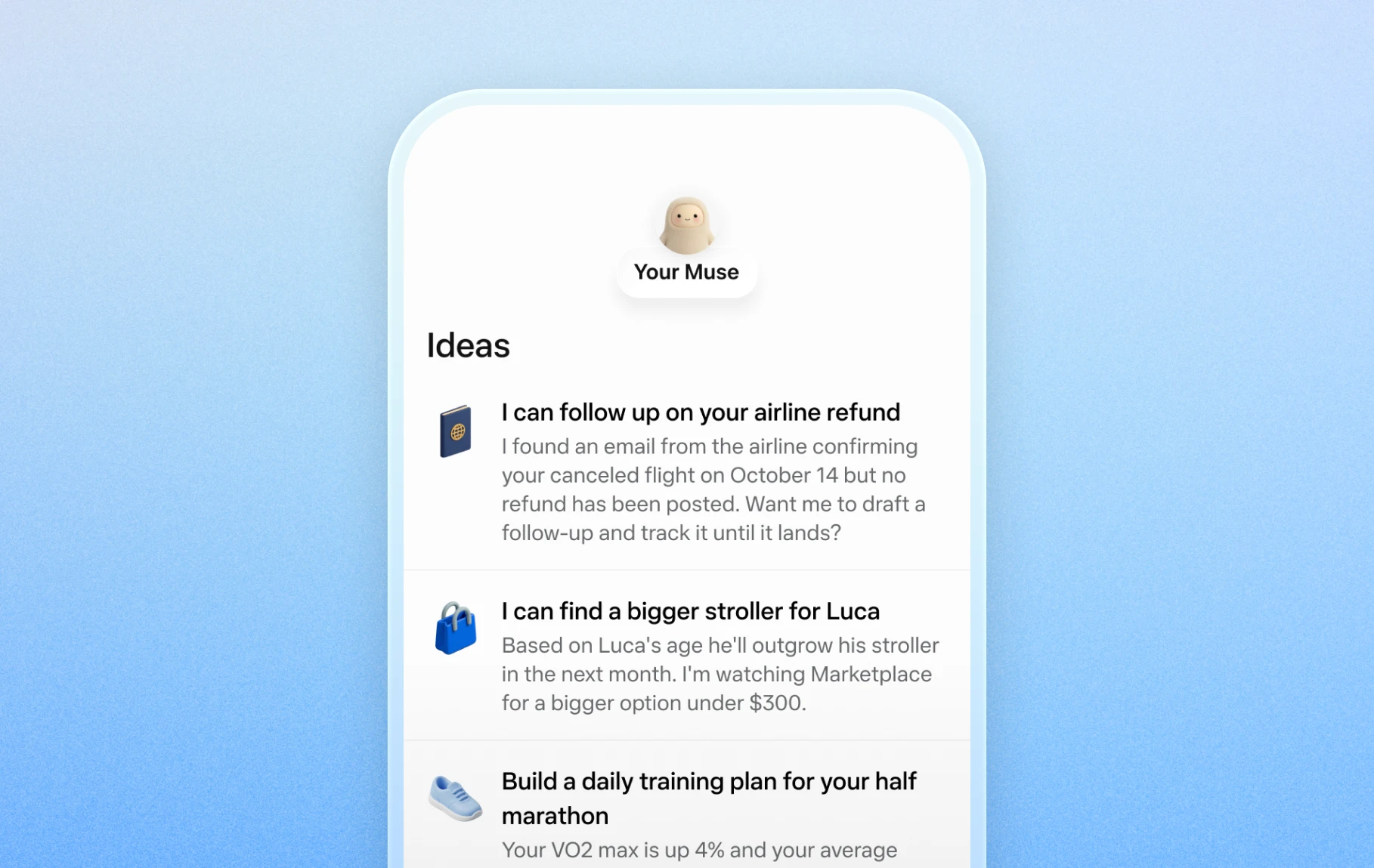
Official mobile examples of suggested everyday tasks. Image © Meta.

Official Artifacts examples, rather than ToolAI test results. Image © Meta.
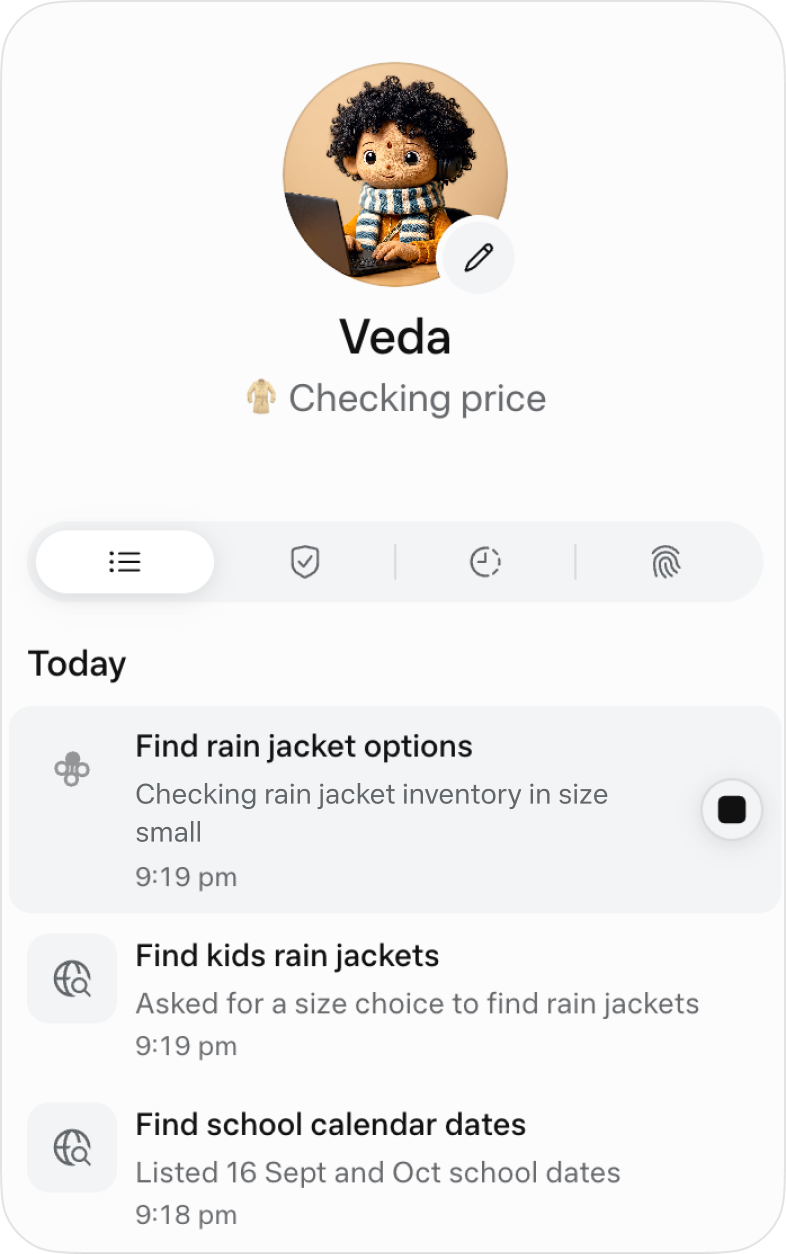
The official activity view for following ongoing work. Image © Meta.
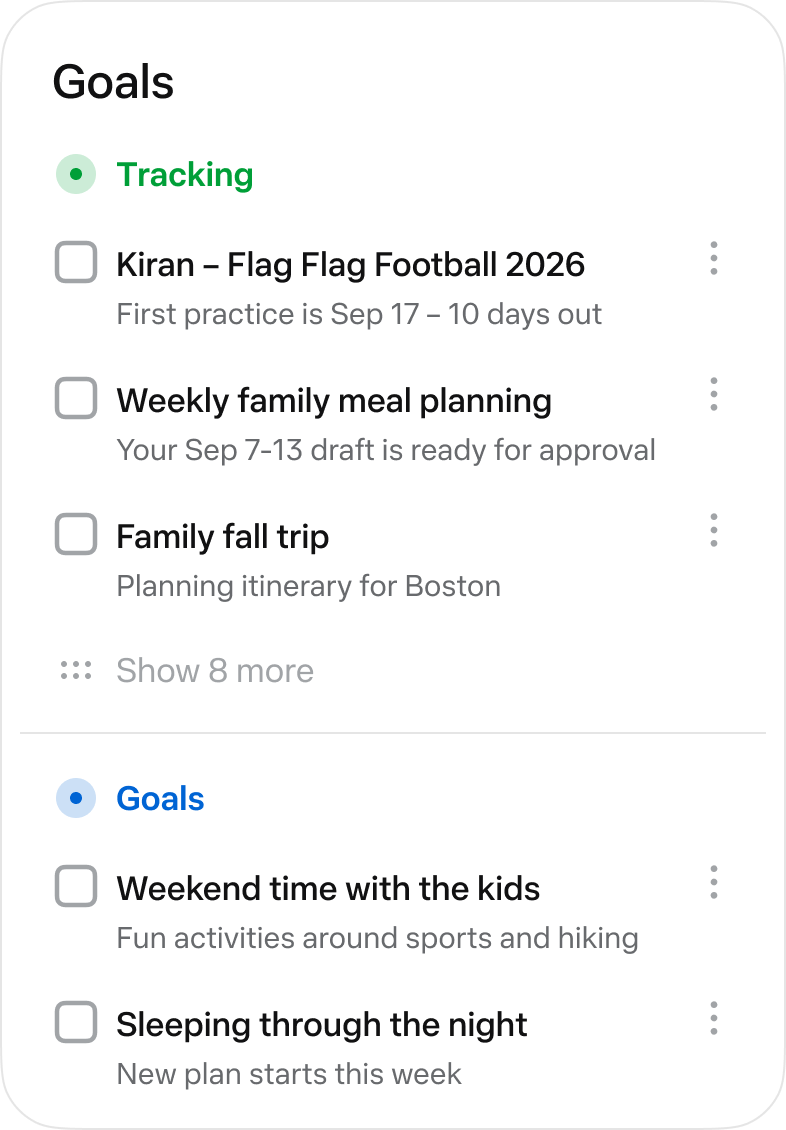
The official Goals view collects longer-running tasks. Image © Meta.
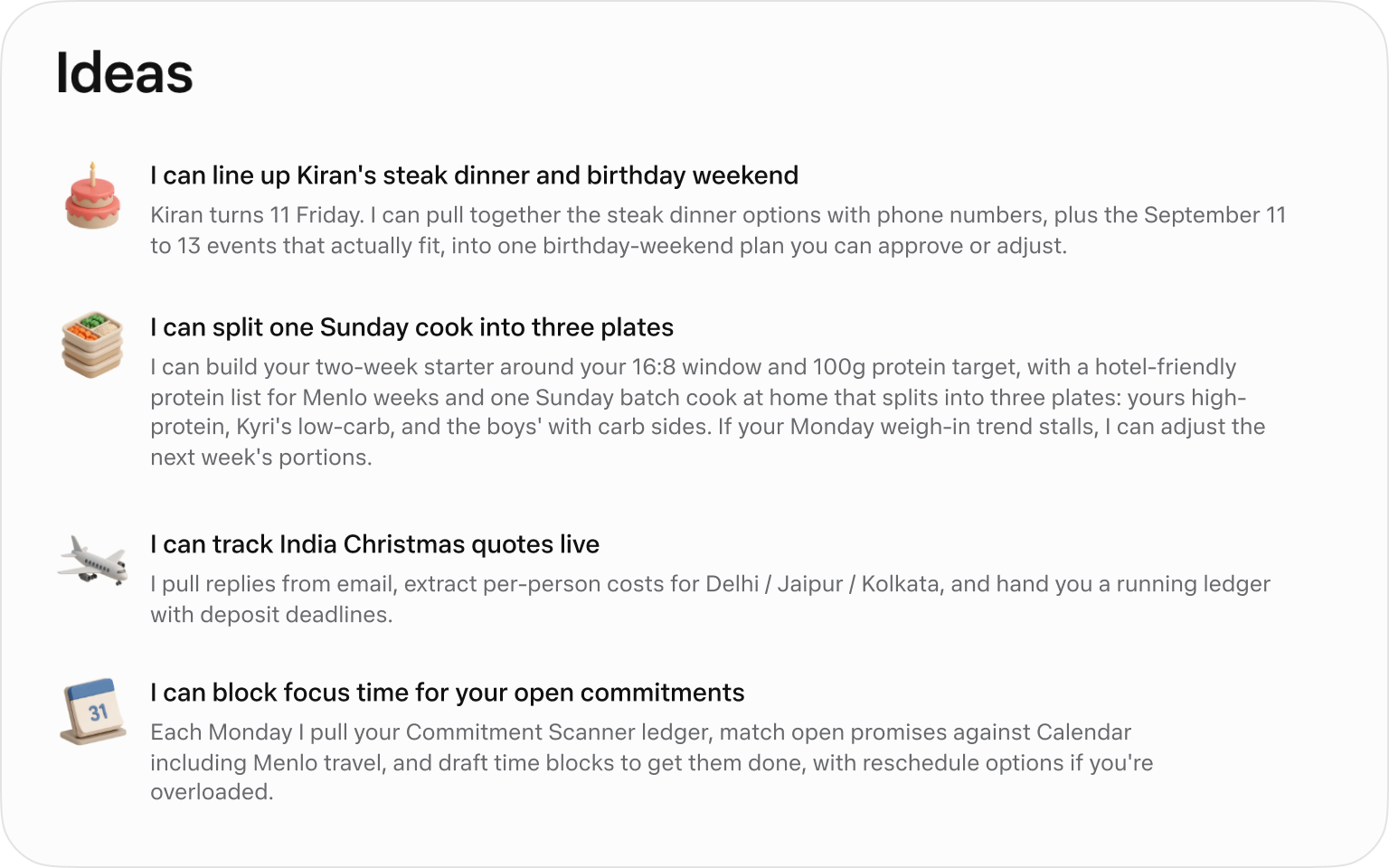
Official suggested tasks; what appears depends on your context. Image © Meta.
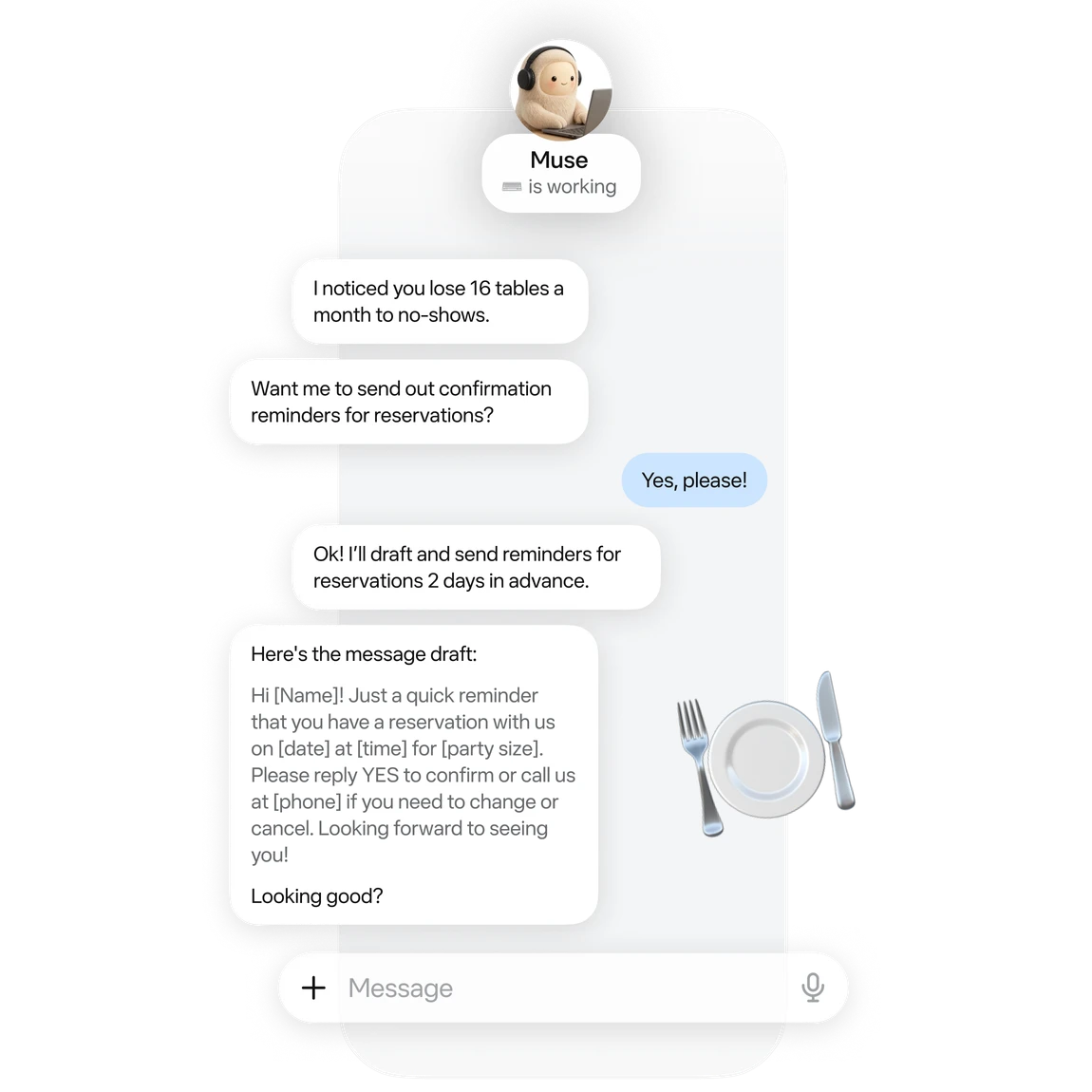
An official small-business example of drafting reservation reminders. Image © Meta.
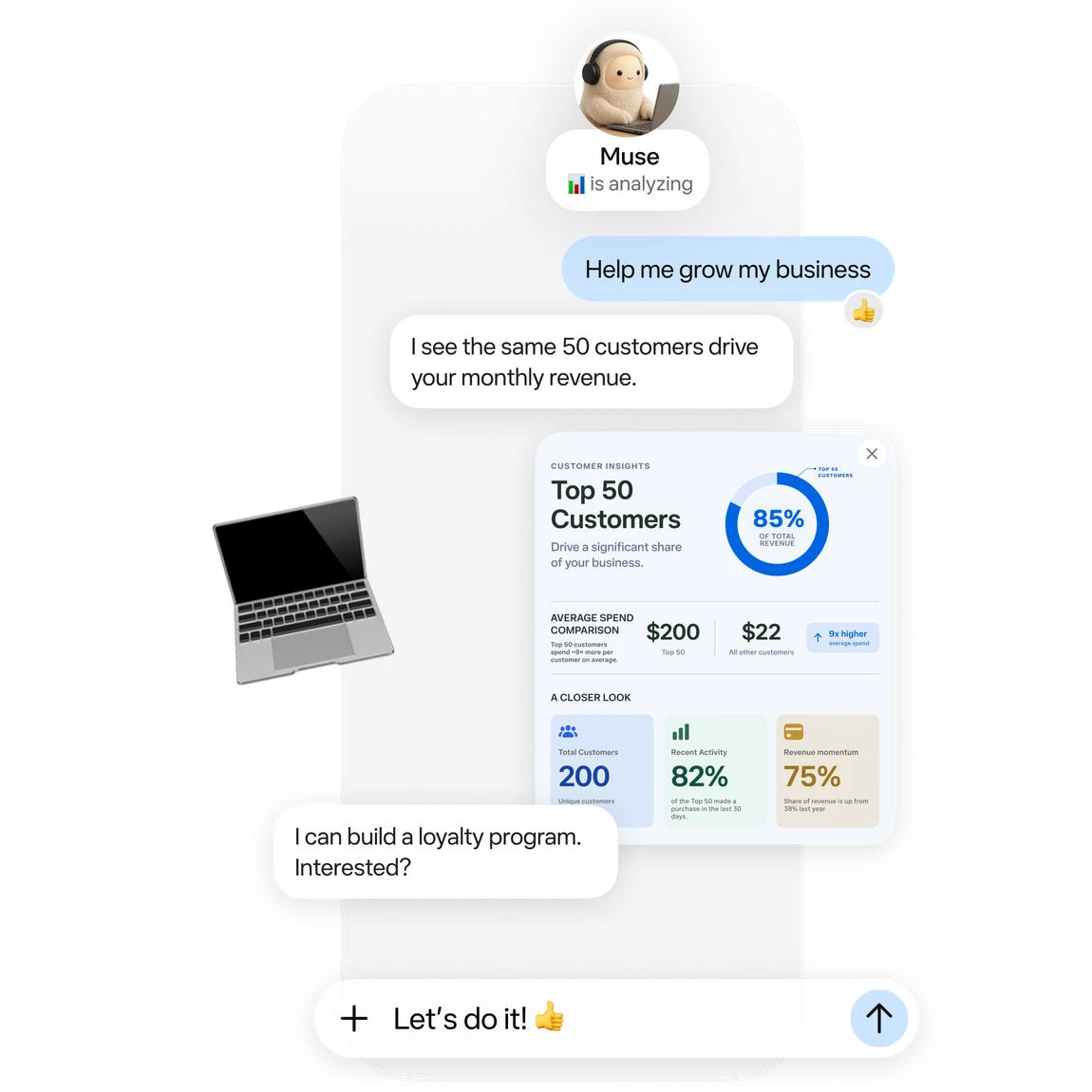
Official business analysis artwork; its numbers are illustrative. Image © Meta.

Official connector artwork. Check settings for actual availability. Image © Meta.
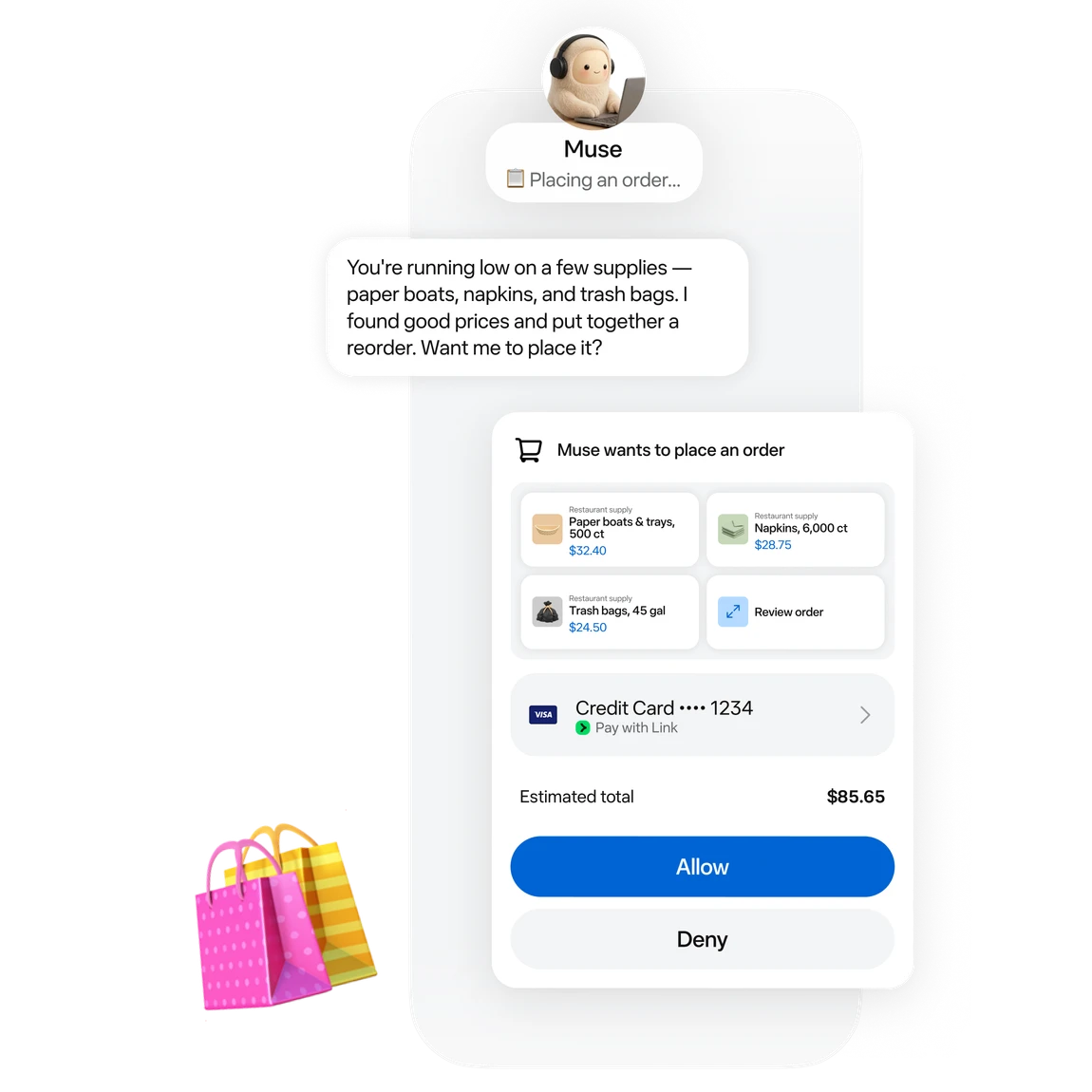
Official approval artwork for a proposed purchase. Image © Meta.
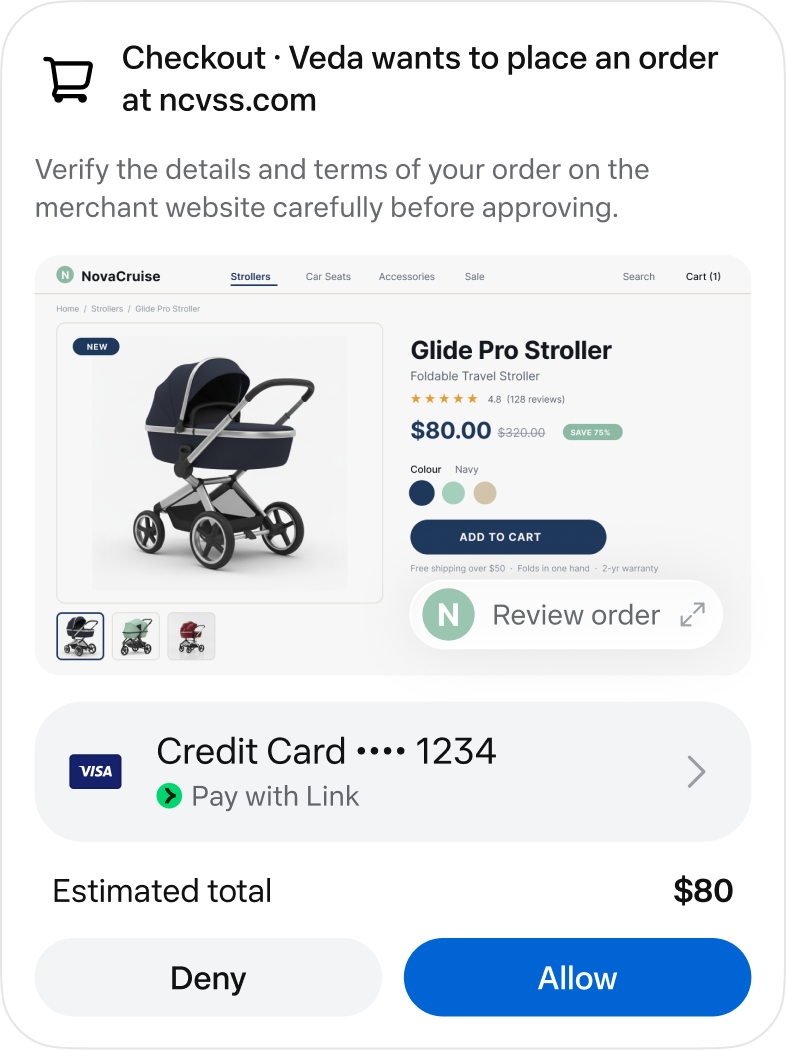
An official checkout approval screen. Image © Meta.
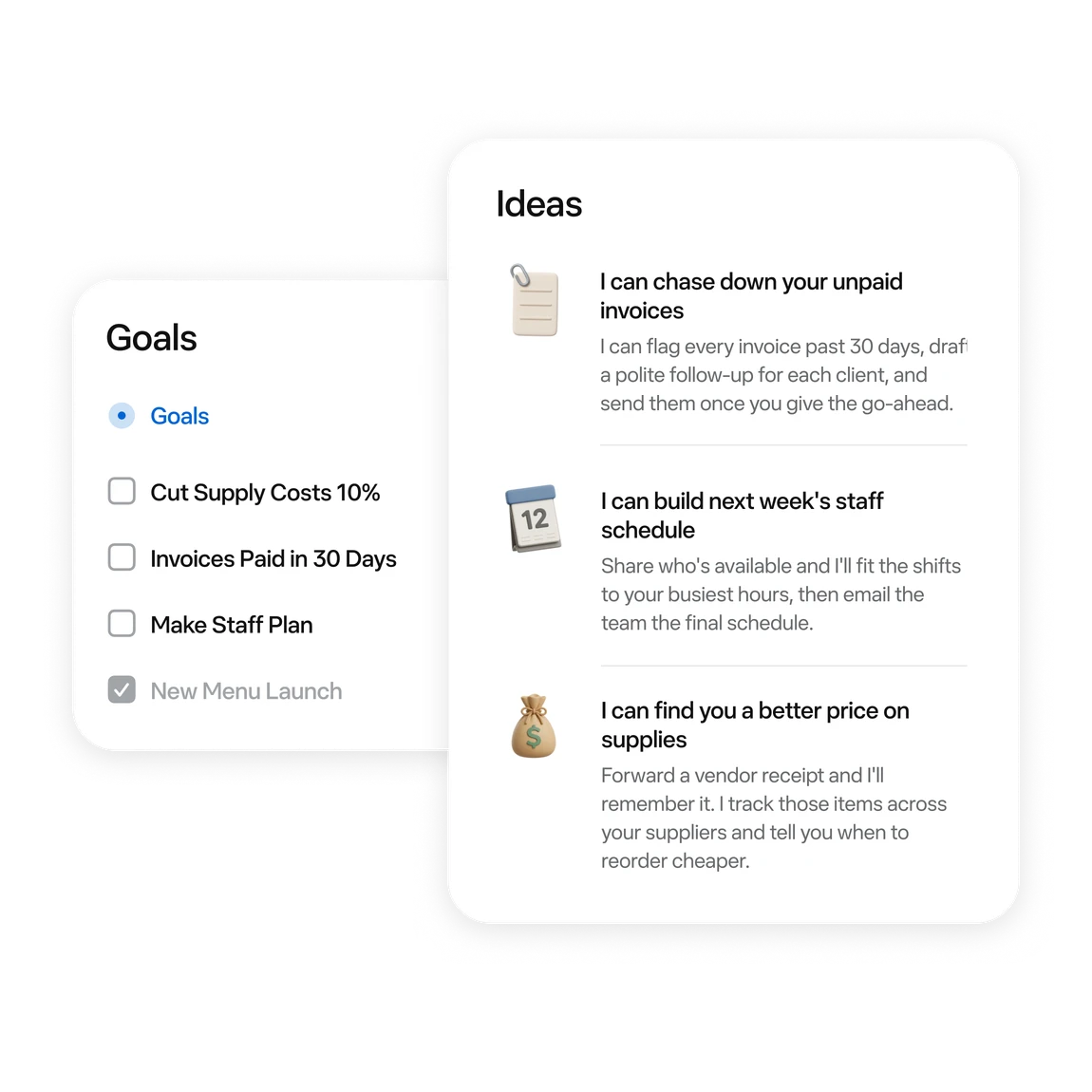
Official examples of business tasks and follow-up ideas. Image © Meta.
آپ کیا کر سکتے ہیں
صلاحیتوں سے واقف ہوں۔ انہیں استعمال کرنے کا اپنا طریقہ تلاش کریں۔
Ask for messages needing a reply and conflicting events first. Then choose one item to handle.
Turn scattered material into a checklist or document. Review proposed moves or deletions first.
Follow work in activity and Goals. Use chat to add constraints or adjust a plan.
Try reservation reminders, a content schedule or an order review. Give it one defined task at a time.
Connect a work app when the task needs its data. Review the requested permissions.
Before sending, publishing or buying, review the recipient, content and amount in the approval card.
آپ کے ورک فلو کے لیے بنایا گیا
“Outline tomorrow’s schedule. Separate departure times, meeting prep and unfinished items. Leave unknown details blank.”
“Turn these meeting notes into an action table with owners, deadlines and source passages. Flag anything unspecified.”
“Use these orders to draft next week’s tasks: stock, customer follow-up and content. Draft only; do not publish.”
“Compare three candidates within my budget. Include tax, shipping, specifications and returns. Research only; do not order.”
آپ کے ابتدائی اقدامات
Start at muse.ai and check your region and account eligibility.
Follow the email or phone sign-in prompts and keep free access.
Specify the goal, timing and output. Add “draft only; do not send” when relevant.
When a task needs mail or files, check connectors and permissions in settings.
Check activity. Review sources, numbers and recipients in the result. Wait for a reset if the free allowance runs out.
ایک نظر ڈالیں
اس کے انٹرفیس اور ورک فلو کو دیکھنے کے لیے ٹول کا ڈیمو یا ویڈیو ملاحظہ کریں۔
اپنا اگلا قدم طے کریں
Free allowance; optional paid upgrades
منصوبہ
Start with a small task. Wait for a reset if you reach the limit.
$0
Usage limits apply
منصوبہ
Explore higher allowances if needed. The free-use guides do not require an upgrade.
See current official plans
ویب سائٹ پر منصوبہ دیکھیںقیمتیں، استعمال کی حدود اور شرائط تبدیل ہو سکتی ہیں۔ سبسکرائب کرنے سے پہلے ٹول کی سرکاری ویب سائٹ پر تازہ ترین تفصیلات کی تصدیق کریں۔
To stay on the free tier, wait for the allowance to refresh. Check your account for its balance and reset time.
ماخذ کی جانچ کی گئی
A free allowance is available. You can wait for a reset; upgrading is optional.
The current published regions are the US and Canada, for adults aged 18+. Interface language does not establish eligibility.
No. These are Meta’s official interface and example images, retained with source attribution.
Choose something easy to review: a one-page task list, one reply draft, or three products to compare.
No. Agent usage and purchase costs are separate. Say “research only; do not buy” when that is your goal.
The official guide shows activity under the avatar and longer-term tasks in Goals. You can also request an update in chat.
دریافت جاری رکھیں
کمیونٹی کی جانب سے
اپنا تجربہ شیئر کرنے اور دوسروں کو درست ٹول تلاش کرنے میں مدد دینے کے لیے سائن اِن کریں۔
آپ کی اگلی دریافت

پرامپٹس کی لائبریری کے ساتھ GPT کو مربوط کرنے کا ٹول۔
Plexo: ایک اوپن سورس، AI سے چلنے والا پراجیکٹ مینجمنٹ پلیٹ فارم۔ یہ کاموں کی نگرانی آسان بناتا ہے، خودکار طور پر کام تیار کرتا ہے اور پراجیکٹ پلاننگ کے لیے ذہین تجاویز دیتا ہے۔ یہ ٹیم کے تعاون کو منظم اور کارکردگی کو بہتر بناتا ہے۔

NextBrowser پیشہ ور افراد کے لیے ایک AI براؤزر ایجنٹ ہے جو چیٹ کے ذریعے لاگ اِن، ڈیٹا اسکریپنگ، آؤٹ ریچ مارکیٹنگ اور دیگر کام خودکار بناتا ہے، اور 93% کام مکمل کرنے کی شرح حاصل کرتا ہے۔
Arambh Labs سیکیورٹی آپریشنز کے لیے ایک ایجنٹک AI پلیٹ فارم ہے جو خصوصی AI ایجنٹس کے ذریعے سیکیورٹی واقعات کی ذہین شناخت، تحقیقات اور تدارک کرتا ہے، اور اداروں کو ردِعمل پر مبنی دفاع سے فعال دفاع کی طرف منتقل ہونے میں مدد دیتا ہے۔
اپنا اگلا قدم اٹھائیں
تازہ ترین خصوصیات دریافت کرنے اور آغاز کرنے کے لیے سرکاری ویب سائٹ ملاحظہ کریں۔