

Email and calendar
Ask for messages needing a reply and conflicting events first. Then choose one item to handle.
도구 프로필 TOOLAI
Start with one task. Let Muse work across your inbox, calendar and everyday apps.
 전체 이미지 보기
전체 개요
Muse is Meta’s personal AI agent for tasks across the apps you connect: research, file organization, reply drafts and planning.
For a first try, choose something small and easy to review. Outline tomorrow’s schedule, compare three products, or turn notes into a checklist. Specify the deadline, the output and the actions that need your approval.
자세히 살펴보기
제품 화면과 게시된 예시를 살펴보세요. 이미지를 열어 자세히 확인할 수 있습니다.
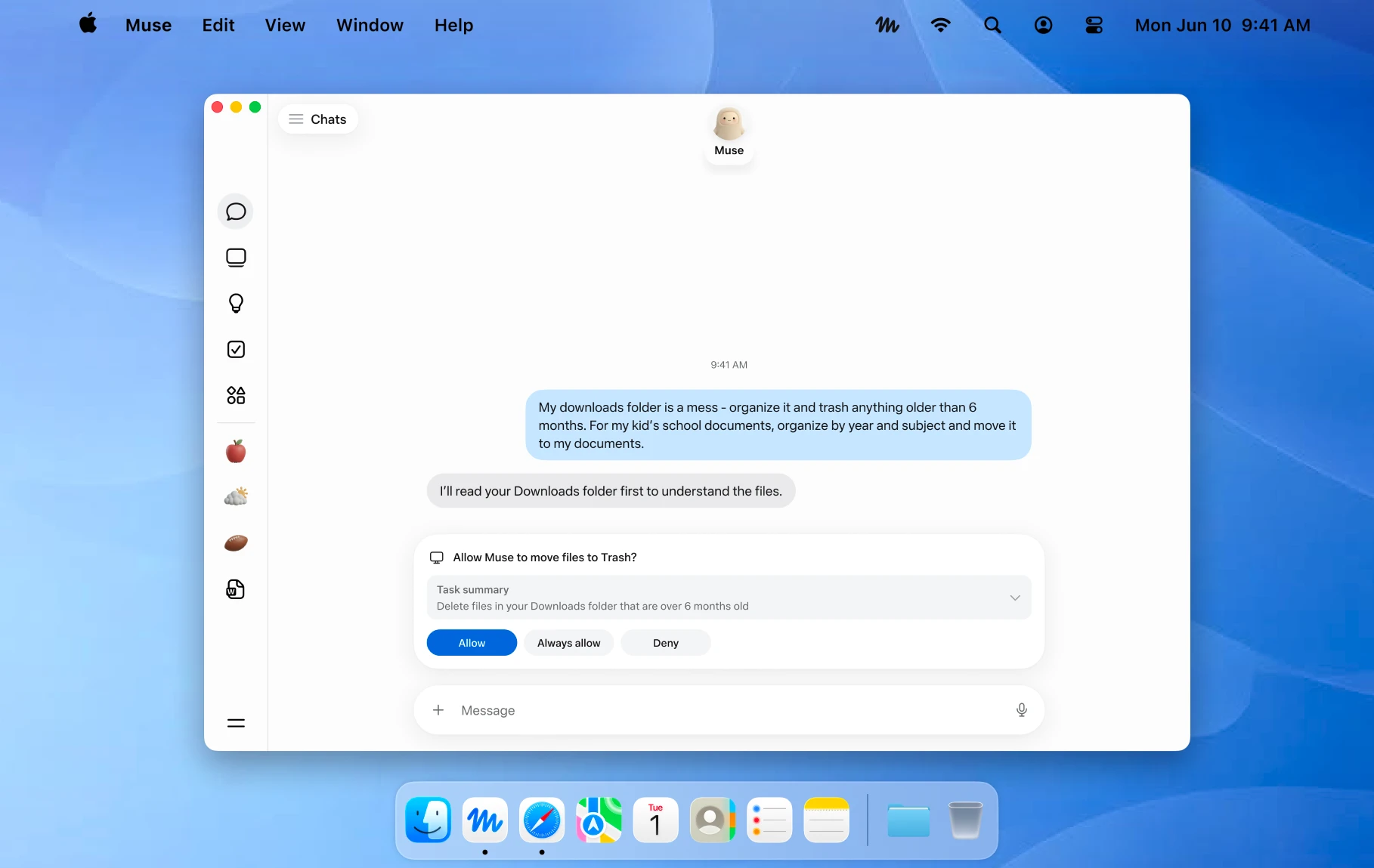
An official Mac example showing a file action awaiting approval. Image © Meta.
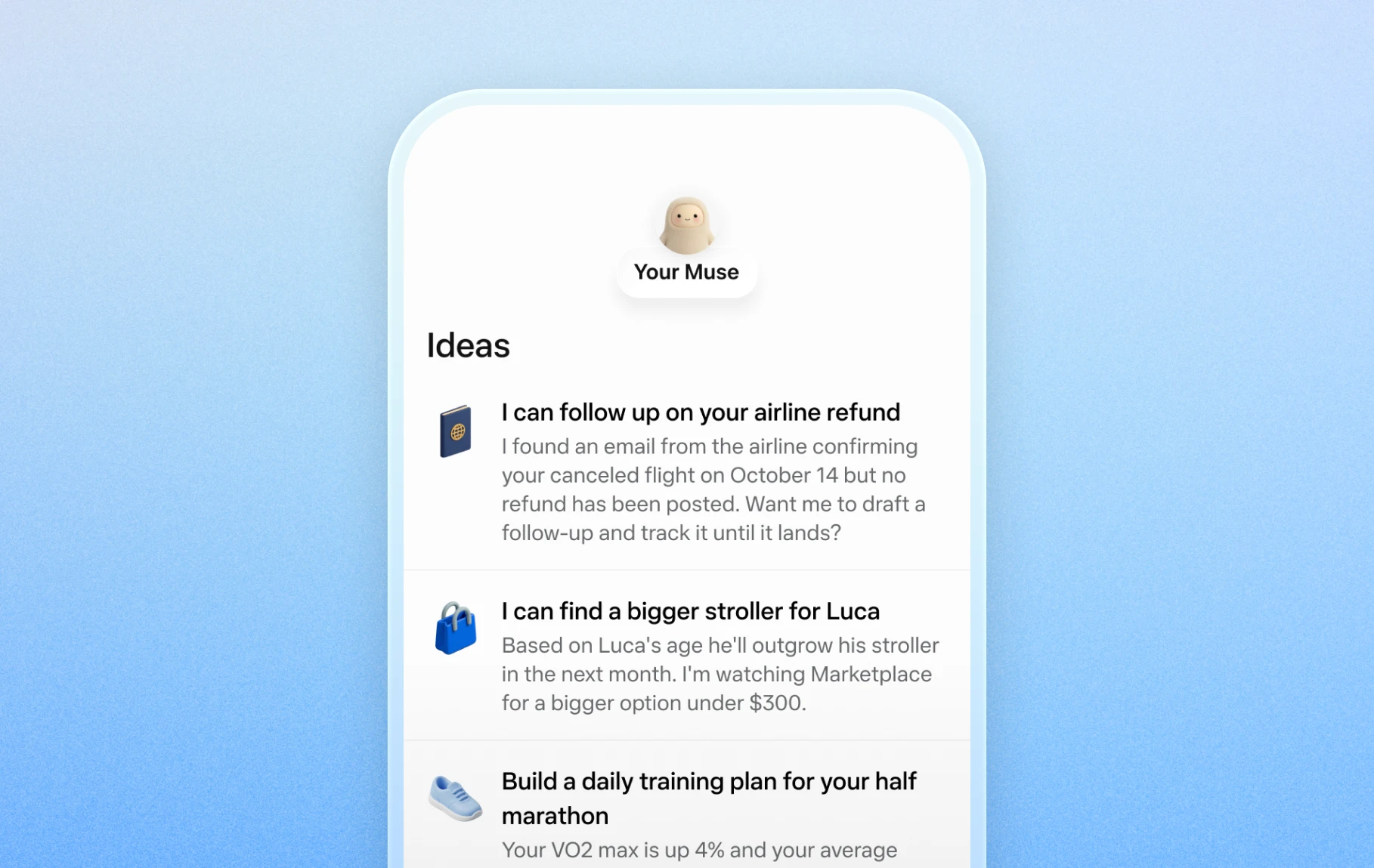
Official mobile examples of suggested everyday tasks. Image © Meta.

Official Artifacts examples, rather than ToolAI test results. Image © Meta.
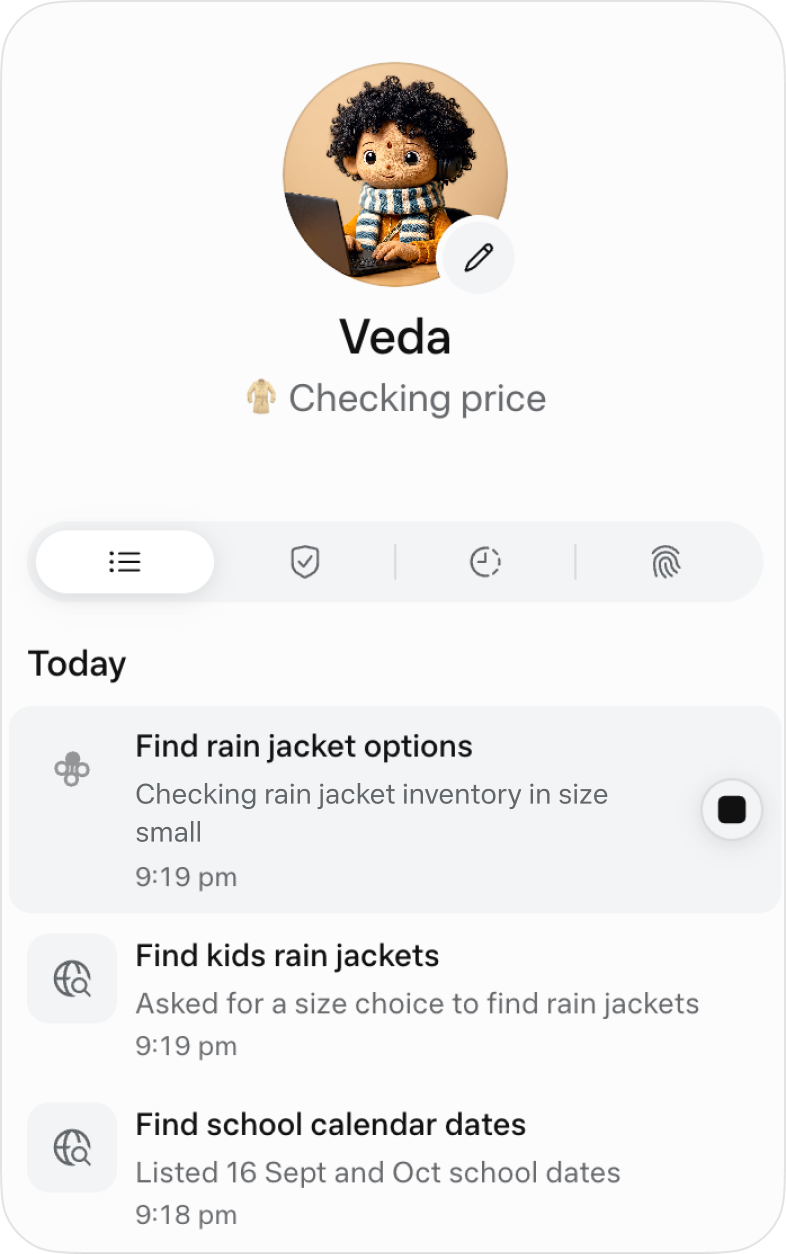
The official activity view for following ongoing work. Image © Meta.
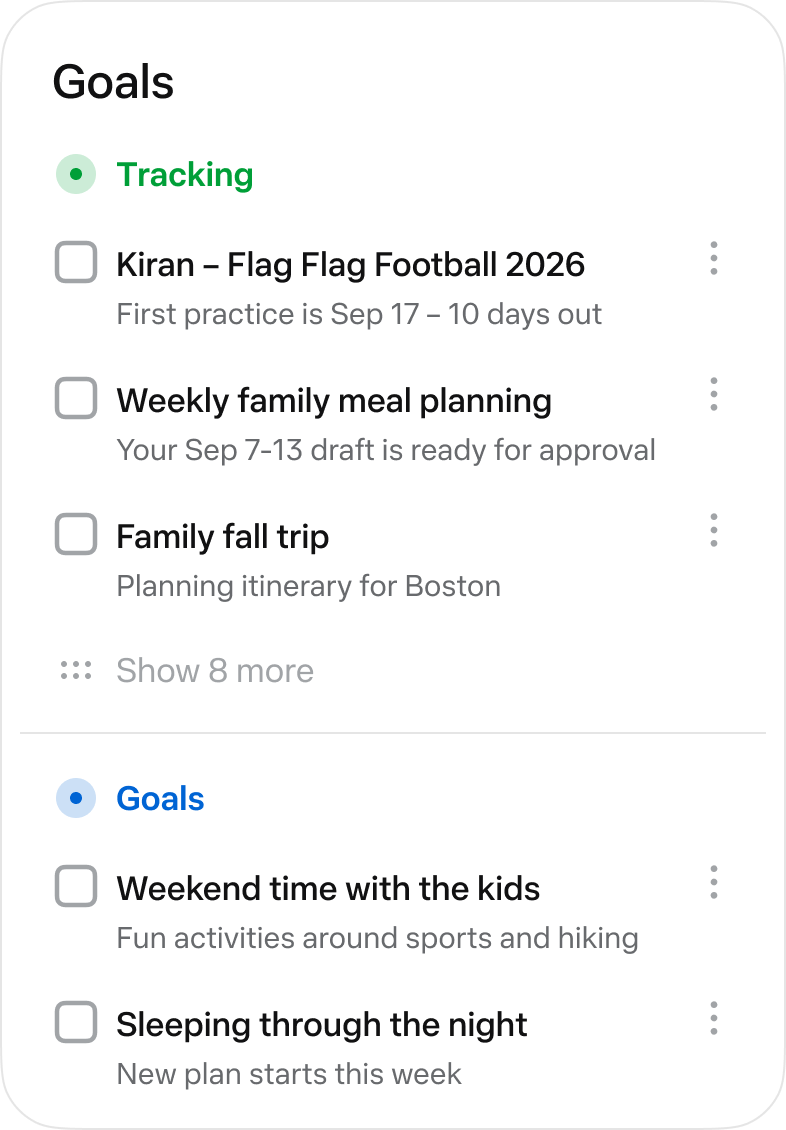
The official Goals view collects longer-running tasks. Image © Meta.
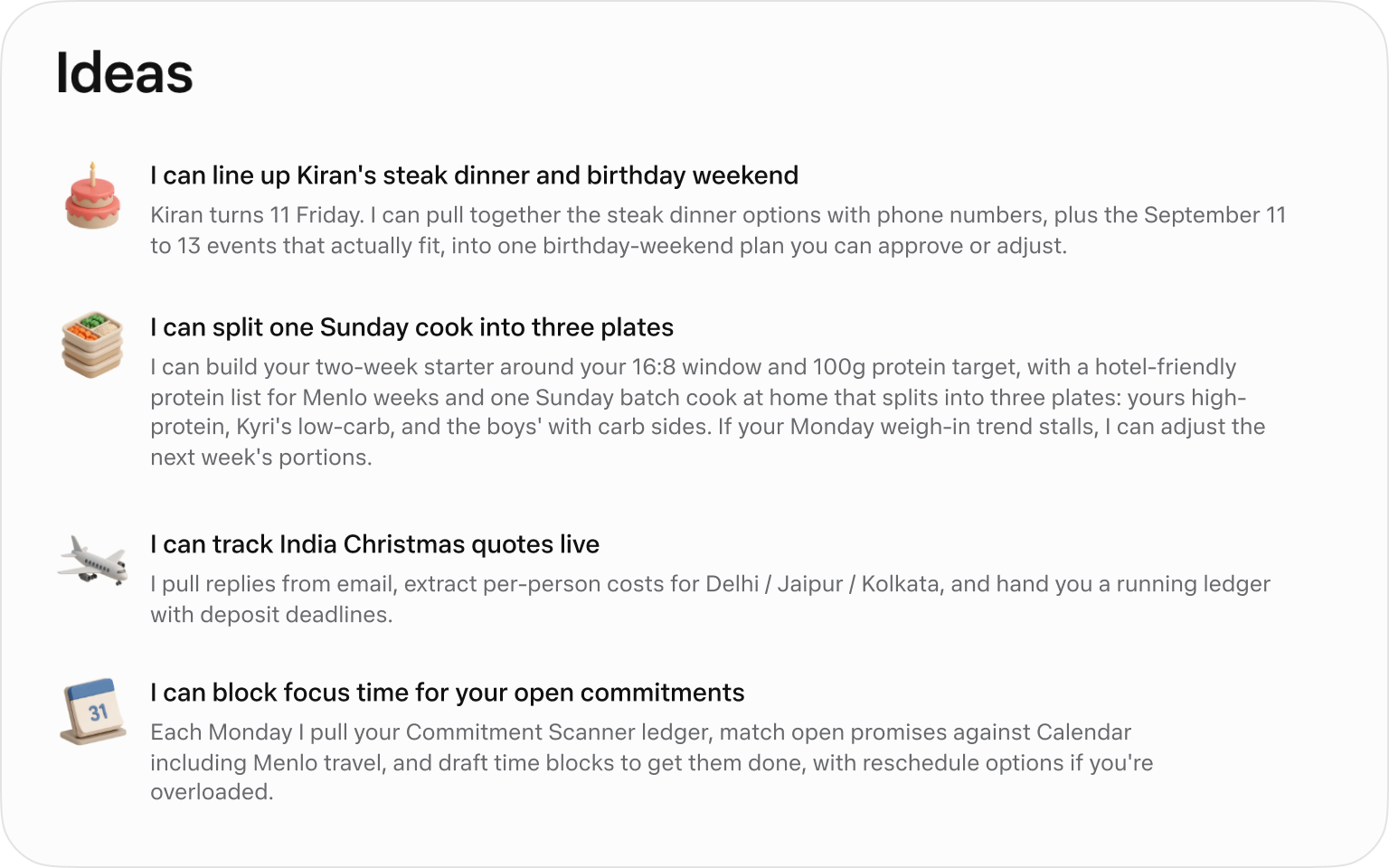
Official suggested tasks; what appears depends on your context. Image © Meta.
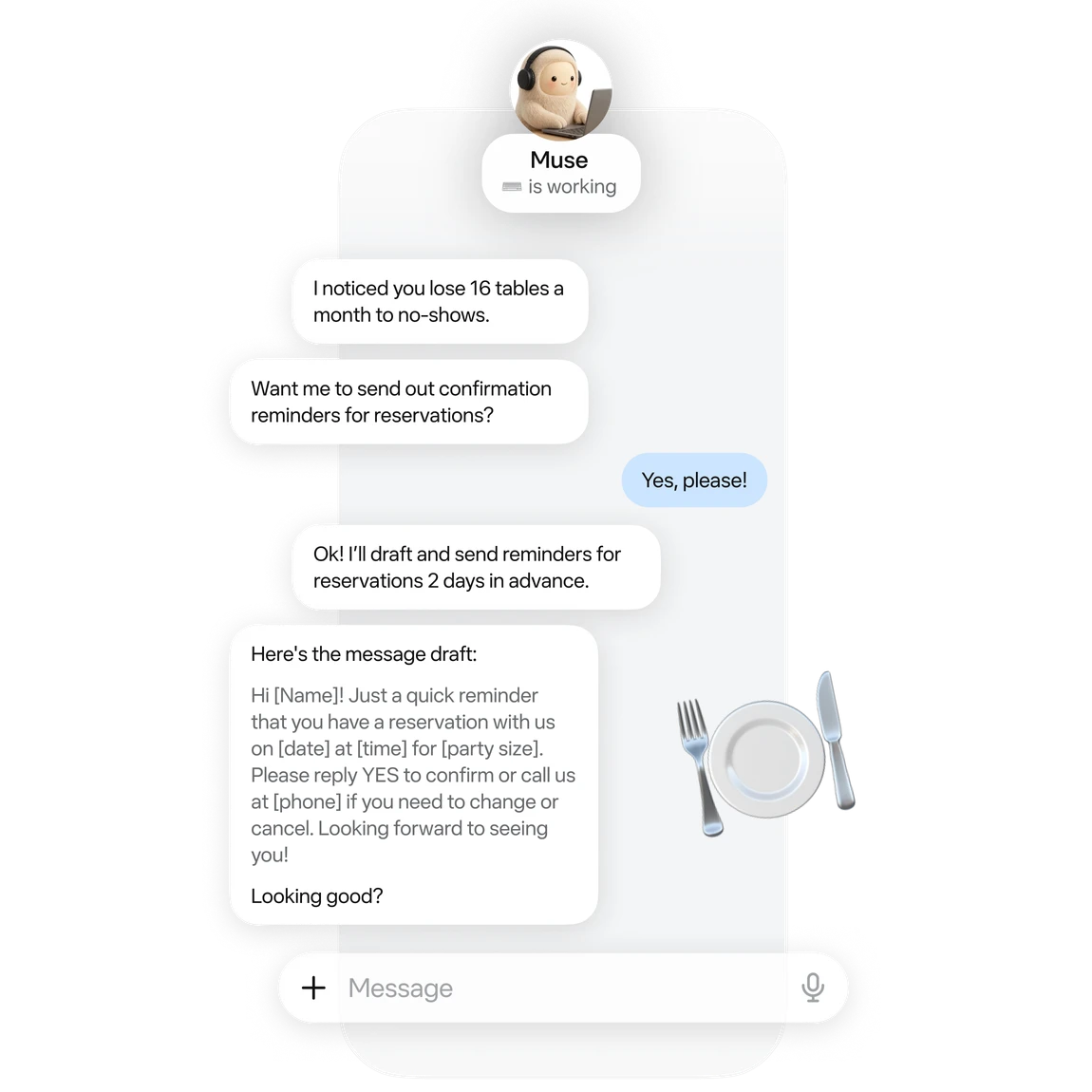
An official small-business example of drafting reservation reminders. Image © Meta.
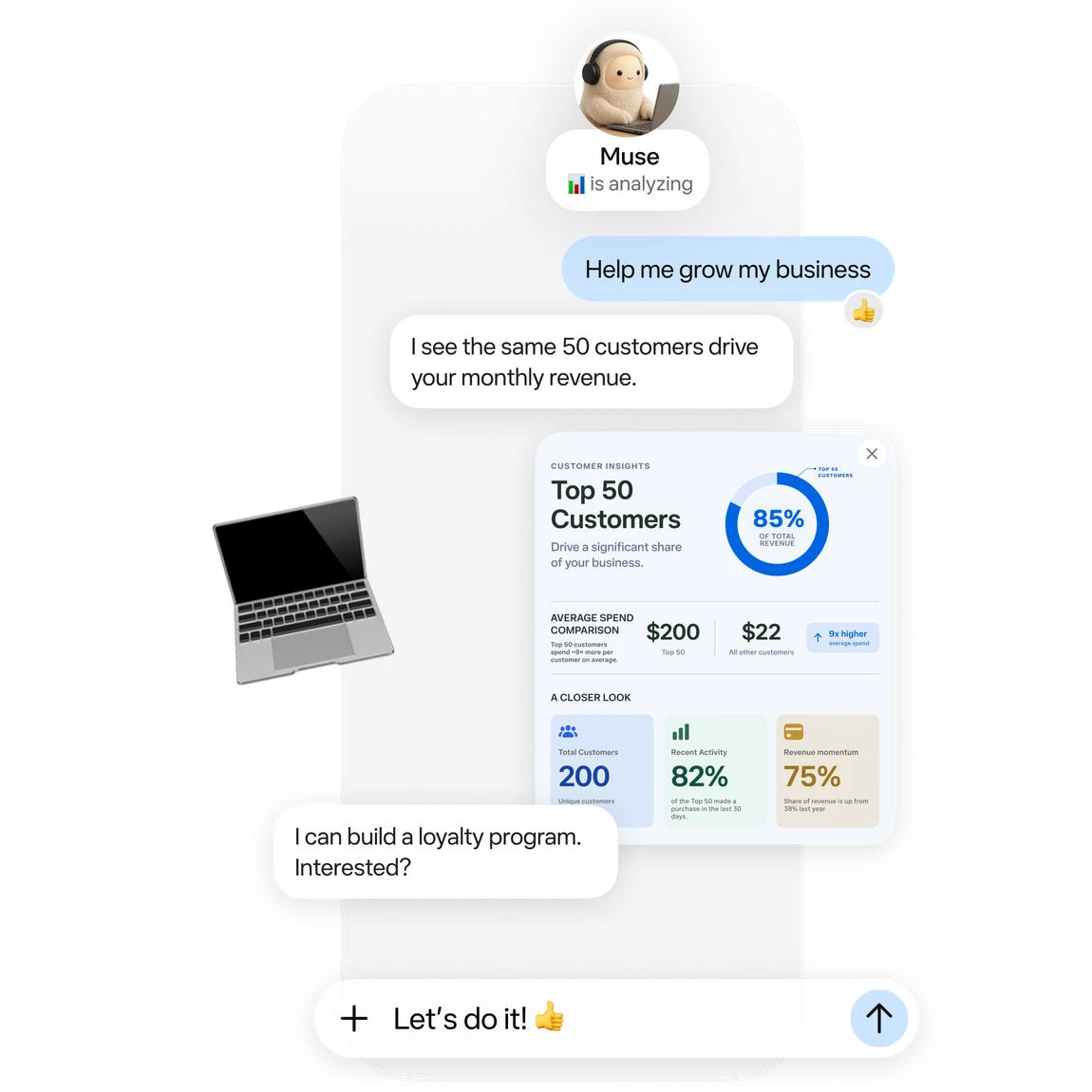
Official business analysis artwork; its numbers are illustrative. Image © Meta.

Official connector artwork. Check settings for actual availability. Image © Meta.
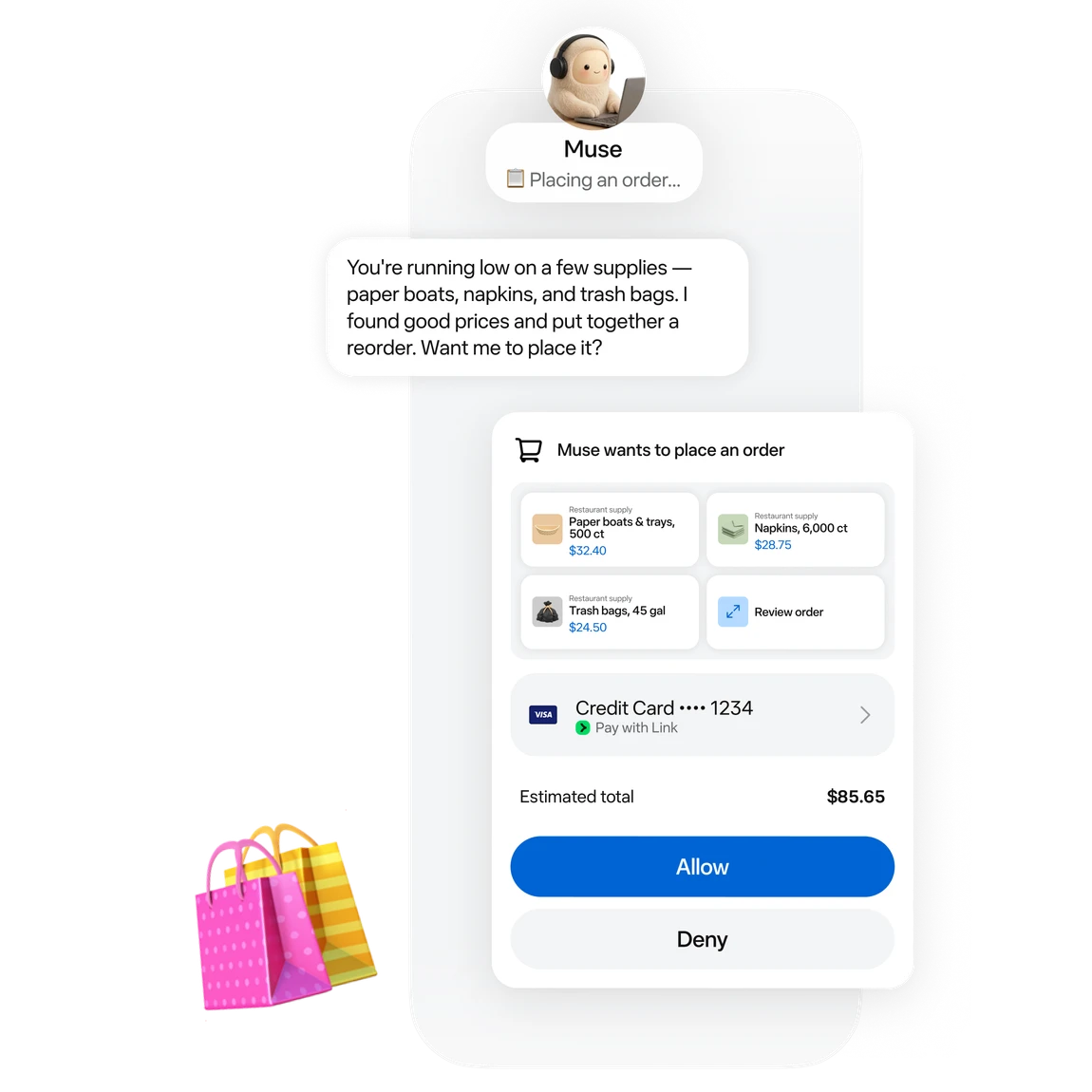
Official approval artwork for a proposed purchase. Image © Meta.
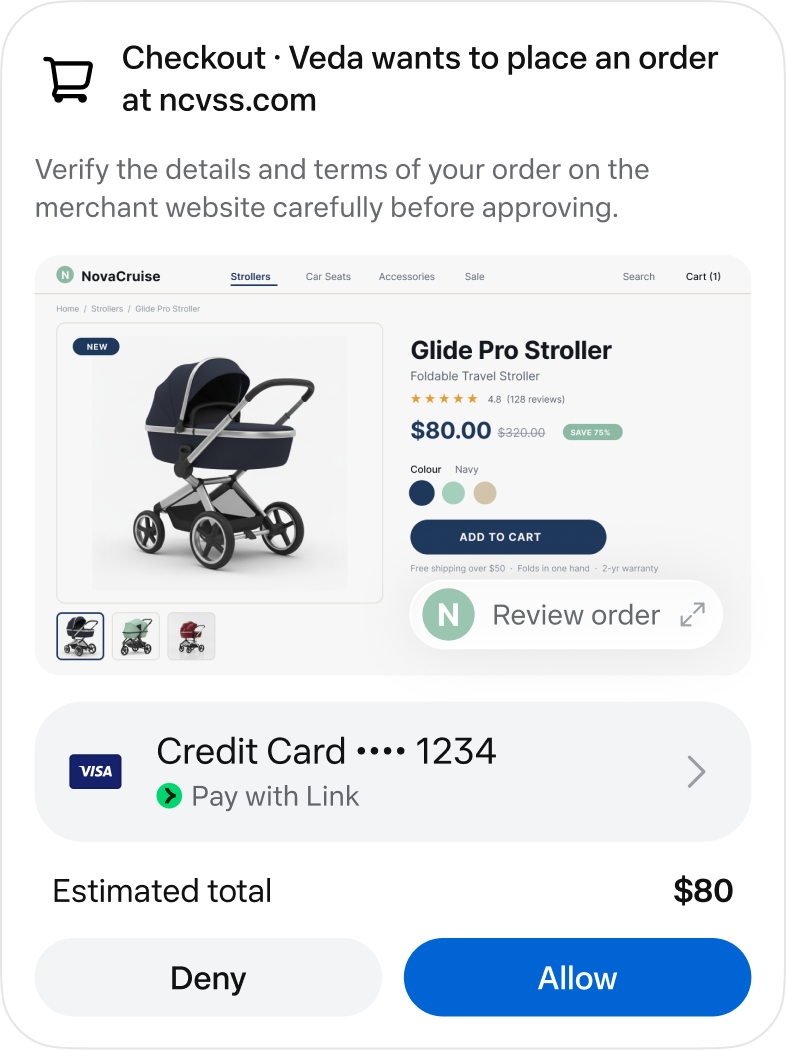
An official checkout approval screen. Image © Meta.
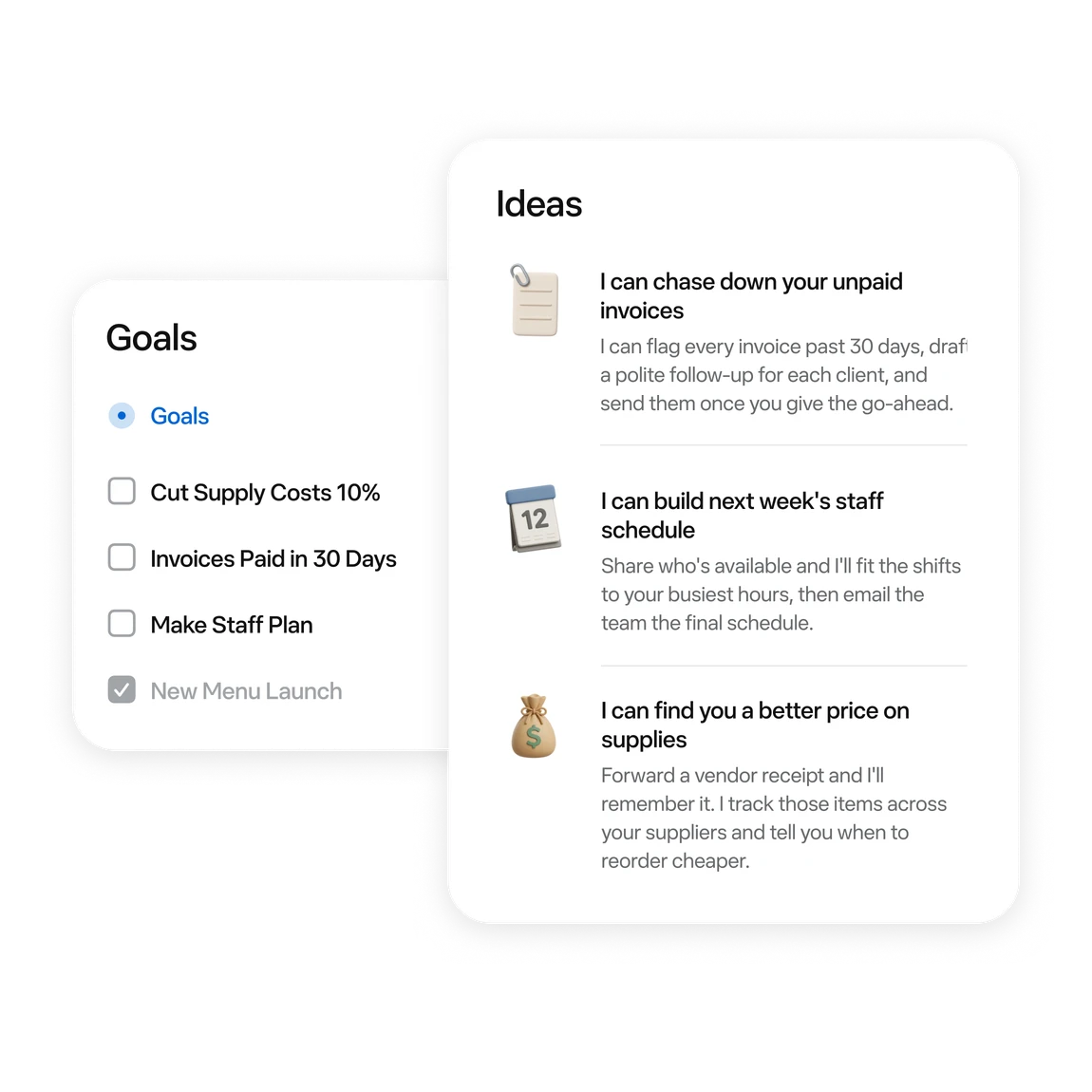
Official examples of business tasks and follow-up ideas. Image © Meta.
할 수 있는 작업
기능을 알아보고 나만의 활용법을 찾아보세요.
Ask for messages needing a reply and conflicting events first. Then choose one item to handle.
Turn scattered material into a checklist or document. Review proposed moves or deletions first.
Follow work in activity and Goals. Use chat to add constraints or adjust a plan.
Try reservation reminders, a content schedule or an order review. Give it one defined task at a time.
Connect a work app when the task needs its data. Review the requested permissions.
Before sending, publishing or buying, review the recipient, content and amount in the approval card.
업무 흐름에 맞게
“Outline tomorrow’s schedule. Separate departure times, meeting prep and unfinished items. Leave unknown details blank.”
“Turn these meeting notes into an action table with owners, deadlines and source passages. Flag anything unspecified.”
“Use these orders to draft next week’s tasks: stock, customer follow-up and content. Draft only; do not publish.”
“Compare three candidates within my budget. Include tax, shipping, specifications and returns. Research only; do not order.”
첫걸음
Start at muse.ai and check your region and account eligibility.
Follow the email or phone sign-in prompts and keep free access.
Specify the goal, timing and output. Add “draft only; do not send” when relevant.
When a task needs mail or files, check connectors and permissions in settings.
Check activity. Review sources, numbers and recipients in the result. Wait for a reset if the free allowance runs out.
둘러보기
도구의 데모나 동영상을 확인하고 인터페이스와 작업 흐름을 살펴보세요.
다음 단계 계획하기
Free allowance; optional paid upgrades
요금제
Start with a small task. Wait for a reset if you reach the limit.
$0
Usage limits apply
요금제
Explore higher allowances if needed. The free-use guides do not require an upgrade.
See current official plans
웹사이트에서 요금제 보기가격, 사용 한도 및 약관은 변경될 수 있습니다. 구독하기 전에 도구 공식 웹사이트에서 최신 세부 정보를 확인하세요.
To stay on the free tier, wait for the allowance to refresh. Check your account for its balance and reset time.
확인한 출처
A free allowance is available. You can wait for a reset; upgrading is optional.
The current published regions are the US and Canada, for adults aged 18+. Interface language does not establish eligibility.
No. These are Meta’s official interface and example images, retained with source attribution.
Choose something easy to review: a one-page task list, one reply draft, or three products to compare.
No. Agent usage and purchase costs are separate. Say “research only; do not buy” when that is your goal.
The official guide shows activity under the avatar and longer-term tasks in Goals. You can also request an update in chat.
계속 탐색하기
커뮤니티에서
로그인하여 경험을 공유하고 다른 사람들이 적합한 도구를 찾도록 도와주세요.
다음 발견

ChatGPT로 구동되는 다양한 AI 로봇과 함께 흥미롭고 지적인 대화를 즐겨 보세요. 각 캐릭터는 Stable Diffusion으로 고유하게 생성되어 서로 다른 시각적 외관을 갖습니다. 여러분을 이해하고 지지하는 생생한 동반자와 대화할 수 있습니다!
Interacly AI는 복잡한 랜딩 페이지를 간소화하고, 사용자가 자신의 언어로 상품, 서비스, 정부 제도 등과 직접 상호작용하도록 지원합니다.
기존 CRM의 번거로움 없이 주요 관계를 관리하는 새로운 방법입니다.
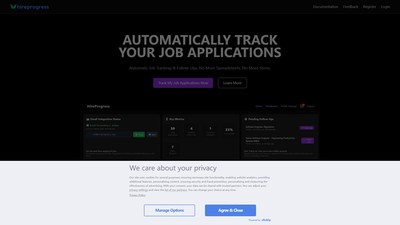
HireProgress는 대시보드에서 구직 진행 상황을 관리하는 자동 구직 지원 추적 도구입니다. 이메일 연동, 후속 조치 알림 및 지원 분석을 제공해 스프레드시트로 직접 관리하는 부담을 줄여 줍니다.
다음 단계로 나아가기
공식 웹사이트에서 최신 기능을 살펴보고 시작해 보세요.