

Email and calendar
Ask for messages needing a reply and conflicting events first. Then choose one item to handle.
PERFIL DA FERRAMENTA TOOLAI
Start with one task. Let Muse work across your inbox, calendar and everyday apps.
 Ver imagem completa
VISÃO GERAL
Muse is Meta’s personal AI agent for tasks across the apps you connect: research, file organization, reply drafts and planning.
For a first try, choose something small and easy to review. Outline tomorrow’s schedule, compare three products, or turn notes into a checklist. Specify the deadline, the output and the actions that need your approval.
UM OLHAR MAIS DE PERTO
Explore as telas do produto e os exemplos publicados. Abra qualquer imagem para vê-la mais de perto.
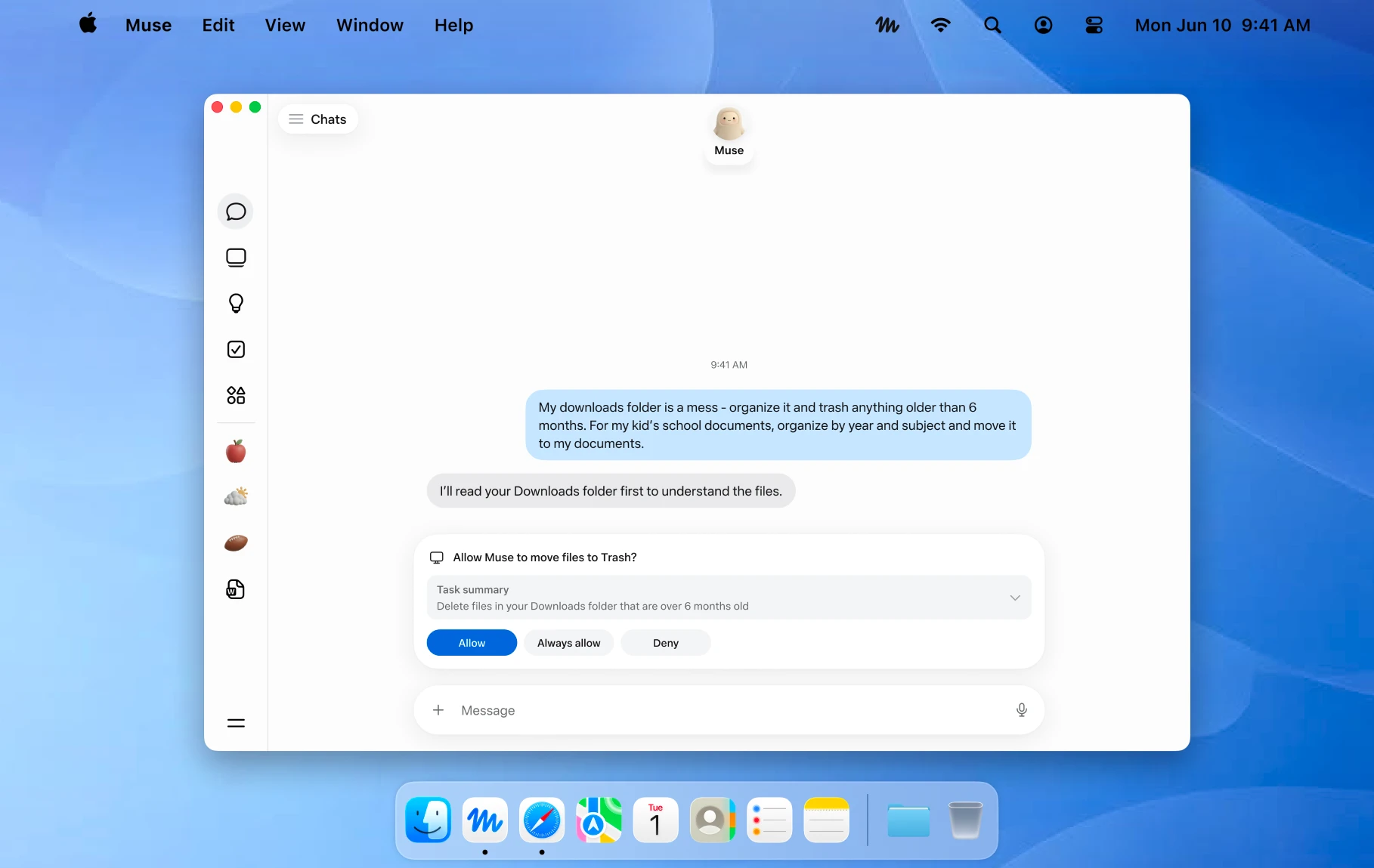
An official Mac example showing a file action awaiting approval. Image © Meta.

Official mobile examples of suggested everyday tasks. Image © Meta.

Official Artifacts examples, rather than ToolAI test results. Image © Meta.
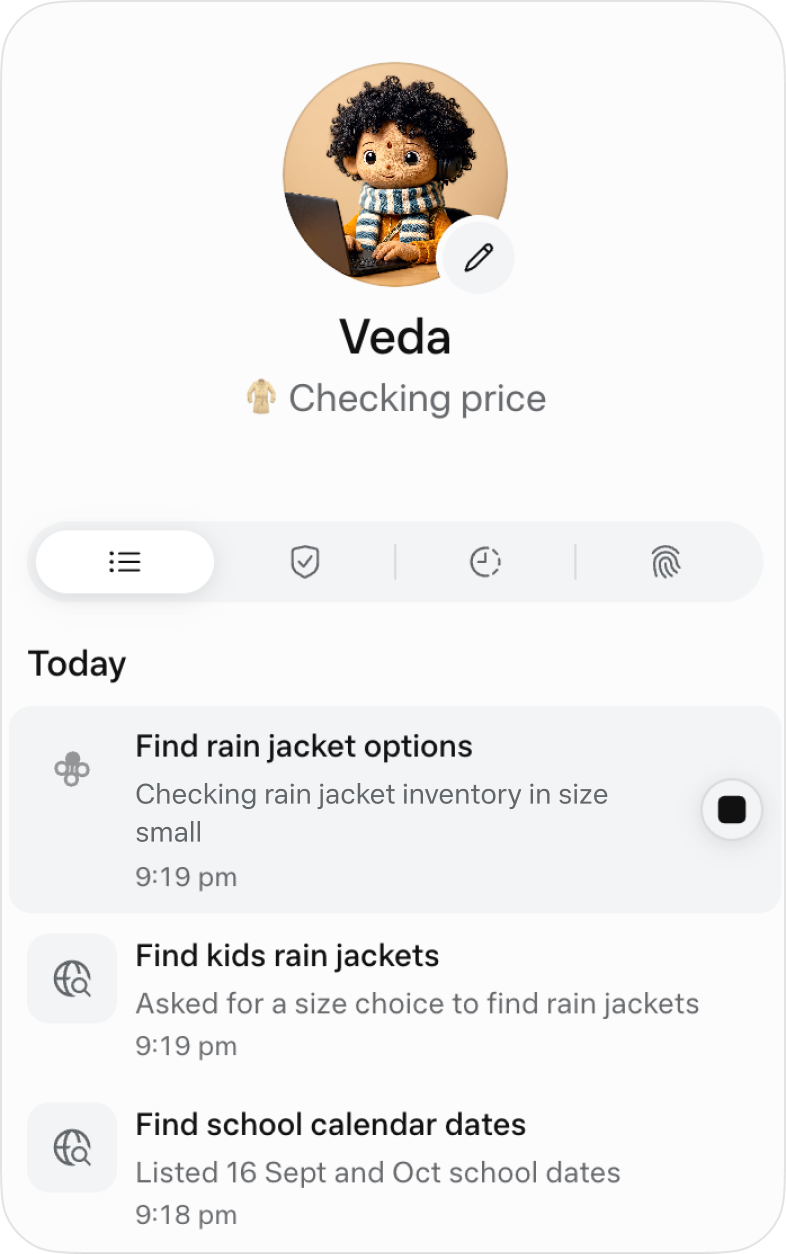
The official activity view for following ongoing work. Image © Meta.

The official Goals view collects longer-running tasks. Image © Meta.

Official suggested tasks; what appears depends on your context. Image © Meta.
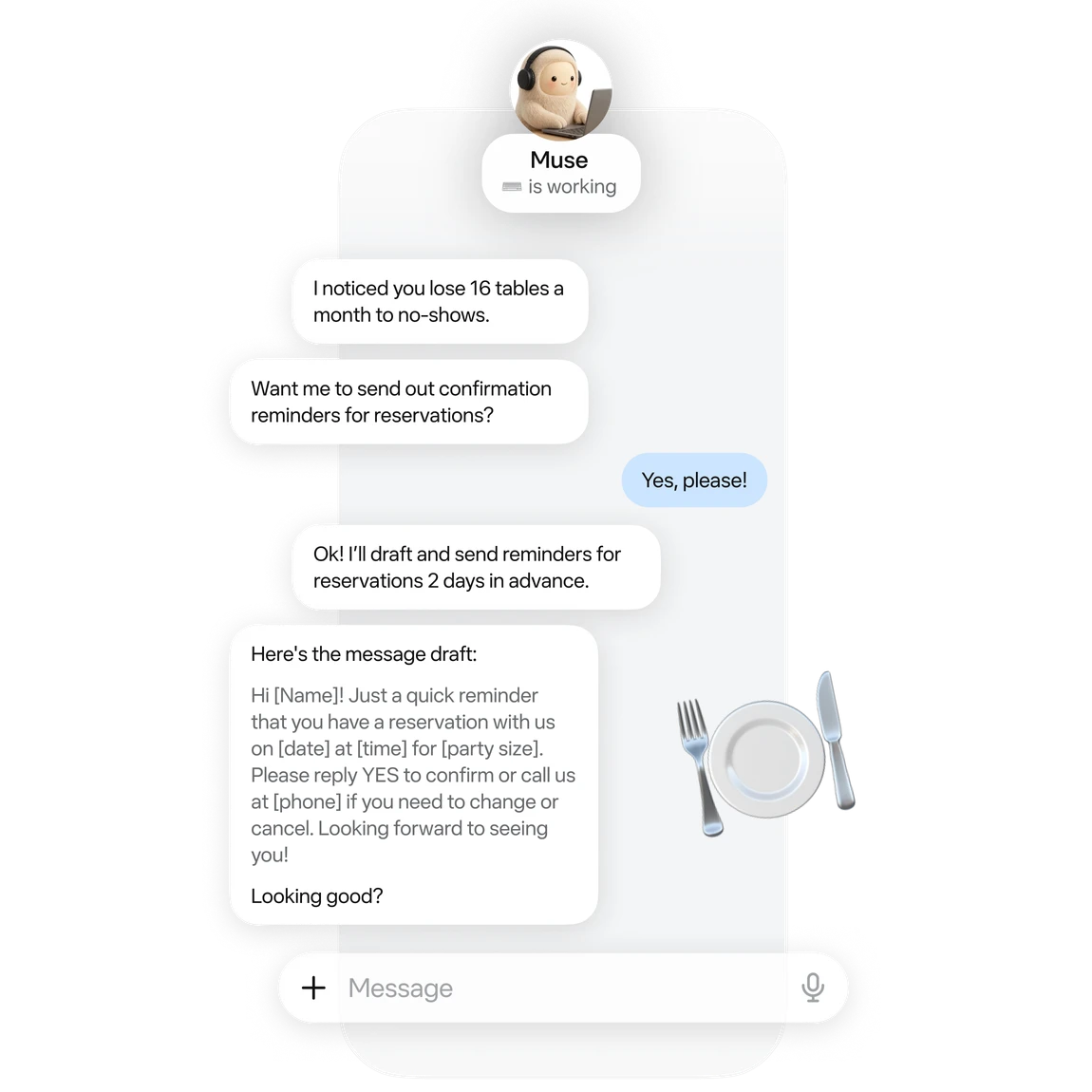
An official small-business example of drafting reservation reminders. Image © Meta.

Official business analysis artwork; its numbers are illustrative. Image © Meta.

Official connector artwork. Check settings for actual availability. Image © Meta.

Official approval artwork for a proposed purchase. Image © Meta.
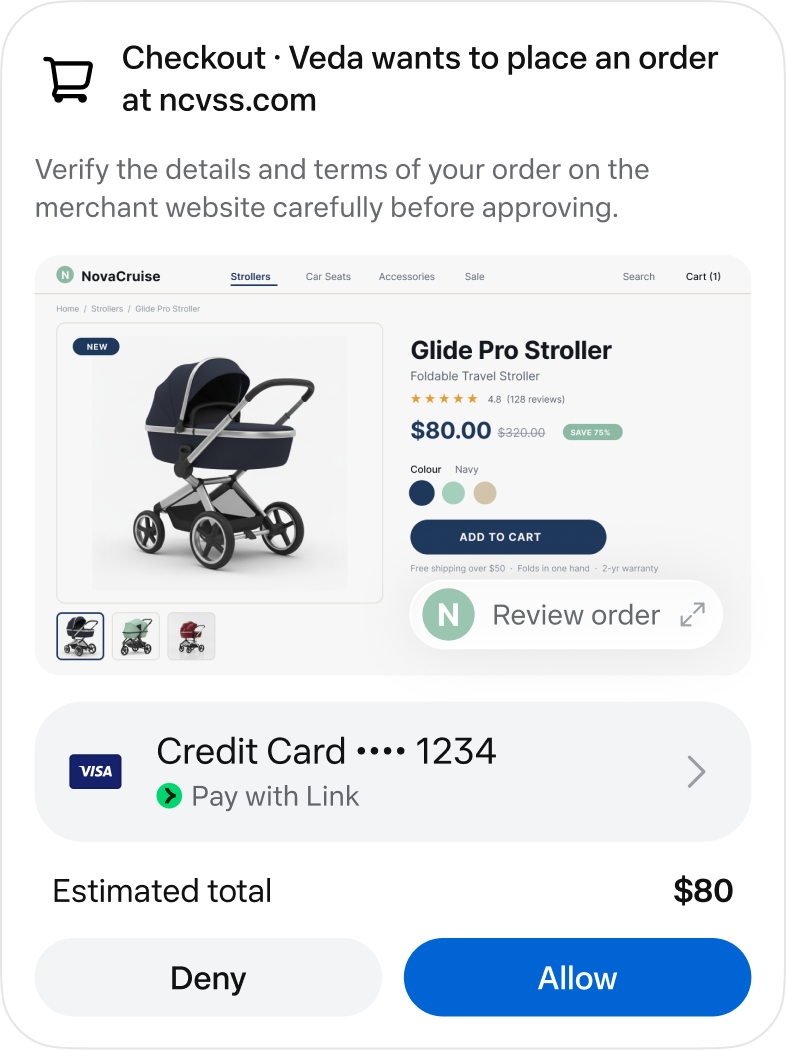
An official checkout approval screen. Image © Meta.
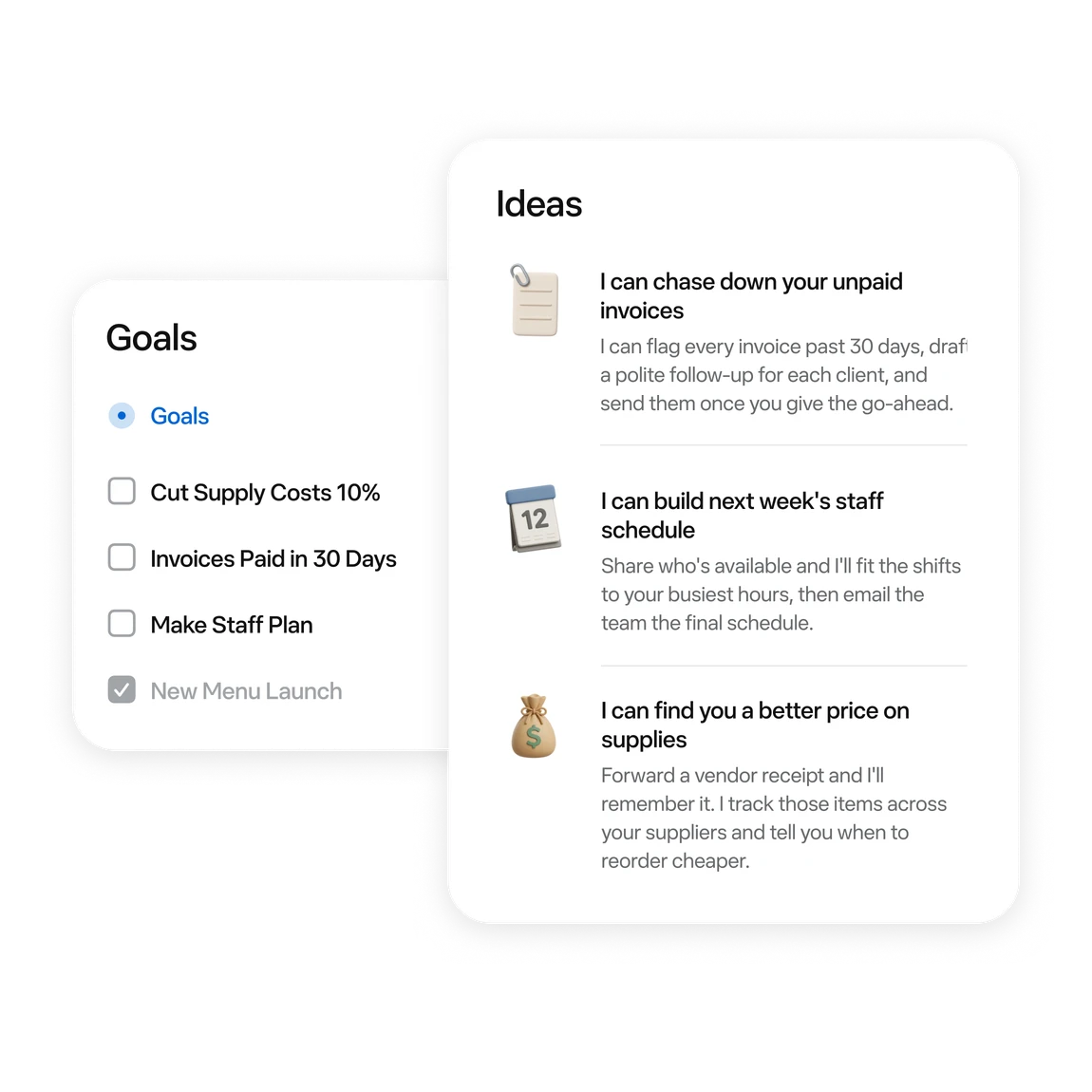
Official examples of business tasks and follow-up ideas. Image © Meta.
O QUE VOCÊ PODE FAZER
Conheça os recursos. Encontre sua própria maneira de usá-los.
Ask for messages needing a reply and conflicting events first. Then choose one item to handle.
Turn scattered material into a checklist or document. Review proposed moves or deletions first.
Follow work in activity and Goals. Use chat to add constraints or adjust a plan.
Try reservation reminders, a content schedule or an order review. Give it one defined task at a time.
Connect a work app when the task needs its data. Review the requested permissions.
Before sending, publishing or buying, review the recipient, content and amount in the approval card.
FEITO PARA O SEU FLUXO DE TRABALHO
“Outline tomorrow’s schedule. Separate departure times, meeting prep and unfinished items. Leave unknown details blank.”
“Turn these meeting notes into an action table with owners, deadlines and source passages. Flag anything unspecified.”
“Use these orders to draft next week’s tasks: stock, customer follow-up and content. Draft only; do not publish.”
“Compare three candidates within my budget. Include tax, shipping, specifications and returns. Research only; do not order.”
SEUS PRIMEIROS PASSOS
Start at muse.ai and check your region and account eligibility.
Follow the email or phone sign-in prompts and keep free access.
Specify the goal, timing and output. Add “draft only; do not send” when relevant.
When a task needs mail or files, check connectors and permissions in settings.
Check activity. Review sources, numbers and recipients in the result. Wait for a reset if the free allowance runs out.
DÊ UMA OLHADA
Explore a demonstração ou o vídeo da ferramenta para conhecer sua interface e seu fluxo de trabalho.
PLANEJE SEU PRÓXIMO PASSO
Free allowance; optional paid upgrades
PLANO
Start with a small task. Wait for a reset if you reach the limit.
$0
Usage limits apply
PLANO
Explore higher allowances if needed. The free-use guides do not require an upgrade.
See current official plans
Ver o plano no siteOs preços, limites de uso e termos podem mudar. Confirme os detalhes mais recentes no site oficial da ferramenta antes de assinar.
To stay on the free tier, wait for the allowance to refresh. Check your account for its balance and reset time.
Fontes consultadas
A free allowance is available. You can wait for a reset; upgrading is optional.
The current published regions are the US and Canada, for adults aged 18+. Interface language does not establish eligibility.
No. These are Meta’s official interface and example images, retained with source attribution.
Choose something easy to review: a one-page task list, one reply draft, or three products to compare.
No. Agent usage and purchase costs are separate. Say “research only; do not buy” when that is your goal.
The official guide shows activity under the avatar and longer-term tasks in Goals. You can also request an update in chat.
CONTINUE EXPLORANDO
DA COMUNIDADE
Entre para compartilhar sua experiência e ajudar outras pessoas a encontrar a ferramenta certa.
SUA PRÓXIMA DESCOBERTA

Uma plataforma para criação de sites.

Aprimore a criação de newsletters com o novo editor de e-mail da MailerLite, que inclui um assistente de escrita com IA para conteúdo e linhas de assunto, edição integrada e modelos personalizados de blocos. Agora qualquer pessoa pode criar layouts incríveis com mensagens que geram conexão e conversões.

walletfinder.ai é uma ferramenta de análise DeFi que ajuda a descobrir e copiar operações de carteiras de criptomoedas rentáveis, com insights em tempo real e alertas instantâneos.
O TeraBox é um espaço de trabalho de IA completo para apresentações, imagens, vídeos, pesquisa, redação e conversão de arquivos. Crie e automatize tudo em um só lugar.
DÊ O PRÓXIMO PASSO
Visite o site oficial para conhecer os recursos mais recentes e começar.