

Email and calendar
Ask for messages needing a reply and conflicting events first. Then choose one item to handle.
PERFIL DE LA HERRAMIENTA TOOLAI
Start with one task. Let Muse work across your inbox, calendar and everyday apps.
 Ver imagen completa
VISIÓN GENERAL
Muse is Meta’s personal AI agent for tasks across the apps you connect: research, file organization, reply drafts and planning.
For a first try, choose something small and easy to review. Outline tomorrow’s schedule, compare three products, or turn notes into a checklist. Specify the deadline, the output and the actions that need your approval.
UNA MIRADA MÁS DETALLADA
Explora las pantallas del producto y los ejemplos publicados. Abre cualquier imagen para verla más de cerca.
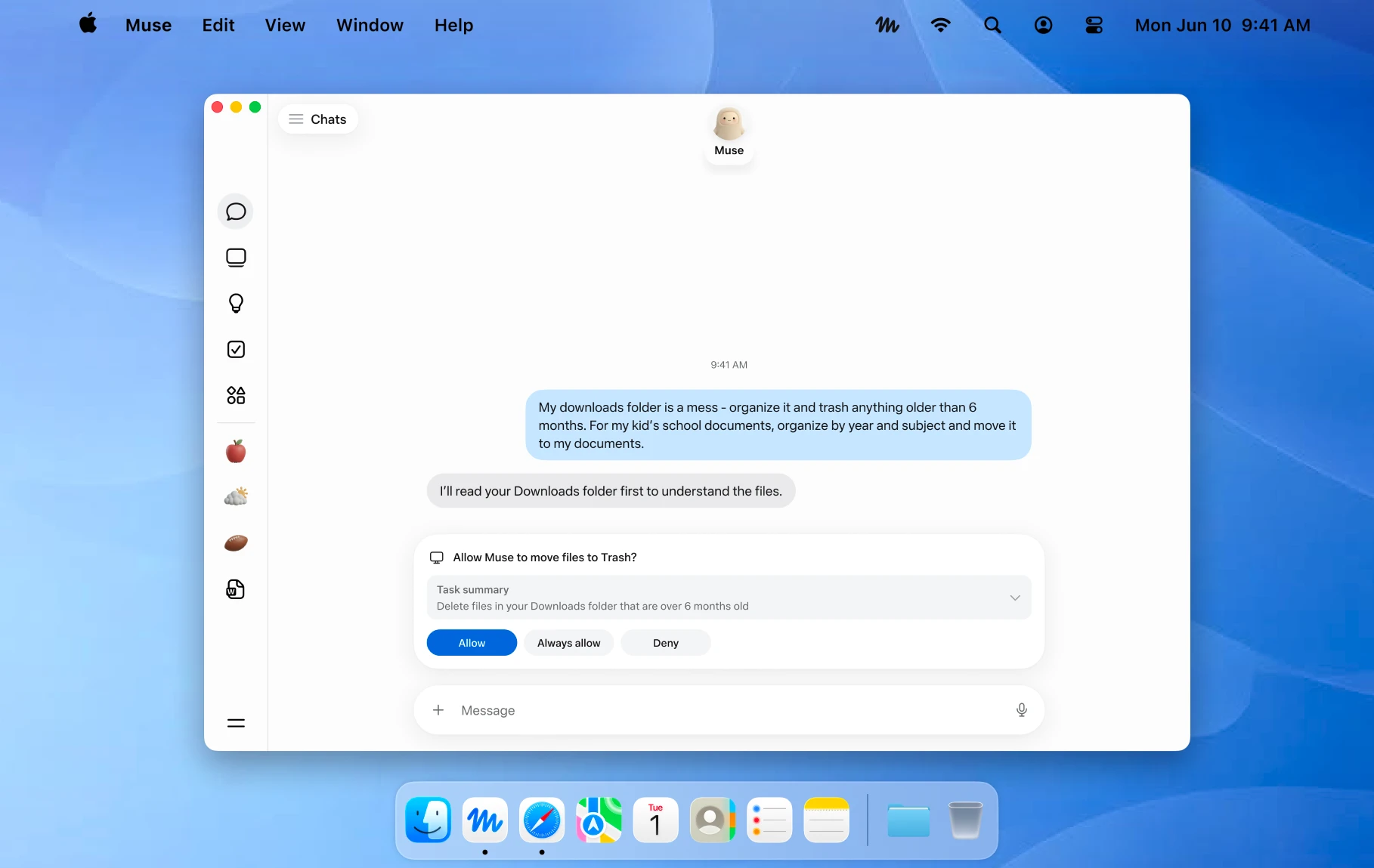
An official Mac example showing a file action awaiting approval. Image © Meta.
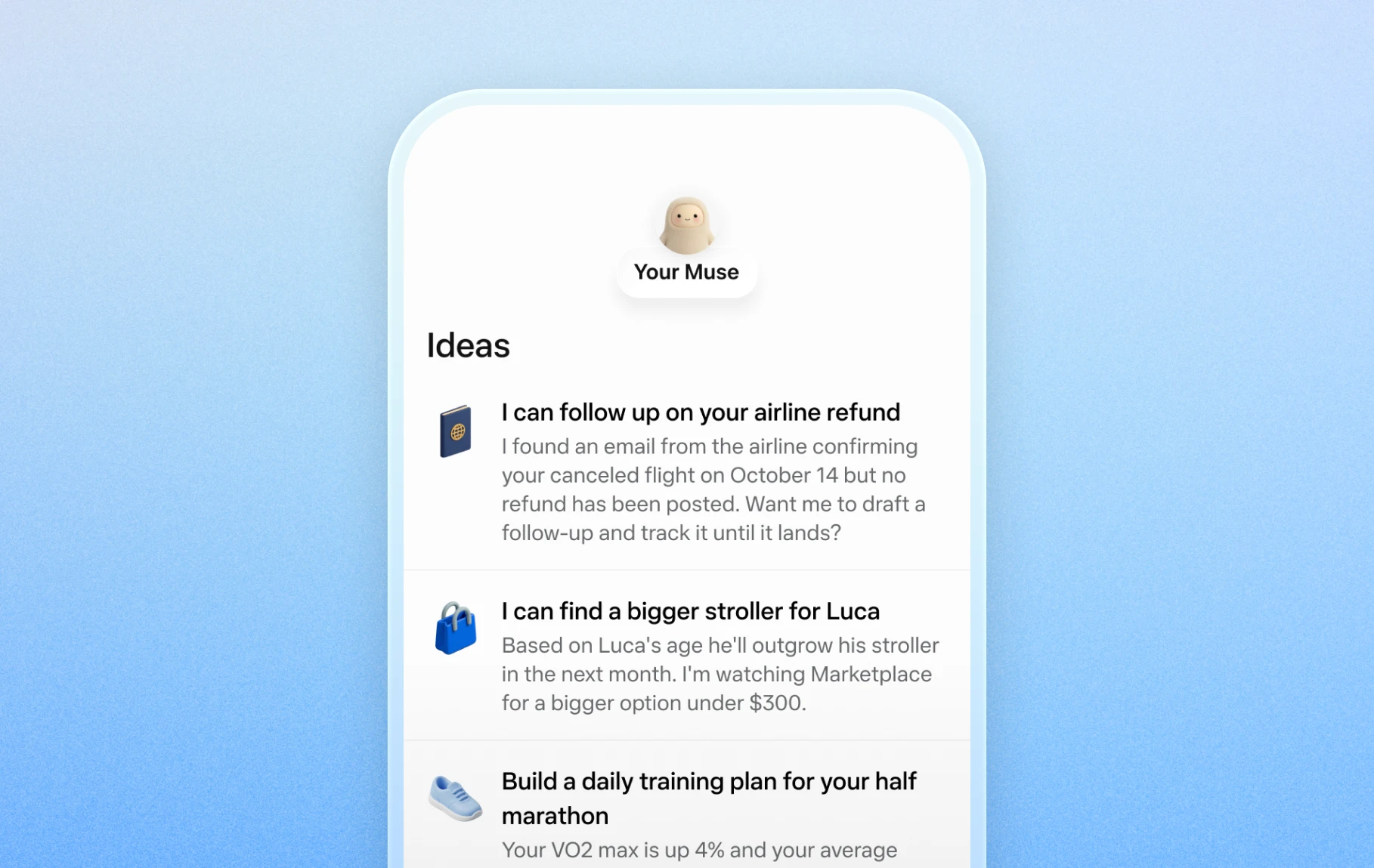
Official mobile examples of suggested everyday tasks. Image © Meta.

Official Artifacts examples, rather than ToolAI test results. Image © Meta.
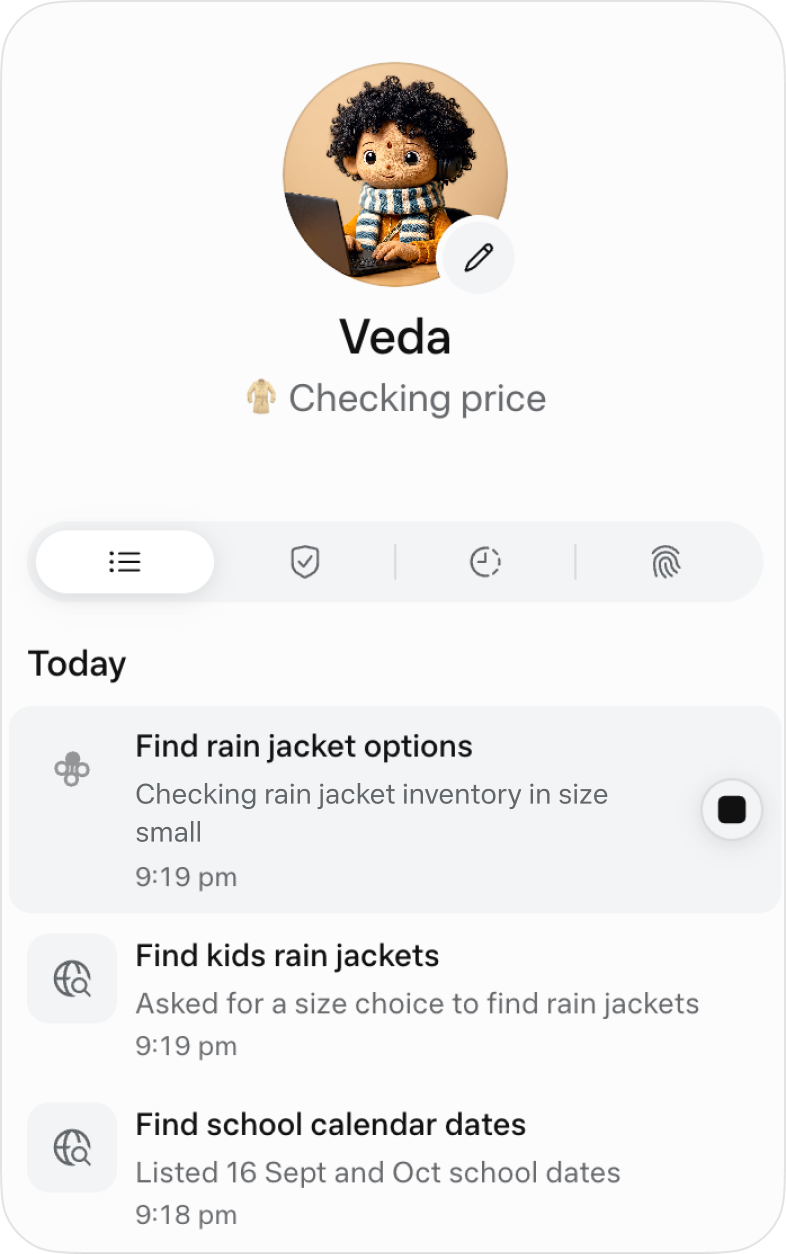
The official activity view for following ongoing work. Image © Meta.
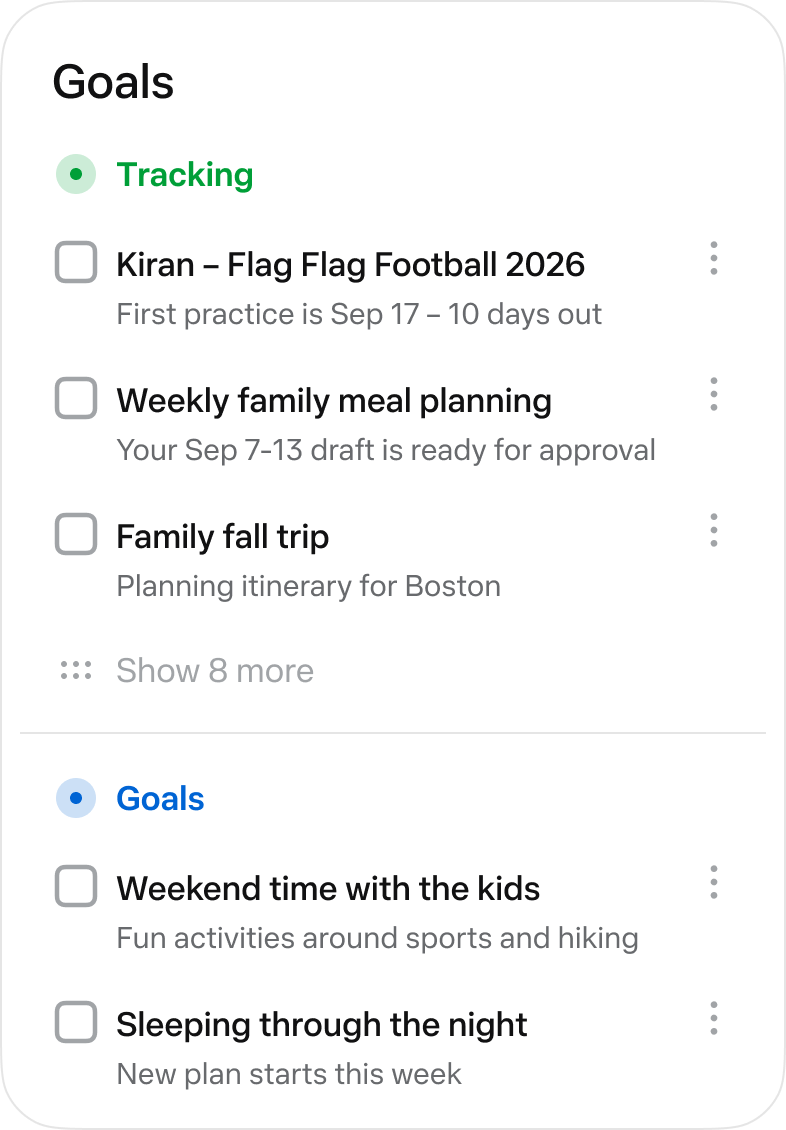
The official Goals view collects longer-running tasks. Image © Meta.
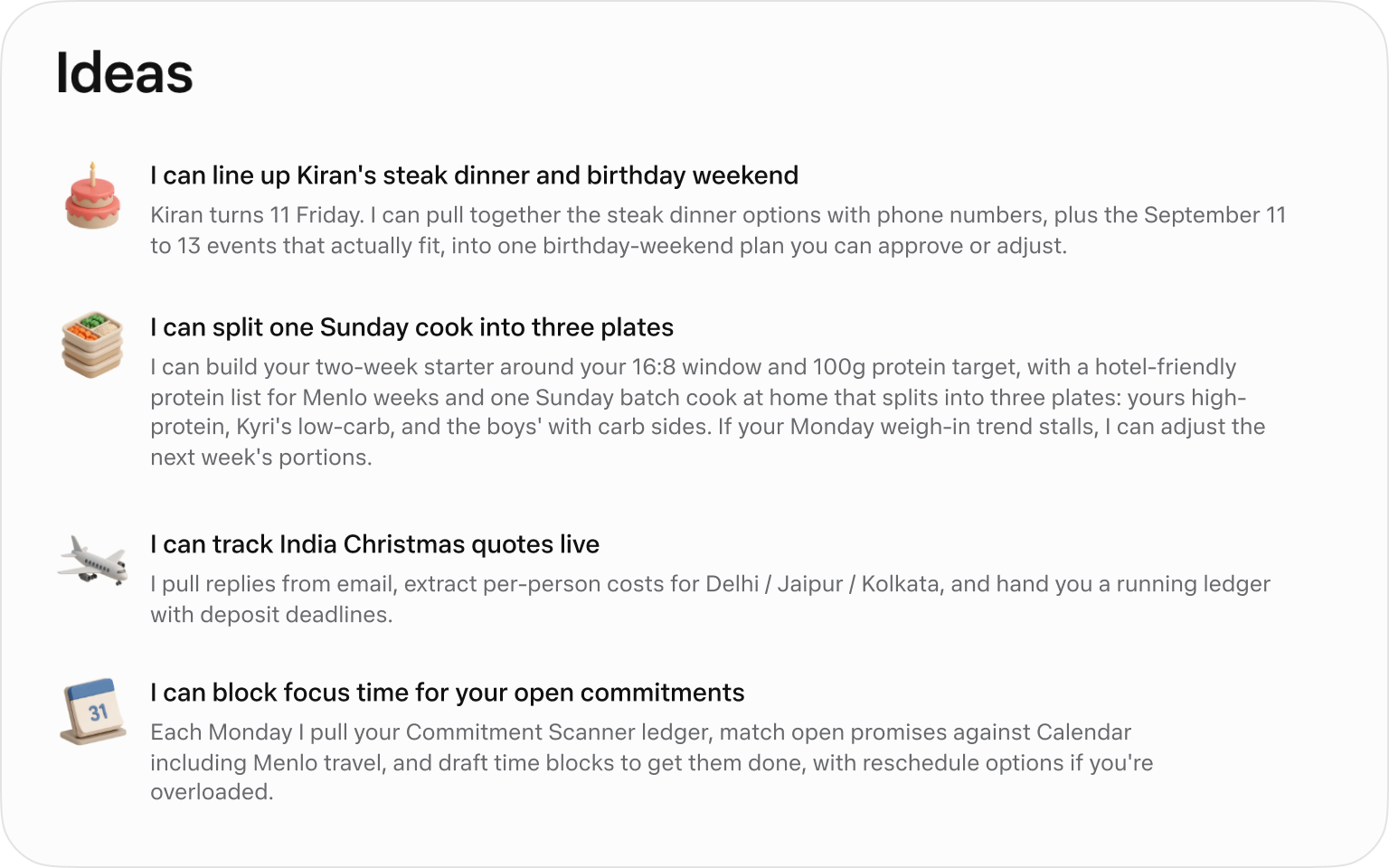
Official suggested tasks; what appears depends on your context. Image © Meta.
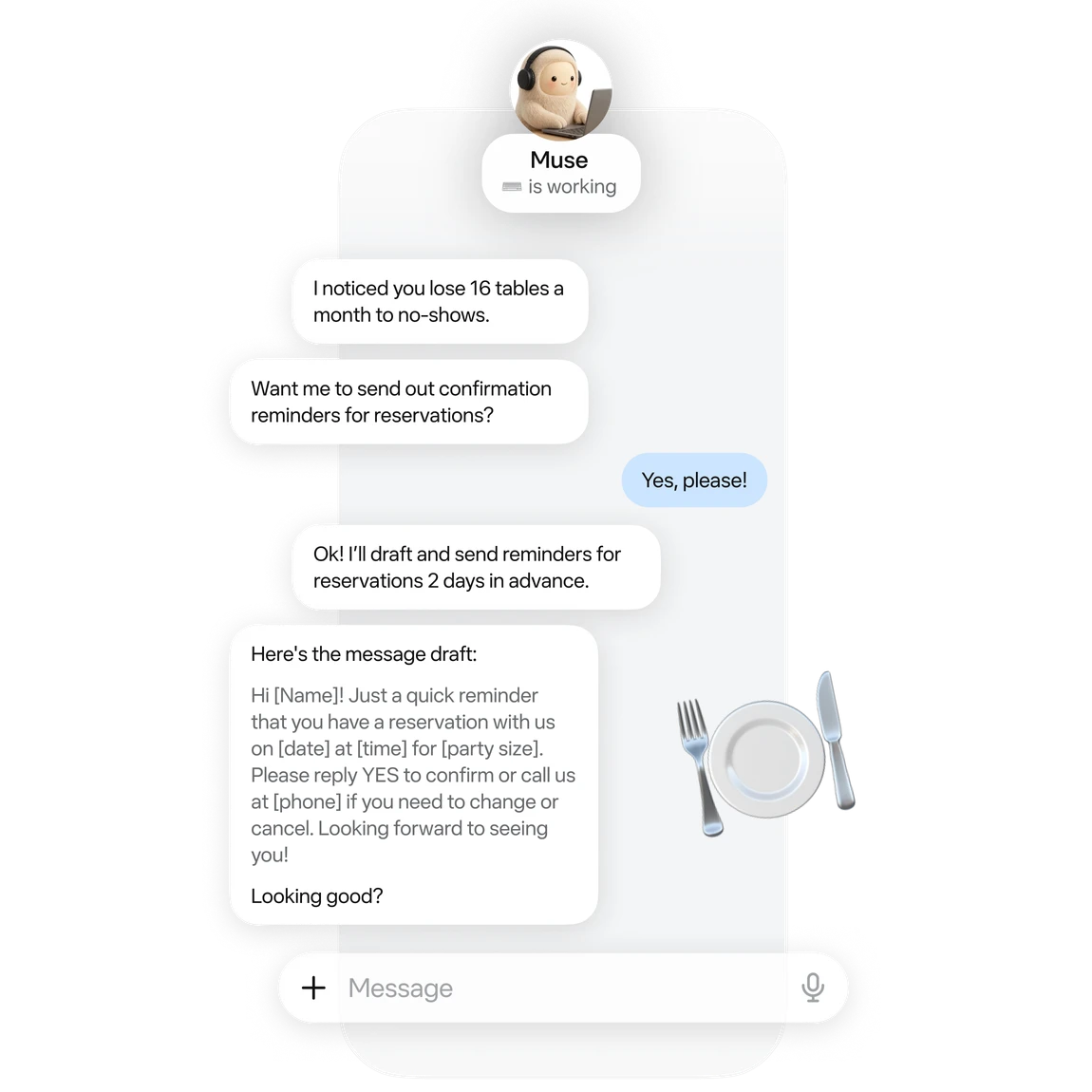
An official small-business example of drafting reservation reminders. Image © Meta.
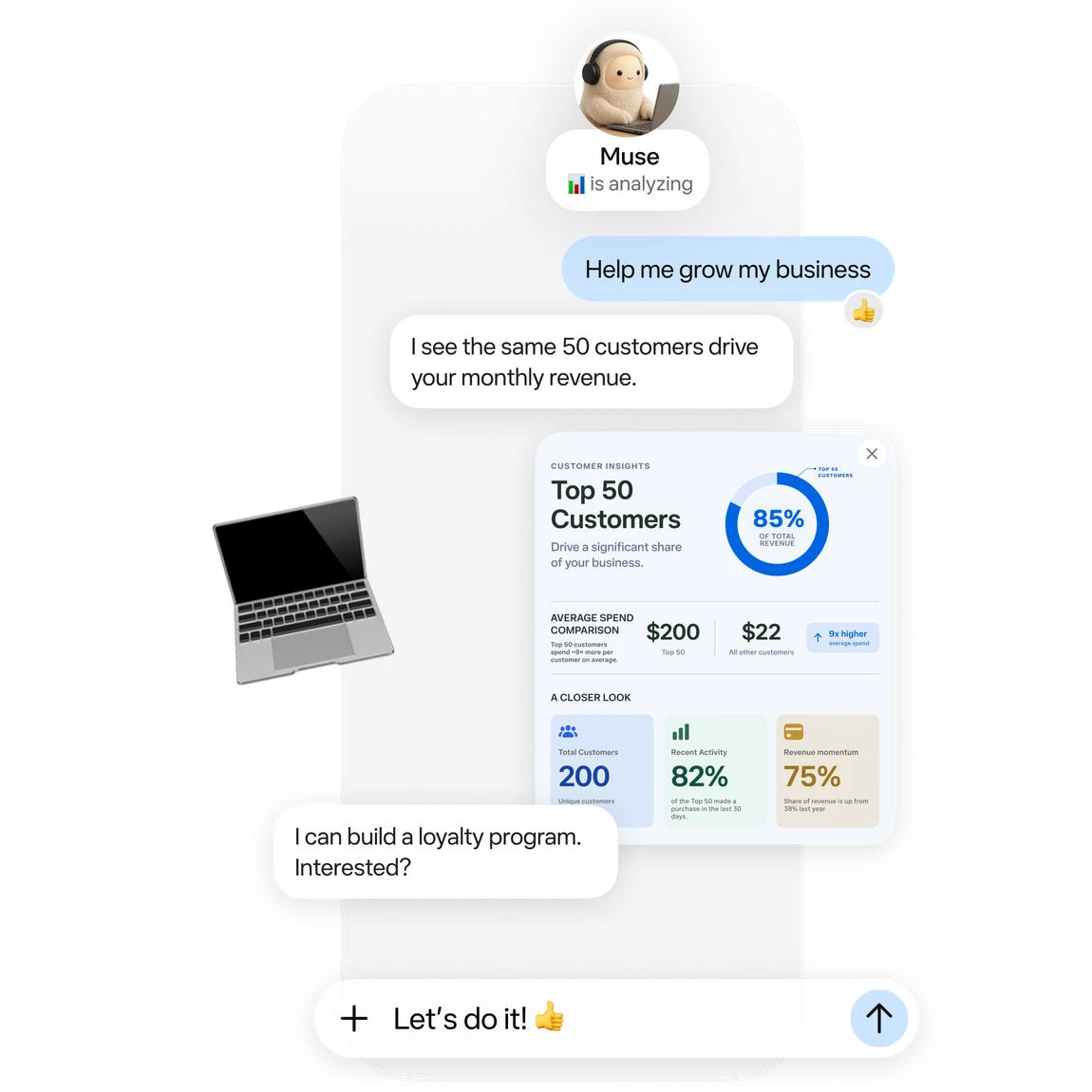
Official business analysis artwork; its numbers are illustrative. Image © Meta.

Official connector artwork. Check settings for actual availability. Image © Meta.
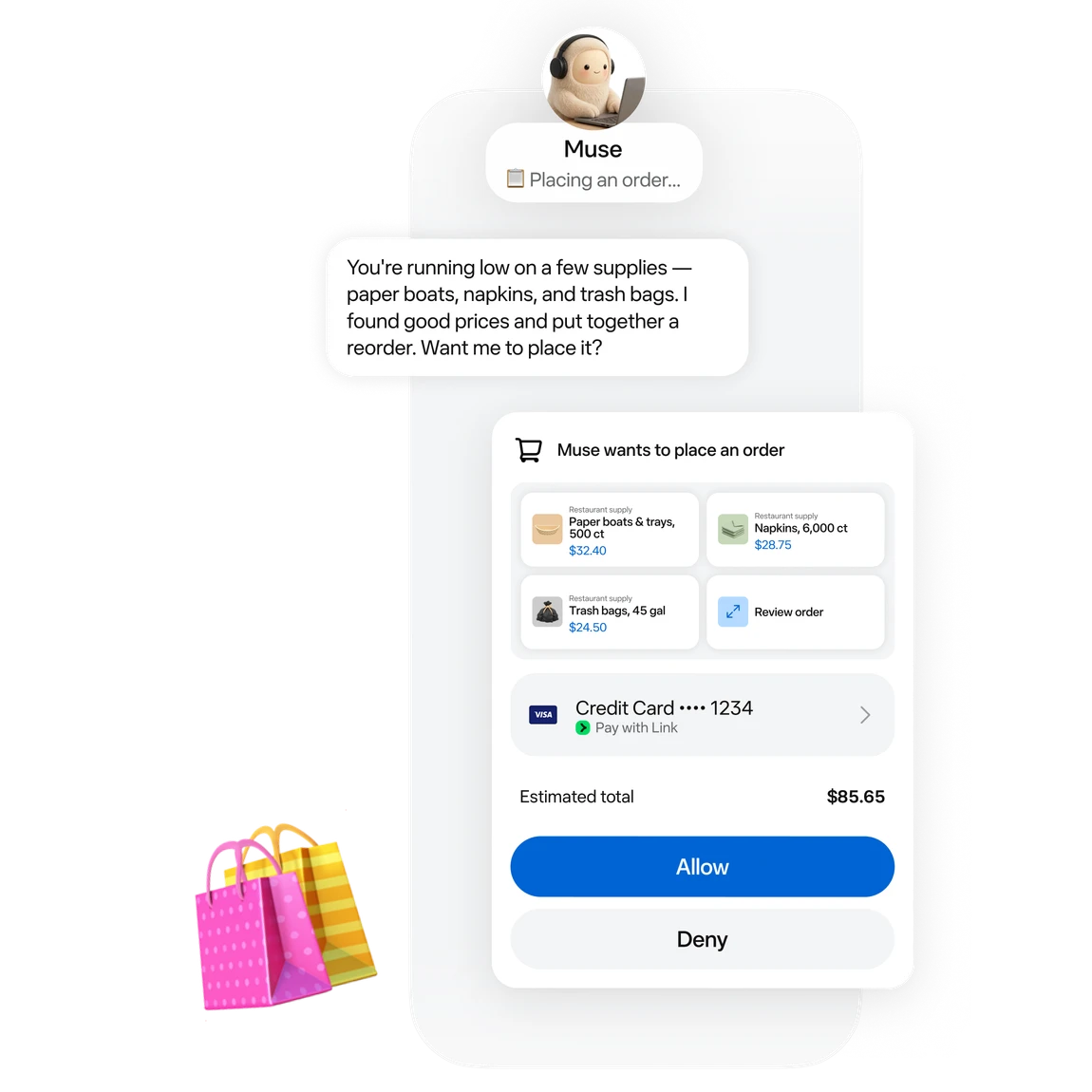
Official approval artwork for a proposed purchase. Image © Meta.
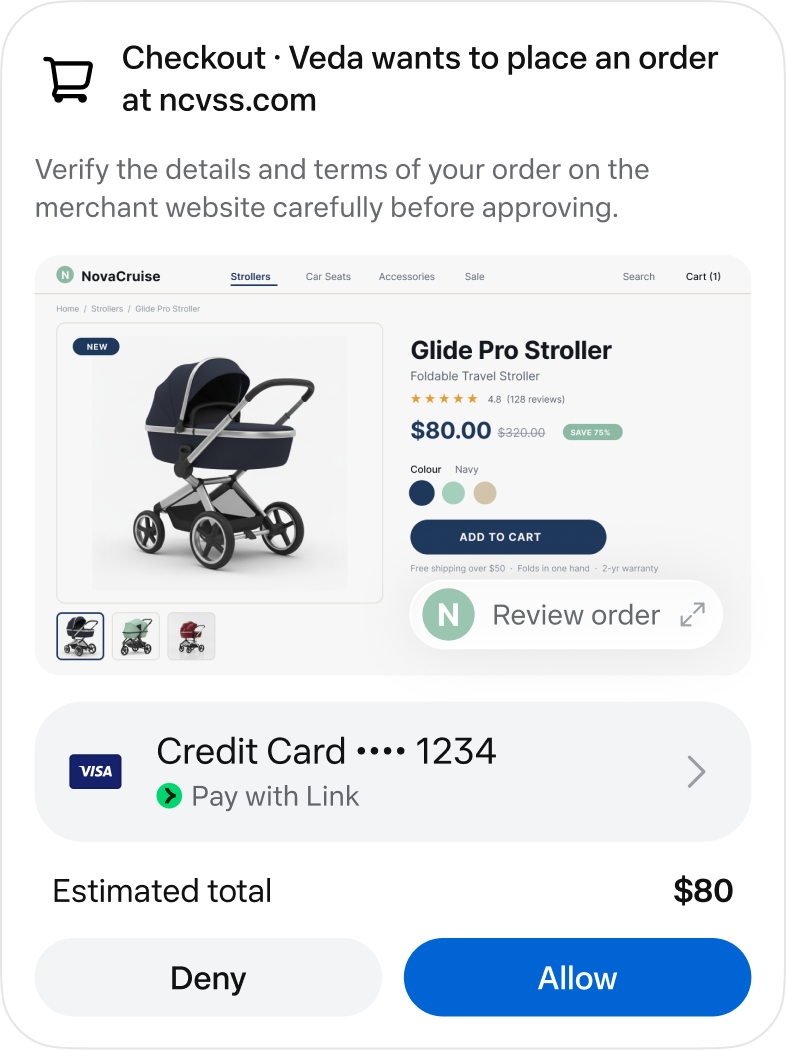
An official checkout approval screen. Image © Meta.
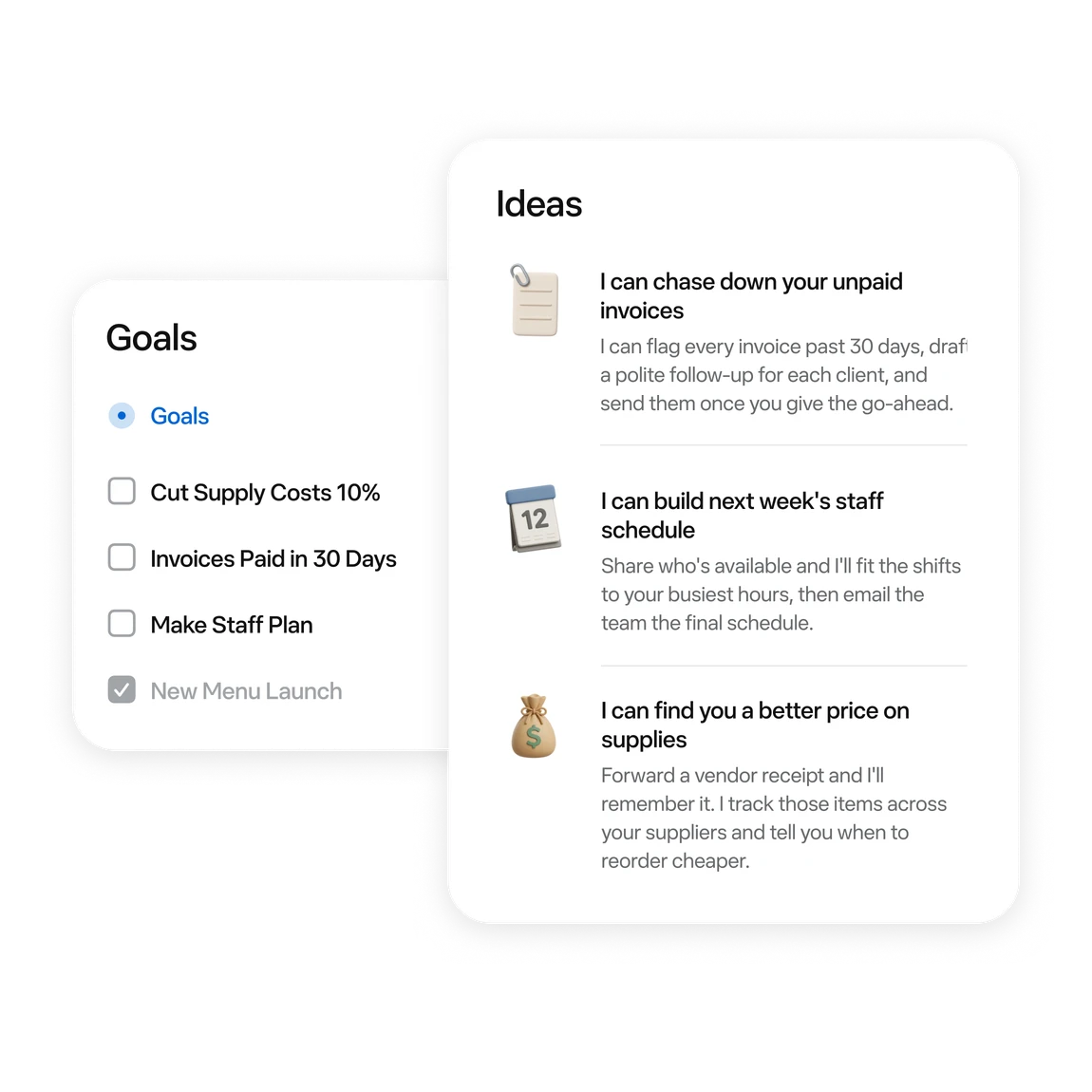
Official examples of business tasks and follow-up ideas. Image © Meta.
LO QUE PUEDES HACER
Conoce sus capacidades. Encuentra tu propia forma de usarlas.
Ask for messages needing a reply and conflicting events first. Then choose one item to handle.
Turn scattered material into a checklist or document. Review proposed moves or deletions first.
Follow work in activity and Goals. Use chat to add constraints or adjust a plan.
Try reservation reminders, a content schedule or an order review. Give it one defined task at a time.
Connect a work app when the task needs its data. Review the requested permissions.
Before sending, publishing or buying, review the recipient, content and amount in the approval card.
DISEÑADO PARA TU FLUJO DE TRABAJO
“Outline tomorrow’s schedule. Separate departure times, meeting prep and unfinished items. Leave unknown details blank.”
“Turn these meeting notes into an action table with owners, deadlines and source passages. Flag anything unspecified.”
“Use these orders to draft next week’s tasks: stock, customer follow-up and content. Draft only; do not publish.”
“Compare three candidates within my budget. Include tax, shipping, specifications and returns. Research only; do not order.”
TUS PRIMEROS PASOS
Start at muse.ai and check your region and account eligibility.
Follow the email or phone sign-in prompts and keep free access.
Specify the goal, timing and output. Add “draft only; do not send” when relevant.
When a task needs mail or files, check connectors and permissions in settings.
Check activity. Review sources, numbers and recipients in the result. Wait for a reset if the free allowance runs out.
ECHA UN VISTAZO
Explora la demostración o el video de la herramienta para conocer su interfaz y flujo de trabajo.
PLANIFICA TU SIGUIENTE PASO
Free allowance; optional paid upgrades
PLAN
Start with a small task. Wait for a reset if you reach the limit.
$0
Usage limits apply
PLAN
Explore higher allowances if needed. The free-use guides do not require an upgrade.
See current official plans
Ver el plan en el sitio webLos precios, límites de uso y términos pueden cambiar. Confirma la información más reciente en el sitio web oficial de la herramienta antes de suscribirte.
To stay on the free tier, wait for the allowance to refresh. Check your account for its balance and reset time.
Fuentes consultadas
A free allowance is available. You can wait for a reset; upgrading is optional.
The current published regions are the US and Canada, for adults aged 18+. Interface language does not establish eligibility.
No. These are Meta’s official interface and example images, retained with source attribution.
Choose something easy to review: a one-page task list, one reply draft, or three products to compare.
No. Agent usage and purchase costs are separate. Say “research only; do not buy” when that is your goal.
The official guide shows activity under the avatar and longer-term tasks in Goals. You can also request an update in chat.
SIGUE EXPLORANDO
DE LA COMUNIDAD
Inicia sesión para compartir tu experiencia y ayudar a otros a encontrar la herramienta adecuada.
TU PRÓXIMO DESCUBRIMIENTO
Herramienta de IA para automatizar Excel y Google Sheets, explicar fórmulas y crear scripts.
Controla fácilmente los gastos y los ingresos de tu pequeña empresa. Escáner inteligente de recibos y facturas con tecnología de IA, organización, informes y mucho más.
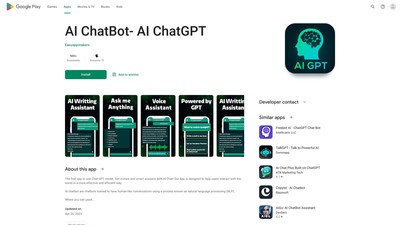
Ofrecemos contenido de alta calidad generado por IA, redacción de correos, contenido para redes sociales y un chatbot para ahorrar tiempo y dinero en tus necesidades profesionales y personales.
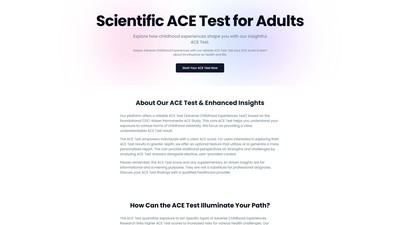
Test ACE científico para adultos basado en el estudio CDC-Kaiser, que ayuda a evaluar las experiencias adversas de la infancia y obtener una puntuación ACE. Incluye un informe mejorado con IA opcional.
DA TU SIGUIENTE PASO
Visita el sitio web oficial para explorar las funciones más recientes y comenzar.