

Email and calendar
Ask for messages needing a reply and conflicting events first. Then choose one item to handle.
ツールプロフィール TOOLAI
Start with one task. Let Muse work across your inbox, calendar and everyday apps.
 画像全体を表示
全体像
Muse is Meta’s personal AI agent for tasks across the apps you connect: research, file organization, reply drafts and planning.
For a first try, choose something small and easy to review. Outline tomorrow’s schedule, compare three products, or turn notes into a checklist. Specify the deadline, the output and the actions that need your approval.
詳しく見る
製品画面や公開されている例をご覧ください。画像を開くと、より詳しく確認できます。
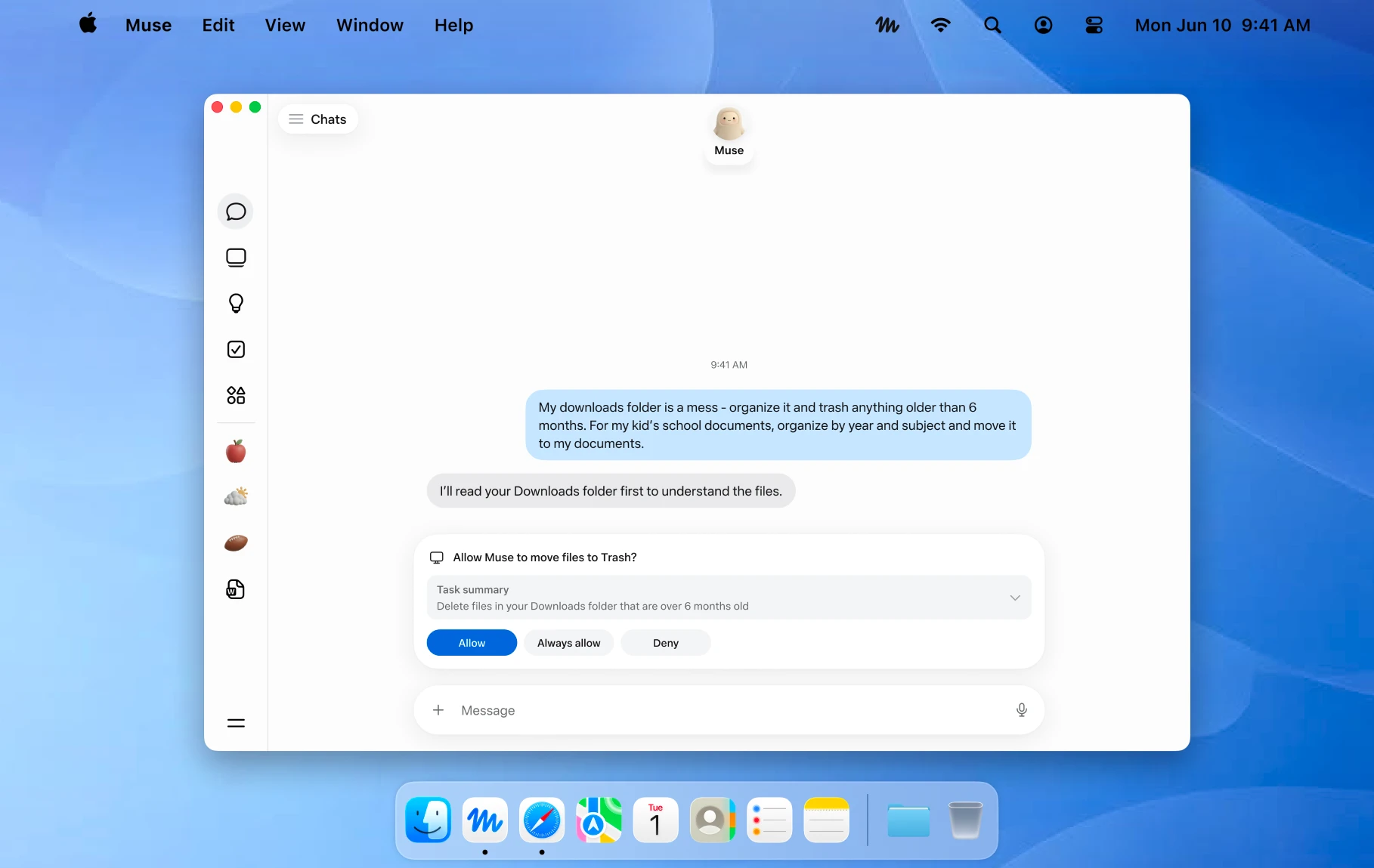
An official Mac example showing a file action awaiting approval. Image © Meta.
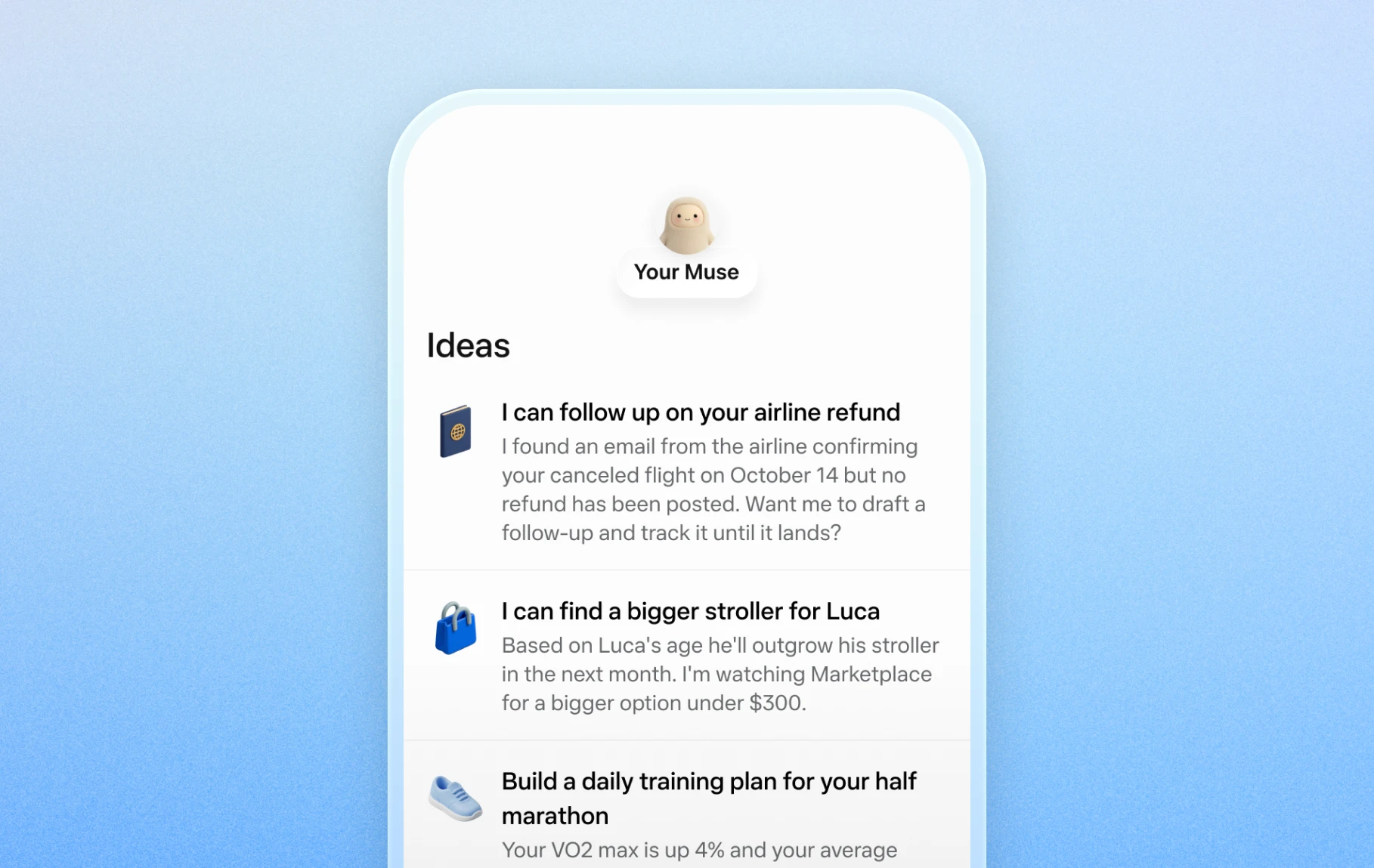
Official mobile examples of suggested everyday tasks. Image © Meta.

Official Artifacts examples, rather than ToolAI test results. Image © Meta.
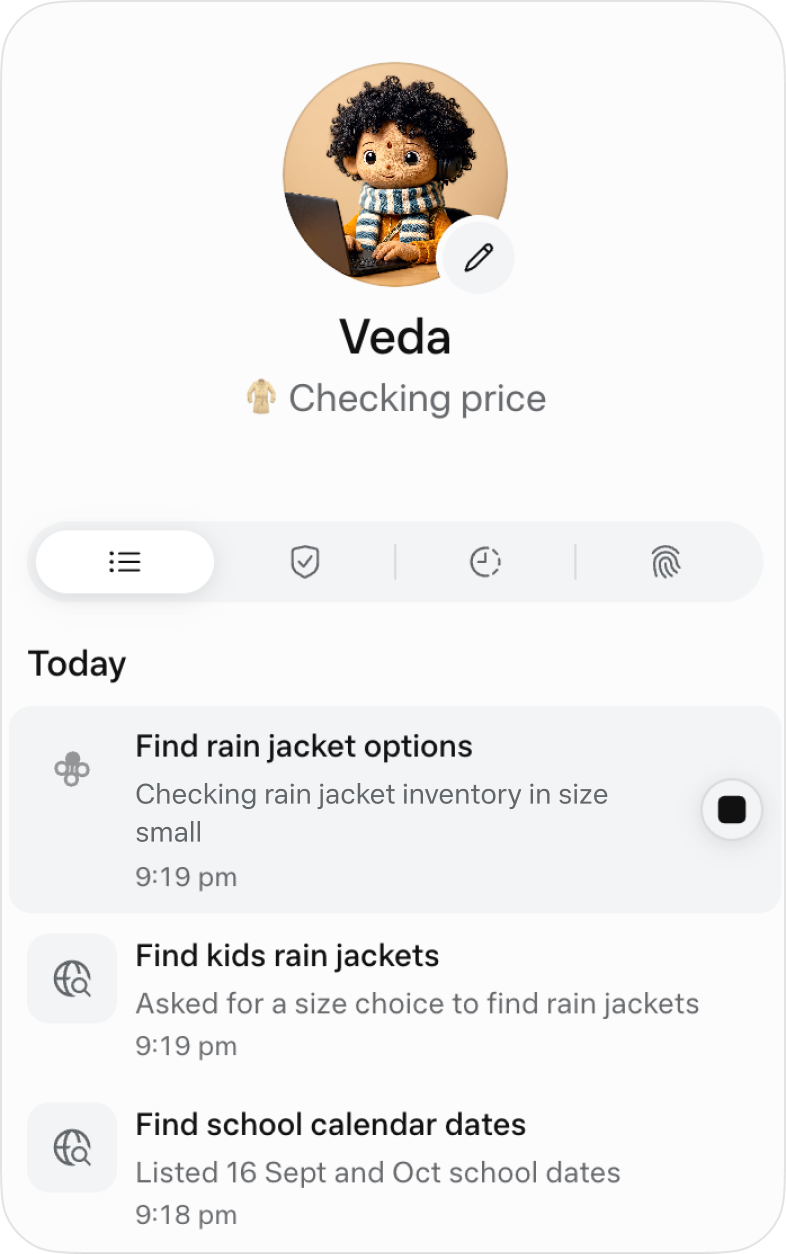
The official activity view for following ongoing work. Image © Meta.
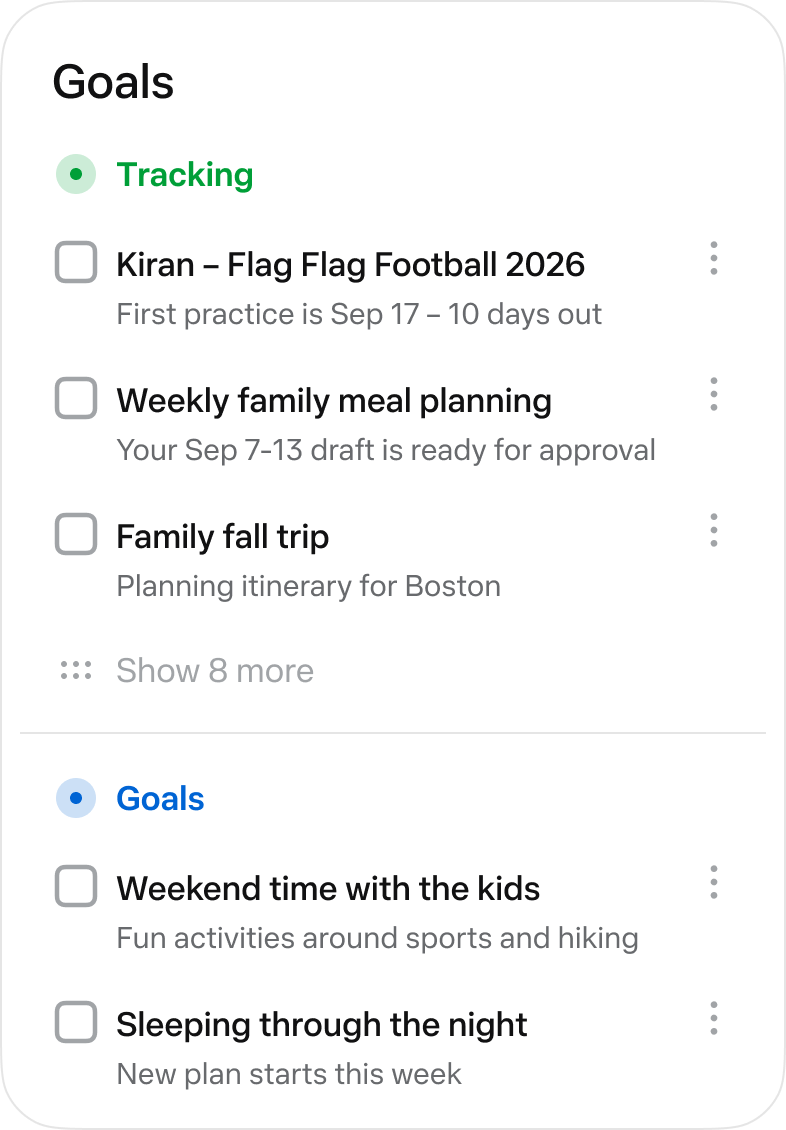
The official Goals view collects longer-running tasks. Image © Meta.
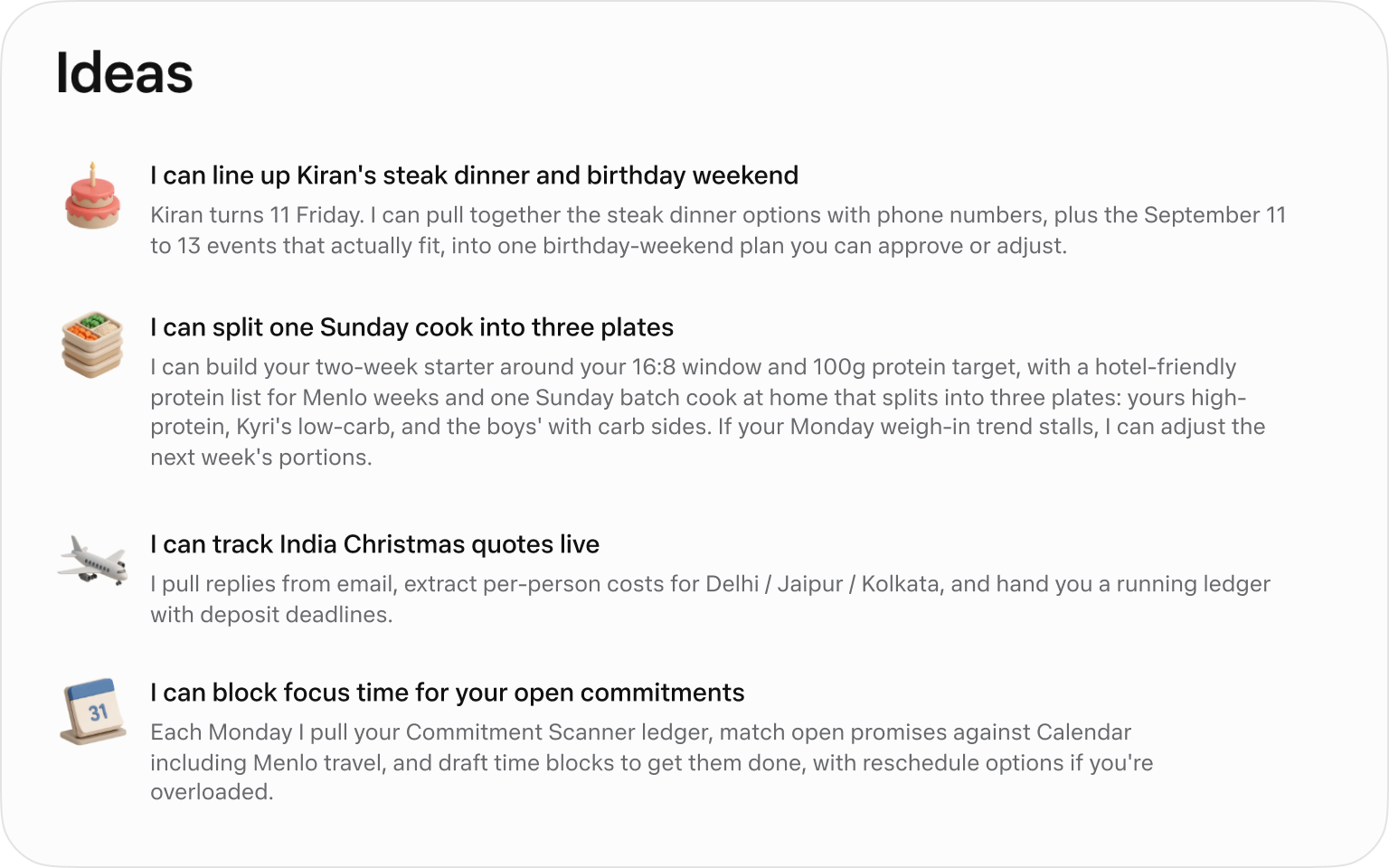
Official suggested tasks; what appears depends on your context. Image © Meta.
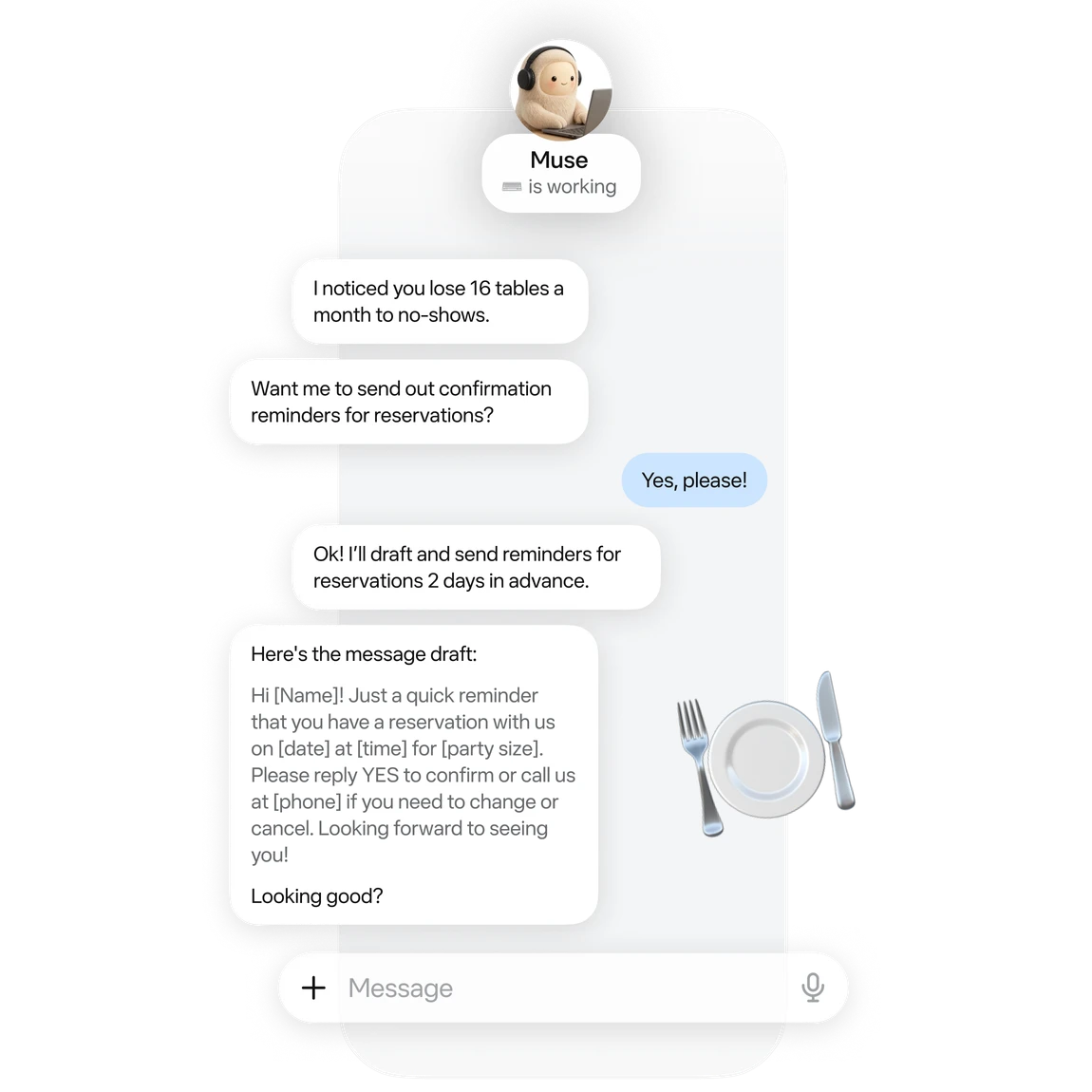
An official small-business example of drafting reservation reminders. Image © Meta.

Official business analysis artwork; its numbers are illustrative. Image © Meta.

Official connector artwork. Check settings for actual availability. Image © Meta.
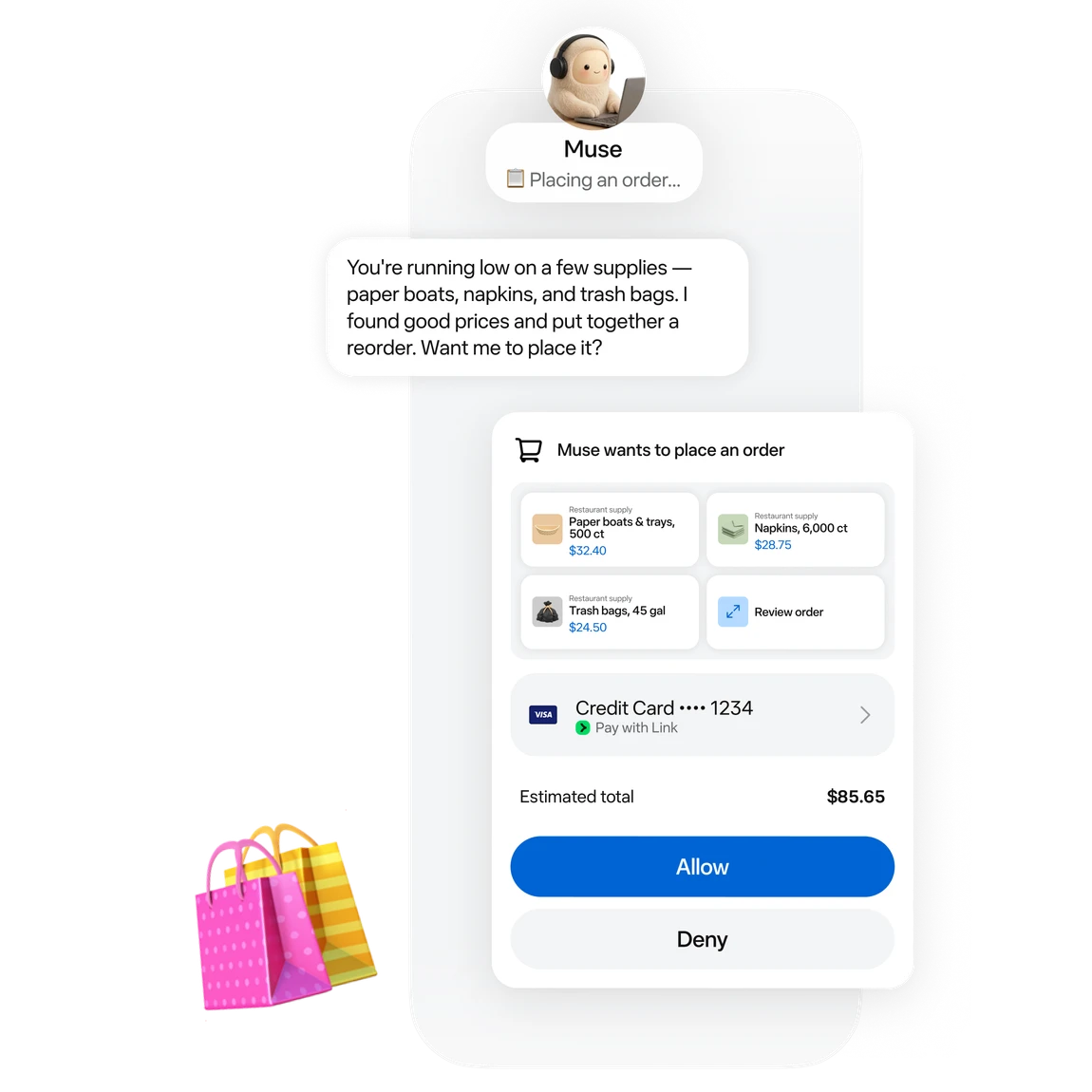
Official approval artwork for a proposed purchase. Image © Meta.
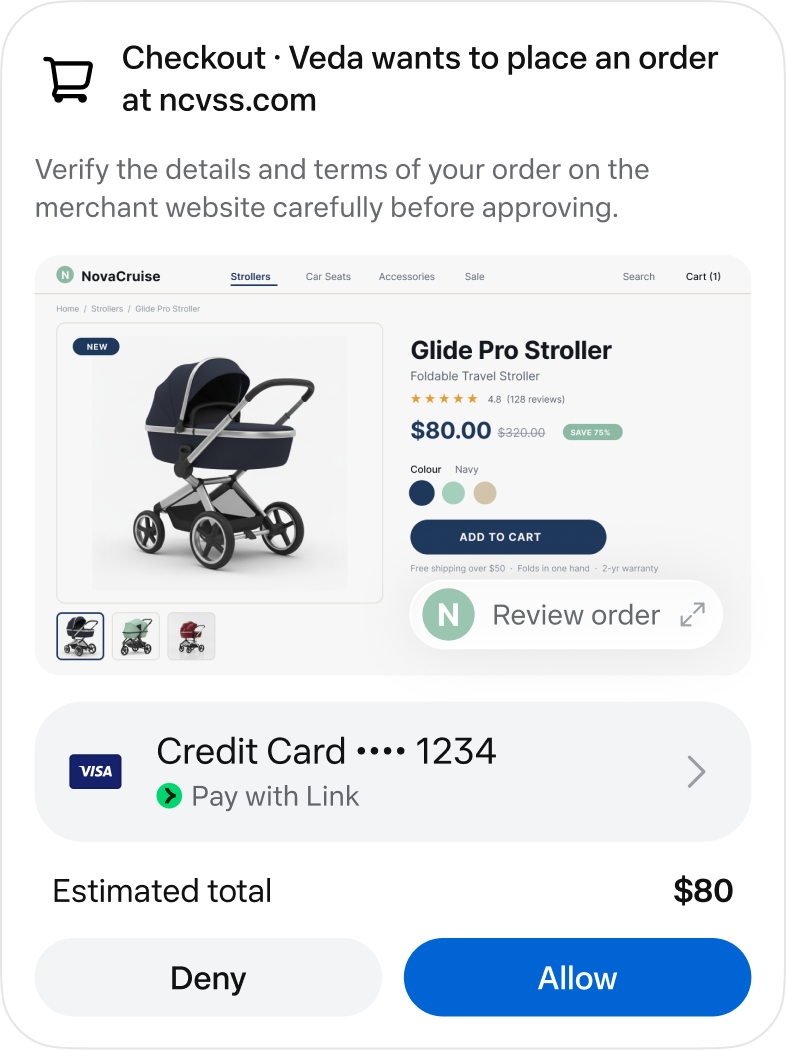
An official checkout approval screen. Image © Meta.
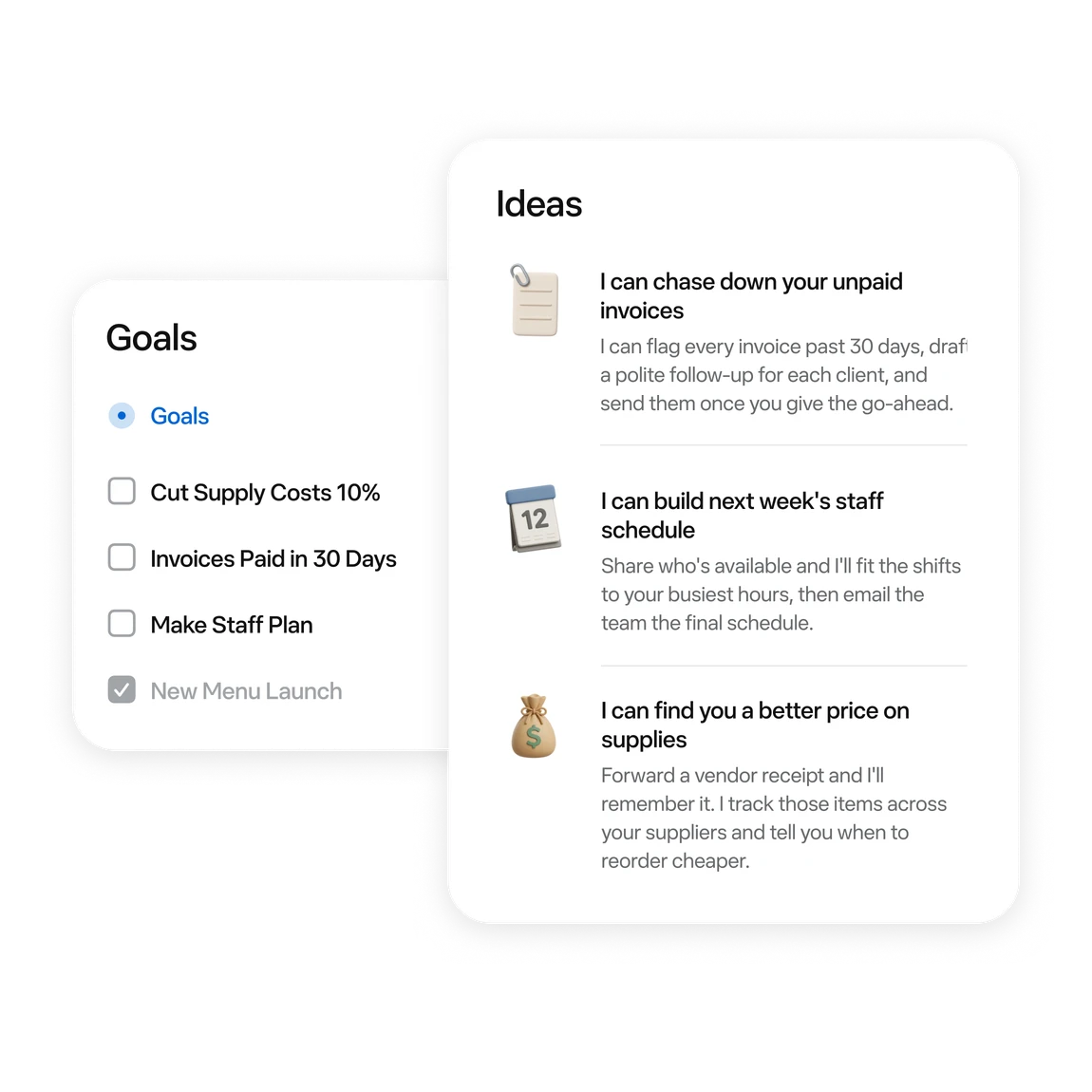
Official examples of business tasks and follow-up ideas. Image © Meta.
できること
機能を知り、自分なりの活用方法を見つけましょう。
Ask for messages needing a reply and conflicting events first. Then choose one item to handle.
Turn scattered material into a checklist or document. Review proposed moves or deletions first.
Follow work in activity and Goals. Use chat to add constraints or adjust a plan.
Try reservation reminders, a content schedule or an order review. Give it one defined task at a time.
Connect a work app when the task needs its data. Review the requested permissions.
Before sending, publishing or buying, review the recipient, content and amount in the approval card.
あなたのワークフローのために
“Outline tomorrow’s schedule. Separate departure times, meeting prep and unfinished items. Leave unknown details blank.”
“Turn these meeting notes into an action table with owners, deadlines and source passages. Flag anything unspecified.”
“Use these orders to draft next week’s tasks: stock, customer follow-up and content. Draft only; do not publish.”
“Compare three candidates within my budget. Include tax, shipping, specifications and returns. Research only; do not order.”
はじめの一歩
Start at muse.ai and check your region and account eligibility.
Follow the email or phone sign-in prompts and keep free access.
Specify the goal, timing and output. Add “draft only; do not send” when relevant.
When a task needs mail or files, check connectors and permissions in settings.
Check activity. Review sources, numbers and recipients in the result. Wait for a reset if the free allowance runs out.
まずは見てみる
ツールのデモや動画で、インターフェースとワークフローを確認しましょう。
次のステップを計画する
Free allowance; optional paid upgrades
プラン
Start with a small task. Wait for a reset if you reach the limit.
$0
Usage limits apply
プラン
Explore higher allowances if needed. The free-use guides do not require an upgrade.
See current official plans
ウェブサイトでプランを見る料金、利用上限、利用規約は変更される場合があります。申し込む前に、ツールの公式サイトで最新情報をご確認ください。
To stay on the free tier, wait for the allowance to refresh. Check your account for its balance and reset time.
確認済みの情報源
A free allowance is available. You can wait for a reset; upgrading is optional.
The current published regions are the US and Canada, for adults aged 18+. Interface language does not establish eligibility.
No. These are Meta’s official interface and example images, retained with source attribution.
Choose something easy to review: a one-page task list, one reply draft, or three products to compare.
No. Agent usage and purchase costs are separate. Say “research only; do not buy” when that is your goal.
The official guide shows activity under the avatar and longer-term tasks in Goals. You can also request an update in chat.
探索を続ける
コミュニティから
ログインして体験を共有し、他の人が適切なツールを見つけられるようにしましょう。
次に見つけるもの

OCR Solutionは、画質の悪い画像からも高精度にデータを入力できる文書デジタル化プラットフォームです。運用コストの削減と迅速な意思決定を支援します。
Kwirkは、AIを活用した生産性向上ツールを備えた先進的なオフィスプログラムです。
GPT 4からプロ品質のコンテンツを引き出すためのプロンプトフレームワークを設計しました。職種別に設計された、使いやすい2000以上のプロンプトで、無料でよりスマートかつ迅速に仕事を進め、成果を高められます。

Tokiは、テキスト・音声・画像で数秒で予定を登録し、すべてのカレンダーを一元管理できるAIカレンダーアシスタントです。重要な予定を逃さない通話通知にも対応します。
次の一歩を踏み出す
公式サイトで最新機能を確認し、始めましょう。