

Email and calendar
Ask for messages needing a reply and conflicting events first. Then choose one item to handle.
PROFILO DELLO STRUMENTO TOOLAI
Start with one task. Let Muse work across your inbox, calendar and everyday apps.
 Visualizza immagine intera
IL QUADRO GENERALE
Muse is Meta’s personal AI agent for tasks across the apps you connect: research, file organization, reply drafts and planning.
For a first try, choose something small and easy to review. Outline tomorrow’s schedule, compare three products, or turn notes into a checklist. Specify the deadline, the output and the actions that need your approval.
UNO SGUARDO PIÙ DA VICINO
Esplora le schermate del prodotto e gli esempi pubblicati. Apri un’immagine per osservarla più da vicino.
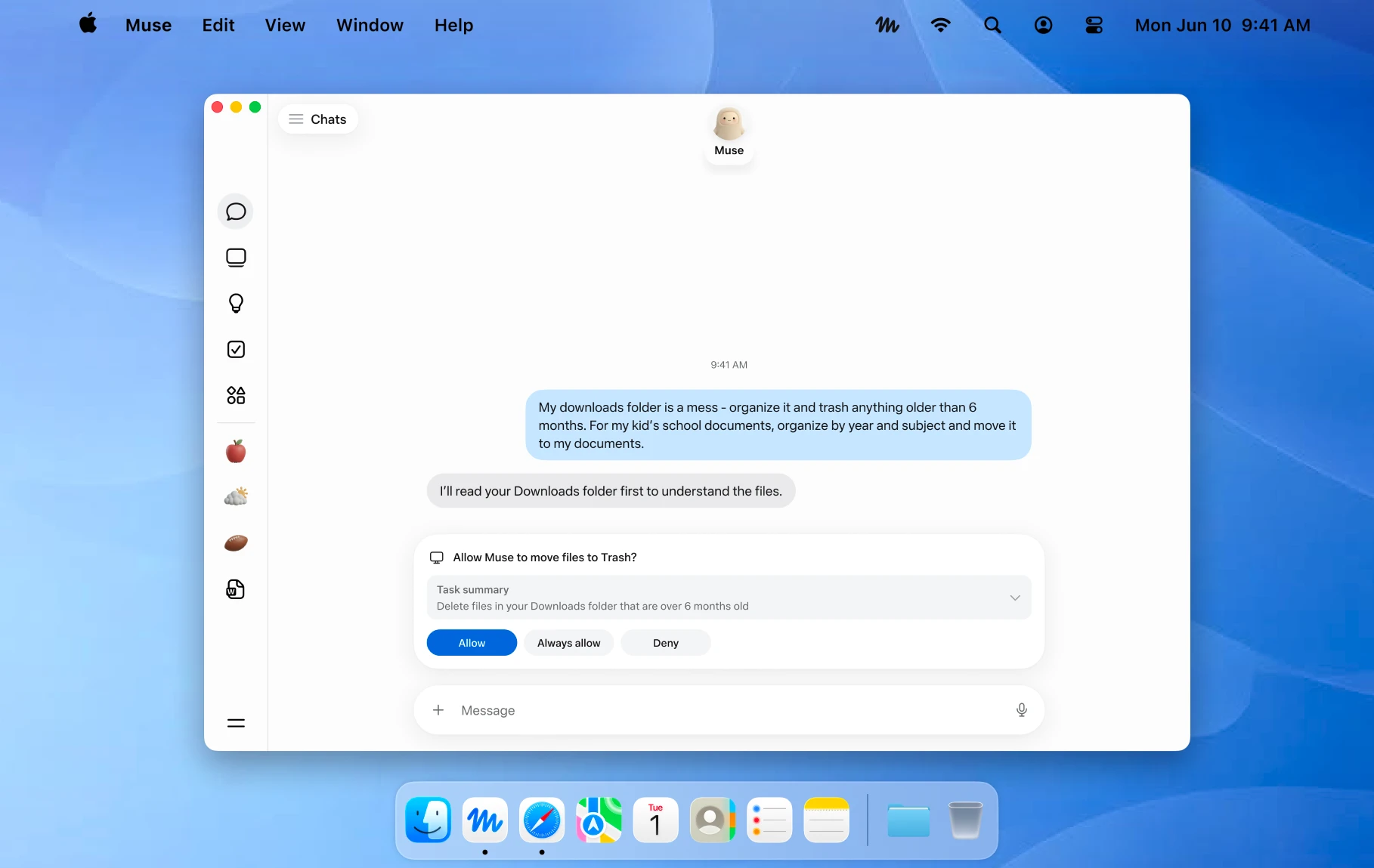
An official Mac example showing a file action awaiting approval. Image © Meta.
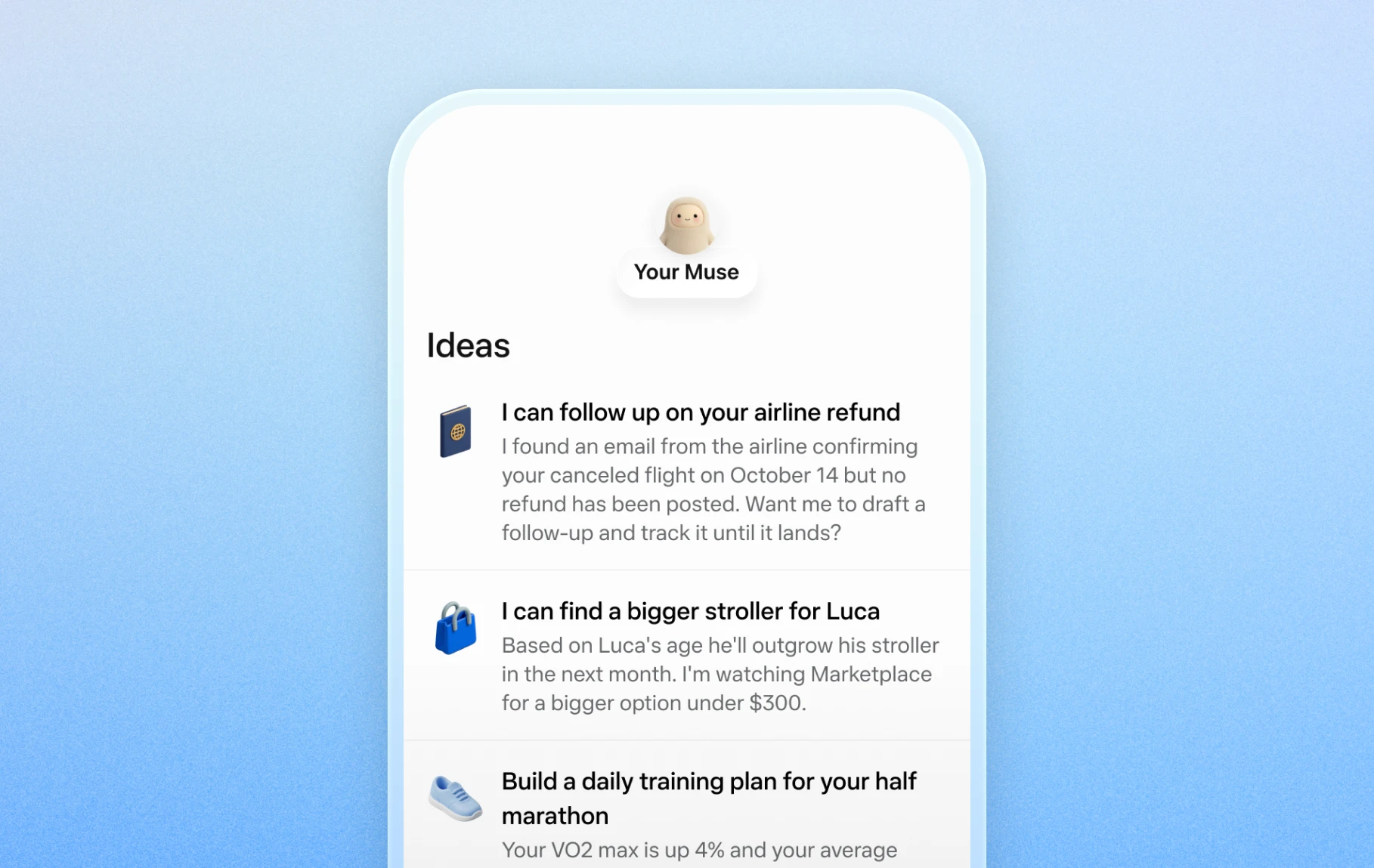
Official mobile examples of suggested everyday tasks. Image © Meta.

Official Artifacts examples, rather than ToolAI test results. Image © Meta.
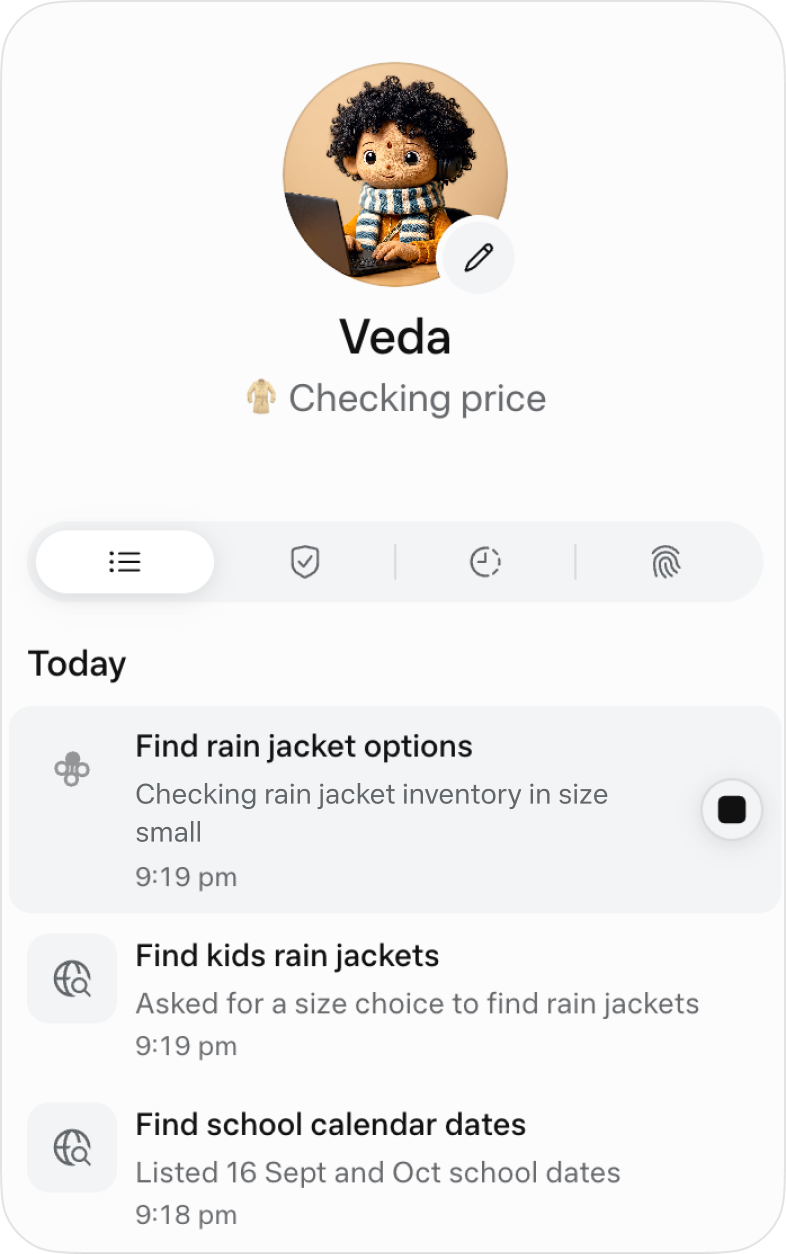
The official activity view for following ongoing work. Image © Meta.
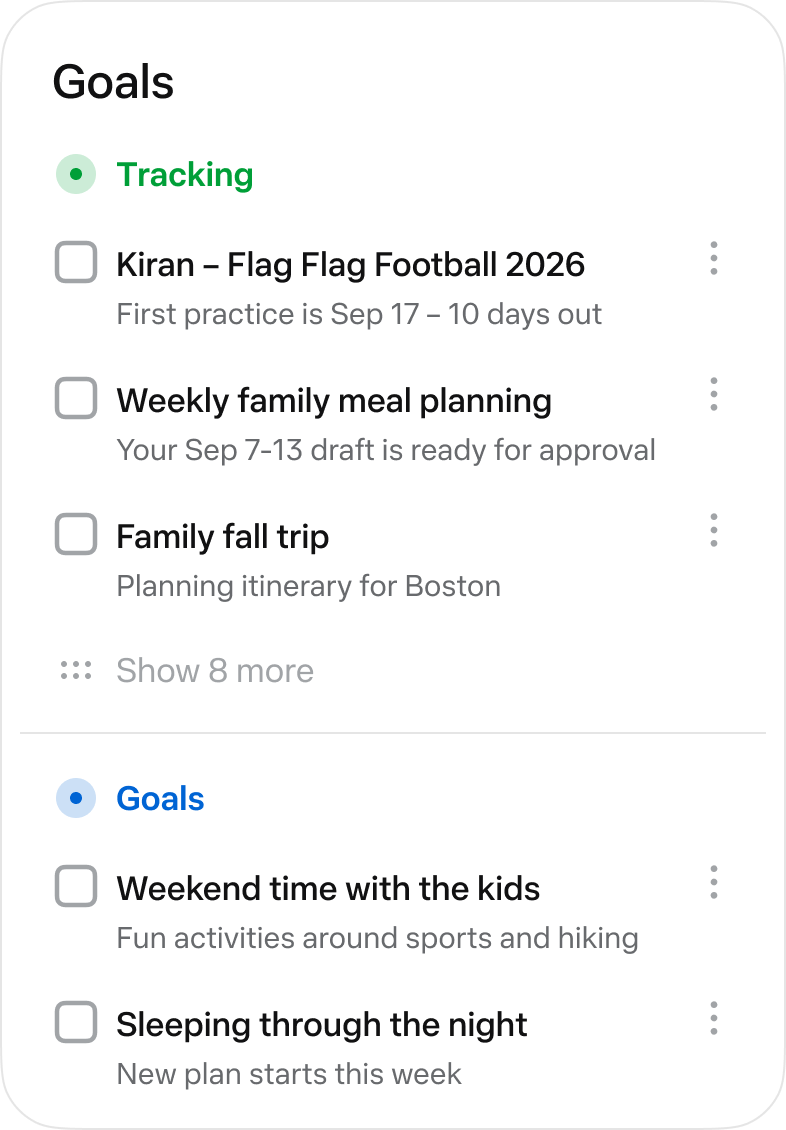
The official Goals view collects longer-running tasks. Image © Meta.
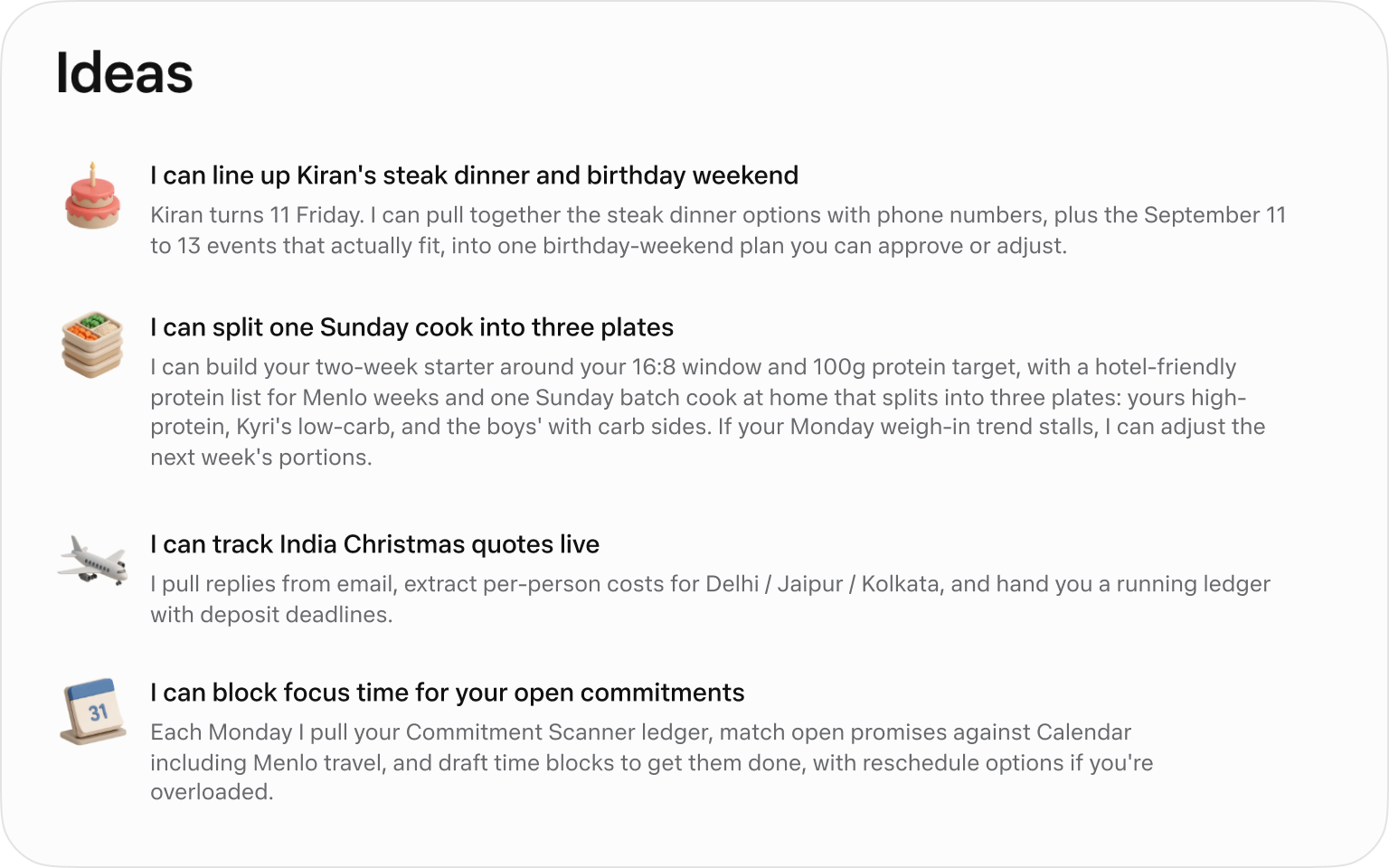
Official suggested tasks; what appears depends on your context. Image © Meta.
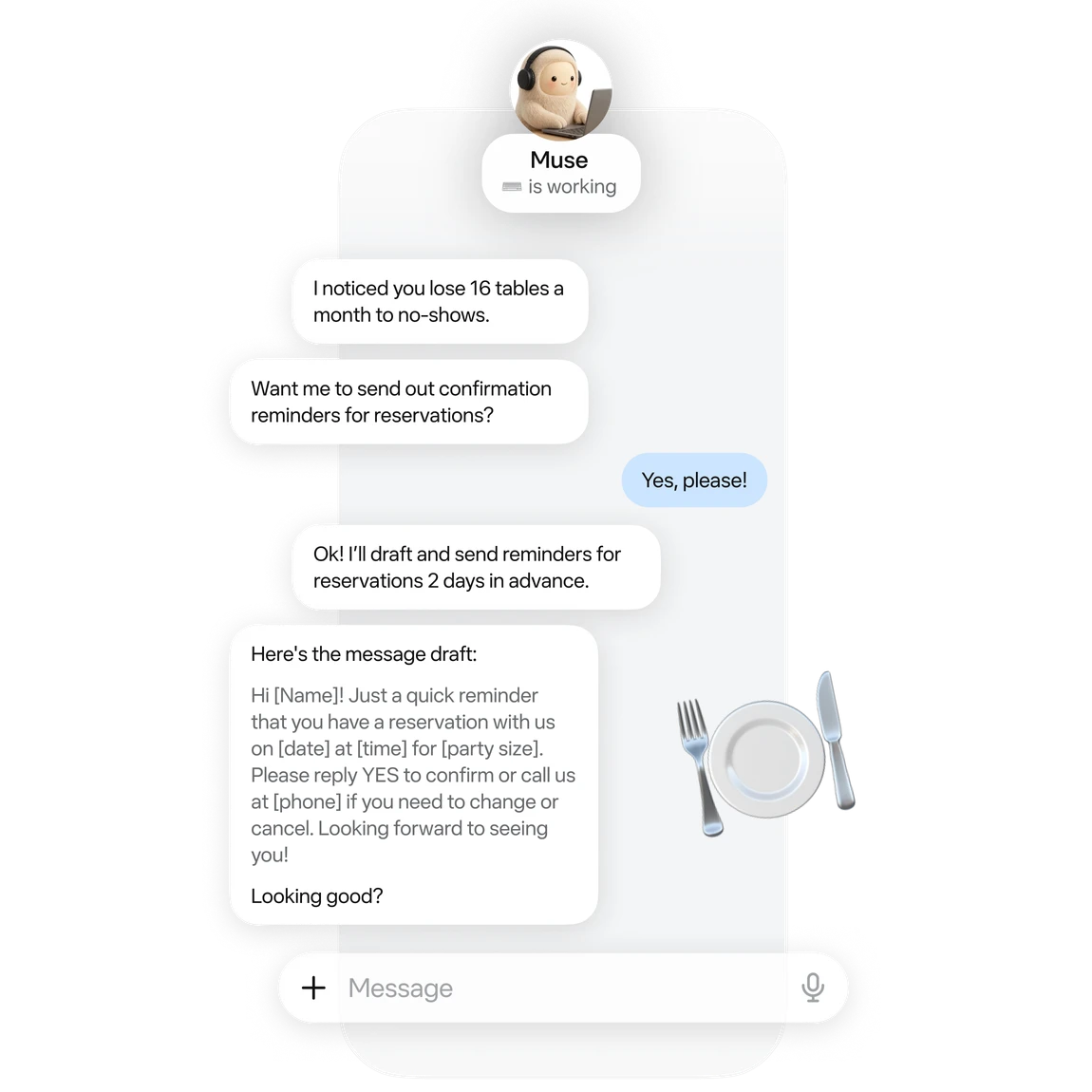
An official small-business example of drafting reservation reminders. Image © Meta.
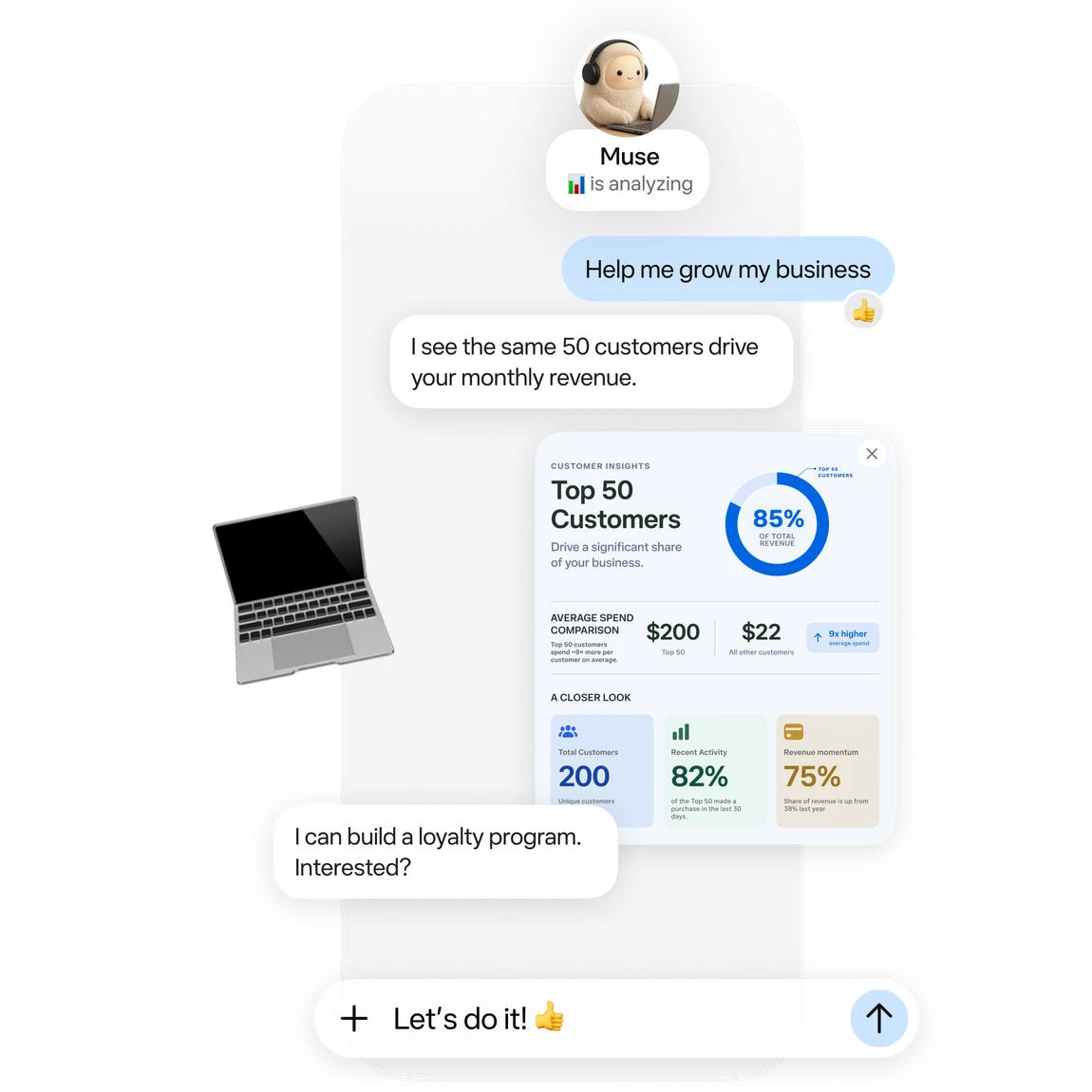
Official business analysis artwork; its numbers are illustrative. Image © Meta.

Official connector artwork. Check settings for actual availability. Image © Meta.
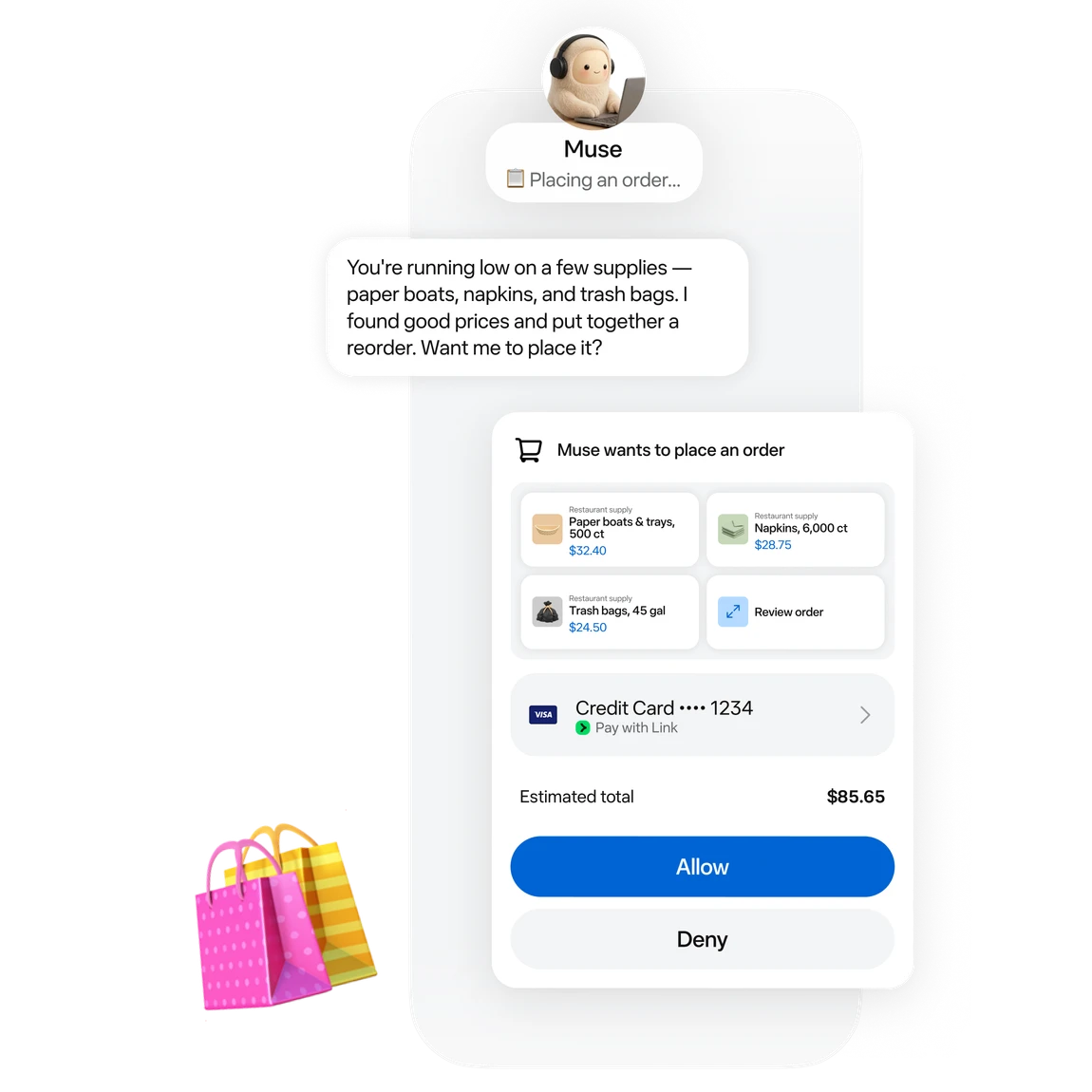
Official approval artwork for a proposed purchase. Image © Meta.
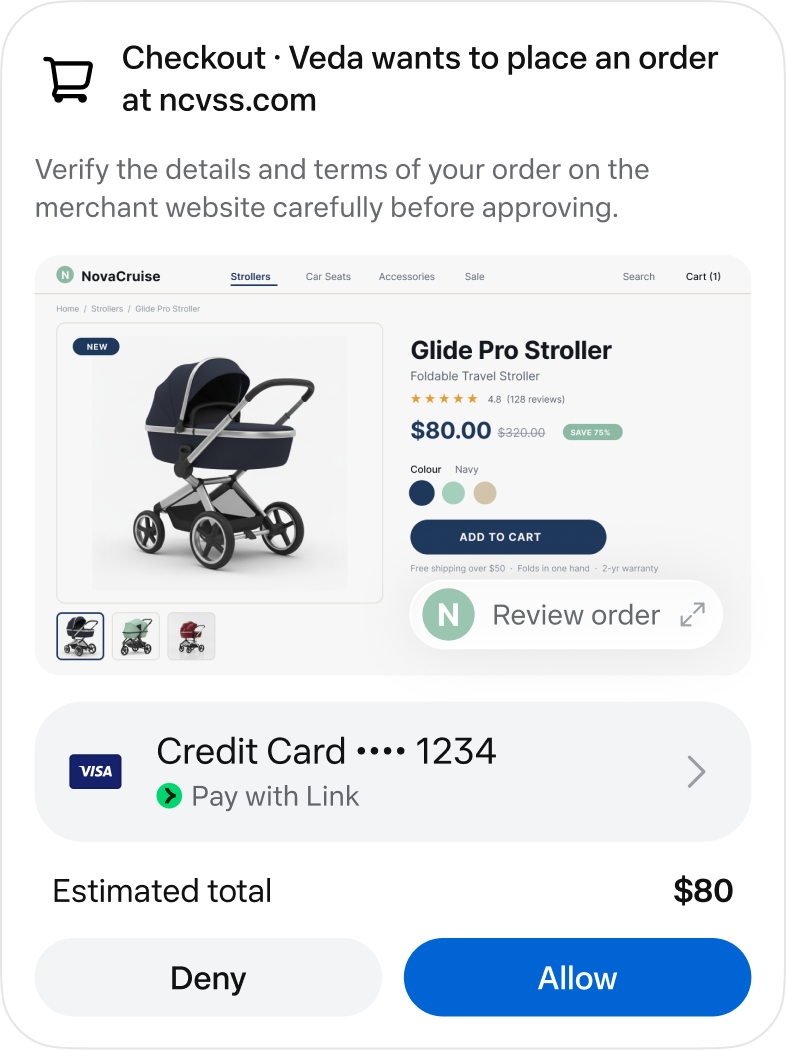
An official checkout approval screen. Image © Meta.
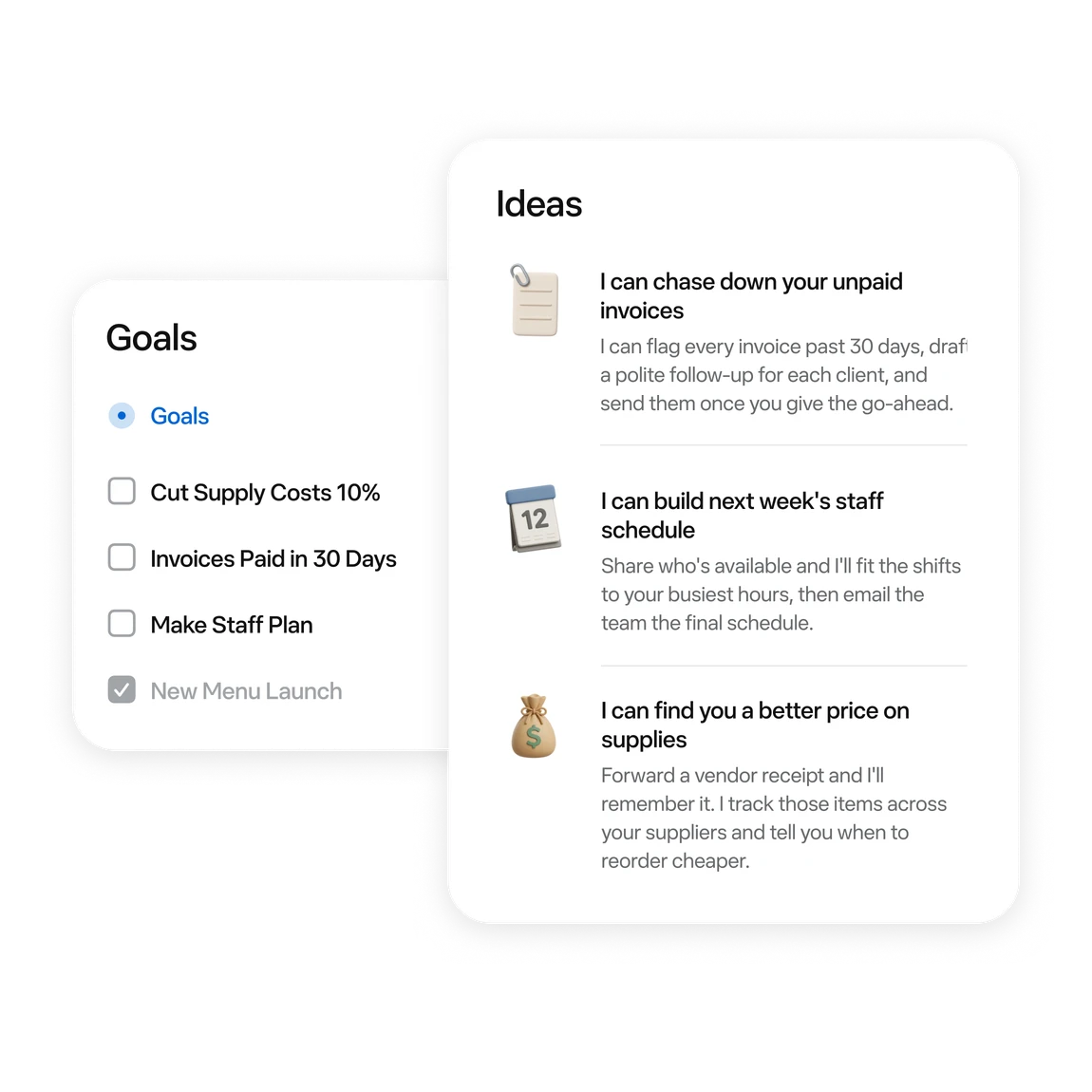
Official examples of business tasks and follow-up ideas. Image © Meta.
COSA PUOI FARE
Scopri le funzionalità. Trova il tuo modo di usarle.
Ask for messages needing a reply and conflicting events first. Then choose one item to handle.
Turn scattered material into a checklist or document. Review proposed moves or deletions first.
Follow work in activity and Goals. Use chat to add constraints or adjust a plan.
Try reservation reminders, a content schedule or an order review. Give it one defined task at a time.
Connect a work app when the task needs its data. Review the requested permissions.
Before sending, publishing or buying, review the recipient, content and amount in the approval card.
PENSATO PER IL TUO FLUSSO DI LAVORO
“Outline tomorrow’s schedule. Separate departure times, meeting prep and unfinished items. Leave unknown details blank.”
“Turn these meeting notes into an action table with owners, deadlines and source passages. Flag anything unspecified.”
“Use these orders to draft next week’s tasks: stock, customer follow-up and content. Draft only; do not publish.”
“Compare three candidates within my budget. Include tax, shipping, specifications and returns. Research only; do not order.”
I TUOI PRIMI PASSI
Start at muse.ai and check your region and account eligibility.
Follow the email or phone sign-in prompts and keep free access.
Specify the goal, timing and output. Add “draft only; do not send” when relevant.
When a task needs mail or files, check connectors and permissions in settings.
Check activity. Review sources, numbers and recipients in the result. Wait for a reset if the free allowance runs out.
DAI UN'OCCHIATA
Esplora la demo o il video dello strumento per vedere la sua interfaccia e il suo flusso di lavoro.
PIANIFICA IL TUO PROSSIMO PASSO
Free allowance; optional paid upgrades
PIANO
Start with a small task. Wait for a reset if you reach the limit.
$0
Usage limits apply
PIANO
Explore higher allowances if needed. The free-use guides do not require an upgrade.
See current official plans
Visualizza il piano sul sitoPrezzi, limiti di utilizzo e condizioni possono cambiare. Verifica gli ultimi dettagli sul sito ufficiale dello strumento prima di abbonarti.
To stay on the free tier, wait for the allowance to refresh. Check your account for its balance and reset time.
Fonti verificate
A free allowance is available. You can wait for a reset; upgrading is optional.
The current published regions are the US and Canada, for adults aged 18+. Interface language does not establish eligibility.
No. These are Meta’s official interface and example images, retained with source attribution.
Choose something easy to review: a one-page task list, one reply draft, or three products to compare.
No. Agent usage and purchase costs are separate. Say “research only; do not buy” when that is your goal.
The official guide shows activity under the avatar and longer-term tasks in Goals. You can also request an update in chat.
CONTINUA A ESPLORARE
DALLA COMMUNITY
Accedi per condividere la tua esperienza e aiutare gli altri a trovare lo strumento giusto.
LA TUA PROSSIMA SCOPERTA
Crea in pochi secondi moduli a singolo o più passaggi per onboarding, candidature, registrazioni, liste d’attesa e feedback. Personalizza poi layout e stili nell’editor di Feathery, adattali al tuo brand e pubblicali ovunque.

Fai di più con Missive, lo strumento di collaborazione e gestione delle email per team produttivi, ora potenziato dall'IA. L'integrazione con OpenAI consente di scrivere bozze, rispondere, tradurre rapidamente e altro ancora. Inoltre, puoi usare il tuo token e pagare solo per ciò di cui hai bisogno.

Microsoft Bing integra l’IA e un copilota del browser per offrire risposte dettagliate, riepiloghi web, supporto creativo e domande successive.
Uno strumento professionale per l’editing fotografico che rimuove automaticamente gli sfondi, consente di eliminare gli oggetti dalle immagini con un tocco e offre potenti funzioni di creazione con IA. Crea immagini di qualità professionale per vendere più prodotti.
FAI LA TUA PROSSIMA MOSSA
Visita il sito ufficiale per scoprire le funzionalità più recenti e iniziare.