
Codex subscription to API
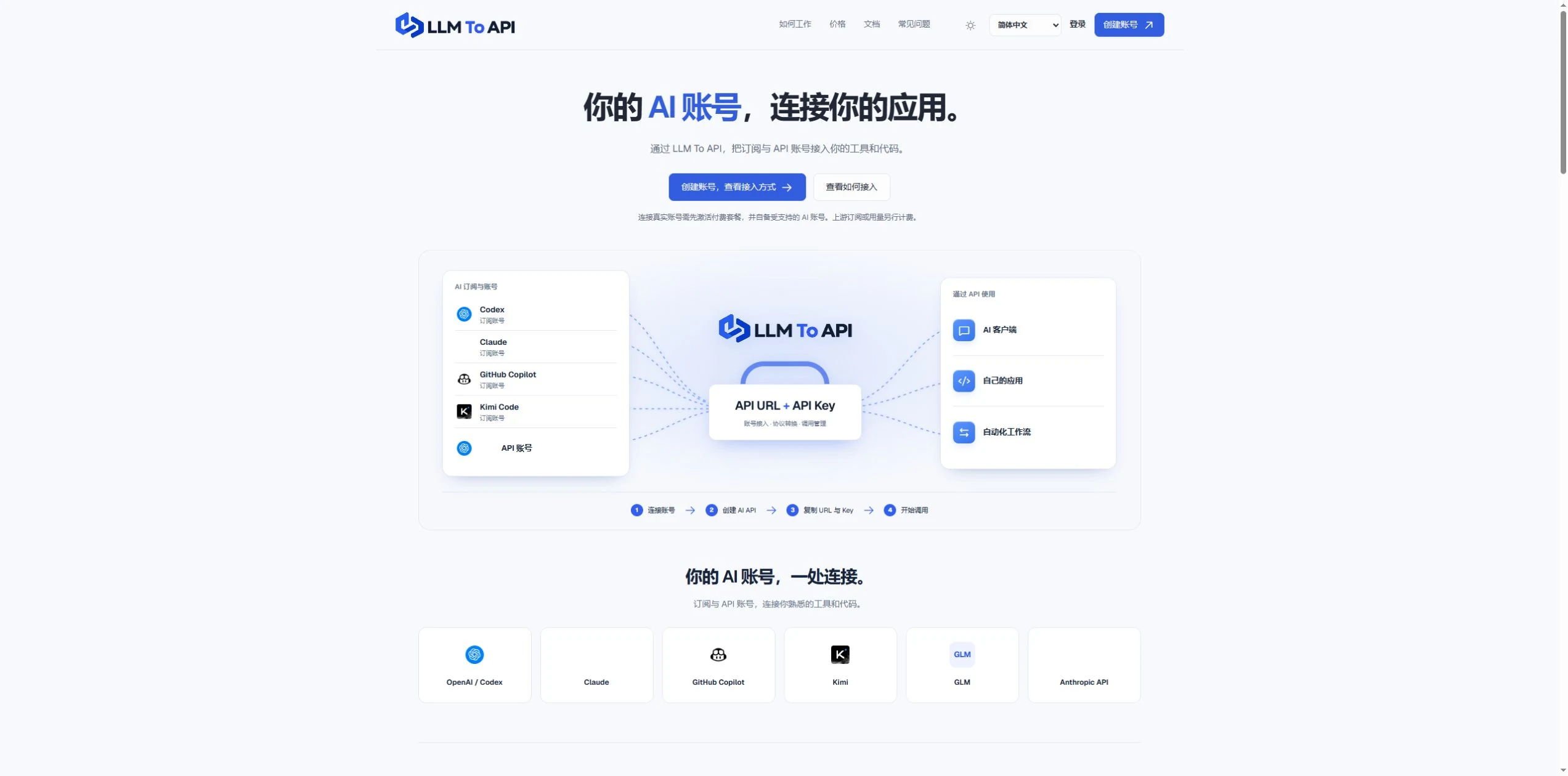
Connect your own supported Codex account and use it through Chat Completions or Responses.
HỒ SƠ CÔNG CỤ TOOLAI
Use your Codex subscription through an AI API in your apps, tools and agents.
 Xem ảnh đầy đủ
TỔNG QUAN
LLM To API provides a hosted connection between your supported AI accounts and the applications you use or build. Connect an account, create an API key, and copy the URL, key and model into a compatible client or your own code.
You do not need to deploy a gateway server or leave your computer running to forward requests. Separate application keys and request logs help you manage access and investigate errors in one place.
XEM CHI TIẾT
Khám phá màn hình sản phẩm và các ví dụ đã công bố. Mở bất kỳ hình ảnh nào để xem chi tiết hơn.
BẠN CÓ THỂ LÀM GÌ
Tìm hiểu các khả năng. Tìm cách sử dụng phù hợp với bạn.
Connect your own supported Codex account and use it through Chat Completions or Responses.
Use a hosted endpoint without operating your own forwarding server.
Create keys for different apps, select models and set expiry when needed.
Inspect request status, models, timing and errors from the dashboard.
Use the provided configuration and code examples with a compatible API client or SDK.
DÀNH CHO QUY TRÌNH LÀM VIỆC CỦA BẠN
Enter your API URL, key and model into a client that supports custom endpoints.
Add AI requests to your own website, application or agent workflow.
Give each application its own key and use request history to trace problems.
NHỮNG BƯỚC ĐẦU TIÊN
Register, verify your email and activate a platform plan.
Authorize a supported account or provide a supported provider API key.
Choose the source, models and optional expiry, then generate an application key.
Copy the connection settings into your tool and inspect the result in request logs.
LÊN KẾ HOẠCH CHO BƯỚC TIẾP THEO
Starter $9.90/month; Pro $19.90/month. Provider subscriptions and API usage are separate.
Giá, giới hạn sử dụng và điều khoản có thể thay đổi. Hãy xác nhận thông tin mới nhất trên trang web chính thức của công cụ trước khi đăng ký.
Nguồn đã kiểm tra
Yes. Connect your own supported Codex account and use the available models through the API configuration shown in your dashboard.
No. The forwarding endpoint is hosted. Your client still needs internet access when making requests.
Not for clients that accept a custom API URL, key and model. Building your own application requires integration code.
No. You bring your provider account. Its model access, allowance and rate limits still apply.
Email support@llmtoapi.com.
TỪ CỘNG ĐỒNG
Đăng nhập để chia sẻ trải nghiệm và giúp người khác tìm được công cụ phù hợp.
KHÁM PHÁ TIẾP THEO
Công cụ tóm tắt video YouTube.
Quản lý tất cả email chỉ trong vài phút ngay trên tay bạn! Chỉ với vài lần chạm nhanh, ứng dụng SaneBox cho iOS giúp sắp xếp hộp thư đến và tiết kiệm hơn 2 giờ 30 phút mỗi tuần cho việc quản lý email.
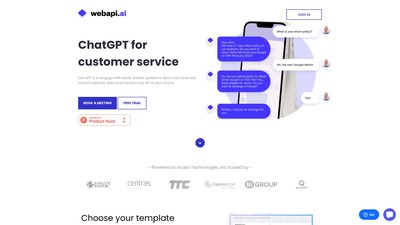
Tạo chatbot dựa trên GPT3 và ChatGPT với kịch bản đối thoại và tích hợp

Tự động chuyển thiết kế Adobe XD và Figma thành các trang web hoạt động. Dễ dàng tạo trang web responsive và playable tương tác với rất ít hoặc không cần viết mã.
THỰC HIỆN BƯỚC TIẾP THEO
Truy cập trang web chính thức để khám phá các tính năng mới nhất và bắt đầu.