
Codex subscription to API
Connect your own supported Codex account and use it through Chat Completions or Responses.
PROFIL ALAT TOOLAI
Use your Codex subscription through an AI API in your apps, tools and agents.
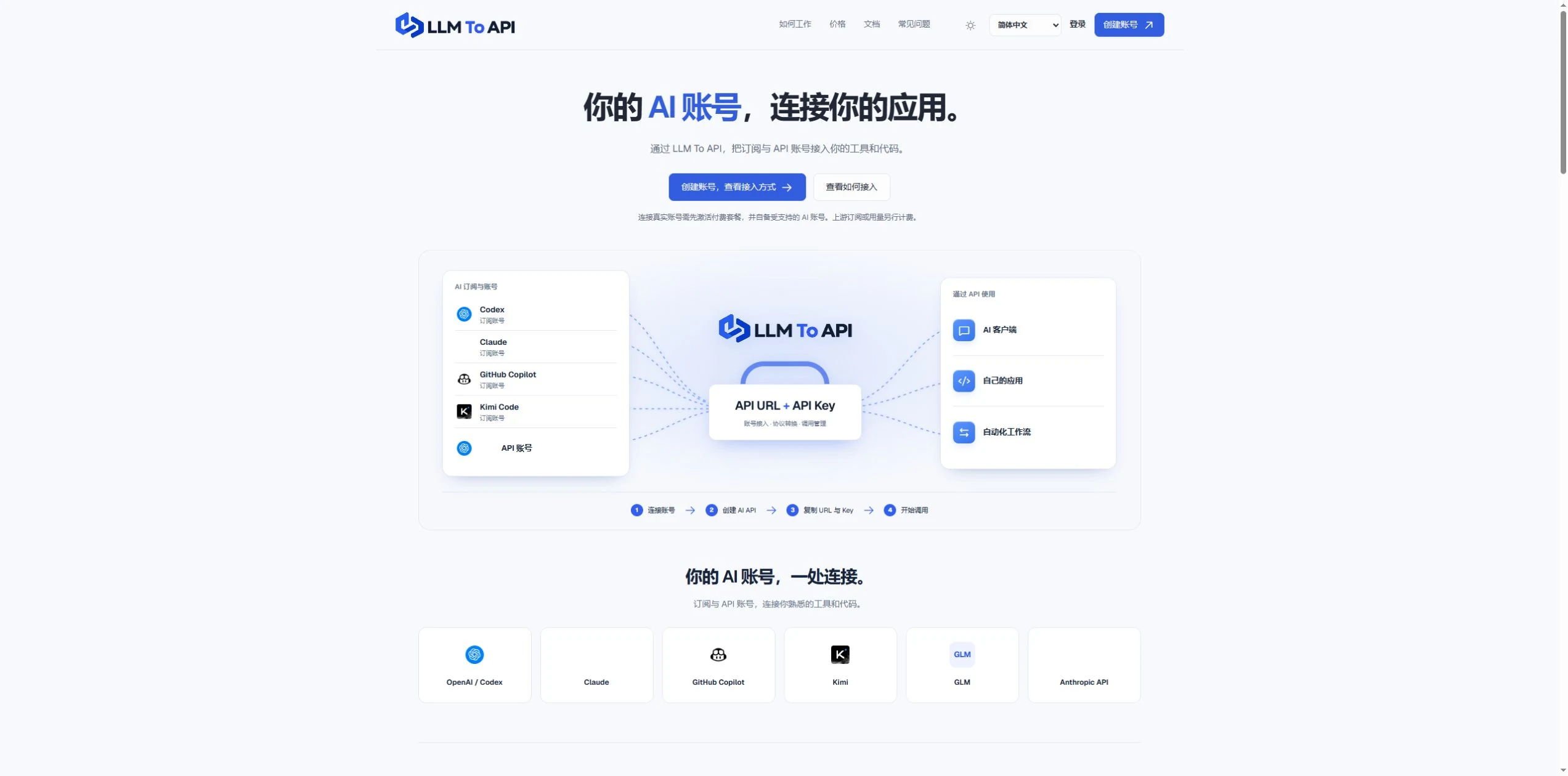 Lihat gambar penuh
GAMBARAN BESAR
LLM To API provides a hosted connection between your supported AI accounts and the applications you use or build. Connect an account, create an API key, and copy the URL, key and model into a compatible client or your own code.
You do not need to deploy a gateway server or leave your computer running to forward requests. Separate application keys and request logs help you manage access and investigate errors in one place.
LIHAT LEBIH DEKAT
Jelajahi layar produk dan contoh yang dipublikasikan. Buka gambar apa pun untuk melihatnya lebih dekat.
YANG DAPAT ANDA LAKUKAN
Kenali kemampuannya. Temukan cara Anda sendiri untuk menggunakannya.
Connect your own supported Codex account and use it through Chat Completions or Responses.
Use a hosted endpoint without operating your own forwarding server.
Create keys for different apps, select models and set expiry when needed.
Inspect request status, models, timing and errors from the dashboard.
Use the provided configuration and code examples with a compatible API client or SDK.
DIBUAT UNTUK ALUR KERJA ANDA
Enter your API URL, key and model into a client that supports custom endpoints.
Add AI requests to your own website, application or agent workflow.
Give each application its own key and use request history to trace problems.
LANGKAH PERTAMA ANDA
Register, verify your email and activate a platform plan.
Authorize a supported account or provide a supported provider API key.
Choose the source, models and optional expiry, then generate an application key.
Copy the connection settings into your tool and inspect the result in request logs.
RENCANAKAN LANGKAH BERIKUTNYA
Starter $9.90/month; Pro $19.90/month. Provider subscriptions and API usage are separate.
Harga, batas penggunaan, dan ketentuan dapat berubah. Konfirmasikan detail terbaru di situs web resmi alat ini sebelum berlangganan.
Sumber yang diperiksa
Yes. Connect your own supported Codex account and use the available models through the API configuration shown in your dashboard.
No. The forwarding endpoint is hosted. Your client still needs internet access when making requests.
Not for clients that accept a custom API URL, key and model. Building your own application requires integration code.
No. You bring your provider account. Its model access, allowance and rate limits still apply.
Email support@llmtoapi.com.
DARI KOMUNITAS
Masuk untuk membagikan pengalaman Anda dan membantu orang lain menemukan alat yang tepat.
TEMUAN BERIKUTNYA

Dengan AiFy, pilih teks di mana saja lalu tekan AiFy untuk mendapatkan respons dan langsung menempatkannya di tempat Anda sedang mengetik. 🔥 Dapatkan sekarang: https://play.google.com/store/apps/details?id=com.textaify AiFy sangat memudahkan akses ke GPT di Android.

Perhatian bagi para developer, pengusaha, dan penggemar teknologi: dengan MarsX, Anda dapat membuat aplikasi berkualitas tinggi dengan cepat dan mudah, tanpa perlu menemukan kembali cara yang sudah ada atau menghabiskan berjam-jam menulis kode kompleks. Platform low-code ini memungkinkan Anda berfokus pada aspek unik proyek, sementara model berbasis langganannya memberi akses ke semua micro-app yang dibuat oleh ribuan developer.
Pemetaan konsep interaktif dengan kopilot AI.
Cluely AI adalah kopilot penjualan untuk tim sales yang menyediakan panduan percakapan real-time, penanganan keberatan, dan saran persuasif.
AMBIL LANGKAH BERIKUTNYA
Kunjungi situs web resmi untuk menjelajahi fitur terbaru dan memulai.