
Codex subscription to API
Connect your own supported Codex account and use it through Chat Completions or Responses.
TOOL-PROFIL TOOLAI
Use your Codex subscription through an AI API in your apps, tools and agents.
 Gesamtes Bild anzeigen
DAS GROSSE BILD
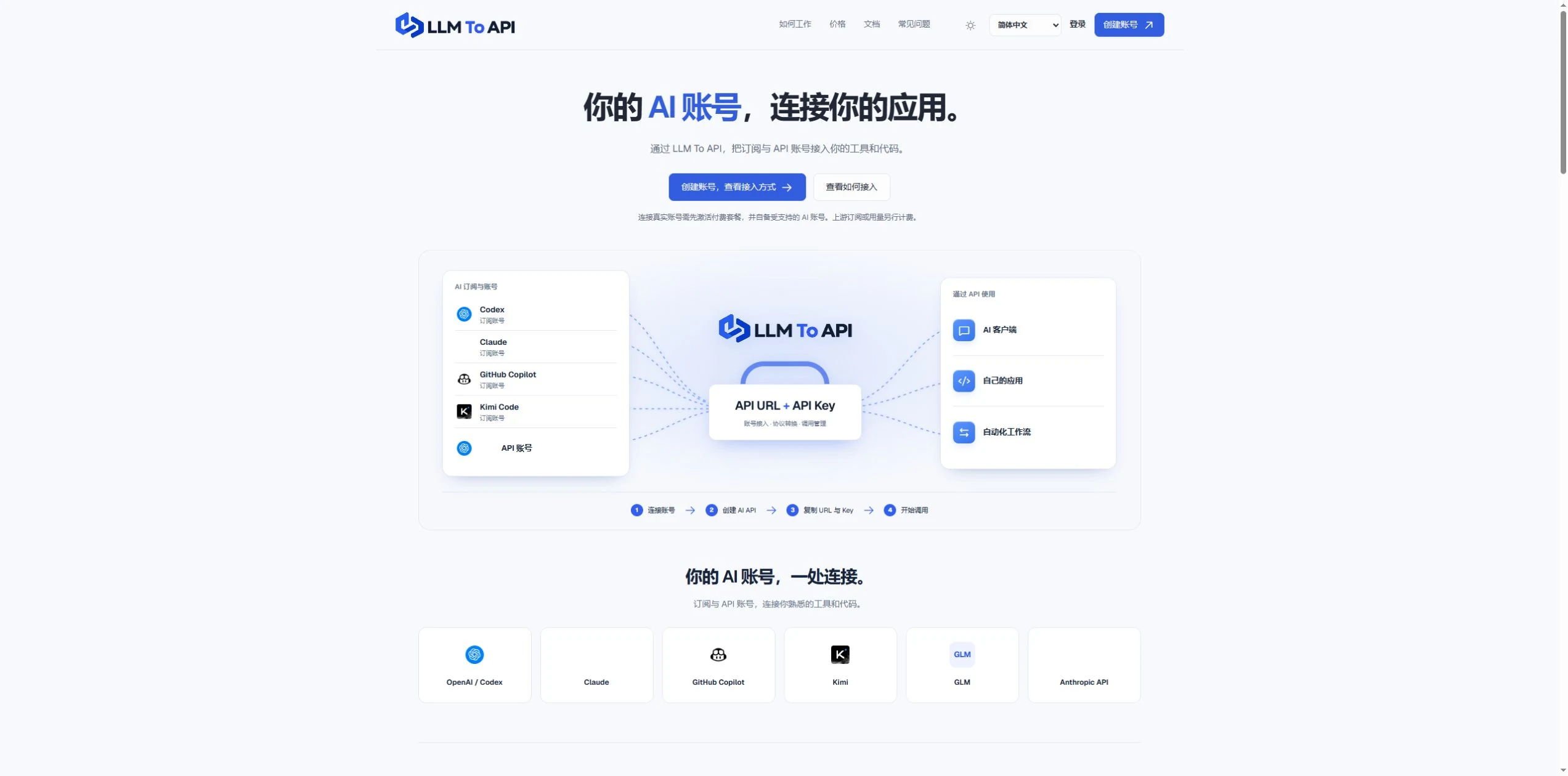
LLM To API provides a hosted connection between your supported AI accounts and the applications you use or build. Connect an account, create an API key, and copy the URL, key and model into a compatible client or your own code.
You do not need to deploy a gateway server or leave your computer running to forward requests. Separate application keys and request logs help you manage access and investigate errors in one place.
EIN GENAUERER BLICK
Erkunden Sie Produktansichten und veröffentlichte Beispiele. Öffnen Sie ein beliebiges Bild für eine genauere Ansicht.
WAS SIE TUN KÖNNEN
Lernen Sie die Möglichkeiten kennen. Finden Sie Ihren eigenen Weg, sie zu nutzen.
Connect your own supported Codex account and use it through Chat Completions or Responses.
Use a hosted endpoint without operating your own forwarding server.
Create keys for different apps, select models and set expiry when needed.
Inspect request status, models, timing and errors from the dashboard.
Use the provided configuration and code examples with a compatible API client or SDK.
FÜR IHREN WORKFLOW GEMACHT
Enter your API URL, key and model into a client that supports custom endpoints.
Add AI requests to your own website, application or agent workflow.
Give each application its own key and use request history to trace problems.
IHRE ERSTEN SCHRITTE
Register, verify your email and activate a platform plan.
Authorize a supported account or provide a supported provider API key.
Choose the source, models and optional expiry, then generate an application key.
Copy the connection settings into your tool and inspect the result in request logs.
PLANEN SIE IHREN NÄCHSTEN SCHRITT
Starter $9.90/month; Pro $19.90/month. Provider subscriptions and API usage are separate.
Preise, Nutzungslimits und Bedingungen können sich ändern. Prüfen Sie vor dem Abonnieren die aktuellen Angaben auf der offiziellen Website des Tools.
Geprüfte Quellen
Yes. Connect your own supported Codex account and use the available models through the API configuration shown in your dashboard.
No. The forwarding endpoint is hosted. Your client still needs internet access when making requests.
Not for clients that accept a custom API URL, key and model. Building your own application requires integration code.
No. You bring your provider account. Its model access, allowance and rate limits still apply.
Email support@llmtoapi.com.
AUS DER COMMUNITY
Melden Sie sich an, um Ihre Erfahrungen zu teilen und anderen zu helfen, das richtige Tool zu finden.
IHRE NÄCHSTE ENTDECKUNG
Superpowered AI ist eine End-to-End-Lösung für Wissensabfragen, mit der sich externes Wissen und Langzeitgedächtnis einfach in LLM-Anwendungen integrieren lassen.
Mit Berri AI lassen sich aus eigenen Daten in wenigen Minuten Apps erstellen und Prototypen über eine low-code/no-code-Oberfläche entwickeln.
Ein Tool zur Automatisierung der Umleitung von E-Mail-Tickets.
InvoBlox ist ein Blockchain-Entwicklungsunternehmen für ganzheitliche Lösungen wie Smart Contracts, dApps, DeFi-Plattformen, NFT-Marktplätze, Web3 und weitere Services.
MACHEN SIE DEN NÄCHSTEN SCHRITT
Besuchen Sie die offizielle Website, um die neuesten Funktionen zu entdecken und loszulegen.