Art
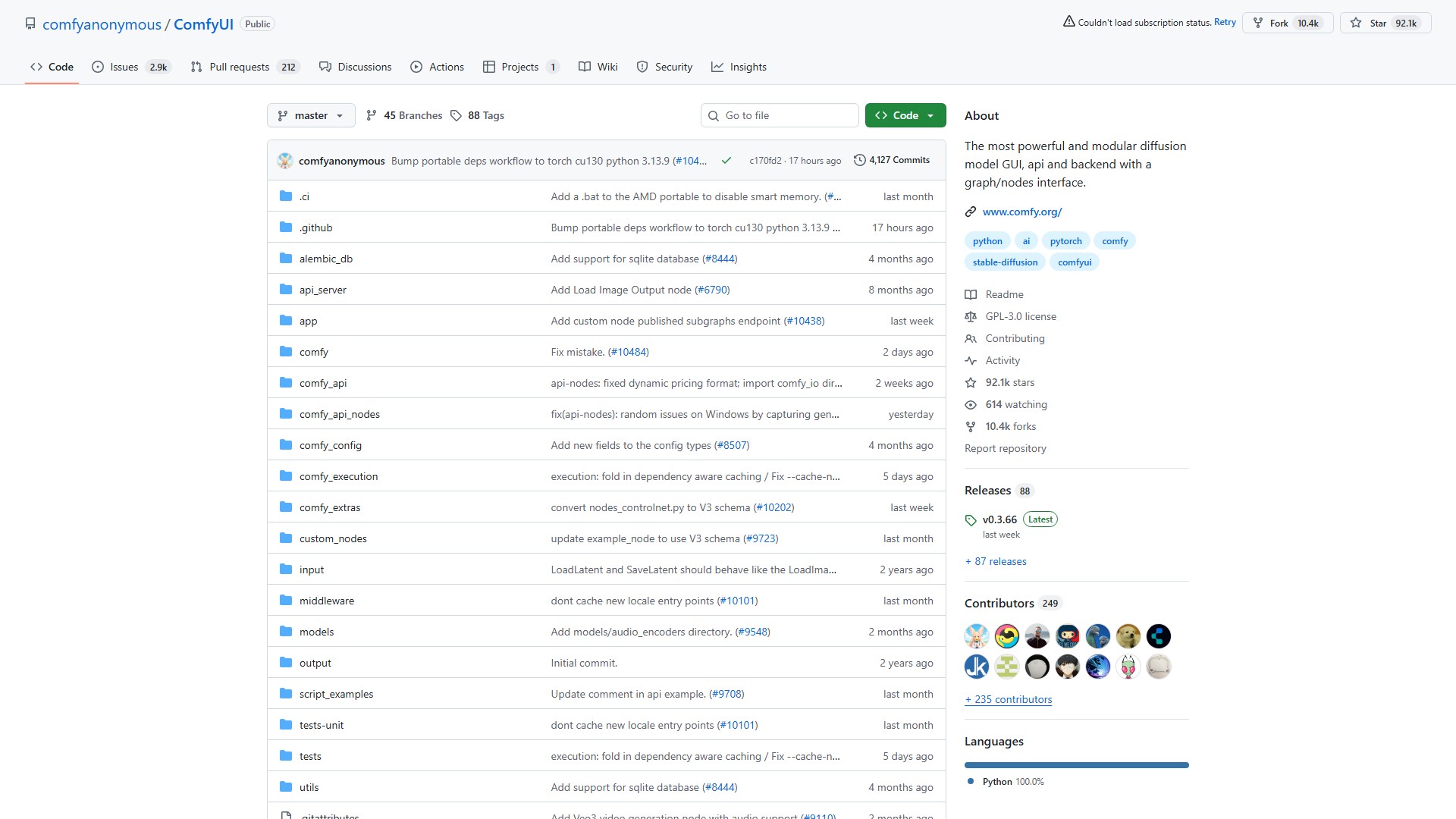
ComfyUI
Interface graphique modulaire et optimisée pour Stable Diffusion.
À propos de cet outil
Fonctionnalités principales
- Interface en nœuds, graphes et organigrammes permettant d’expérimenter et de créer des workflows Stable Diffusion complexes sans coder.
- Modèles d’image : SD1.x, SD2.x, SDXL, SDXL Turbo, Stable Cascade, SD3, SD3.5, Pixart Alpha/Sigma, AuraFlow, HunyuanDiT, Flux, Lumina Image 2.0, HiDream, Qwen Image et Hunyuan Image 2.1.
- Modèles d’édition d’image : Omnigen 2, Flux Kontext, HiDream E1.1 et Qwen Image Edit.
- Modèles vidéo : Stable Video Diffusion, Mochi, LTX-Video, Hunyuan Video, Wan 2.1 et Wan 2.2.
- Modèles audio : Stable Audio et ACE Step.
- Modèle 3D : Hunyuan3D 2.0.
- Système de file d’attente asynchrone.
- Chargement des fichiers ckpt et safetensors : checkpoints tout-en-un ou modèles de diffusion, VAE et modèles CLIP autonomes. Chargement sécurisé des fichiers ckpt, pt, pth, etc.
- Prise en charge des embeddings, de l’inversion textuelle, des Loras (standard, locon et loha) et des Hypernetworks.
- Chargement de workflows complets, avec leurs seeds, depuis des fichiers PNG, WebP et FLAC générés, ainsi que sauvegarde et chargement au format JSON.
- Composition par zones, inpainting avec des modèles classiques ou dédiés, ControlNet et T2I-Adapter, modèles d’upscaling (ESRGAN, etc.), GLIGEN, fusion de modèles, modèles et Loras LCM, et aperçus latents avec TAESD.
- Fonctionnement entièrement hors ligne : le cœur ne télécharge rien sauf si vous le souhaitez.
- Nœuds API facultatifs pour utiliser des modèles payants de fournisseurs externes via l’API Comfy en ligne.
- Prise en charge des fonctions de nœuds et de l’exécution asynchrones.
Caractéristiques principales
- Nombreuses optimisations : seules les parties du workflow modifiées entre deux exécutions sont relancées.
- Gestion intelligente de la mémoire : exécution automatique de grands modèles sur des GPU disposant d’à peine 1 Go de VRAM grâce au déchargement intelligent.
- Fonctionnement sans GPU avec
--cpu, au prix d’une vitesse réduite. - Fichier de configuration permettant de définir des chemins de recherche partagés entre une autre interface et ComfyUI.
- Prise en charge de TLS/SSL avec des certificats autosignés via des arguments de ligne de commande.
Installation et workflows
- Version portable Windows : téléchargez, extrayez, placez les checkpoints dans
ComfyUI\models\checkpoints, puis lancez l’application. Des versions portables sont disponibles pour les GPU Nvidia et AMD. - Installation manuelle (Windows, Linux) : clonez le dépôt Git, placez les modèles, installez PyTorch et les dépendances avec
pip install -r requirements.txt, puis lancezpython main.py. - Mac Apple Silicon : installez la version nightly de PyTorch et les dépendances, puis lancez
python main.py. - Autres matériels : prise en charge des GPU AMD (ROCm), GPU Intel (IPEX/XPU), NPU Ascend, MLU Cambricon et Iluvatar Corex avec des extensions PyTorch spécifiques.
- Développement du frontend : le nouveau frontend est utilisé par défaut. L’argument
--front-end-versionpermet d’utiliser la dernière version quotidienne ou une version précise, ou d’accéder à l’ancien frontend.
Avantages principaux
ComfyUI est hautement modulaire et prend en charge une vaste gamme de modèles d’image, de vidéo, audio et 3D. Il offre une gestion intelligente de la mémoire, une optimisation de mise en cache tenant compte des dépendances, un fonctionnement entièrement open source et hors ligne, ainsi qu’une compatibilité multiplateforme avec divers matériels, notamment NVIDIA, AMD, Intel, Apple Silicon et Ascend.
Public cible
Développeurs de génération d’images, de vidéos et d’audio par IA, utilisateurs avancés de Stable Diffusion, designers ayant besoin de workflows complexes et utilisateurs souhaitant exécuter de grands modèles avec peu de VRAM.
Tarification
Le logiciel ComfyUI est entièrement gratuit et open source, sous licence GPL-3.0. Des nœuds API facultatifs donnent accès à des modèles payants de fournisseurs externes via l’API Comfy en ligne, avec des frais facturés par ces fournisseurs externes.
Analyse du trafic
Signaux de trafic, de classement et d’engagement pour cet outil.
Tendance des visites
Aucune donnée de tendance
Engagement
- Taux de rebond--
- Pages par visite--
- Durée moyenne--
Sources de trafic
Aucune donnée sur les sources
Principaux pays
Aucune donnée par pays
Aperçu de l’interface