

Prompt-based video generation
Generate video clips from text prompts, reducing the need to search for suitable footage when building scenes around a written concept.
TOOL PROFILE TOOLAI
AI-powered video creation and editing for work
 View full image
THE BIG PICTURE
Google Vids is a collaborative video creation and editing tool in Google Workspace. It helps teams turn presentations, prompts, recordings, media assets, and written scripts into shareable videos with Gemini-assisted creation features.
Users can begin with templates, stock media, or an existing Google Slides presentation, then edit scenes and narration in a browser-based workspace. Vids supports screen and audio recording, AI-generated video elements, avatars, voiceovers, captions, collaboration controls, and direct export to YouTube.
A CLOSER LOOK
Explore product screens and published examples. Open any image for a closer look.
WHAT YOU CAN DO
Get to know the capabilities. Find your own way to use them.
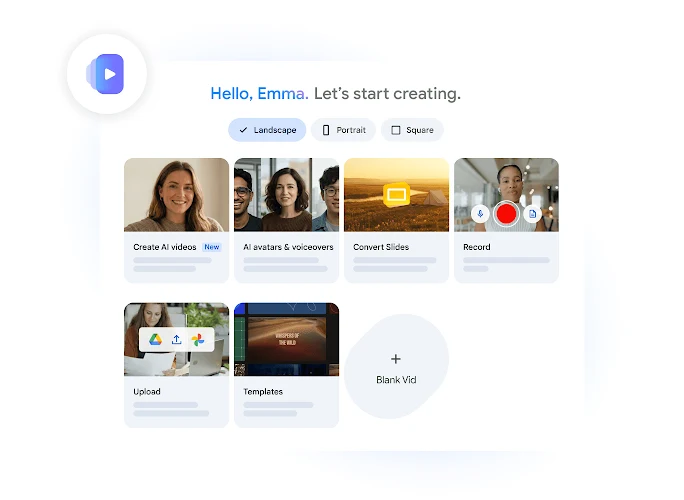
Generate video clips from text prompts, reducing the need to search for suitable footage when building scenes around a written concept.
Transform an existing Google Slides presentation into a video, providing a practical starting point for presentations, pitches, and instructional material.
Start projects with professional templates and stock media, including access to millions of high-quality royalty-free media assets for visual development.
Record your screen and audio directly in Vids, supporting demonstrations, walkthroughs, explanations, and narrated updates without requiring a camera.
Create customizable AI avatars, add branding, and generate voiceovers so presenters can deliver scripted messages without filming themselves.
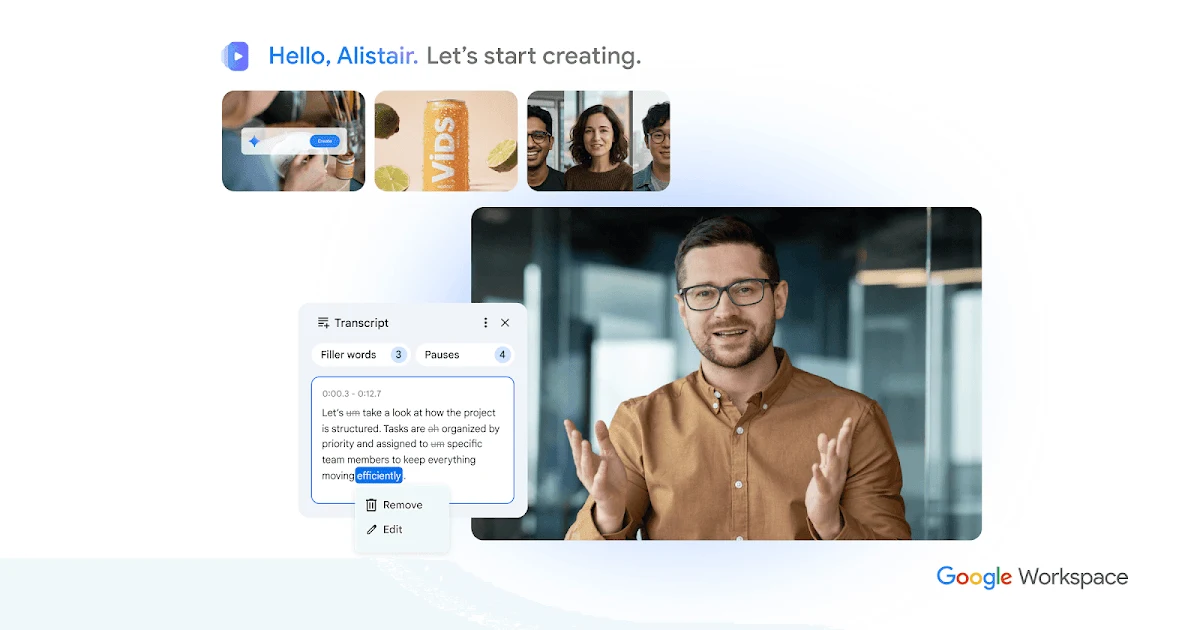
Edit video by changing its text transcript like a document, then add styled captions and transitions without working through a complex timeline.
Upload an image and animate it with AI, adding motion and native audio to create more dynamic visual content from still assets.
Manage edit, comment, and view permissions, collaborate within Workspace, and export directly to YouTube; exported videos default to private for review.
MADE FOR YOUR WORKFLOW
Convert onboarding slides, recorded demonstrations, and scripted explanations into short training videos that new employees can watch asynchronously.
Turn a presentation into a narrated pitch with branded visuals, AI voiceovers, or avatars for prospect-specific explanations and follow-up content.
Record screen-based walkthroughs and combine them with captions, templates, and supporting media to explain processes, features, or internal procedures.
YOUR FIRST STEPS
Sign in with a Google Account and open Vids from the product page.
Select a template, begin from stock media, import a Google Slides presentation, or start with a text prompt.
Bring in your own photos, videos, and other media from Google Drive or Google Photos, or record your screen and audio.
Adjust the transcript, scenes, captions, narration, avatars, and transitions to shape the message and pacing.
Set permissions for editors, commenters, and viewers, then share the video or export it directly to YouTube.
TAKE A LOOK AROUND
Explore the tool's demo or video to see its interface and workflow.
PLAN YOUR NEXT STEP
Google Vids can be tried at no cost with a Google Account. Advanced features and expanded usage limits are available to business users on Workspace plans and consumers on Google AI plans.
PLAN
Access Google Vids at no cost with a Google Account.
PLAN
Business users can access advanced features and expanded usage limits through Workspace plans.
PLAN
Consumers can access advanced features and expanded usage limits through Google AI plans.
Prices, usage limits and terms can change. Confirm the latest details on the tool's official website before subscribing.
Sources checked
Yes. Google Vids can be tried at no cost by signing in with a Google Account. Advanced features and expanded usage limits are available through eligible Workspace or Google AI plans.
Each video can be a maximum of 30 minutes.
Yes. Vids supports widescreen, vertical, and square aspect ratios.
Vids supports multilingual transcription and captioning for videos recorded in a user's local language. AI avatar scripts and voiceovers support 24 languages.
Creation and editing are available on desktop. Viewing is available on both desktop and mobile devices.
Yes. Vids can upload exported videos directly to YouTube. Exported videos default to private so they can be reviewed before sharing.
FROM THE COMMUNITY
Sign in to share your experience and help others find the right tool.
YOUR NEXT DISCOVERY

A platform to automate cold email campaigns.

FGenEds provides users with cheat sheets for general education classes. It allows users to upload a PDF of the lecture slides and transforms the material into an easier to digest format.

ChatGPT Ultimate is a ultimate conversational AI platform that enables you to create powerful chatbots and virtual assistants in minutes. With over 300+ pre-built prompts and support for multiple languages including Arabic, Bangla, Hindi, and Hebrew.
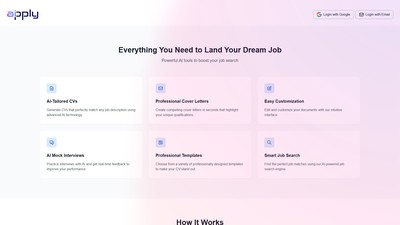
Apply AI is an AI-powered job application tools platform that helps job seekers create tailored CVs, professional cover letters, and prepare for interviews to get 3x more interviews.
MAKE YOUR NEXT MOVE
Visit the official website to explore the latest features and get started.