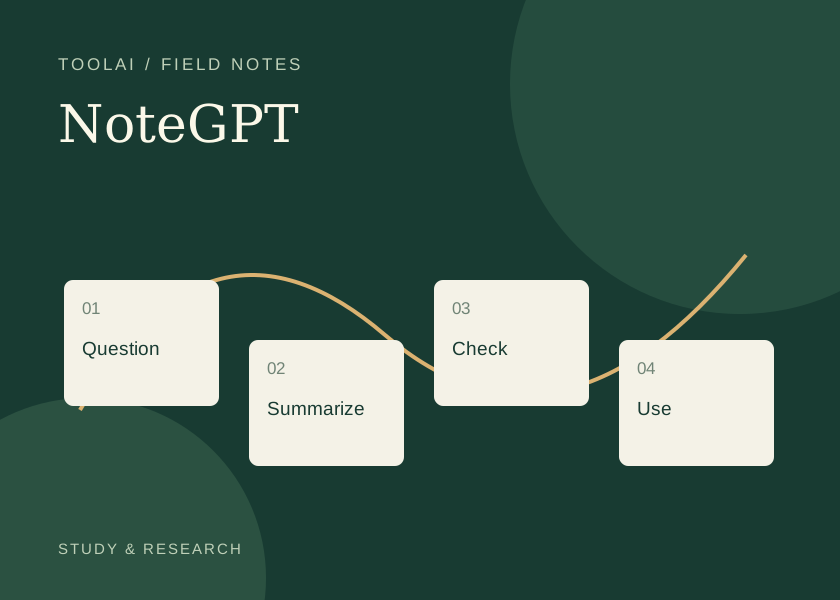
Start with a question, not a pile of videos
NoteGPT can help turn a long video into a first set of study notes. The useful outcome is a source you can navigate: main ideas, passages worth replaying, and questions that remain unanswered. A short summary is a starting point for that work, especially when a speaker uses qualifications or shows information that is absent from the transcript.
The official YouTube summarizer accepts video links and offers summarization. This guide adds a practical review method around that feature. It is designed for lectures, demonstrations, interviews, and other material you are entitled to access.
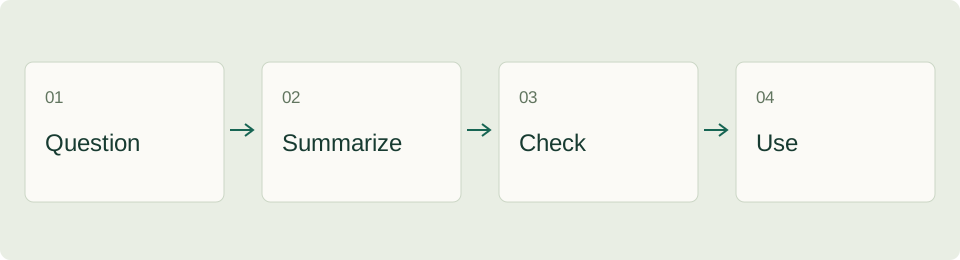
A five-pass workflow for dependable notes
- State your purpose. Write down what you want to learn: for example, how a method works, what evidence supports a claim, or whether a tutorial covers a particular task.
- Check the source. Record the video title, channel, publication date, and URL. Confirm that it is the video you intended to summarize.
- Generate an initial summary. Open the summarizer, paste the link, and use the controls offered for that video. Keep the source open in another tab.
- Review important passages. Replay the parts containing names, numbers, definitions, and conclusions. Correct your notes when the speaker's meaning differs from the summary.
- Write a usable note. Separate the speaker's claims from your interpretation and your next action. Save the source link with the note.
A note format that remains useful next week
For a twenty-minute product demonstration, a paragraph of prose may be less useful than a small evidence table. The following is an original template, not an example of output generated by NoteGPT.
| Field | What to record | Why it helps |
|---|---|---|
| Question | What am I trying to find out? | Keeps the summary focused |
| Main claim | What does the presenter actually say? | Prevents your interpretation from replacing the source |
| Source location | A timestamp or a short description of the scene | Makes the passage easy to revisit |
| Qualification | Conditions, exceptions, or uncertainty | Preserves the limits of the claim |
| Next action | Try, verify, compare, or discard | Converts reading into a decision |
Leave a field blank when the video does not support it. A missing timestamp is better than an invented timestamp. When a chart or an on-screen demonstration carries the key evidence, inspect the image directly rather than assuming the transcript contains it.
Prompt examples for different tasks
For learning a concept, try: “Organize the explanation into prerequisites, main ideas, one example, and unanswered questions. Distinguish what the speaker states from any inference. Do not invent a quotation or timestamp.”
For a software tutorial, try: “Extract the steps in their original order. List the inputs needed before each step and the expected result described in the video. Flag steps whose details are missing.”
For comparing two interviews, create a separate note for each source first. Then ask for a comparison using the same headings. Combining several videos too early can hide which speaker made a particular statement.
These prompts are suggested working methods. They do not guarantee a particular output format or accuracy. If the tool does not expose a custom prompt control in the workflow you are using, apply the same questions while editing your own notes.
Free access, plans and practical limits
The product page advertises free summarization, while the pricing page distinguishes basic quotas, premium credits, and plan-specific features. Check the current interface before treating a job as free, unlimited, or available without signing in. A feature offered in a paid tier should not be assumed to be included in every free workflow.
Video length, language, subtitle availability, and the type of transcription needed can change the workflow. Start with one representative video before planning a whole course around a service. Record the settings and any limits you encounter so you can estimate the work involved in the remaining material.
When a video summary is incomplete
| What you notice | Useful next step |
|---|---|
| The link is rejected | Open the original video and confirm that the URL and access conditions are correct |
| The notes omit a chart | Rewatch the visual passage and describe the chart in your own notes |
| A name or number looks wrong | Compare the exact passage with the transcript and audio |
| The summary is too general | Narrow the question and work on one section at a time |
| Two summaries disagree | Compare both with the original source; do not decide by which sounds more confident |
If a video requires private access, do not assume that a third-party tool can read it just because you can. For your own recordings, use an authorized upload or transcription workflow where available. Keep confidential material out of a public link workflow unless its handling fits your requirements.
Turn the final note into an output
After checking the source, decide what the note is for. A study note should include questions you can answer later. A meeting preparation note should identify decisions and missing evidence. A tutorial note should list the steps you can reproduce and the point where you got stuck.
Keep a short “checked against source” section with the passages you reviewed. This makes a later update easier and helps a colleague distinguish a preliminary AI summary from a note you have inspected.
Frequently asked questions
Can a summary replace watching the video?
It can help you decide what to watch. For important claims, demonstrations, and quotations, return to the relevant passage before relying on the summary.
Should I combine a whole playlist immediately?
Start with one representative video. Build a consistent note format, then process the remaining videos separately before writing a course-level synthesis.
Which ToolAI guides connect to this workflow?
Visit the NoteGPT profile, the document research guide, or the TTSMaker narration guide if you want to turn your own checked notes into spoken material.
ToolAI Editorial · AI-assisted writing, checked against the linked sources. Workflow examples and diagrams are original editorial suggestions; no hands-on performance benchmark is claimed.