What “Zeroscope text to video” refers to
Zeroscope is a family of video-generation model releases, rather than one guaranteed always-available website. The model page, a hosted demonstration, and a local installation are different ways of encountering it. A broken community demo does not, by itself, establish that the model files have disappeared.
The creator's 576w model card describes a text-to-video model designed around 576 × 320 output and short sequences. It reports a 7.9 GB VRAM example for 30 frames at that size. Treat that as a documented example, not a guarantee for every machine, software version, or setting.
Choose a route before choosing a prompt
| Route | What you need to check | When it makes sense |
|---|---|---|
| Hosted demonstration | Whether it is running, its queue, and its current usage limits | A first look without setting up an environment |
| Notebook or local environment | Model version, dependencies, available memory, and output handling | A controlled experiment you can repeat |
| Larger output workflow | A successful base clip and the requirements of the next stage | Improving an already useful short result |
Our Zeroscope tool profile points to the existing directory entry. For model requirements, use the creator's documentation as the starting reference. Community demos may be paused, changed, or operated by someone other than the model author.
A prompt structure for a first experiment
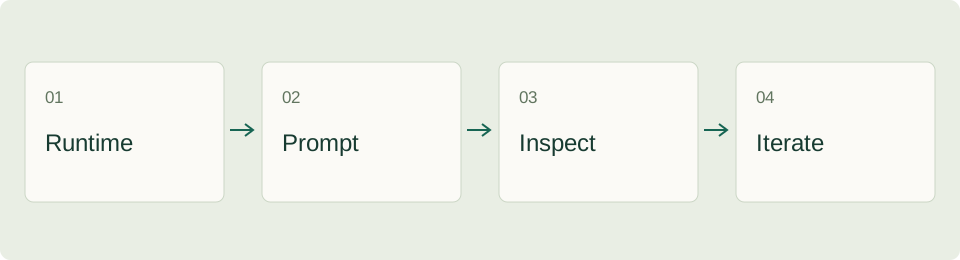
Start with one visible subject, one action, and one simple camera instruction. A compact prompt makes it easier to understand why an output succeeded or failed. For example:
A paper boat moves slowly across a shallow pond. Gentle ripples, soft afternoon light, fixed camera, simple background.
This is an original prompt suggestion, not a reproduced generation result. It avoids multiple scene changes and gives you a small number of things to inspect: the boat's shape, the direction of motion, the water, and the stability of the camera.
Make a second prompt by changing one element, such as the camera movement or the light. Keep the original text beside the new text. If you change subject, setting, action, and style at once, you lose a clear basis for comparing the outputs.
Keep an experiment record
Record the model identifier, runtime, prompt, seed when available, frame settings, and output filename. A clip that looks good once is less useful if you cannot work out how it was made. When a demo hides some settings, note that fact instead of guessing their values.
| Observation | What to record | Next experiment |
|---|---|---|
| Subject changes shape | Frames where the change becomes obvious | Simplify the subject or motion |
| Camera seems unstable | Whether the prompt asked for camera movement | Try a fixed-camera description |
| Motion is hard to see | The intended action and what actually moved | Make the action more concrete |
| Background changes abruptly | Which objects appear or disappear | Reduce background detail |
Compare the original clip, not only one attractive still frame. A convincing thumbnail can hide flicker, object changes, or an abrupt ending. Watch at normal speed and then inspect the moments that looked inconsistent.
Understand the base and larger models
The creator describes the 576w model as a first stage that can be paired with Zeroscope XL. Plan the base composition first. A larger output does not automatically repair an unclear action or an unwanted scene change.
The Diffusers documentation provides implementation references. Library examples can change over time, so check the documentation matching the version you install. This guide does not claim that an untested code snippet will run on your machine, and it does not require you to install software just to understand the workflow.
Troubleshooting without wasting every attempt
If a hosted demo is asleep or reports a queue, check its visible status before submitting repeatedly. If a local run fails, keep the complete error and the model identifier together. Distinguish a download problem, a missing dependency, and a memory error: they call for different next steps.
For memory problems, compare the requested frame count and resolution with the model documentation and the runtime's supported memory options. Changing settings blindly can trade one problem for another. The creator also notes that unusually low resolution or fewer frames may worsen results, so “smaller” is not an automatic quality improvement.
If the result is visually poor but the run completed, return to the prompt and the scene design. A technically successful run and a usable creative result are separate outcomes. Save one baseline experiment before adding complexity.
License and project suitability
The 576w model repository identifies a CC BY-NC 4.0 license. Read the license information on the model page before choosing it for a commercial project; free access to model files is not the same as unrestricted commercial permission. Check any other models or hosted services in your workflow separately.
For exploratory work, define success narrowly: one short action with a stable subject may be enough. For a client deliverable, decide in advance how you will handle inconsistent frames, attribution, source records, and the required usage rights.
Frequently asked questions
Is Zeroscope the same thing as a free online demo?
No. The model release and each hosted interface have separate availability and operating conditions. Use the repository to understand the model and the demo page to understand that particular service.
Will a larger render fix every defect?
No. Resolve the action and composition first. Increasing output dimensions is a later decision, not a substitute for inspecting the base clip.
What should I read next?
The JoyFun AI guide introduces another creative workflow. The NoteGPT guide can help organize learning material while you compare techniques and keep your source notes.
ToolAI Editorial · AI-assisted writing, checked against the linked sources. Workflow examples and diagrams are original editorial suggestions; no hands-on performance benchmark is claimed.