TOOL PROFILE TOOLAI

NoteGPT

AI agent and learning toolkit for summarizing, transcribing, researching, writing, and creating visual and audio content

notegpt.ioPRODUCT PREVIEW
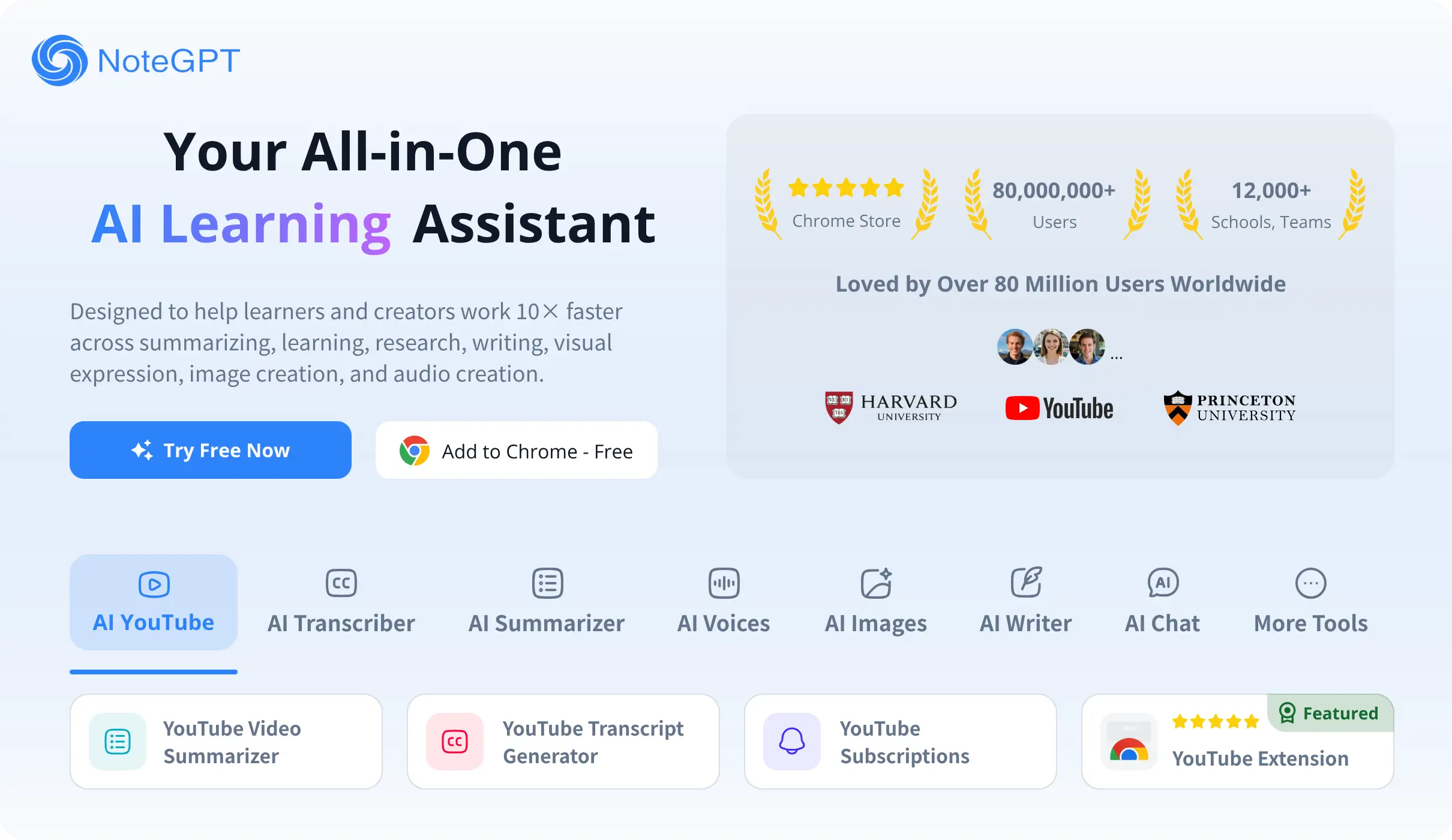
Product interface published on the official website. View full image
Product interface published on the official website.Images: 2

THE BIG PICTURE

About NoteGPT

NoteGPT is a web-based AI platform that positions itself as an AI agent for work and growth, alongside a broader set of learning and creation tools. The homepage describes an AI Agent that understands a user's goals, context, tone, and requirements, asks for key details when needed, breaks large goals into clear steps, and then executes tasks such as searching the web, writing content, creating files, and drawing charts. It presents the agent as a personal assistant that delivers an editable final file and continues refining it on request.

Beyond the agent, NoteGPT bundles a wide range of AI utilities. These include summarizing YouTube videos, audio, and PDFs into visual insights; transcribing audio and video with speaker separation and timestamps; writing documents; creating slides and spreadsheets; generating images, audio, podcasts, and videos; deep research with cited sources; and data analysis with charts. The site also lists learning-oriented tools such as an AI note taker, AI detector, AI humanizer, AI homework helper, AI quiz generator, and AI flashcard maker.

The platform states that it routes tasks across GPT, Claude, Gemini, and DeepSeek to balance quality, speed, and cost. It also offers chat with multiple AI models, including ChatGPT, DeepSeek, Claude, and Gemini. NoteGPT is available for free with some core features, while premium features require a paid plan. The site reports large user and institutional adoption figures, but these are self-reported marketing claims rather than independently verified metrics.

WHAT YOU CAN DO

A toolkit worth exploring

Get to know the capabilities. Find your own way to use them.

AI Agent for multi-step tasks

The homepage describes an AI Agent that understands goals, context, tone, and requirements, asks for key details when needed, breaks large goals into clear steps, and executes tasks such as searching the web, writing content, creating files, and drawing charts. It delivers an editable final file and can keep refining it on request.

Summarization of videos, audio, and documents

NoteGPT can summarize YouTube videos, audio, PDFs, papers, lectures, and presentations into clear, in-depth visual insights. The FAQ confirms support for uploading videos, audio files, PDFs, Word documents, and more for note-taking.

Transcription with speaker separation and timestamps

The homepage states that NoteGPT can transcribe audio and video, separate speakers, and produce accurate speech-to-text with timestamps while removing filler words and repetitions. The FAQ says it converts YouTube videos, lectures, meetings, and recordings into text.

Document, slide, and spreadsheet creation

NoteGPT can draft or refine documents from outline to final draft, create polished editable presentations from structure and text to layout and visuals, and organize data with formulas and automatically generated charts in spreadsheets.

Image, audio, and video generation

The platform can generate images from descriptions or reference images, turn text into speech or podcasts with natural voices, and create videos with descriptions or references, consistent visuals, and synced audio.

Deep research and data analysis

NoteGPT offers deep research that produces detailed visual reports with cited sources, and data analysis that generates visual insight reports and professional charts from user data.

Multi-model AI chat

The FAQ states that users can chat with ChatGPT, DeepSeek, Claude, Gemini, and more inside NoteGPT to learn, research, and create. The homepage says the agent routes tasks across GPT, Claude, Gemini, and DeepSeek.

Learning and study tools

The site lists AI learning tools including an AI note taker, AI detector, AI humanizer, AI homework helper, AI quiz generator, and AI flashcard maker, alongside multilingual PDF translation for academic work.

MADE FOR YOUR WORKFLOW

Where it fits into your day

USE CASE 01

Studying and exam preparation

Students can use NoteGPT to summarize lectures and recordings, create flashcards and quizzes, and get writing feedback. The homepage testimonials describe using it to review transcripts, summarize recordings, and simplify tough topics.

USE CASE 02

Research and literature review

Researchers can summarize academic PDFs, extract key ideas, ask AI for insights, and organize research visually. The homepage describes support for literature reviews, information synthesis, and proposal writing.

USE CASE 03

Teaching and lesson preparation

Educators can turn lessons into podcasts, create clear infographics from text, generate lecture summaries and slides, and produce custom test questions based on student needs.

USE CASE 04

Professional reporting and presentations

Professionals can distill long reports, visualize trends, refine client communications, and turn complex reports into polished presentations for meetings.

USE CASE 05

Content creation and planning

Creators can summarize videos, draft scripts, refine writing, brainstorm content ideas, and plan content visually. The platform also supports generating images, audio, and videos for content production.

YOUR FIRST STEPS

From first click to first result

Try it on the official website
  1. Sign in and choose a starting point

    Open notegpt.io and sign in. From the homepage you can select the AI Agent or a specific tool such as AI Notes, AI Transcriber, AI Voices, AI Images, AI Videos, AI Slides, or AI Writer.

  2. Provide your input

    Depending on the tool, paste a YouTube link, upload a local audio or video file, upload a PDF or Word document, or enter a text prompt describing what you want to create or analyze.

  3. Let the agent plan and execute

    For agent tasks, describe your goal and any relevant context, tone, and requirements. The agent breaks the goal into steps, selects tools, and executes tasks such as searching the web, writing content, creating files, or drawing charts.

  4. Review and refine the output

    Review the generated summary, transcript, document, slide deck, spreadsheet, image, audio, or video. If it is not quite right, provide feedback and the agent will continue refining it until you are satisfied.

  5. Manage your plan and subscription

    Use the Pricing page to compare Pro, Unlimited, and Max plans. Subscriptions can be managed or canceled under My Subscriptions in your account, and the pricing page describes upgrade and refund policies.

PLAN YOUR NEXT STEP

A plan for the way you work

NoteGPT offers a free tier with some core features and paid plans named Pro, Unlimited, and Max, billed monthly or annually. The pricing page also lists an Education SaveTogether group option for at least three people.

Subscribe on the tool's website

PLAN

Pro

Entry paid plan with 1,000 Basic Quotas per month and 100 Premium Credits per month, including basic transcription, summary, mind map, translation, AI chat with basic models, AI Detector, AI Humanizer, limited voice cloning and voice design, and commercial use.

  • 1,000 Basic Quotas / month
  • 100 Premium Credits / month
  • 100 mins premium transcription
  • Generate 25 mins of speech & podcasts
  • Generate 50 high-quality images
  • Generate 10 seconds of high-quality videos
  • Generate Agent Slides
  • Chat with premium models 33 times
  • Commercial use
  • Process 5 YouTube videos at once
  • Summarize 2 YouTube channels
  • Each local audio / video: Max 1GB
  • Save 2 voices per month
View plan on website

PLAN

Unlimited

Mid-tier plan with unlimited basic quotas and 2,800 Premium Credits per month, including unlimited basic transcription, summary, mind map, translation, AI chat with basic models, AI Detector, AI Humanizer, unlimited voice cloning and voice design, and commercial use.

  • Unlimited Basic Quotas / month
  • 2,800 Premium Credits / month
  • 2,800 mins premium transcription
  • Generate 700 mins of speech & podcasts
  • Generate 700 high-quality images
  • Generate 280 seconds of high-quality videos
  • Generate 700 Agent Slides
  • Chat with premium models 1,500 times
  • Commercial use
  • Process 10 YouTube videos at once
  • Summarize 10 YouTube channels
  • Each local audio / video: Max 5GB
  • Unlimited Voice Cloning & Voice Design
  • Save 5 voices per month
View plan on website

PLAN

Max

Top-tier plan with unlimited basic quotas and 10,000 Premium Credits per month, including unlimited basic transcription, summary, mind map, translation, AI chat with basic models, AI Detector, AI Humanizer, unlimited voice cloning and voice design, and commercial use.

  • Unlimited Basic Quotas / month
  • 10,000 Premium Credits / month
  • 10,000 mins premium transcription
  • Generate 2,500 mins of speech & podcasts
  • Generate 2,500 high-quality images
  • Generate 1,000 seconds of high-quality videos
  • Generate 2,500 Agent Slides
  • Chat with premium models 5,000 times
  • Commercial use
  • Process 20 YouTube videos at once
  • Summarize 20 YouTube channels
  • Each local audio / video: Max 5GB
  • Unlimited Voice Cloning & Voice Design
  • Save 8 voices per month
View plan on website

PLAN

Education SaveTogether

Group education plan for at least three people, with each person having a separate quota and data not shared. The pricing page lists annual Max, Unlimited, and Pro options under this program.

  • At least 3 people
  • Each person has a separate quota
  • Data is not shared
  • Annual Max, Unlimited, or Pro options
View plan on website

Prices, usage limits and terms can change. Confirm the latest details on the tool's official website before subscribing.

Plan prices and credit allowances are shown on the official pricing page. Because promotional banners and limited-time discounts appear alongside standard prices, users should confirm the current amount, currency, and billing period directly on the pricing page before purchasing.

Sources checked

A FEW MORE THINGS

Good questions. Useful answers.

More on the official website

What is NoteGPT?

NoteGPT is an AI-powered platform that combines an AI agent for work and growth with learning and creation tools. The homepage describes it as an AI agent that handles complex tasks, while the FAQ describes it as an AI-powered note-taking tool designed to enhance learning efficiency.

Is NoteGPT free to use?

The FAQ states that NoteGPT is available for free, and the homepage says some core features are free while premium features require a paid plan. The pricing page lists Pro, Unlimited, and Max paid plans.

Which video platforms does NoteGPT support for summarization and note-taking?

The FAQ states that NoteGPT currently supports video summarization and note-taking specifically for YouTube videos. It notes that future updates will expand support to other platforms such as Vimeo, Ted, Udemy, and text-based websites like blogs and news sources.

Can NoteGPT handle YouTube videos without subtitles or YouTube playlists?

Yes. The FAQ states that NoteGPT can handle YouTube videos without subtitles and YouTube playlists, and directs users to the YouTube Video Summarizer to get started.

Can I upload videos, audio files, PDFs, and Word documents?

Yes. The FAQ states that NoteGPT supports uploading and note-taking from various file types, including videos, audio files, PDFs, Word documents, and more.

Can I make notes during video conferences?

The FAQ states that NoteGPT currently does not support making notes during video conferences, but this feature is planned for future updates.

Can I collaborate with others using NoteGPT?

The FAQ states that NoteGPT currently does not support collaboration with other users, but this feature is planned for future updates.

Can I access my notes on multiple devices?

Yes. The FAQ states that NoteGPT supports multi-device access as long as you have an internet connection.

How do I cancel my subscription?

The FAQ states that you can log in and go to My Subscriptions in your account to cancel. Annual plans automatically renew for the next year and can be canceled at any time, while monthly plans can be canceled at any time for free and remain active until the end of the current billing period.

Can I request a refund?

The pricing page states that refunds are only available within 24 hours of the first purchase, and the refund amount equals the amount paid minus the value of Premium Credits used. Refund requests are not accepted after 24 hours, and discounted purchases and Lifetime Premium Credits are non-refundable.

FROM THE COMMUNITY

What has your experience been?

YOUR NEXT DISCOVERY

More tools to explore

Explore all tools

MAKE YOUR NEXT MOVE

Ready to explore NoteGPT?

Visit the official website to explore the latest features and get started.

Visit official website
NoteGPTnotegpt.io
Visit website

GALLERY

PASS IT ALONG

Share NoteGPT