セールス
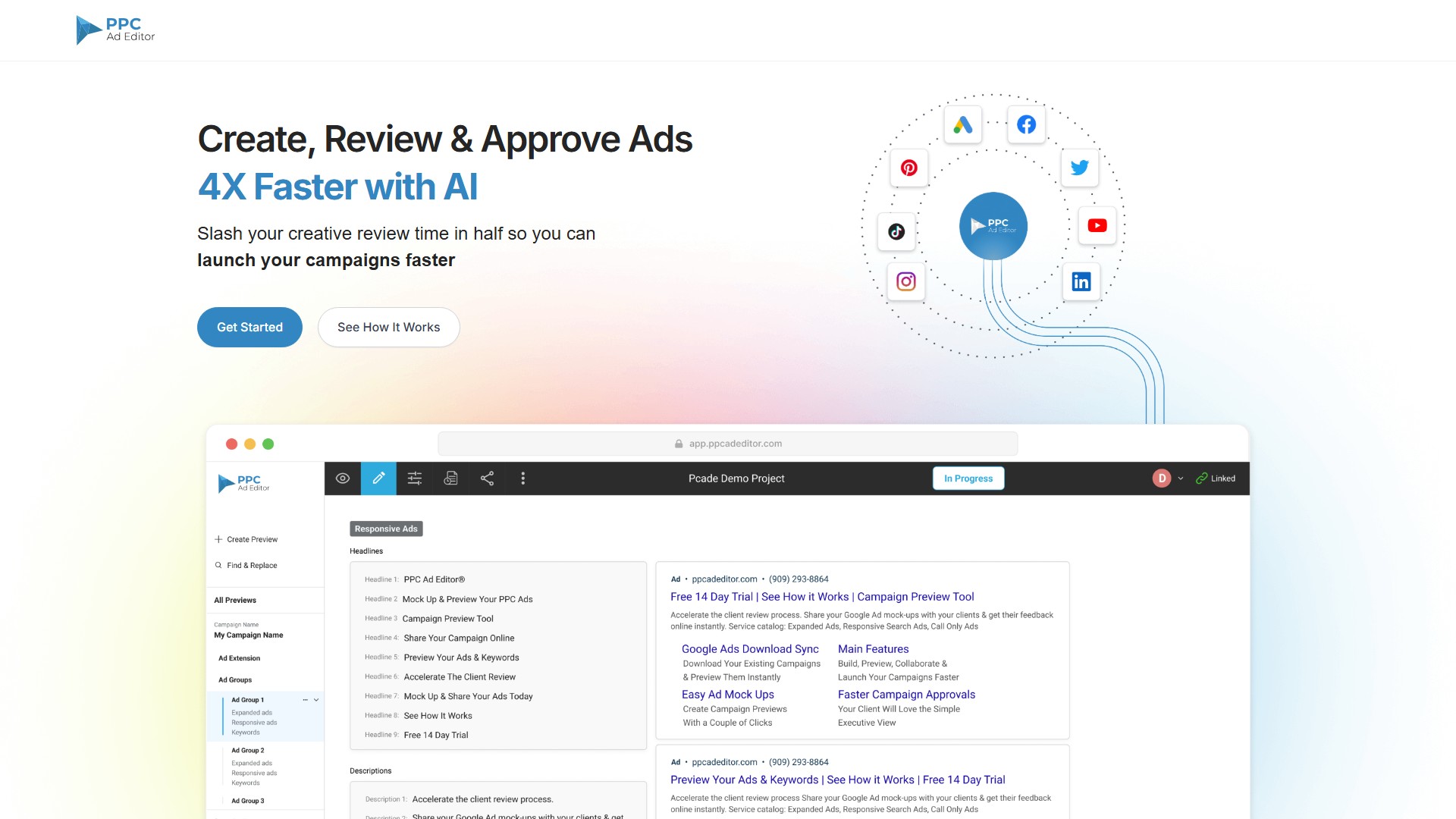
PPC広告エディター
広告コピーを生成するためのツールです。
閲覧数
50.8K
月間訪問数
50.8K
世界ランキング
##1,478,392
票数
0
このツールについて
主な機能
- 承認プロセスの高速化:広告モックアップとキーワードを、クライアントがより迅速に確認・承認できます。
- フィードバックの効率化:レビューを簡単にし、クライアントが意見を伝えてキャンペーンを承認しやすくします。
- AIによる広告コピー生成:adCelerator AI Ad Copy Generatorで、Google Search Adsの広告コピー案を10倍速く生成できます。
- 煩雑な手作業を削減:承認済みのGoogle Ads Search広告とキャンペーンをGoogle Ads Editorへ直接エクスポートし、コピー&ペーストの作業時間、人為的ミス、QAの負担を減らします。
- チームとの共同作業:チームメンバーやクライアントが広告コピーとキーワードを直接追加・更新でき、変更はリアルタイムで反映されます。
- すべての広告を一元管理:1つのリンクで異なるチャネルのプレビューを最大5件共有し、すべてのプレビューを1か所で編集できます。グループ内のプレビューにコメントを残して共同作業も可能です。
- キーワードの自動追跡:Google Responsive Search Ads(RSA)で使用したキーワードを追跡し、Google Ad Relevancy Scoreの改善に役立てます。
- 文字数カウンター内蔵:文字数を確認できるビジュアル広告ビルダーで、安心して広告を作成できます。
- 主要な検索・ソーシャル広告チャネルに対応:Google Responsive Search Ads、Google Responsive Display Ads、Google Performance Max Ads、Facebook Ads、YouTube Ads、LinkedIn Ads、Twitter Ads、Pinterest Ads、TikTok Ads、HTML5 Adsに対応しています。
- 追加リソース:AdMinerXおよびAdScanner Chrome拡張機能、RSA Ad Keyword Tracker、Dynamic Keyword Insertion(DKI)Mock Up Generator Toolなどを提供します。
利用方法とワークフロー
- 作成:内蔵のビジュアル広告ビルダーでキャンペーンをすばやく作成するか、bulksheetまたはGoogle Ads Editorファイルをインポートします。Google Adsから既存のキャンペーンを直接ダウンロードすることもできます。
- プレビューと共有:広告、キーワード、広告表示オプションのモックアップを生成し、ブラウザーからリンクでPPCキャンペーン全体を共有できます。
- 共同作業とフィードバック:コメントやレビュー結果を追加し、リアルタイム通知を受けながらリクエストを承認または却下します。
- 公開:承認後、キャンペーン全体をGoogle Ads Editorへエクスポートし、転記ミスを防ぎます。
対象ユーザー
- コピーライター:共有可能なリンクから編集権限を得て、広告コピーの作成にスムーズに参加できます。
- アカウントエグゼクティブ:ビジュアルなプレゼンテーション機能を使い、広告コピー、戦略、キャンペーン構成をクライアントに明確に説明できます。
- 代理店:一般的なExcelテンプレートによるプレゼンテーションから脱し、最新のデジタルマーケティングトレンドを示して競合との差別化を図れます。
- PPCマネージャー:キャンペーンを視覚的に作成し、既存キャンペーンを更新したり、バルクシートから作成したりできます。
- 規制・コンプライアンスチーム:キャンペーンの確認と承認を簡単に進められます。
主なメリット
AIで4倍高速化。クリエイティブのレビュー時間を半分に短縮し、スプレッドシートから解放されます。Google上でのPPC広告の見え方を説明する時間を減らし、視覚的な明確さで誤解を抑え、すべての広告を1か所にまとめられます。
料金
Get Started for Freeのオプションがあります。プレビューのPDFエクスポートは有料版で利用できます。具体的な料金はPricingページの確認、または営業への問い合わせが必要です。
トラフィック分析
このツールのトラフィック、ランキング、エンゲージメントの指標。
世界ランキング
##1,478,392
国別ランキング
#1,886,895
月間訪問数
50.8K
訪問数の推移
トレンドデータなし
エンゲージメント
- 直帰率--
- 1回の訪問あたりのページ数--
- 平均滞在時間--
トラフィックソース
ソースデータなし
上位の国
国別データなし
インターフェースプレビュー