व्यूज़
50.8K
मासिक विज़िट
50.8K
वैश्विक रैंक
##1,478,392
वोट
0
इस टूल के बारे में
मुख्य सुविधाएं और विशेषताएं
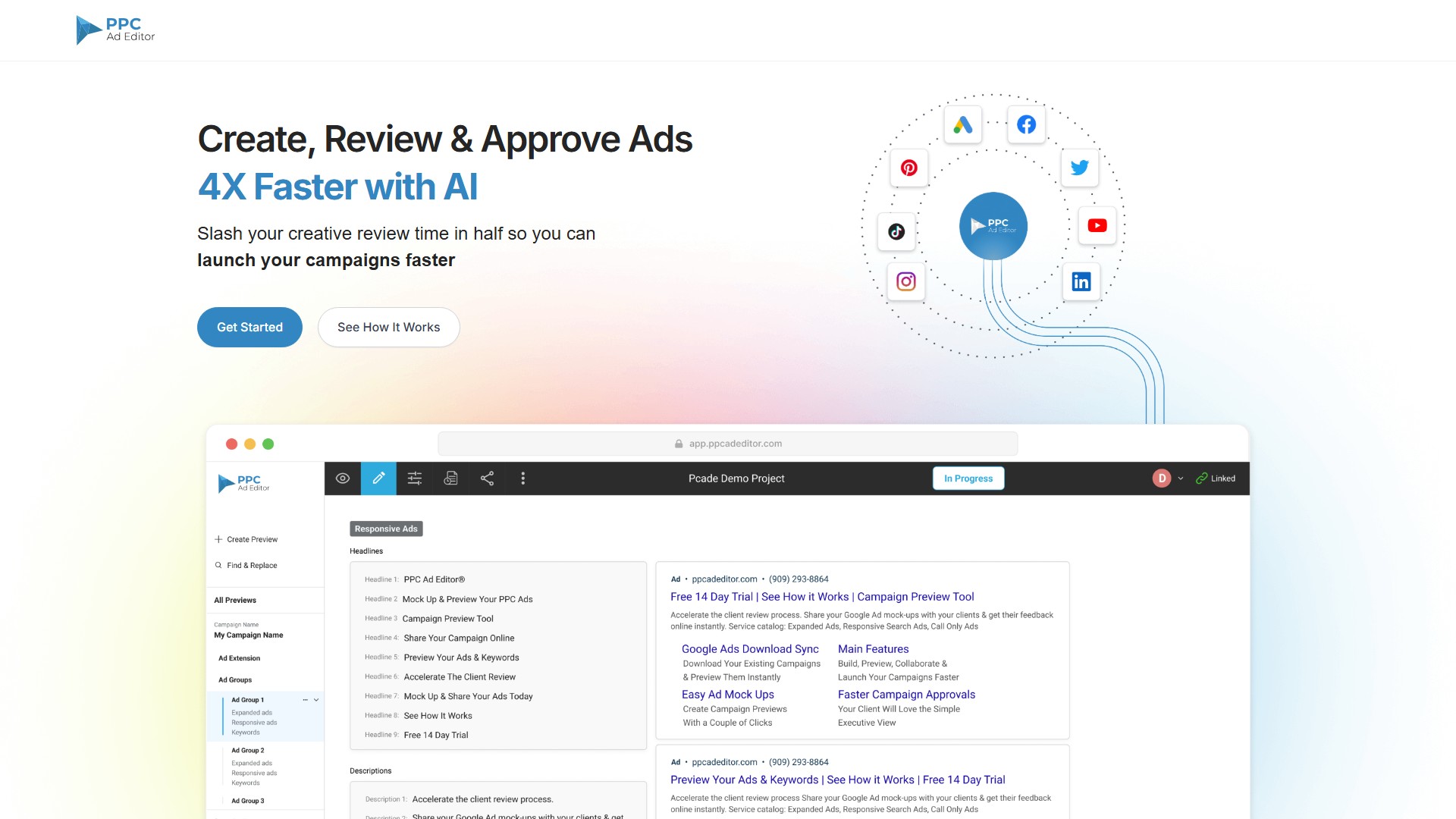
- तेज़ अनुमोदन प्रक्रिया: ग्राहक विज्ञापन मॉकअप और कीवर्ड जल्दी देख और मंज़ूर कर सकते हैं।
- सरल फीडबैक: समीक्षा प्रक्रिया आसान बनाएं, ताकि ग्राहक सुझाव दे सकें और अभियानों को मंज़ूर कर सकें।
- AI विज्ञापन कॉपी निर्माण: adCelerator AI Ad Copy Generator से Google Search Ad की कॉपी के विचार 10 गुना तेज़ी से बनाएं।
- उबाऊ मैनुअल काम खत्म करें: मंज़ूर किए गए Google Ads Search विज्ञापन और अभियानों को सीधे Google Ads Editor में एक्सपोर्ट करें, कॉपी-पेस्ट में लगने वाले घंटों और मानवीय त्रुटियों को कम करें तथा QA समय बचाएं।
- टीम के साथ आसान सहयोग: टीम और ग्राहक सीधे विज्ञापन कॉपी व कीवर्ड जोड़ या अपडेट कर सकते हैं; बदलाव रीयल-टाइम अपडेट के साथ तुरंत दिखाई देते हैं।
- सभी विज्ञापन एक जगह देखें: एक लिंक से विभिन्न चैनलों के अधिकतम 5 प्रीव्यू साझा करें, सभी प्रीव्यू में एक ही जगह संपादन करें और समूह के सभी प्रीव्यू पर टिप्पणियां छोड़कर सहयोग करें।
- कीवर्ड अपने-आप ट्रैक करें: Google Responsive Search Ads (RSAs) में उपयोग किए गए कीवर्ड ट्रैक करके Google Ad Relevancy Score बेहतर करें।
- बिल्ट-इन कैरेक्टर काउंटर: कैरेक्टर काउंट वाले विज़ुअल विज्ञापन बिल्डर से भरोसे के साथ विज्ञापन लिखें।
- लोकप्रिय सर्च और सोशल मीडिया विज्ञापन चैनलों का समर्थन: Google Responsive Search Ads, Google Responsive Display Ads, Google Performance Max Ads, Facebook Ads, YouTube Ads, LinkedIn Ads, Twitter Ads, Pinterest Ads, TikTok Ads और HTML5 Ads शामिल हैं।
- अतिरिक्त संसाधन: AdMinerX और AdScanner Chrome Extensions, RSA Ad Keyword Tracker, Dynamic Keyword Insertion (DKI) Mock Up Generator Tool आदि उपलब्ध हैं।
उपयोग और वर्कफ़्लो
- बनाएं: बिल्ट-इन विज़ुअल विज्ञापन बिल्डर से जल्दी अभियान बनाएं, bulksheet या Google Ads Editor फ़ाइल इंपोर्ट करें, या मौजूदा अभियान सीधे Google Ads से डाउनलोड करें।
- प्रीव्यू और साझा करें: विज्ञापनों, कीवर्ड और विज्ञापन एक्सटेंशन के मॉकअप जल्दी बनाएं और वेब ब्राउज़र में लिंक के माध्यम से अपना पूरा PPC अभियान किसी के साथ साझा करें।
- सहयोग और फीडबैक लें: टिप्पणियां या समीक्षा फीडबैक जोड़ें और रीयल-टाइम सूचनाओं के साथ अनुरोधों को मंज़ूर या अस्वीकार करें।
- लॉन्च करें: अंतिम स्वीकृति के बाद पूरे अभियानों को Google Ads Editor में एक्सपोर्ट करके ट्रांसक्रिप्शन संबंधी त्रुटियों से बचें।
लक्षित उपयोगकर्ता
- कॉपी राइटर्स: साझा किए जा सकने वाले लिंक के माध्यम से उन्हें विज्ञापन लेखन में सहज रूप से शामिल करने के लिए एडिट एक्सेस दें।
- अकाउंट एग्जीक्यूटिव: विज़ुअल प्रेज़ेंटेशन सुविधाओं से ग्राहक को विज्ञापन कॉपी, रणनीति और अभियान संरचना स्पष्ट रूप से समझाएं।
- एजेंसियां: नवीनतम डिजिटल मार्केटिंग रुझान दिखाकर और उबाऊ Excel टेम्पलेट प्रेज़ेंटेशन से बचकर प्रतिस्पर्धियों से अलग दिखें।
- PPC मैनेजर: अभियानों को विज़ुअली बनाएं, मौजूदा अभियानों को रिफ्रेश करें या bulksheet से बनाएं।
- रेगुलेटरी टीमें: नियामक और अनुपालन टीमों के लिए अभियानों की समीक्षा व मंज़ूरी आसान बनाएं।
मुख्य लाभ
AI के साथ 4 गुना तेज़ी; क्रिएटिव समीक्षा समय आधा करें; स्प्रेडशीट को अलविदा कहें; Google पर PPC विज्ञापन कैसे दिखते हैं, यह समझाने में कम समय लगाएं; गलतफहमियां घटाने के लिए विज़ुअल स्पष्टता दें; सभी विज्ञापन एक ही जगह रखें।
मूल्य निर्धारण
Get Started for Free विकल्प उपलब्ध है। प्रीव्यू को PDF में एक्सपोर्ट करना पेड संस्करण में उपलब्ध है। सटीक मूल्य जानने के लिए Pricing पेज पर जाएं या बिक्री टीम से संपर्क करें।
ट्रैफ़िक विश्लेषण
इस टूल के ट्रैफ़िक, रैंकिंग और सहभागिता के संकेतक।
वैश्विक रैंक
##1,478,392
देश की रैंकिंग
#1,886,895
मासिक विज़िट
50.8K
विज़िट का रुझान
रुझान का कोई डेटा नहीं
सहभागिता
- बाउंस दर--
- प्रति विज़िट पृष्ठ--
- औसत अवधि--
ट्रैफ़िक स्रोत
स्रोत का कोई डेटा नहीं
शीर्ष देश
देशों का कोई डेटा नहीं
इंटरफ़ेस पूर्वावलोकन