Chỉnh sửa hình ảnh
Wplace Pixel Tool
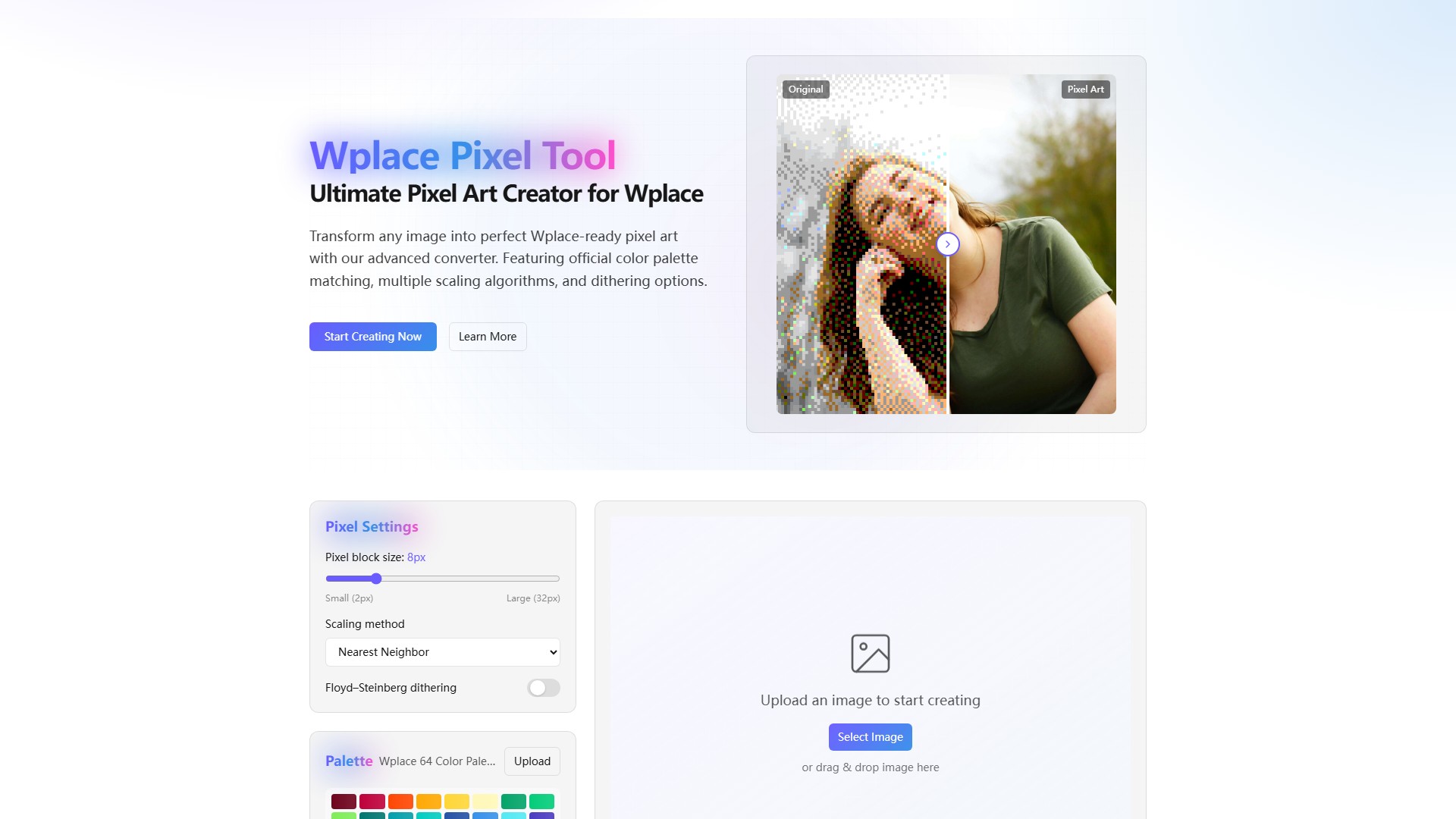
Wplace Pixel Tool là công cụ tạo pixel art cho canvas Wplace. Công cụ chuyển mọi hình ảnh thành pixel art tương thích với Wplace, khớp bảng màu chính thức, hỗ trợ nhiều thuật toán thu phóng và dithering, đồng thời xử lý dữ liệu cục bộ miễn phí trên trình duyệt.
Lượt xem
-
Lượt truy cập hàng tháng
--
Xếp hạng toàn cầu
--
Lượt bình chọn
0
Giới thiệu về công cụ này
Chức năng chính
- Chuyển đổi hình ảnh: biến mọi hình ảnh thành pixel art tương thích với Wplace.
- Kích thước khối pixel: tùy chỉnh từ 2px đến 32px.
- Phương pháp thu phóng: hỗ trợ Nearest Neighbor, Bilinear và Lanczos cho các phong cách khác nhau.
- Tùy chọn dithering: hỗ trợ dithering Floyd–Steinberg để chuyển màu mượt hơn.
- Khớp bảng màu: tự động ánh xạ màu sang bảng màu chính thức 64 màu của Wplace và cho phép tải bảng màu tùy chỉnh.
- Xem trước tương tác: thanh trượt đặt cạnh nhau để so sánh ảnh gốc và ảnh pixel hóa theo thời gian thực.
Tính năng nổi bật
- Khớp màu chính xác: tự động ánh xạ sang bảng màu chính thức của Wplace để tăng khả năng tương thích.
- Thuật toán chuyên nghiệp: cung cấp thu phóng Lanczos và dithering Floyd-Steinberg tương đương với phần mềm máy tính đắt tiền.
- Hỗ trợ 9 ngôn ngữ: gồm tiếng Trung, tiếng Anh, tiếng Nhật và tiếng Hàn.
- Ưu tiên quyền riêng tư: mọi xử lý diễn ra cục bộ trên trình duyệt; không tải dữ liệu lên máy chủ và không thu thập dữ liệu.
- Miễn phí: không cần tải xuống, cài đặt hoặc đăng ký.
Đối tượng sử dụng
Được thiết kế riêng cho nghệ sĩ Wplace và dễ dùng cho cả người có kinh nghiệm lẫn người mới bắt đầu.
Cách sử dụng
- Tải ảnh lên bằng nút Chọn ảnh hoặc kéo thả.
- Điều chỉnh kích thước pixel, phương pháp thu phóng, dithering và bảng màu.
- Dùng bản xem trước tương tác để theo dõi thay đổi theo thời gian thực.
- Tải xuống hoặc chia sẻ tác phẩm cuối cùng.
Ưu điểm
- Tối ưu chuyên biệt: tối ưu cho canvas Wplace để giảm vấn đề lệch màu.
- Tính năng chuyên nghiệp miễn phí: cung cấp các tính năng nâng cao thường chỉ có trong phần mềm cao cấp.
- Quyền riêng tư tối đa: giữ tác phẩm sáng tạo ở chế độ riêng tư và an toàn.
- Phản hồi tức thì: bản xem trước tương tác cung cấp phản hồi trực quan chi tiết.
Phân tích lưu lượng truy cập
Các chỉ số về lưu lượng truy cập, thứ hạng và mức độ tương tác của công cụ này.
Chưa có dữ liệu phân tích
Bản xem trước giao diện