Image editing
Wplace Pixel Tool
Wplace Pixel Tool is the ultimate pixel art creator for the Wplace canvas. It transforms any image into Wplace-ready pixel art with official color palette matching, multiple scaling algorithms, and dithering options. The tool is browser-based, completely free, and prioritizes user privacy by processing all data locally.
What is Wplace Pixel Tool? Quick Facts & Alternatives
Wplace Pixel Tool (Freemium / Check Official Pricing) — Wplace Pixel Tool is the ultimate pixel art creator for the Wplace canvas. It transforms any image into Wplace-ready pixel art with official color palette matching, multiple scaling algorithms, with top alternatives including GuessAI, OpenSource Ai Stories Generator, Nostalgia Photo.
- Category
- Image editing
- Pricing
- Freemium / Check Official Pricing
- Verified
- 2025-09-29
About this tool
Main Functions
- Image Conversion: Transforms any image into Wplace-compatible pixel art.
- Pixel Block Size: Customizable pixel block size, ranging from 2px to 32px.
- Scaling Methods: Offers three scaling algorithms: Nearest Neighbor, Bilinear, and Lanczos, for different pixel art styles.
- Dithering Options: Supports Floyd–Steinberg dithering for smoother color transitions.
- Palette Matching: Automatically maps image colors to the official Wplace 64-color palette, with support for custom palette uploads.
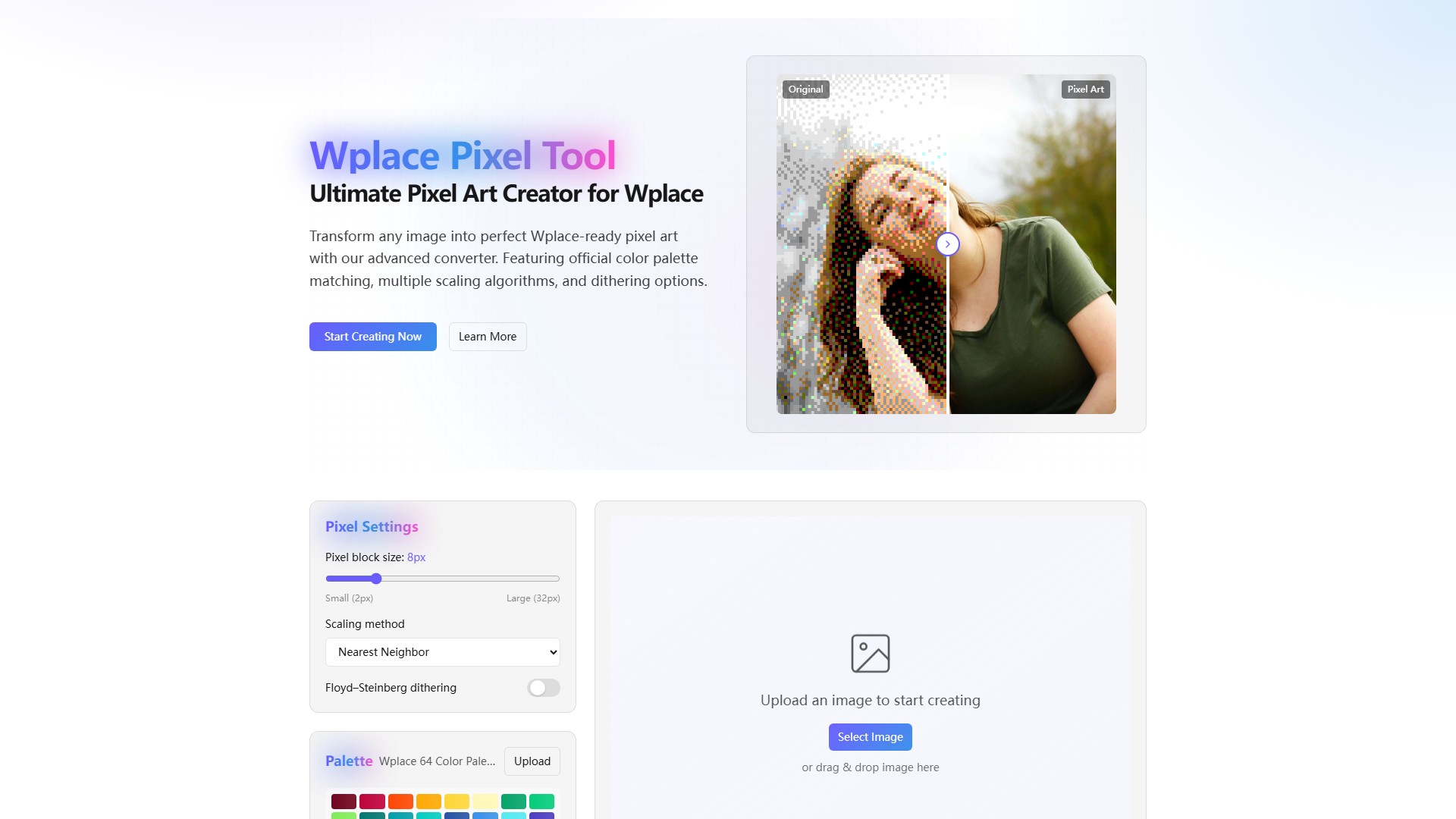
- Interactive Preview: Features a unique side-by-side slider to compare the original and pixelated images in real-time.
Key Features
- Perfect Color Matching: The algorithm automatically maps to the official Wplace color palette for perfect compatibility.
- Professional-Grade Algorithms: Provides advanced Lanczos scaling and Floyd-Steinberg dithering algorithms comparable to expensive desktop software.
- 9 Languages Support: The only pixel art tool supporting 9 languages, including Chinese, English, Japanese, Korean, and more.
- Privacy First: All processing happens locally in the user's browser; no uploads to servers, no data collection, ensuring 100% privacy and security.
- Free to Use: The tool is completely free with no downloads, installations, or sign-ups required.
Target Users
Designed specifically for Wplace artists, the tool is easy to use for both seasoned artists and beginners to create pixel art.
How to Use
- Upload an image by clicking 'Select Image' or via drag-and-drop.
- Adjust settings such as pixel block size, scaling method, dithering, and palette as needed.
- Use the interactive preview to see real-time changes.
- Once satisfied, download or share the final artwork.
Core Advantages
- Specialized Optimization: Specifically optimized for the Wplace canvas, eliminating the frustration of color mismatches.
- Professional Features for Free: Offers advanced features typically found only in premium software.
- Ultimate Privacy: Ensures that users' creative work remains completely private and secure.
- Instant Feedback: The unique interactive preview offers an unparalleled level of visual feedback.
| Tool Name | Wplace Pixel Tool |
|---|---|
| Category | Image editing , Art |
| Pricing Model | Free Trial |
| Listed Date | 2025-09-29 |
| Top Alternatives | GuessAI , OpenSource Ai Stories Generator , Nostalgia Photo |
Traffic analysis
Traffic, ranking, and engagement signals for this tool.
No analytics data yet
Interface preview
Embed "Featured on ToolAI.io" Badge
Copy the HTML snippet below to display your ToolAI featured badge on your website or docs.