Công cụ chép lời
Transcribe Audio to Text
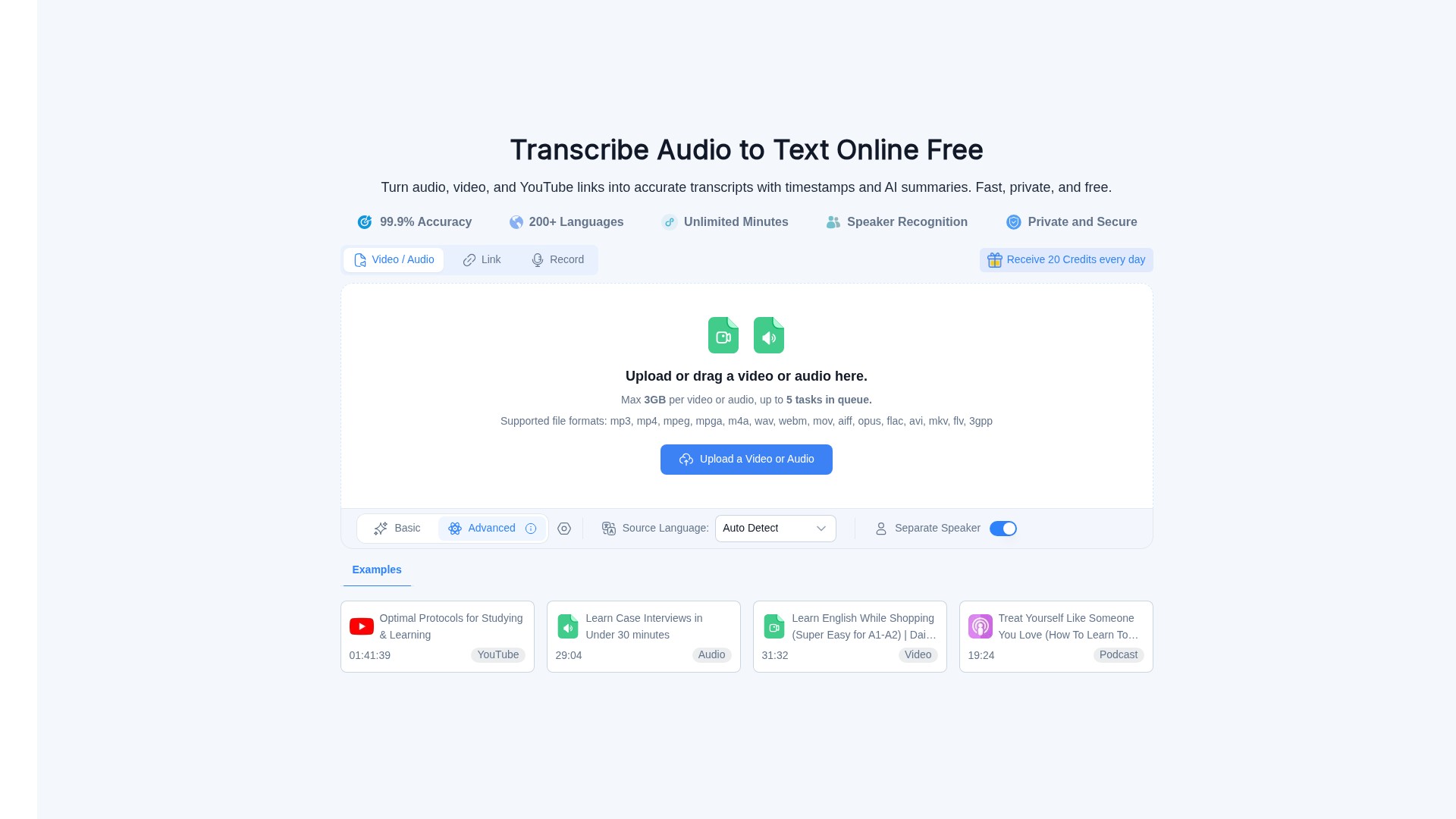
Audio Converter AI is an online audio-to-text transcription tool that turns audio, video, and YouTube links into accurate transcripts with timestamps and AI summaries, supporting 200+ languages, speaker recognition, and free usage credits.
Giới thiệu về công cụ này
Main Features: Turn audio, video, recordings, and online content (e.g., YouTube links) into clear, editable transcripts; automatically identify different speakers and add speaker labels; add timestamps automatically; generate concise AI summaries for long recordings; support exporting and sharing of editable transcripts.
Main Characteristics: 99.9% transcription accuracy; 200+ languages supported; Unlimited Minutes; Speaker Recognition; Private and Secure (encrypted in transit and at rest, processed in isolated encrypted environments, automatic file cleanup after processing); 20 Credits received every day; Max 3GB per video or audio file, up to 5 tasks in queue; Supported file formats: mp3, mp4, mpeg, mpga, m4a, wav, webm, mov, aiff, opus, flac, avi, mkv, flv, 3gpp; Works on supported mobile devices via web browser.
Target Users: Students (transcribe lectures and class recordings, review searchable transcripts, timestamps, and AI summaries); Educators (turn lectures and training videos into clear transcripts with speaker labels, timestamps, and AI summaries); Creators (turn podcasts and videos into editable transcripts, captions, and AI summaries); Professionals (transcribe meetings, interviews, and calls); Teams (create shared transcripts with speaker labels, timestamps, and AI summaries).
Core Advantages: High accuracy (99.9%), extensive language support (200+), automatic speaker separation and timestamps, AI summaries, free plan available, strict privacy and security measures.
Usage Workflow: Upload or drag a video/audio file (or paste a YouTube link) -> Select source language (Auto Detect available) and Separate Speaker option -> Submit -> Receive editable transcripts with timestamps, speaker labels, and AI summaries -> Review, correct the text, download, or share.
Pricing Information: Offers a Free Plan (get started with audio and video transcription), Starter Plan (for personal projects and regular transcription), and Growth Plan (for frequent transcription and larger content workflows, includes more credits & advanced features, priority support). Sign in with 50 Credits for5-star reviews.
FAQ Summary: Can process long recordings and large files; supports transcription in 200+ languages; uses speaker recognition to separate voices and label speakers6; lets you review, edit, download, or share transcripts; works in a web browser on supported mobile devices; supports popular formats including MP3, WAV, M4A, MP4, WEBM, MOV, and more; uses encrypted processing to help protect uploaded files and transcripts.
Phân tích lưu lượng truy cập
Các chỉ số về lưu lượng truy cập, thứ hạng và mức độ tương tác của công cụ này.
Chưa có dữ liệu phân tích
Bản xem trước giao diện