Transkriptor
Transcribe Audio to Text
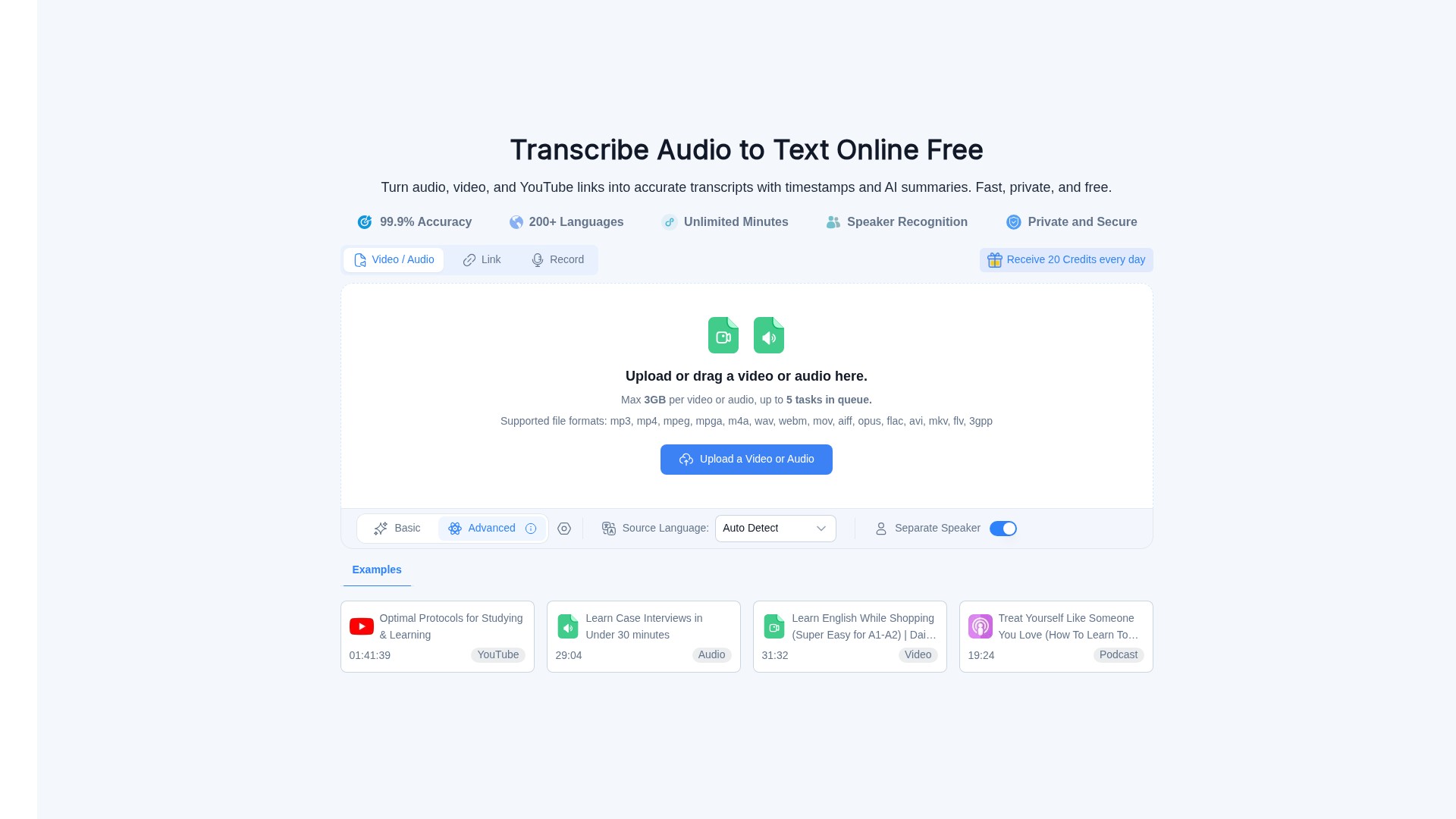
Audio Converter AI is an online audio-to-text transcription tool that turns audio, video, and YouTube links into accurate transcripts with timestamps and AI summaries, supporting 200+ languages, speaker recognition, and free usage credits.
Über dieses Tool
Main Features: Turn audio, video, recordings, and online content (e.g., YouTube links) into clear, editable transcripts; automatically identify different speakers and add speaker labels; add timestamps automatically; generate concise AI summaries for long recordings; support exporting and sharing of editable transcripts.
Main Characteristics: 99.9% transcription accuracy; 200+ languages supported; Unlimited Minutes; Speaker Recognition; Private and Secure (encrypted in transit and at rest, processed in isolated encrypted environments, automatic file cleanup after processing); 20 Credits received every day; Max 3GB per video or audio file, up to 5 tasks in queue; Supported file formats: mp3, mp4, mpeg, mpga, m4a, wav, webm, mov, aiff, opus, flac, avi, mkv, flv, 3gpp; Works on supported mobile devices via web browser.
Target Users: Students (transcribe lectures and class recordings, review searchable transcripts, timestamps, and AI summaries); Educators (turn lectures and training videos into clear transcripts with speaker labels, timestamps, and AI summaries); Creators (turn podcasts and videos into editable transcripts, captions, and AI summaries); Professionals (transcribe meetings, interviews, and calls); Teams (create shared transcripts with speaker labels, timestamps, and AI summaries).
Core Advantages: High accuracy (99.9%), extensive language support (200+), automatic speaker separation and timestamps, AI summaries, free plan available, strict privacy and security measures.
Usage Workflow: Upload or drag a video/audio file (or paste a YouTube link) -> Select source language (Auto Detect available) and Separate Speaker option -> Submit -> Receive editable transcripts with timestamps, speaker labels, and AI summaries -> Review, correct the text, download, or share.
Pricing Information: Offers a Free Plan (get started with audio and video transcription), Starter Plan (for personal projects and regular transcription), and Growth Plan (for frequent transcription and larger content workflows, includes more credits & advanced features, priority support). Sign in with 50 Credits for5-star reviews.
FAQ Summary: Can process long recordings and large files; supports transcription in 200+ languages; uses speaker recognition to separate voices and label speakers6; lets you review, edit, download, or share transcripts; works in a web browser on supported mobile devices; supports popular formats including MP3, WAV, M4A, MP4, WEBM, MOV, and more; uses encrypted processing to help protect uploaded files and transcripts.
Traffic-Analyse
Traffic-, Ranking- und Engagement-Signale für dieses Tool.
Noch keine Analysedaten
Interface-Vorschau