}

TOOL PROFILE TOOLAI

Transcribe Audio to Text

Turn audio, video, recordings, and online media into editable transcripts, summaries, and subtitles.

audioconverter.aiPRODUCT PREVIEW
Illustration published on the official product website; see the source page for its context. View full image
Illustration published on the official product website; see the source page for its context.Images: 4

THE BIG PICTURE

About Transcribe Audio to Text

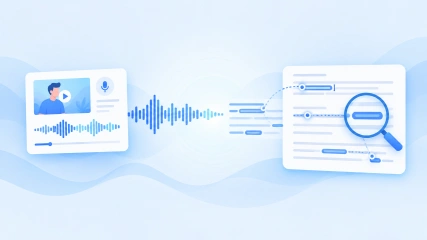
Audio Converter AI is a browser-based workspace for transcribing local audio and video, YouTube content, online links, and recordings made with its built-in recorder. It produces editable text with timestamps and can distinguish speakers in multi-person recordings. The service also generates AI summaries and notes, helping users review lengthy media without repeatedly playing the original recording.

Completed transcripts can be edited online and exported as TXT, DOCX, SRT, VTT, or CSV, with an option to include timestamps. The product is aimed at students, educators, creators, professionals, and teams working with lectures, meetings, interviews, podcasts, calls, and videos. A credit-based free plan is available alongside paid annual and monthly subscriptions. Limits for transcription duration, file size, storage, and YouTube videos vary by plan.

Tool Name Transcribe Audio to Text
Category Transcriber , Speech To Text , Summarizer
Pricing Model Credit-based freemium service with Free, Starter, Unlimited, and Max plans. The pricing page lists annual totals of $53.88 for Starter, $119.88 for Unlimited, and $269.88 for Max, alongside monthly subscription options.
Platform & Capabilities Browser-based web application; the official FAQ also states that supported mobile devices can upload, review, and download transcripts through a web browser.
Listed Date 2026-09-18
Top Alternatives Saas With AI , summAIry , SummerCamps.com AI Camp Finder
}

WHAT YOU CAN DO

A toolkit worth exploring

Get to know the capabilities. Find your own way to use them.

Audio, video, link, and recording transcription

Transcribe locally uploaded audio or video, YouTube material, online content, or speech captured through the built-in recording workflow. This accommodates both existing media and newly recorded material.

Speaker identification and timestamps

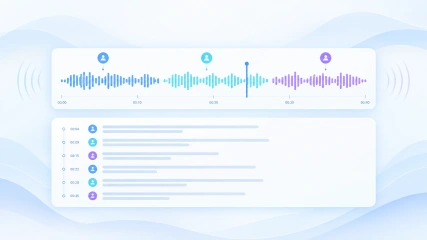
The transcription system can distinguish different speakers and label the transcript while adding timestamps. These markers make conversations easier to follow and help users return to relevant moments.

AI summaries and notes

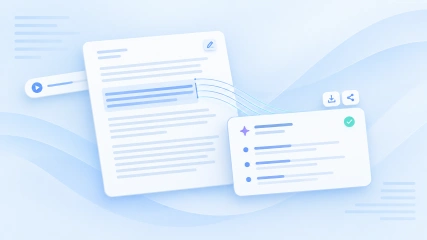
Generate condensed summaries and notes from transcript content. This can help organize key points from meetings, lectures, interviews, podcasts, and other long recordings.

Online transcript editing

Edit transcription results directly in the browser to correct wording and refine the text without moving it to a separate editor first.

Multiple transcript export formats

Export completed work as TXT, DOCX, SRT, VTT, or CSV. Users can choose whether downloaded transcripts include timestamps, supporting documents, data-oriented workflows, and subtitle files.

Multilingual transcription and translation

The service states that its transcription and translation workflows cover more than 200 languages. Source language can be detected automatically or selected in the transcription interface.

Encrypted handling and file controls

The official pages state that uploaded files and transcripts are encrypted during transfer and storage. Account controls allow users to manage sharing and deletion, and the homepage says files are automatically removed after processing.

MADE FOR YOUR WORKFLOW

Where it fits into your day

USE CASE 01

Review lectures and class recordings

Students can convert lectures into searchable text, navigate with timestamps, and use summaries to prepare study notes. Educators can similarly prepare written materials from lessons or training videos.

USE CASE 02

Document meetings and interviews

Professionals can prepare editable records of meetings, calls, and interviews. Speaker labels make multi-person discussions easier to review, while summaries can surface key points for follow-up.

USE CASE 03

Create subtitles and reusable content

Creators can turn podcasts and videos into transcripts, export SRT or VTT subtitle files, and use the resulting text as a starting point for captions, articles, or other content.

USE CASE 04

Analyze recorded research

Researchers and teams can make interviews or feedback sessions searchable, locate relevant passages through timestamps, and organize recurring themes from the transcript and summary.

YOUR FIRST STEPS

From first click to first result

Try it on the official website
  1. Choose a transcription input

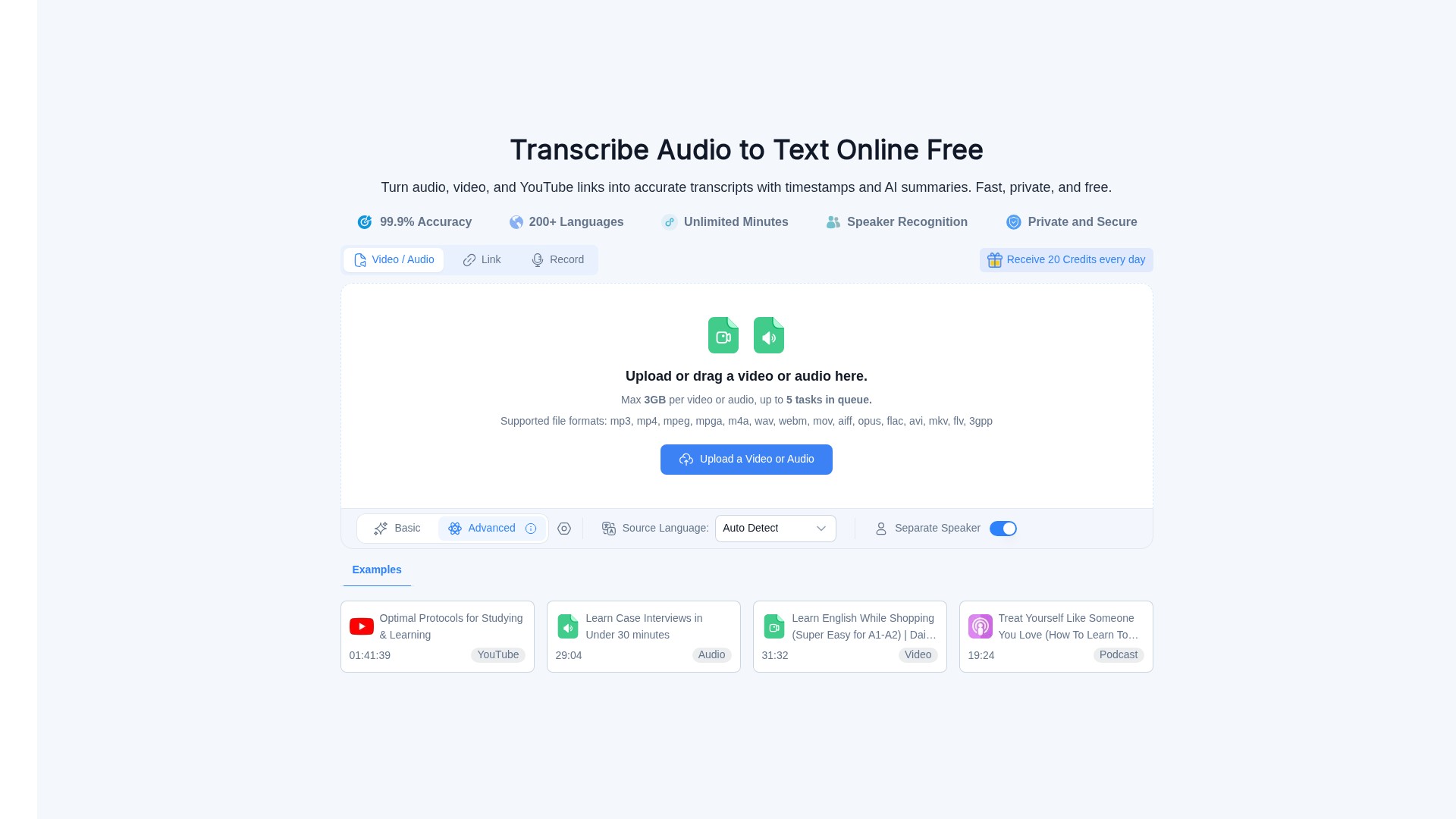
    Open the transcription workflow and select a local audio or video upload, paste a supported link such as YouTube content, or use the built-in recording option.

  2. Add the source content

    Upload or drag in the media file, enter the relevant link, or complete the recording. Keep the file size and duration within the limits of the selected plan.

  3. Configure the transcription

    Choose or automatically detect the source language and enable speaker separation when labels are needed for a multi-speaker recording.

  4. Process and review the result

    Submit the content for processing, then inspect the transcript, timestamps, speaker labels, and generated summary. Use the transcript-area edit control to correct or refine wording online.

  5. Export the finished transcript

    Open the Export tab at the top-right of the transcript area, select TXT, DOCX, SRT, VTT, or CSV, decide whether to include timestamps, and download the output.

PLAN YOUR NEXT STEP

A plan for the way you work

Credit-based freemium service with Free, Starter, Unlimited, and Max plans. The pricing page lists annual totals of $53.88 for Starter, $119.88 for Unlimited, and $269.88 for Max, alongside monthly subscription options.

Subscribe on the tool's website

PLAN

Free

A daily credit allowance for occasional transcription and access to associated AI tools.

$0

forever

  • 15 credits per day
  • Up to 30 transcription minutes
  • Files up to 500 MB
  • YouTube videos without captions up to 30 minutes
  • 24-hour file storage
  • Queue up to five audio or video tasks
View plan on website

PLAN

Starter

An annual plan for regular personal transcription, with 500 credits issued each month.

$53.88

per year

  • Up to 1,000 transcription minutes
  • 500 credits per month
  • Files up to 1 GB
  • YouTube videos without captions up to 60 minutes
  • Unlimited file storage
  • Speaker recognition
View plan on website

PLAN

Unlimited

An annual plan for frequent transcription and larger files, with 2,000 credits each month.

$119.88

per year

  • Unlimited transcription listed by the provider
  • 2,000 credits per month
  • Files up to 10 GB
  • YouTube videos without captions up to 150 minutes
  • Unlimited file storage
  • Speaker recognition
View plan on website

PLAN

Max

The highest listed annual tier, providing 6,000 monthly credits and expanded allowances for the wider Audio Converter AI toolset.

$269.88

per year

  • Unlimited transcription listed by the provider
  • 6,000 credits per month
  • Files up to 10 GB
  • YouTube videos without captions up to 150 minutes
  • Unlimited file storage
  • Speaker recognition
View plan on website

Prices, usage limits and terms can change. Confirm the latest details on the tool's official website before subscribing.

The listed paid plan prices below use the unambiguous annual totals shown on the official pricing page. Annual purchases are described as one-time payments that do not renew automatically. Monthly plans renew monthly until canceled. Promotional pricing and refund restrictions may apply, so confirm current terms on the official pricing page.

A FEW MORE THINGS

Good questions. Useful answers.

More on the official website

What content can Audio Converter AI transcribe?

It supports local audio and video files, YouTube content, online links, and recordings created with the built-in recorder.

Can it separate speakers?

Yes. Speaker identification can distinguish voices and label speakers in the transcript, which is useful for interviews, meetings, and group recordings.

Can transcripts be corrected online?

Yes. After processing, users can open the transcript editor to adjust wording, correct errors, and refine the text in the browser.

Which download formats are available?

The documented transcript exports are TXT, DOCX, SRT, VTT, and CSV. Exports can include or omit timestamps.

Is there a free plan?

Yes. The pricing page lists a $0 Free plan with 15 credits per day, up to 30 transcription minutes, 500 MB files, and 24-hour file storage.

What is the maximum upload size?

The effective maximum depends on the plan. The pricing page lists 500 MB for Free, 1 GB for Starter, and 10 GB for Unlimited and Max.

Do annual subscriptions renew automatically?

No. The pricing page says annual plans are one-time payments for a year and do not automatically renew. Monthly subscriptions renew monthly until canceled.

KEEP EXPLORING

FROM THE COMMUNITY

What has your experience been?

FEATURED BADGE

Embed "Featured on ToolAI.io" Badge

Featured on ToolAI.io

YOUR NEXT DISCOVERY

More tools to explore

Explore all tools

MAKE YOUR NEXT MOVE

Ready to explore Transcribe Audio to Text?

Visit the official website to explore the latest features and get started.

Visit official website
Transcribe Audio to Textaudioconverter.ai
Visit website

GALLERY

PASS IT ALONG

Share Transcribe Audio to Text