
Génération d'image en vidéo
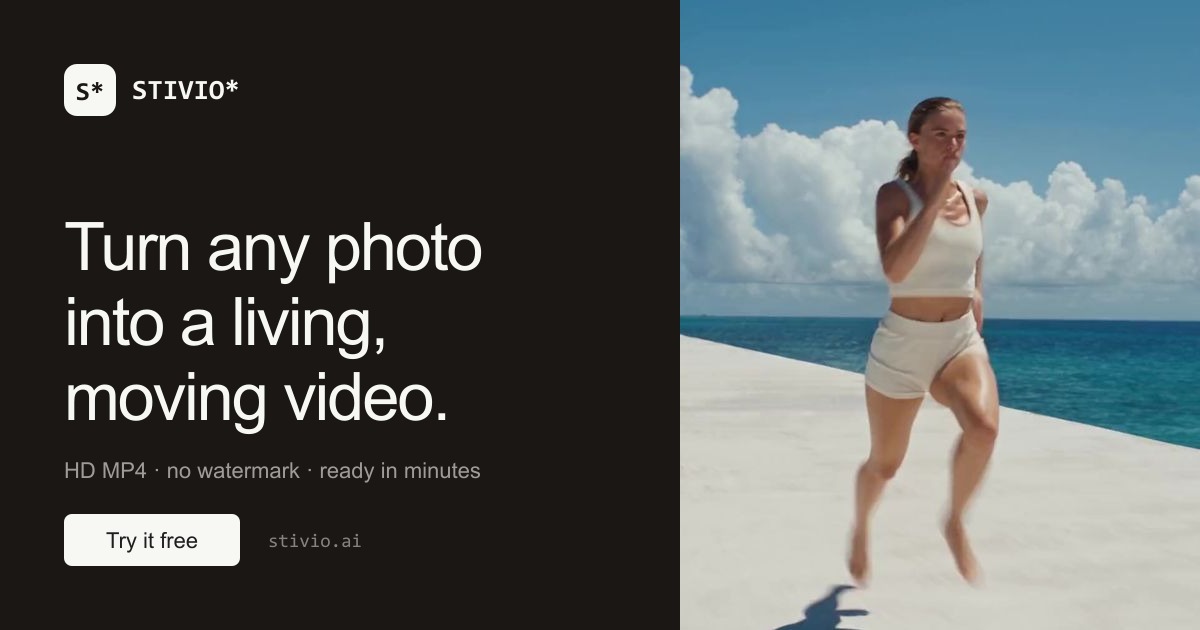
Transforme une seule photo téléversée en un clip vidéo animé. La photo devient la première image, et l'IA anime le sujet tout en préservant, selon le site, l'intégrité du sujet.
PROFIL DE L’OUTIL TOOLAI
Générateur IA en ligne d'image en vidéo qui anime une seule photo en un clip MP4 HD à partir d'une invite de mouvement en anglais simple.
 Voir l’image en taille réelle
VUE D’ENSEMBLE
Stivio est un générateur IA d'image en vidéo basé sur navigateur. Selon son site officiel, il prend une seule image fixe — une photo de produit, un portrait, un dessin ou une vieille photo de famille — et la transforme en un clip vidéo animé. La photo devient la première image, et l'utilisateur décrit le mouvement souhaité en anglais simple ; le service rend ensuite le clip à l'aide de l'un de plusieurs modèles vidéo IA intégrés. Le site indique qu'aucune compétence en montage, installation logicielle ou courbe d'apprentissage n'est requise.
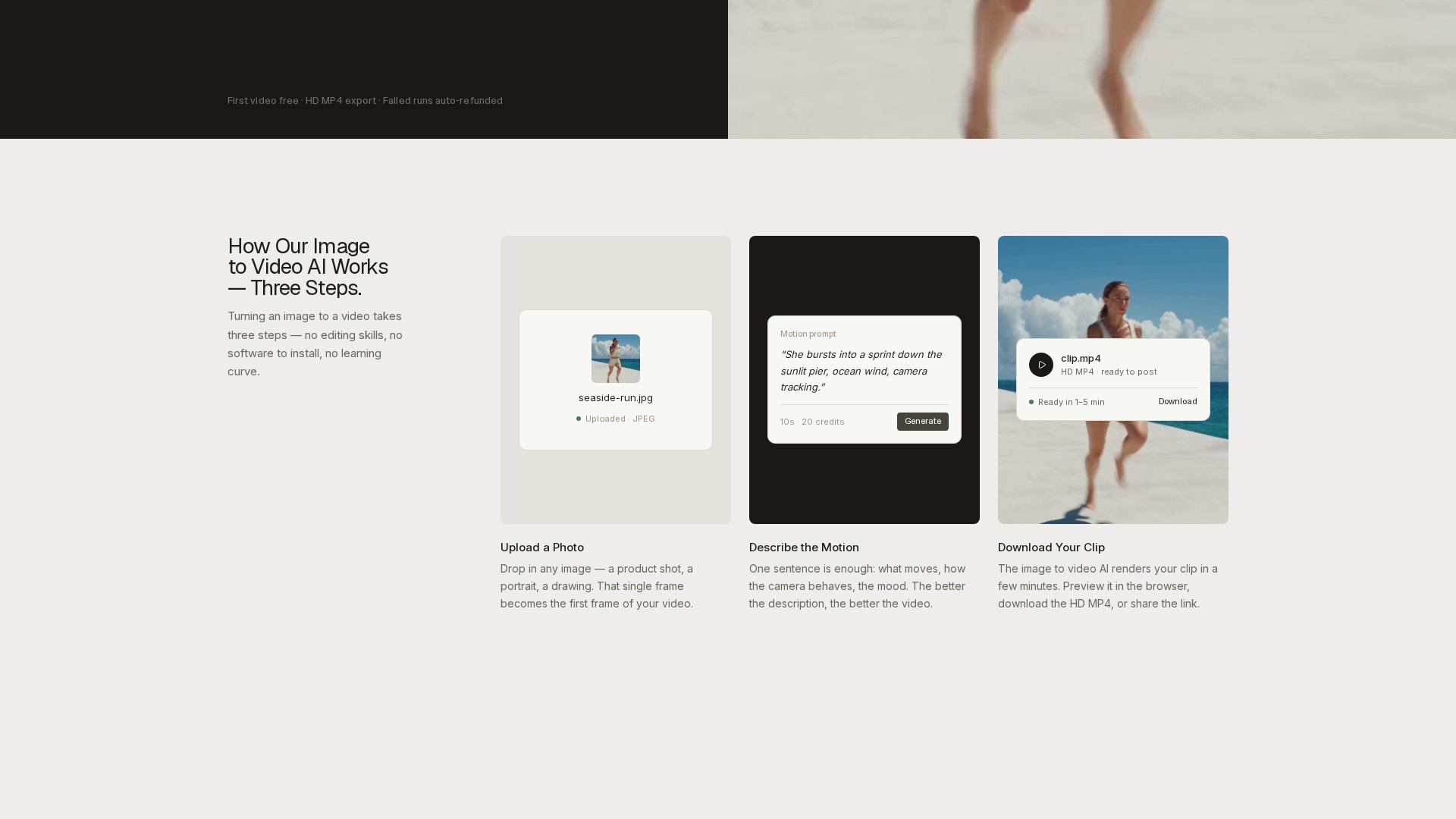
Le flux de travail documenté comporte trois étapes : téléverser une photo, décrire le mouvement et télécharger le clip. Les formats de téléversement pris en charge sont PNG, JPEG et WebP jusqu'à 10 Mo, et la vidéo de sortie suit le rapport d'aspect de la photo source. Les clips peuvent être générés avec des durées comprises entre 3 et 30 secondes et sont livrés sous forme de fichiers MP4 HD. Le site indique que le rendu prend généralement 1 à 5 minutes selon la charge de la file d'attente et la longueur du clip, et que les vidéos terminées peuvent être prévisualisées dans le navigateur, téléchargées ou partagées via un lien.
Stivio regroupe six modèles vidéo dans une seule interface, notamment les variantes Kling, Seedance, Wan et MiniMax, certains modèles proposant un audio optionnel. La tarification est basée sur des crédits et facturée par seconde de vidéo, le coût exact en crédits étant affiché sur le bouton Generate avant que l'utilisateur ne valide. Un niveau gratuit offre 10 crédits à l'inscription, suffisants pour une vidéo de 5 secondes, et les générations échouées sont automatiquement remboursées en crédits. Le site indique que les forfaits payants incluent des droits d'utilisation personnelle et commerciale et suppriment le filigrane.
EN DÉTAIL
Découvrez les écrans du produit et les exemples publiés. Ouvrez une image pour l’examiner de plus près.
Illustration publiée sur le site officiel du produit ; voir la page source pour son contexte.
CE QUE VOUS POUVEZ FAIRE
Découvrez ses capacités. Trouvez votre propre façon de les utiliser.
Transforme une seule photo téléversée en un clip vidéo animé. La photo devient la première image, et l'IA anime le sujet tout en préservant, selon le site, l'intégrité du sujet.
Les utilisateurs décrivent ce qui doit se produire — par exemple le mouvement de la caméra, le mouvement du sujet ou l'ambiance — en une phrase, et le modèle chorégraphie le mouvement sans images clés ni montage manuel.
Six modèles vidéo sont disponibles dans une seule interface, notamment les variantes Kling, Seedance, Wan et MiniMax. Certains modèles proposent un audio optionnel, et le changement de modèle met à jour le prix avant la génération.
Les clips peuvent être générés entre 3 et 30 secondes. La tarification est à la seconde, et le coût exact en crédits est affiché sur le bouton Generate avant que l'utilisateur ne valide.
Chaque résultat se télécharge en MP4 HD adapté aux plateformes sociales, aux pages produit ou aux timelines de montage. Les forfaits payants exportent sans filigrane.
Les vidéos terminées sont stockées sur le CDN du site avec un lien stable qui, selon le site, reste disponible pendant une année entière, de sorte que les clips peuvent être partagés sans re-téléversement.
Si une génération échoue, les crédits sont remboursés automatiquement selon la FAQ du site.
Le site indique que les photos, les invites et les vidéos sont privées par défaut, ne sont pas utilisées pour l'entraînement et ne sont ni vendues ni partagées à des fins publicitaires ; la photo et l'invite sont envoyées uniquement aux fournisseurs d'IA qui rendent la vidéo.
CONÇU POUR VOTRE FLUX DE TRAVAIL
Les vendeurs peuvent animer des photos de catalogue existantes en courtes vidéos produit pour les fiches et les publicités, évitant ainsi de refaire des prises de vue. Le site note que les clips sont dimensionnés pour les fils d'actualité et les pages produit, avec utilisation commerciale sur les forfaits payants.
Les créateurs et marketeurs peuvent transformer un dossier d'images fixes en B-roll, intros et clips sociaux de 3 à 30 secondes adaptés à Reels et TikTok, sans filigrane sur les forfaits payants.
Les portraits de famille, les photos de voyage et les photos d'animaux peuvent être animés pour qu'un instant figé se mette à bouger. Le site note que cela fonctionne avec les photos de téléphone et les scans.
Le forfait Team est positionné pour les boutiques et les agences produisant de la vidéo quotidiennement, et les forfaits payants incluent des droits d'utilisation personnelle et commerciale pour le travail client.
VOS PREMIERS PAS
La connexion Google est requise. L'inscription accorde 10 crédits gratuits, suffisants pour une première vidéo de 5 secondes.
Cliquez ou déposez une image au format PNG, JPEG ou WebP jusqu'à 10 Mo. L'image téléversée devient la première image de la vidéo, et la sortie suit le rapport d'aspect de la photo.
Saisissez une invite en anglais simple couvrant ce qui bouge, le comportement de la caméra et l'ambiance. Le site note qu'une meilleure description produit une meilleure vidéo.
Sélectionnez l'un des six modèles vidéo intégrés et une longueur de clip entre 3 et 30 secondes. Le coût exact en crédits est affiché sur le bouton Generate avant validation.
Lancez la génération ; le rendu prend généralement 1 à 5 minutes. Prévisualisez le clip dans le navigateur, téléchargez le MP4 HD ou partagez le lien stable. Si la génération échoue, les crédits sont remboursés automatiquement.
PLANIFIEZ LA SUITE
Tarification basée sur des crédits facturée par seconde de vidéo. Niveau gratuit : 0 $ avec 10 crédits à l'inscription (une vidéo gratuite de 5 secondes, avec filigrane). Pro : 19 $/mois pour 200 crédits (jusqu'à 20 vidéos de cinq secondes par mois). Team : 59 $/mois pour 800 crédits (jusqu'à 80 vidéos de cinq secondes par mois). Des packs de recharge uniques sont également proposés et n'expirent jamais.
FORFAIT
Niveau d'entrée avec 10 crédits à l'inscription, suffisants pour une vidéo gratuite de 5 secondes. Inclut le téléversement d'images PNG/JPEG/WebP et le téléchargement MP4 HD avec un petit filigrane. Les générations échouées sont automatiquement remboursées.
$0
à vie
FORFAIT
Pour les créateurs publiant de la vidéo chaque semaine. Inclut 200 crédits, jusqu'à 20 vidéos de cinq secondes par mois, des clips de 3 à 30 secondes, l'accès à six modèles vidéo, des téléchargements MP4 HD sans filigrane, des liens de partage actifs pendant un an, et l'utilisation personnelle et commerciale.
$19
mois
FORFAIT
Pour les boutiques et agences produisant de la vidéo quotidiennement. Inclut 800 crédits, jusqu'à 80 vidéos de cinq secondes par mois, tout ce qui est inclus dans Pro, un volume plus élevé à un prix par vidéo inférieur, et un support par e-mail.
$59
mois
Les prix, limites d'utilisation et conditions peuvent changer. Vérifiez les dernières informations sur le site officiel de l'outil avant de vous abonner.
Les prix des forfaits ci-dessus proviennent de la section tarifaire officielle de la page d'accueil de Stivio. Les coûts en crédits varient selon le modèle et la longueur du clip ; le prix exact est affiché sur le bouton Generate avant la génération. Les forfaits annuels accordent la totalité de l'année de crédits d'avance dans un solde qui n'expire jamais.
Sources vérifiées
QUELQUES INFORMATIONS SUPPLÉMENTAIRES
Stivio est un générateur IA d'image en vidéo qui transforme une seule photo accompagnée d'une courte description de mouvement en un clip vidéo HD de 3 à 30 secondes au format MP4. Les utilisateurs choisissent parmi six modèles vidéo de premier plan, dont Kling, Seedance et Wan. La connexion Google est requise, et l'inscription inclut 10 crédits gratuits — suffisants pour une première vidéo de 5 secondes.
La connexion donne accès à 10 crédits d’introduction, qui, selon le fournisseur, couvrent un premier résultat image-vidéo. Les exportations gratuites portent la marque stivio.ai. L’achat d’un abonnement ou d’un pack de crédits à usage unique supprime ce filigrane des rendus suivants.
Stivio regroupe six modèles vidéo dans une seule interface. Selon le site, Kling, Wan et MiniMax constituent le niveau standard rapide à 2 crédits par seconde, tandis que la famille Seedance est positionnée comme le fleuron cinématographique pour la narration multi-plans jusqu'à 30 secondes. Changer de modèle se fait en un clic et le prix est mis à jour avant la génération.
Généralement 1 à 5 minutes selon la charge de la file d'attente et la longueur du clip. Le site conseille de garder l'onglet ouvert pour voir la prévisualisation arriver ; si l'onglet est fermé, la vidéo terminée apparaît tout de même dans l'historique du tableau de bord en quelques minutes.
Les crédits sont facturés par seconde de vidéo. Les modèles standard (Kling, Wan, MiniMax) coûtent 2 crédits par seconde, donc un clip de 5 secondes coûte 10 crédits, tandis que les modèles premium comme Seedance coûtent plus par seconde selon la résolution. Le prix exact est toujours affiché sur le bouton Generate avant validation, et les générations échouées sont remboursées automatiquement.
Les crédits des forfaits mensuels sont réinitialisés à chaque cycle de facturation. Les crédits des recharges uniques n'expirent jamais, et les forfaits annuels accordent la totalité de l'année de crédits d'avance dans un solde qui n'expire jamais, sans plafond mensuel.
Sur les forfaits payants, les vidéos sont accompagnées de droits d'utilisation personnelle et commerciale complets selon le site — utilisables dans des publicités, des fiches produit, du travail client ou du contenu personnel.
Non. Le site indique que les téléversements, les invites et les vidéos générées sont privés par défaut, jamais utilisés pour l'entraînement et jamais vendus ou partagés à des fins publicitaires ; la photo et l'invite sont envoyées uniquement aux fournisseurs d'IA qui rendent la vidéo.
Les photos claires et bien éclairées avec un sujet distinct s'animent le mieux — photos de produits, portraits et paysages. Les formats PNG, JPEG et WebP jusqu'à 10 Mo sont pris en charge, et la vidéo suit le rapport d'aspect de la photo.
DE LA COMMUNAUTÉ
Connectez-vous pour partager votre expérience et aider les autres à trouver le bon outil.
VOTRE PROCHAINE DÉCOUVERTE
Vous avez déjà rêvé de faire un selfie avec Elon Musk, Lionel Messi ou Albert Einstein ? Avec Maskr.AI, remplacez facilement n’importe quelle personne sur une photo et générez des photos ultra-réalistes avec les célébrités de votre choix.

Transformez votre équipe de contenu en créateurs infatigables. Transcrivez, montez, réutilisez et habillez automatiquement vos vidéos au même endroit pour produire du contenu vidéo à grande échelle.

Genera.so est une plateforme d’applications d’images génératives qui permet aux créateurs de modèles de transformer facilement leurs modèles en applications en ligne, sans gérer de GPU ni concevoir d’interfaces.
Shanjian est une plateforme de création marketing de vidéos courtes basée sur l’IA, avec avatars numériques, clonage vocal, doublage et montage intelligent.
PASSEZ À L'ACTION
Visitez le site officiel pour découvrir les dernières fonctionnalités et commencer.