
Bild-zu-Video-Generierung
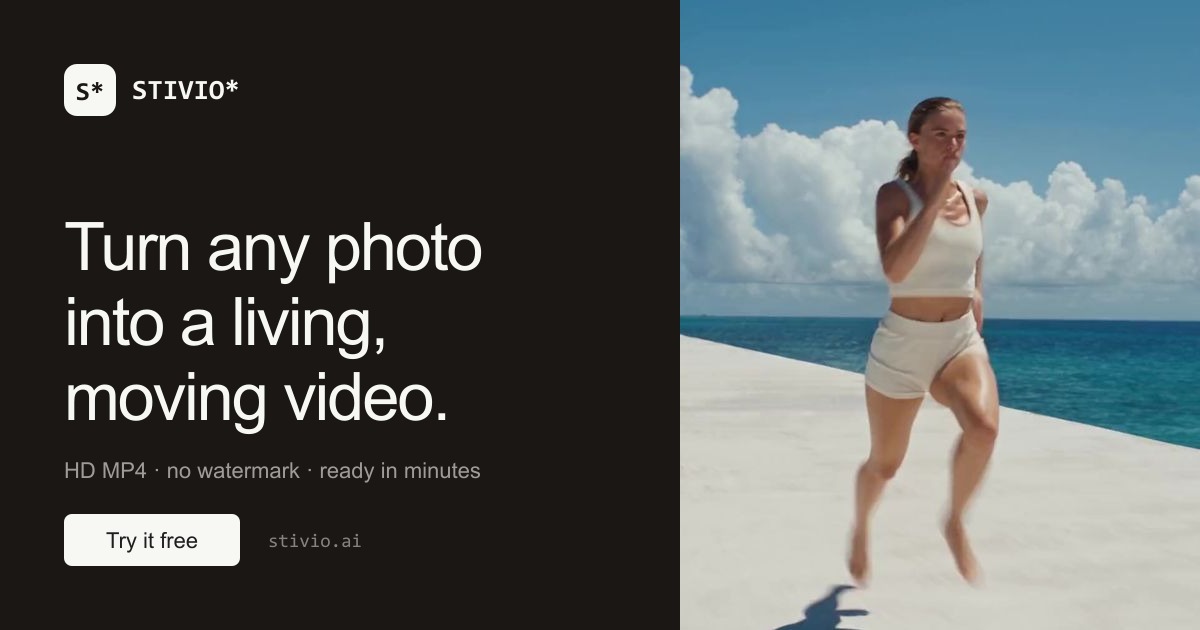
Verwandelt ein einzelnes hochgeladenes Foto in einen bewegten Videoclip. Das Foto wird zum ersten Frame, und die KI animiert das Motiv, während die Website angibt, dass sie das Motiv intakt hält.
TOOL-PROFIL TOOLAI
Online-Bild-zu-Video-KI-Generator, der ein einzelnes Foto mithilfe einer englischen Bewegungsanweisung in einen HD-MP4-Clip animiert.
 Gesamtes Bild anzeigen
DAS GROSSE BILD
Stivio ist ein browserbasierter Bild-zu-Video-KI-Generator. Laut seiner offiziellen Website nimmt er ein einzelnes Standbild – eine Produktaufnahme, ein Porträt, eine Zeichnung oder ein altes Familienfoto – und verwandelt es in einen bewegten Videoclip. Das Foto wird zum ersten Frame, und der Nutzer beschreibt die gewünschte Bewegung in einfachem Englisch; der Dienst rendert dann den Clip mit einem von mehreren mitgelieferten KI-Videomodellen. Die Website gibt an, dass keine Bearbeitungskenntnisse, Softwareinstallation oder Einarbeitungszeit erforderlich sind.
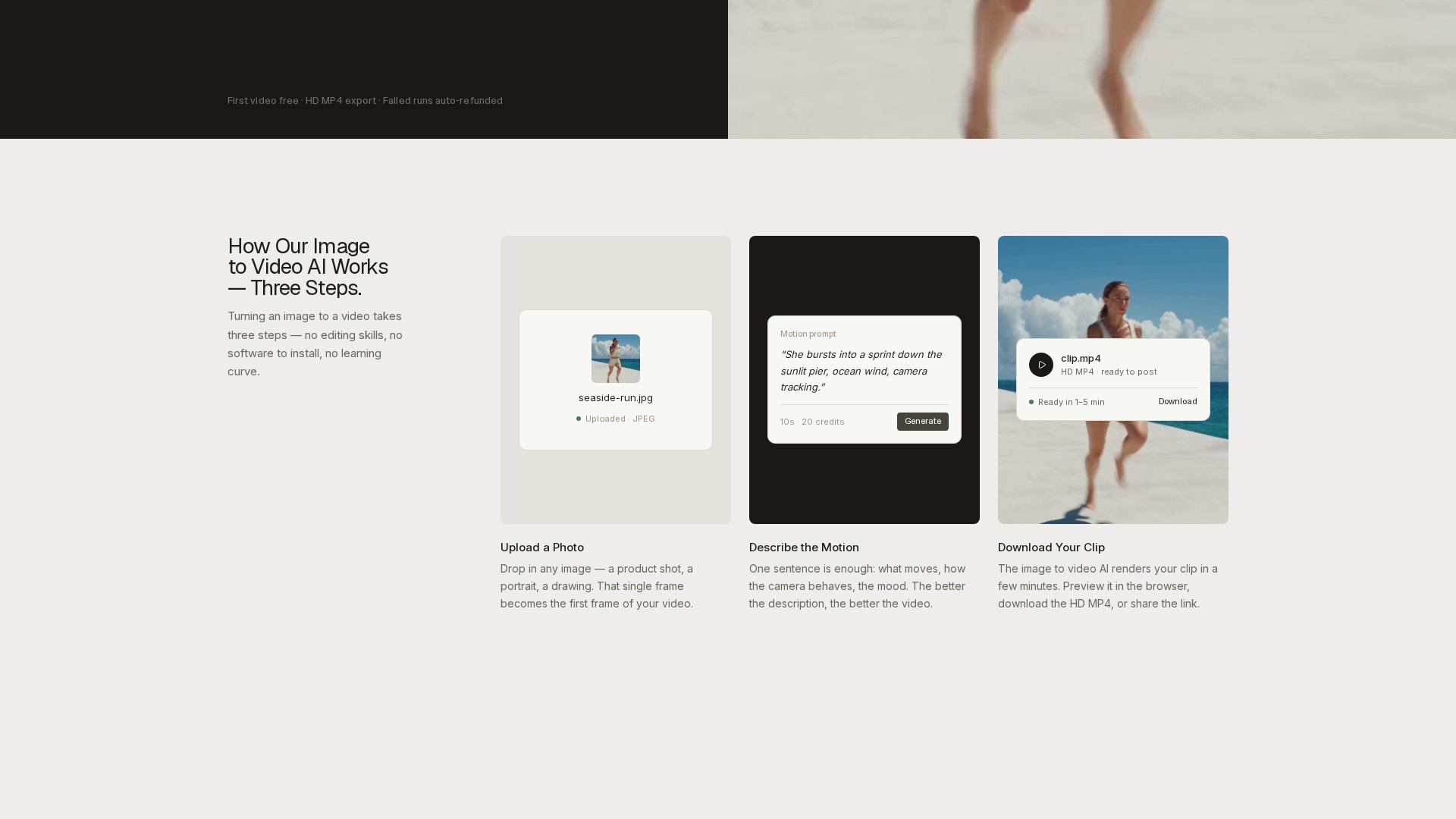
Der dokumentierte Arbeitsablauf umfasst drei Schritte: ein Foto hochladen, die Bewegung beschreiben und den Clip herunterladen. Unterstützte Upload-Formate sind PNG, JPEG und WebP bis 10 MB, und das Ausgabevideo folgt dem Seitenverhältnis des Quellfotos. Clips können in Längen zwischen 3 und 30 Sekunden generiert werden und werden als HD-MP4-Dateien geliefert. Die Website gibt an, dass das Rendern je nach Warteschlangenlast und Cliplänge typischerweise 1–5 Minuten dauert und dass fertige Videos im Browser in der Vorschau angezeigt, heruntergeladen oder über einen Link geteilt werden können.
Stivio bündelt sechs Videomodelle in einer Oberfläche, darunter Kling-, Seedance-, Wan- und MiniMax-Varianten, wobei einige Modelle optionalen Ton bieten. Die Preisgestaltung basiert auf Credits und wird pro Sekunde Video abgerechnet, wobei die genauen Credit-Kosten auf der Schaltfläche „Generieren“ angezeigt werden, bevor der Nutzer sich festlegt. Eine kostenlose Stufe bietet 10 Credits bei der Anmeldung, genug für ein 5-Sekunden-Video, und fehlgeschlagene Generierungen werden automatisch in Credits erstattet. Die Website gibt an, dass kostenpflichtige Pläne persönliche und kommerzielle Nutzungsrechte umfassen und das Wasserzeichen entfernen.
EIN GENAUERER BLICK
Erkunden Sie Produktansichten und veröffentlichte Beispiele. Öffnen Sie ein beliebiges Bild für eine genauere Ansicht.
Illustration, die auf der offiziellen Produktwebsite veröffentlicht wurde; siehe die Quellseite für den Kontext.
WAS SIE TUN KÖNNEN
Lernen Sie die Möglichkeiten kennen. Finden Sie Ihren eigenen Weg, sie zu nutzen.
Verwandelt ein einzelnes hochgeladenes Foto in einen bewegten Videoclip. Das Foto wird zum ersten Frame, und die KI animiert das Motiv, während die Website angibt, dass sie das Motiv intakt hält.
Nutzer beschreiben in einem Satz, was passieren soll – zum Beispiel Kamerabewegung, Motivbewegung oder Stimmung – und das Modell choreografiert die Bewegung ohne Keyframes oder manuelle Bearbeitung.
Sechs Videomodelle sind in einer Oberfläche verfügbar, darunter Kling-, Seedance-, Wan- und MiniMax-Varianten. Einige Modelle bieten optionalen Ton, und das Wechseln des Modells aktualisiert den Preis vor der Generierung.
Clips können zwischen 3 und 30 Sekunden generiert werden. Die Preisgestaltung erfolgt pro Sekunde, und die genauen Credit-Kosten werden auf der Schaltfläche „Generieren“ angezeigt, bevor der Nutzer sich festlegt.
Jedes Ergebnis wird als HD-MP4 heruntergeladen, geeignet für Social-Plattformen, Produktseiten oder Editing-Timelines. Kostenpflichtige Pläne exportieren ohne Wasserzeichen.
Fertige Videos werden auf dem CDN der Website mit einem stabilen Link gespeichert, der laut Website ein volles Jahr verfügbar bleibt, sodass Clips ohne erneutes Hochladen geteilt werden können.
Wenn eine Generierung fehlschlägt, werden die Credits gemäß den FAQ der Website automatisch erstattet.
Die Website gibt an, dass Fotos, Prompts und Videos standardmäßig privat sind, nicht für das Training verwendet und nicht für Werbung verkauft oder geteilt werden; das Foto und der Prompt werden nur an die KI-Anbieter gesendet, die das Video rendern.
FÜR IHREN WORKFLOW GEMACHT
Verkäufer können vorhandene Katalogfotografie in kurze Produktvideos für Listings und Anzeigen animieren und so Neuaufnahmen vermeiden. Die Website merkt an, dass Clips für Feeds und Produktseiten dimensioniert sind, mit kommerzieller Nutzung in kostenpflichtigen Plänen.
Kreative und Vermarkter können einen Ordner mit Standbildern in B-Roll, Intros und Social-Clips von 3–30 Sekunden verwandeln, geeignet für Reels und TikTok, ohne Wasserzeichen in kostenpflichtigen Plänen.
Familienporträts, Reiseaufnahmen und Haustierbilder können animiert werden, sodass ein eingefrorener Moment sich zu bewegen beginnt. Die Website merkt an, dass es mit Handyfotos und Scans funktioniert.
Der Team-Plan ist für Geschäfte und Agenturen positioniert, die täglich Videos produzieren, und kostenpflichtige Pläne umfassen persönliche und kommerzielle Nutzungsrechte für Kundenarbeit.
IHRE ERSTEN SCHRITTE
Google-Anmeldung ist erforderlich. Die Anmeldung gewährt 10 kostenlose Credits, genug für ein erstes 5-Sekunden-Video.
Klicken Sie oder ziehen Sie ein Bild im Format PNG, JPEG oder WebP bis 10 MB. Das hochgeladene Frame wird zum ersten Frame des Videos, und die Ausgabe folgt dem Seitenverhältnis des Fotos.
Geben Sie eine englische Anweisung ein, die beschreibt, was sich bewegt, wie sich die Kamera verhält und die Stimmung. Die Website merkt an, dass eine bessere Beschreibung ein besseres Video ergibt.
Wählen Sie eines der sechs mitgelieferten Videomodelle und eine Cliplänge zwischen 3 und 30 Sekunden. Die genauen Credit-Kosten werden auf der Schaltfläche „Generieren“ vor dem Festlegen angezeigt.
Starten Sie die Generierung; das Rendern dauert typischerweise 1–5 Minuten. Zeigen Sie den Clip im Browser in der Vorschau an, laden Sie die HD-MP4 herunter oder teilen Sie den stabilen Link. Wenn die Generierung fehlschlägt, werden Credits automatisch erstattet.
PLANEN SIE IHREN NÄCHSTEN SCHRITT
Credit-basierte Preisgestaltung, abgerechnet pro Sekunde Video. Kostenlose Stufe: $0 mit 10 Credits bei der Anmeldung (ein kostenloses 5-Sekunden-Video, mit Wasserzeichen). Pro: $19/Monat für 200 Credits (bis zu 20 Fünf-Sekunden-Videos pro Monat). Team: $59/Monat für 800 Credits (bis zu 80 Fünf-Sekunden-Videos pro Monat). Einmalige Aufladepakete werden ebenfalls angeboten und verfallen nie.
PLAN
Einstiegsstufe mit 10 Credits bei der Anmeldung, genug für ein kostenloses 5-Sekunden-Video. Enthält Upload von PNG/JPEG/WebP-Bildern und HD-MP4-Download mit einem kleinen Wasserzeichen. Fehlgeschlagene Generierungen werden automatisch erstattet.
$0
forever
PLAN
Für Kreative, die wöchentlich Videos posten. Enthält 200 Credits, bis zu 20 Fünf-Sekunden-Videos pro Monat, Clips von 3 bis 30 Sekunden, Zugriff auf sechs Videomodelle, wasserzeichenfreie HD-MP4-Downloads, Share-Links, die ein Jahr lang aktiv bleiben, sowie persönliche und kommerzielle Nutzung.
$19
month
PLAN
Für Geschäfte und Agenturen, die täglich Videos produzieren. Enthält 800 Credits, bis zu 80 Fünf-Sekunden-Videos pro Monat, alles aus Pro, höheres Volumen zu einem niedrigeren Preis pro Video und E-Mail-Support.
$59
month
Preise, Nutzungslimits und Bedingungen können sich ändern. Prüfen Sie vor dem Abonnieren die aktuellen Angaben auf der offiziellen Website des Tools.
Die oben genannten Planpreise stammen aus dem offiziellen Preisbereich der Stivio-Homepage. Die Credit-Kosten variieren je nach Modell und Cliplänge; der genaue Preis wird auf der Schaltfläche „Generieren“ vor der Generierung angezeigt. Jahrespläne gewähren die vollen Jahres-Credits im Voraus auf ein nie verfallendes Guthaben.
Geprüfte Quellen
Stivio ist ein Bild-zu-Video-KI-Generator, der ein einzelnes Foto plus eine kurze Bewegungsbeschreibung in einen HD-Videoclip von 3 bis 30 Sekunden im MP4-Format verwandelt. Nutzer wählen aus sechs führenden Videomodellen, darunter Kling, Seedance und Wan. Google-Anmeldung ist erforderlich, und die Anmeldung umfasst 10 kostenlose Credits – genug für ein erstes 5-Sekunden-Video.
Die Anmeldung gewährt Zugriff auf 10 Einführungsguthaben, die laut Anbieter für ein erstes Bild-zu-Video-Ergebnis ausreichen. Kostenlose Exporte tragen das Branding von stivio.ai. Der Kauf eines Abonnements oder eines einmaligen Guthabenpakets entfernt dieses Wasserzeichen aus nachfolgenden Renderings.
Stivio bündelt sechs Videomodelle in einer Oberfläche. Laut der Website sind Kling, Wan und MiniMax die schnelle Standardstufe mit 2 Credits pro Sekunde, während die Seedance-Familie als cineastisches Flaggschiff für Multi-Cut-Storytelling bis zu 30 Sekunden positioniert ist. Das Wechseln des Modells erfolgt mit einem Klick und der Preis wird vor der Generierung aktualisiert.
Typischerweise 1–5 Minuten, abhängig von der Warteschlangenlast und der Cliplänge. Die Website empfiehlt, den Tab offen zu lassen, um die Vorschau zu sehen; wenn der Tab geschlossen wird, erscheint das fertige Video trotzdem innerhalb weniger Minuten im Dashboard-Verlauf.
Credits werden pro Sekunde Video berechnet. Standardmodelle (Kling, Wan, MiniMax) kosten 2 Credits pro Sekunde, ein 5-Sekunden-Clip also 10 Credits, während Premium-Modelle wie Seedance je nach Auflösung mehr pro Sekunde kosten. Der genaue Preis wird immer auf der Schaltfläche „Generieren“ vor dem Festlegen angezeigt, und fehlgeschlagene Generierungen werden automatisch erstattet.
Monatliche Plan-Credits werden mit jedem Abrechnungszyklus zurückgesetzt. Einmalige Auflade-Credits verfallen nie, und Jahrespläne gewähren die vollen Jahres-Credits im Voraus auf ein nie verfallendes Guthaben ohne monatliche Obergrenze.
Bei kostenpflichtigen Plänen kommen Videos laut der Website mit vollen persönlichen und kommerziellen Nutzungsrechten – nutzbar in Anzeigen, Produktlistings, Kundenarbeit oder persönlichen Inhalten.
Nein. Die Website gibt an, dass Uploads, Prompts und generierte Videos standardmäßig privat sind, nie für das Training verwendet und nie für Werbung verkauft oder geteilt werden; das Foto und der Prompt werden nur an die KI-Anbieter gesendet, die das Video rendern.
Klare, gut beleuchtete Fotos mit einem deutlichen Motiv lassen sich am besten animieren – Produktaufnahmen, Porträts und Landschaften. PNG, JPEG und WebP bis 10 MB werden unterstützt, und das Video folgt dem Seitenverhältnis des Fotos.
AUS DER COMMUNITY
Melden Sie sich an, um Ihre Erfahrungen zu teilen und anderen zu helfen, das richtige Tool zu finden.
IHRE NÄCHSTE ENTDECKUNG
KI-gestützter Kunstgenerator, der deine Porträtfotos in beeindruckende Kunstwerke verwandelt. Verabschiede dich von langweiligen Selfies und begrüße museumswürdige Meisterwerke! 🎨🤖

Lumiere3D ist eine hochmoderne KI-Plattform, mit der Unternehmen in wenigen Minuten immersive, filmische Videos für E-Commerce und Marketing erstellen können. Produkt scannen > 3D-Modell generieren > 3D-Szene auswählen > KI-Operator-Sequenz auswählen > Video erhalten!
Die Veo 3 AI API von Kie.ai erzeugt hochwertige Videos aus Text- oder Bildprompts. Sie bietet synchronisiertes Audio, die Modi Fast und Quality sowie günstigere Preise als Wettbewerber.
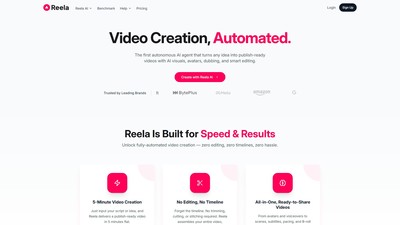
Reela AI ist eine autonome KI-Videoplattform, die jede Idee mit KI-Visuals, Avataren, Synchronisation und intelligenter Bearbeitung in veröffentlichungsfertige Videos verwandelt.
MACHEN SIE DEN NÄCHSTEN SCHRITT
Besuchen Sie die offizielle Website, um die neuesten Funktionen zu entdecken und loszulegen.