
Image to video generation
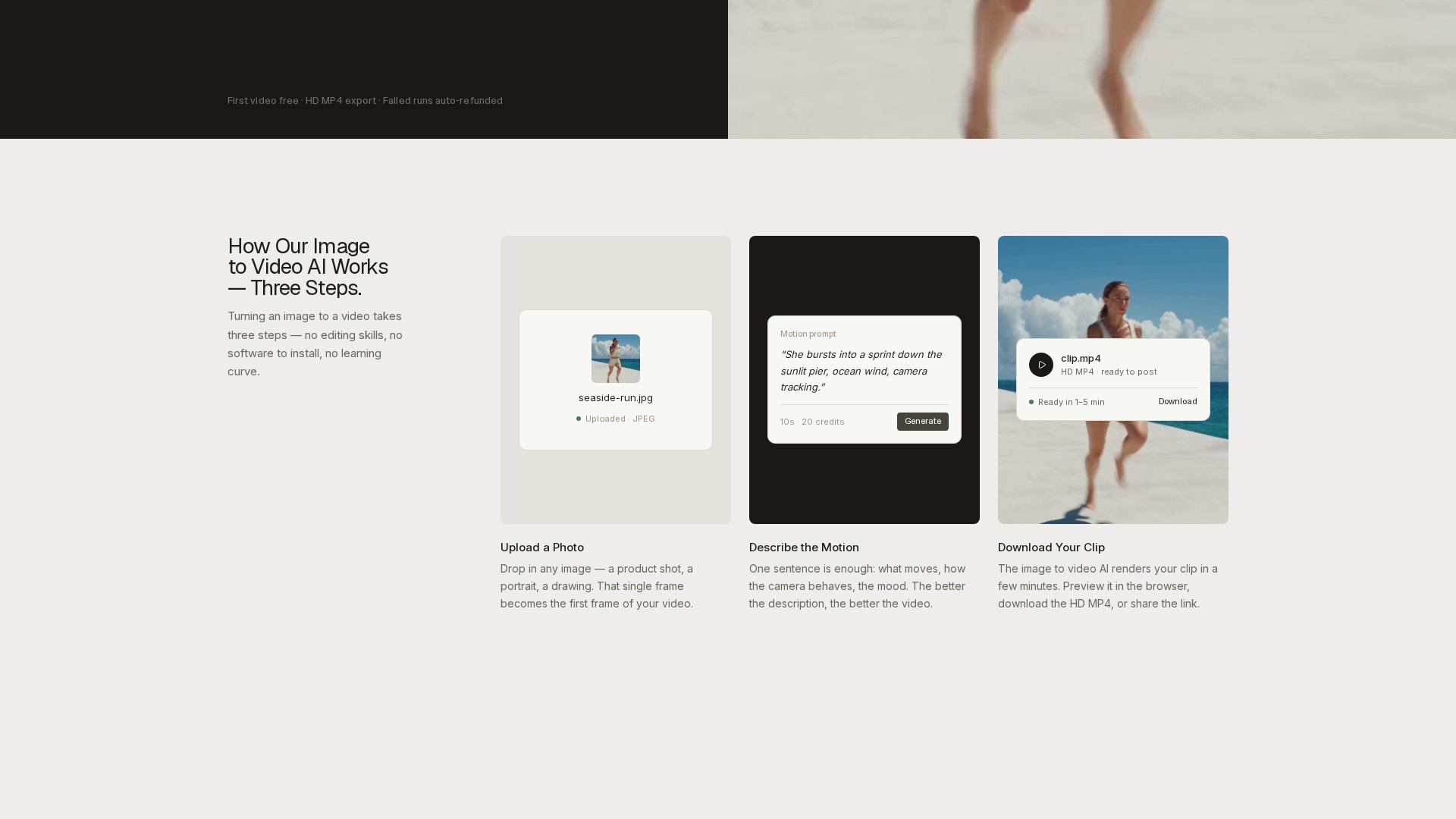
Turns a single uploaded photo into a moving video clip. The photo becomes the first frame, and the AI animates the subject while the site says it keeps the subject intact.
TOOL PROFILE TOOLAI
Online image to video AI generator that animates a single photo into an HD MP4 clip from a plain-English motion prompt.
 View full image
THE BIG PICTURE
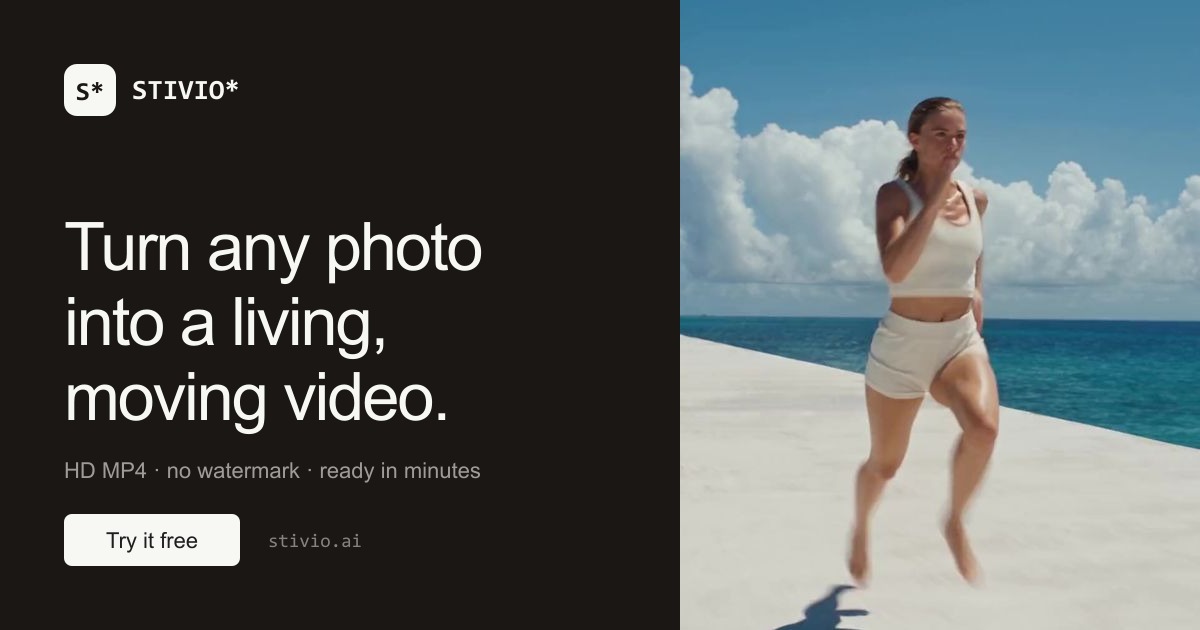
Stivio is a browser-based image to video AI generator. According to its official site, it takes a single still image — a product shot, portrait, drawing or old family photo — and turns it into a moving video clip. The photo becomes the first frame, and the user describes the desired motion in plain English; the service then renders the clip using one of several bundled AI video models. The site states that no editing skills, software installation or learning curve are required.
The documented workflow is three steps: upload a photo, describe the motion, and download the clip. Supported upload formats are PNG, JPEG and WebP up to 10 MB, and the output video follows the aspect ratio of the source photo. Clips can be generated at lengths between 3 and 30 seconds and are delivered as HD MP4 files. The site says rendering typically takes 1–5 minutes depending on queue load and clip length, and that finished videos can be previewed in the browser, downloaded, or shared via a link.
Stivio bundles six video models into one interface, including Kling, Seedance, Wan and MiniMax variants, with some models offering optional audio. Pricing is credit-based and charged per second of video, with the exact credit cost shown on the Generate button before the user commits. A free tier provides 10 credits on signup, enough for one 5-second video, and failed generations are automatically refunded in credits. The site states that paid plans include personal and commercial use rights and remove the watermark.
A CLOSER LOOK
Explore product screens and published examples. Open any image for a closer look.
WHAT YOU CAN DO
Get to know the capabilities. Find your own way to use them.
Turns a single uploaded photo into a moving video clip. The photo becomes the first frame, and the AI animates the subject while the site says it keeps the subject intact.
Users describe what should happen — for example camera movement, subject motion or mood — in one sentence, and the model choreographs the motion without keyframes or manual editing.
Six video models are available in one interface, including Kling, Seedance, Wan and MiniMax variants. Some models offer optional audio, and switching models updates the price before generation.
Clips can be generated between 3 and 30 seconds. Pricing is per second, and the exact credit cost is displayed on the Generate button before the user commits.
Every result downloads as an HD MP4 suitable for social platforms, product pages or editing timelines. Paid plans export without a watermark.
Finished videos are stored on the site's CDN with a stable link that the site says remains available for a full year, so clips can be shared without re-uploading.
If a generation fails, the credits are refunded automatically according to the site's FAQ.
The site states that photos, prompts and videos are private by default, are not used for training, and are not sold or shared for advertising; the photo and prompt are sent only to the AI providers that render the video.
MADE FOR YOUR WORKFLOW
Sellers can animate existing catalog photography into short product videos for listings and ads, avoiding reshoots. The site notes clips are sized for feeds and product pages, with commercial use on paid plans.
Creators and marketers can turn a folder of stills into B-roll, intros and social clips of 3–30 seconds suitable for Reels and TikTok, with no watermark on paid plans.
Family portraits, travel shots and pet pictures can be animated so a frozen moment starts moving. The site notes it works with phone photos and scans.
The Team plan is positioned for stores and agencies producing video daily, and paid plans include personal and commercial use rights for client work.
YOUR FIRST STEPS
Google sign-in is required. Signing up grants 10 free credits, enough for a first 5-second video.
Click or drop an image in PNG, JPEG or WebP format up to 10 MB. The uploaded frame becomes the first frame of the video, and the output follows the photo's aspect ratio.
Enter a plain-English prompt covering what moves, how the camera behaves and the mood. The site notes that a better description produces a better video.
Select one of the six bundled video models and a clip length between 3 and 30 seconds. The exact credit cost is shown on the Generate button before committing.
Run the generation; rendering typically takes 1–5 minutes. Preview the clip in the browser, download the HD MP4, or share the stable link. If the generation fails, credits are refunded automatically.
PLAN YOUR NEXT STEP
Credit-based pricing charged per second of video. Free tier: $0 with 10 credits on signup (one free 5-second video, watermarked). Pro: $19/month for 200 credits (up to 20 five-second videos per month). Team: $59/month for 800 credits (up to 80 five-second videos per month). One-time top-up packs are also offered and never expire.
PLAN
Entry tier with 10 credits on signup, enough for one free 5-second video. Includes upload of PNG/JPEG/WebP images and HD MP4 download with a small watermark. Failed generations are auto-refunded.
$0
forever
PLAN
For creators posting video weekly. Includes 200 credits, up to 20 five-second videos per month, clips from 3 to 30 seconds, access to six video models, watermark-free HD MP4 downloads, share links live for a year, and personal and commercial use.
$19
month
PLAN
For stores and agencies producing video daily. Includes 800 credits, up to 80 five-second videos per month, everything in Pro, higher volume at a lower per-video price, and email support.
$59
month
Prices, usage limits and terms can change. Confirm the latest details on the tool's official website before subscribing.
Plan prices above are taken from the official pricing section of the Stivio homepage. Credit costs vary by model and clip length; the exact price is shown on the Generate button before generation. Yearly plans grant the full year of credits upfront into a never-expiring balance.
Sources checked
Stivio is an image to video AI generator that turns a single photo plus a short motion description into an HD video clip of 3 to 30 seconds in MP4 format. Users pick from six leading video models including Kling, Seedance and Wan. Google sign-in is required, and signup includes 10 free credits — enough for a first 5-second video.
Signing in provides access to 10 introductory credits, which the provider says cover an initial image-to-video result. Free exports carry stivio.ai branding. Buying a subscription or a one-time credit pack removes that watermark from subsequent renders.
Stivio bundles six video models into one interface. According to the site, Kling, Wan and MiniMax are the fast standard tier at 2 credits per second, while the Seedance family is positioned as the cinematic flagship for multi-cut storytelling up to 30 seconds. Switching models is one click and the price updates before generation.
Typically 1–5 minutes depending on queue load and clip length. The site advises keeping the tab open to watch the preview land; if the tab is closed, the finished video still appears in the dashboard history within a few minutes.
Credits are charged per second of video. Standard models (Kling, Wan, MiniMax) cost 2 credits per second, so a 5-second clip is 10 credits, while premium models like Seedance cost more per second depending on resolution. The exact price is always shown on the Generate button before committing, and failed generations are refunded automatically.
Monthly plan credits reset with each billing cycle. One-time top-up credits never expire, and yearly plans grant the full year of credits upfront into a never-expiring balance with no monthly cap.
On paid plans, videos come with full personal and commercial use rights according to the site — usable in ads, product listings, client work or personal content.
No. The site states that uploads, prompts and generated videos are private by default, never used for training, and never sold or shared for advertising; the photo and prompt are sent only to the AI providers that render the video.
Clear, well-lit photos with a distinct subject animate best — product shots, portraits and landscapes. PNG, JPEG and WebP up to 10 MB are supported, and the video follows the photo's aspect ratio.
FROM THE COMMUNITY
Sign in to share your experience and help others find the right tool.
YOUR NEXT DISCOVERY
Movmi is a free motion capture software. It supports many lifestyle locations and different camera devices. Movmi was developed in an attempt to make human animation easier for the animators and game developers, so they are not in need of spending a lot of time animating a single character. It was built with advanced computer vision algorithms to meet the different humanoid scenes. It supports the Face and Body capturing of any human being. Movmi store was built to supply the animators with Art materials so they can use them in their artwork. Movmi store contains a collection of 3D characters and animations that are free of charge. Movmi store supports the ability to apply the captured motion on any of Movmi characters.

Visla is an efficient tool for creating and customizing videos quickly and easily. It offers AI-generated content and editing tools to make videos that capture audiences. It also provides auto-transcription, embedded videos, and suggested footage for creating professional-looking demos.
A set of plugins for Adobe Premiere Pro to automate editing videos, podcasts and show production.
AI video generator that transforms images into NSFW videos. Create AI generated videos, and adult content with our advanced AI video generator.
MAKE YOUR NEXT MOVE
Visit the official website to explore the latest features and get started.