
A ten-minute training video looks simple until someone asks for it in three more languages. The script needs translating, the new speech has to fit the timing, names and product terms must stay consistent, and the finished voice should still sound connected to the person on screen. If the mouth movement is obviously wrong, the whole thing can feel dubbed even when the words are accurate.
That is the problem Dubly.AI is trying to solve in one browser-based workspace. I went through its public workflow, documentation, release notes, and pricing because I wanted to understand where it sits between a quick translation tool and a full localization service. You can also find the short directory entry for Dubly.AI on ToolAI.
It treats localization as a video job, not a text job
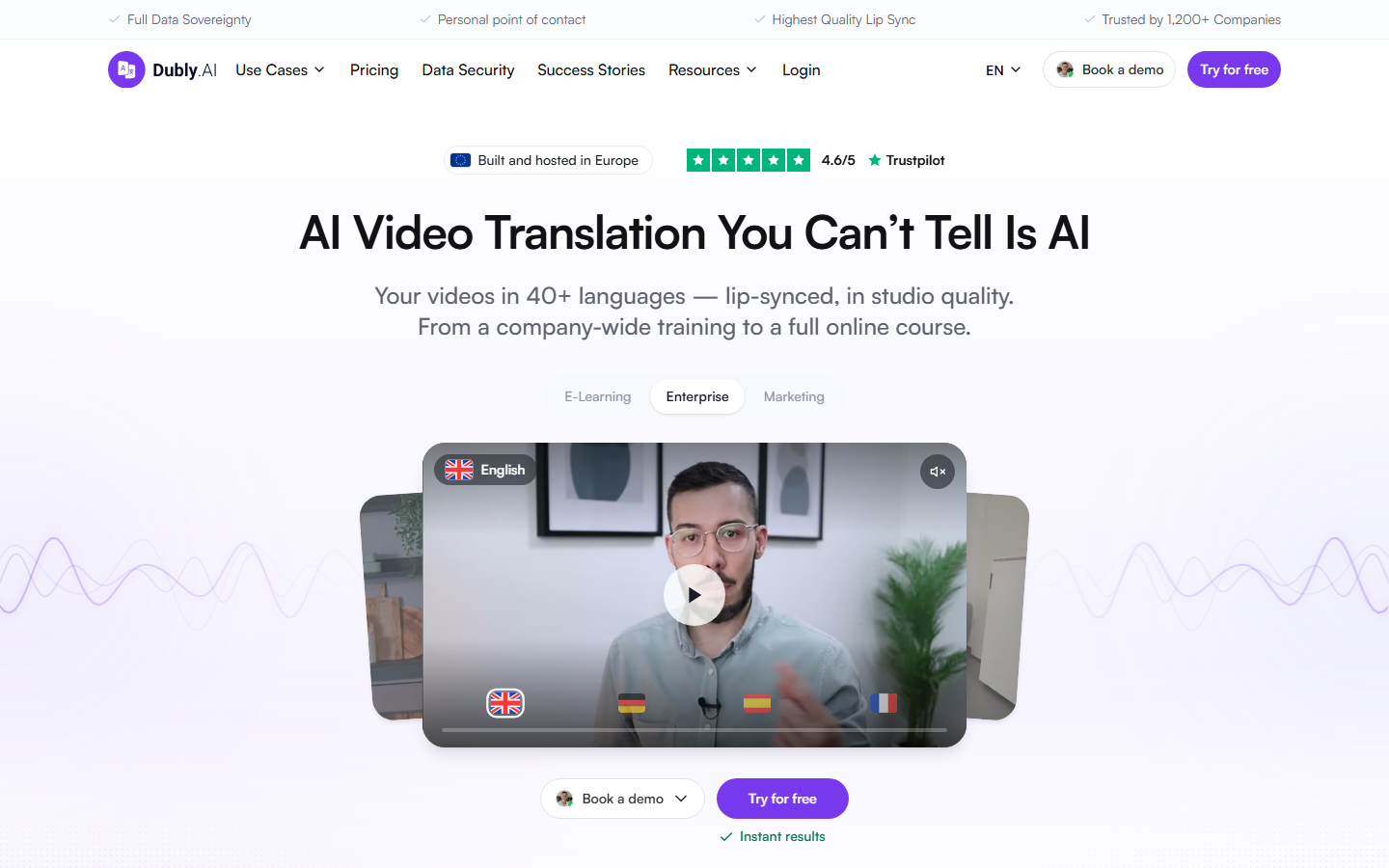
The useful idea here is that a translated transcript is only the middle of the work. Dubly starts with an MP4 or MOV file, or a YouTube import, identifies speakers, generates translated speech, and keeps the background audio. A project can have several target languages, which is much tidier than making a separate timeline and folder structure for every version.
The current marketing pages advertise more than 100 possible source languages and more than 40 target languages and dialects. The company’s help material and individual feature pages do not all show exactly the same count, however. I would check the live language list for the particular pair and accent I need, rather than planning a project around the headline number.
Dubly is clearly aimed at spoken video: online courses, company training, product explainers, presentations, and talking-head marketing. That focus matters. A clean lecturer recorded with a lapel microphone is a much friendlier source than a music video, a crowded street interview, or a scene with several people talking over one another.
The four-step path is easy to understand
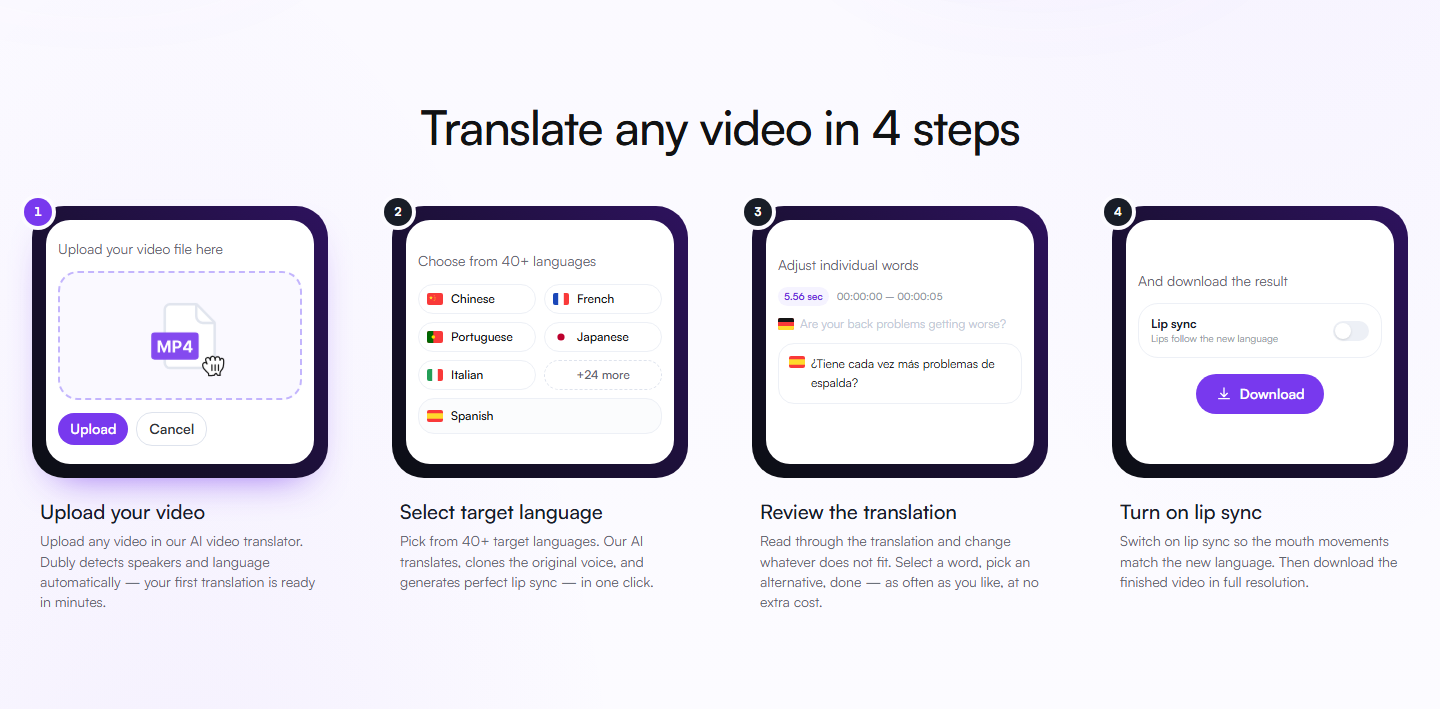
The basic path is upload, choose the source and target languages, review the result, and download. Lip sync is optional. That last point is sensible: a screen recording, slide presentation, or voice-over probably does not need anyone’s mouth changed, so there is no reason to spend extra credits on it.
The review stage is the part I would not skip. Machine translation can be grammatically fine while still choosing the wrong product term or using a tone that does not fit the audience. Dubly’s editor works by segment and lets a user change individual lines, assign speakers, preview voices, and adjust pace. It also includes do-not-translate lists, preferred translations, pronunciation controls, and tone or formality settings. Those controls are much more useful on a recurring course or product series than a one-off promise that everything will be perfect on the first pass.
There is also an option to apply a correction from the source across several language versions. If a product name or number changes after five dubs have already been prepared, fixing the source once is a far better starting point than hunting through five separate projects.
Lip sync helps most when the footage cooperates
Dubly’s lip-sync pass changes visible mouth movement to match the new speech. The company recommends a face that is well lit, unobstructed, and reasonably front-facing, with natural speaking speed and clear audio. Hands over the mouth, a large microphone, hard backlight, or heavy background noise make the job harder. That advice sounds obvious, but it is worth checking before recording; good source footage is usually cheaper than rescuing difficult footage later.
I would use lip sync selectively. It makes sense for a close-up presenter whose mouth is on screen for most of the video. For slides, screen captures, b-roll, or a speaker seen from a distance, translated audio and subtitles may already do the job. Dubly’s help documentation also notes output limits for lip-synced renders, so owners of 4K masters should check the current export specification instead of assuming every pixel will pass through unchanged.
The subtitle controls are more practical than I expected
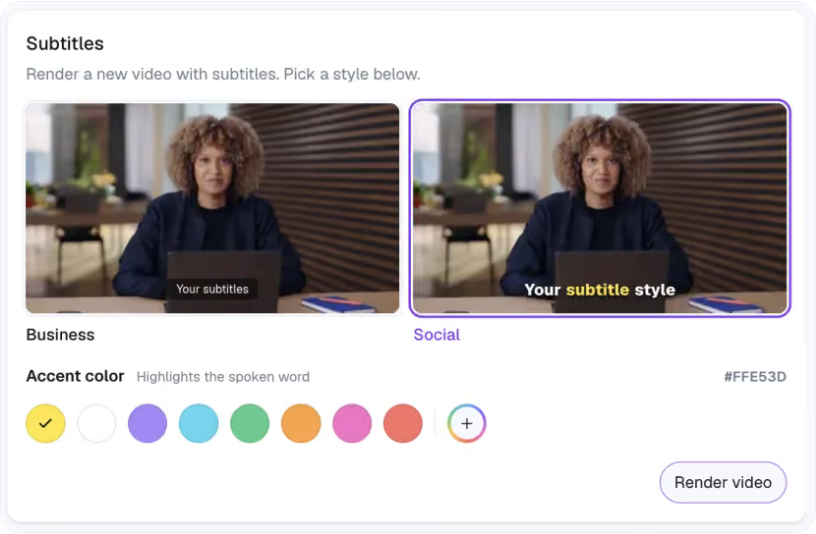
A July 2026 product update added burned-in subtitles with two presets: a restrained Business style and a more animated Social style that can highlight the current word. The accent color is adjustable. This is a small feature next to voice cloning and lip sync, but it solves a very ordinary publishing problem: sometimes the destination needs a finished MP4 with captions already visible, not a separate subtitle file that may or may not be enabled.
For platforms that do accept caption tracks, Dubly also lists SRT export. Audio can be downloaded as a full mix, voice only, or background only, which leaves some room for a final pass in a video editor. I like that the service does not force every project into one finished-video format.
Credits are simple, but language count changes the bill
Dubly uses credits rather than charging separately for each feature. At the time I checked, one credit covered one minute of ordinary dubbing into one target language; enabling lip sync doubled that to two credits per minute and language. A ten-minute video in three languages would therefore use 30 credits for dubbing, or 60 with lip sync throughout. Partial minutes are rounded up.
The pricing page offered one-time purchases as well as monthly and annual plans. Its displayed monthly example was 25 credits for €89 per month before VAT, equivalent to 25 dubbing minutes or about 12 lip-synced minutes. Prices and discounts can move, so that is a snapshot rather than a permanent quote. One-time credits do not expire; subscription credits follow the term of the plan.
A new organization currently receives one trial credit without a card. It covers the first 60 seconds, and the first lip-sync attempt is included, but the help center says that free output is for evaluation and not commercial use. One more detail deserves attention: Dubly’s terms frame the service as a business product for entrepreneurs under German law. A company, freelancer, or professional creator should fit the intended use much better than someone looking for a purely personal consumer app.
Who I think will get the most from it
Dubly looks strongest for teams that already have polished spoken videos and want repeatable versions for new markets. Training departments can reuse a course. A software company can localize explainers while protecting product vocabulary. A creator with a substantial overseas audience can keep the original on-screen presenter instead of rebuilding the video with subtitles alone. Shared workspaces, reviewer links, folders, and unlimited users also make more sense in that setting than for a single casual clip.
I would still budget time for a fluent reviewer. Voice similarity and mouth movement are visible features, but the costly mistakes are often less dramatic: a misplaced decimal, an awkward honorific, a brand name translated literally, or a sentence that sounds fine on paper and stiff when spoken. Dubly gives reviewers useful controls; it does not make their judgment unnecessary.
My bottom line
Dubly.AI has a coherent answer to the messy parts of video localization. Translation, speaker handling, voice, timing, optional lip sync, subtitles, and exports live in one project, while the editor leaves room to correct what automation gets wrong. The trade-off is that serious use can consume credits quickly when a long video is multiplied across languages.
I would start with one clean, representative minute: the same presenter, lighting, terminology, and background audio as the real series. Review that sample with a native speaker, compare the plain dub with lip sync, and then price the complete language set. If that minute holds up, Dubly offers a far more manageable route than rebuilding every version by hand.