
Photo-to-video creation
Use photos as the starting input for AI-generated videos.
TOOL PROFILE TOOLAI
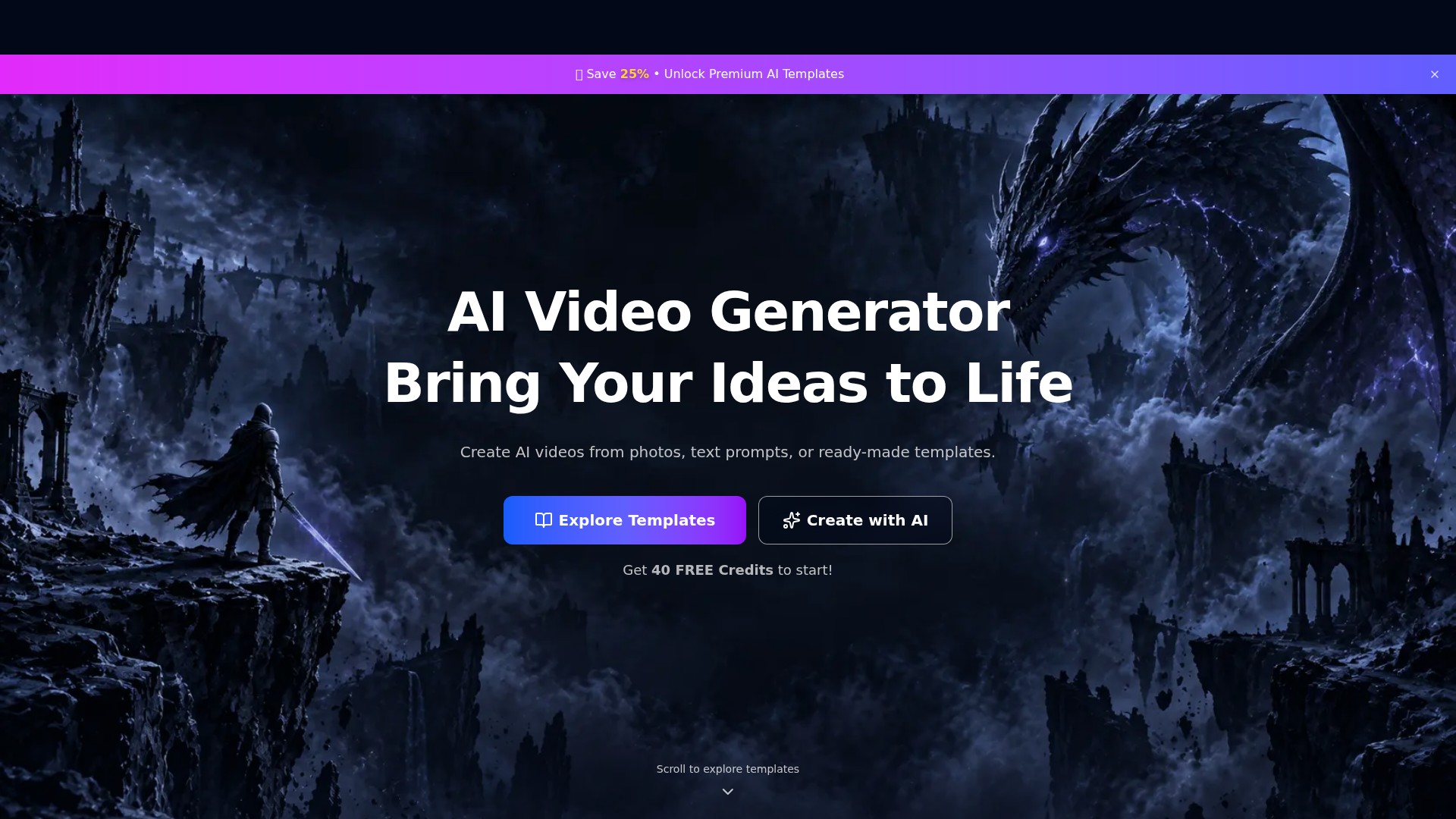
PixVideo is an AI video generation website that creates videos from photos, text prompts, or ready-made templates. It offers portrait, fashion, anime, and science-fiction styles, with 40 free credits to get started.
View full image
THE BIG PICTURE
PixVideo presents itself as an “AI Video Generator” designed to “Bring Your Ideas to Life.” It creates AI videos from photos, text prompts, or ready-made templates.
| Tool Name | PixVideo |
|---|---|
| Category | Video generator , Text To Video , Personalized videos |
| Listed Date | 2026-11-05 |
| Top Alternatives | ModelScope Text-To-Video , SpiritMe , FilmForge AI |
A CLOSER LOOK
Explore product screens and published examples. Open any image for a closer look.
WHAT YOU CAN DO
Get to know the capabilities. Find your own way to use them.
Use photos as the starting input for AI-generated videos.
Describe an idea with a text prompt and create a video with AI.
Choose a ready-made AI video template, pick a style, and make it your own.
Explore templates covering character looks, manga portraits, mechanical armor, fashion, natural atmospheres, and fantasy settings.
photos, text prompts, and templates.
FROM THE COMMUNITY
Sign in to share your experience and help others find the right tool.
FEATURED BADGE

YOUR NEXT DISCOVERY

Generate videos from text-based prompts

SpiritMe is an AI text-to-video platform for creators. Become a digital avatar in 5 minutes: follow our app’s easy instructions. Then, type any text — and get a video where you say it, with your appearance, voice, and emotions. Try demo avatars for free.
Creating video content takes forever. Leave it to AI! FilmForge uses Stable Diffusion and OpenAI's GPT-3 to create vertical video on any topic of your choice, from Twitter to deforestation. Videos come with voiceovers, captions, graphics, and more.

Ghostface AI is a professional AI-powered platform for creating supernatural content, enabling users to generate haunting ghost images, eerie voices, horror stories, posters, and animated videos.
MAKE YOUR NEXT MOVE
Visit the official website to explore the latest features and get started.