
Unified task API
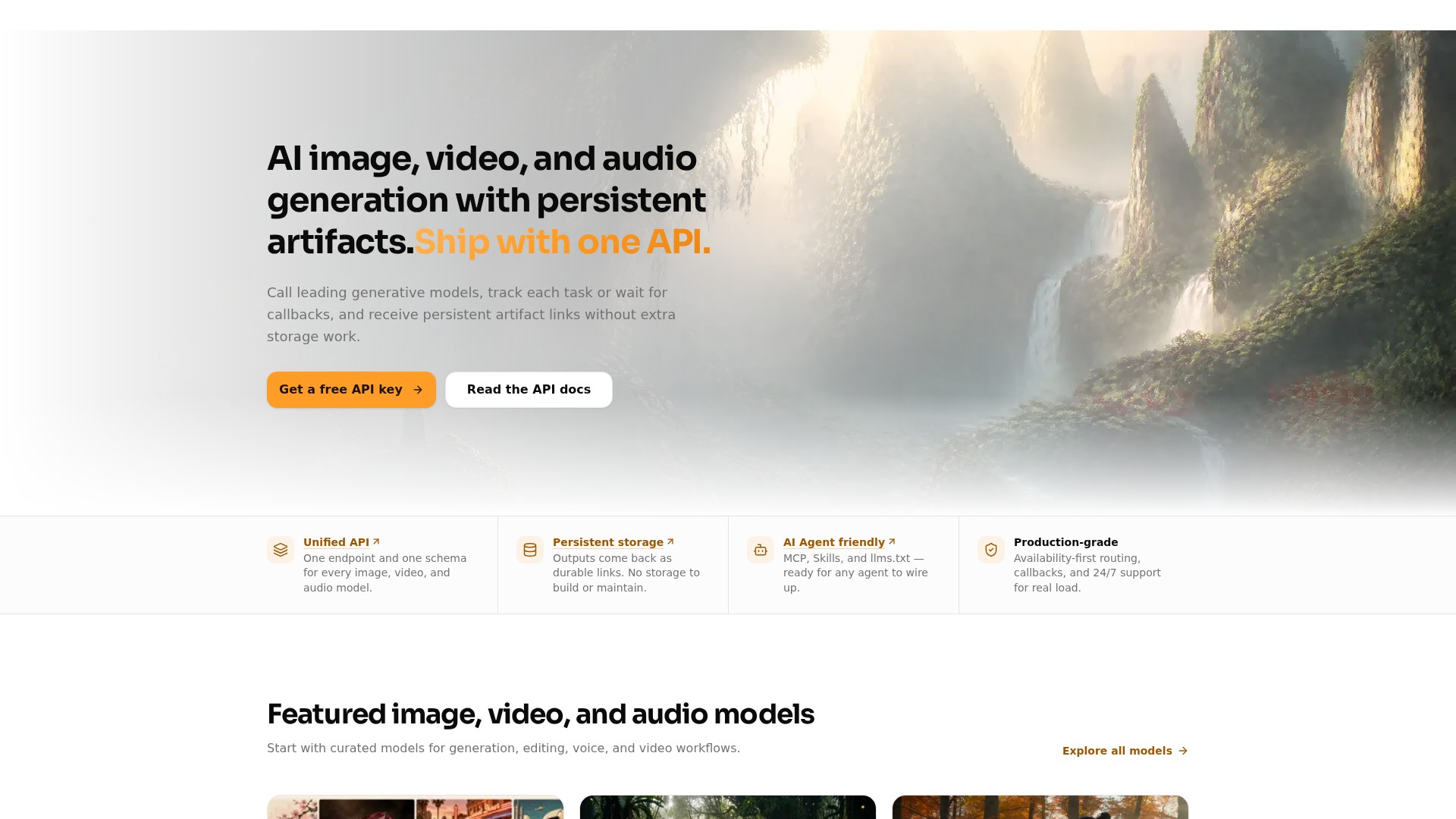
One endpoint and one schema for image, video, and audio models. Submit a job to POST /v1/tasks with a model name and model-specific input, and receive a task id for tracking.
TOOL PROFILE TOOLAI
One API key for mainstream image, video, audio, and text models with persistent artifact links.
 View full image
THE BIG PICTURE
HiAPI is a unified API gateway that gives developers a single key and a single task-based interface for calling a range of mainstream generative models. According to the official site, it fronts image, video, audio, and text models, including GPT Image 2.5 Flare and Sunburst, GPT Image 2, Nano Banana 2, Seedream 5.0 Pro, Qwen Image 2.0 Pro, FLUX 1.1 Pro, Seedance 2.5 and 2.0, FLUX.3 Video, Veo 3.1, Kling 3.0 Omni, Wan 2.7, Grok Imagine 1.5, MiniMax Music 2.6, and ElevenLabs v3. The pitch is that one endpoint and one schema cover every image, video, and audio model, so teams do not have to integrate each provider separately.
The core workflow is asynchronous. Developers submit a job to POST /v1/tasks with a model name, model-specific input parameters, an optional route, an optional storage setting, and an optional callback. The API returns a task id; retries with the same idempotency key do not create duplicate tasks. Results can be polled or delivered by callback when the task reaches its final state. When storage is set to persistent, generated outputs are stored and returned as durable links, which the site presents as a way to avoid building and maintaining separate storage for each provider.
HiAPI also positions itself for AI-agent integration. The docs describe Agent Skills, a Remote MCP server at https://mcp.hiapi.ai/mcp, and an llms.txt index that agents can read to understand available models and APIs. The platform advertises availability-first routing, support for long-running jobs, and 24/7 support for production integration. Pricing is usage-based and listed per model, with a free API key and 200 credits offered at sign-up.
A CLOSER LOOK
Explore product screens and published examples. Open any image for a closer look.
WHAT YOU CAN DO
Get to know the capabilities. Find your own way to use them.
One endpoint and one schema for image, video, and audio models. Submit a job to POST /v1/tasks with a model name and model-specific input, and receive a task id for tracking.
Set storage to persistent and generated outputs are stored and returned as durable links in the task result, so teams do not have to build separate storage for each provider.
Provide a callback URL and HiAPI notifies you when a task reaches its final state, which the site presents as suitable for long-running image, video, and audio jobs.
Requests can include an Idempotency-Key header; retries with the same key do not create duplicate tasks.
The docs describe Agent Skills, a Remote MCP server at https://mcp.hiapi.ai/mcp, and an llms.txt index so AI agents can discover, call, and compose HiAPI workflows.
The route field lets callers select an available route such as default, beta, or ext, which the site links to cost-aware routing and comparing costs.
The docs list Responses and compatible Chat Completions endpoints for text models, alongside the Unified Async API for media generation.
A browser tool that turns a basic product shot into campaign-ready creative by keeping the product as the subject while rebuilding background, lighting, and display environment across fixed scenes and aspect ratios.
MADE FOR YOUR WORKFLOW
Teams building AI video tools can test video models quickly, keep generated assets reachable through persistent links, and avoid building a storage path for every provider.
Persistent artifact links make it easy to pass generated outputs between campaign tools, review steps, and downstream automation.
A task API with callbacks gives agents a clean way to request, wait for, retrieve, and reuse generated media through MCP, Skills, or direct API access.
The Product Photo Lab can help prepare catalog, lifestyle, social ad, or seasonal product scenes from an uploaded product image, with review recommended before publishing.
YOUR FIRST STEPS
Sign up to receive a free API key and 200 credits, then keep production keys safe as described in the authentication guide.
Select a model from the models overview and prepare its model-specific input parameters, such as prompt, aspect_ratio, resolution, or input_urls.
Send a POST request to https://api.hiapi.ai/v1/tasks with the model name, input object, optional route, optional storage setting, and optional callback. Include an Idempotency-Key if you want safe retries.
Use the returned task id to poll for status, or provide a callback URL to be notified when the task reaches its final state.
When storage is set to persistent, collect the durable artifact links returned in the task result and pass them to downstream tools or automation.
PLAN YOUR NEXT STEP
Usage-based, pay-as-you-go model pricing listed per model, with a free API key and 200 credits at sign-up.
Prices, usage limits and terms can change. Confirm the latest details on the tool's official website before subscribing.
Model-specific rates are displayed on the official pricing page, with some starting rates also shown on the homepage. Confirm the current cost for the model and workflow you plan to use.
Sources checked
HiAPI supports selected image, video, audio, and text models. The homepage lists examples such as GPT Image 2.5 Flare and Sunburst, GPT Image 2, Nano Banana 2, Seedream 5.0 Pro, Qwen Image 2.0 Pro, FLUX 1.1 Pro, Seedance 2.5 and 2.0, FLUX.3 Video, Veo 3.1, Kling 3.0 Omni, Wan 2.7, Grok Imagine 1.5, MiniMax Music 2.6, and ElevenLabs v3. The docs provide a fuller model list.
Set storage to persistent in the task request and generated outputs are stored for you and returned as durable links in the task result.
Yes. Provide a callback URL and HiAPI notifies you when the task reaches its final state, so you can skip polling.
Yes. The site says each model page has a Playground where you can explore parameters and example outputs before writing code.
Pricing is usage-based and listed per model. The homepage shows starting prices such as $0.050 per image for GPT Image 2.5 Flare and $0.231 per second for Seedance 2.5. The pricing page loads live model pricing, so confirm current rates there.
The site offers a free API key and 200 credits at sign-up. It also notes that the free browser generator needs no sign-up or API key, while production API calls require an account and API key.
The Product Photo Lab page warns that the model may alter package text, logos, barcodes, certification marks, reflections, or small structural details, and says not to treat the output as a compliance-ready primary listing image without review.
FROM THE COMMUNITY
Sign in to share your experience and help others find the right tool.
YOUR NEXT DISCOVERY
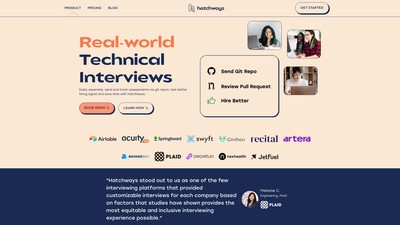
Craft GitHub-based assessments on Hatchways within minutes. Simulate real-world tasks (e.g. creating or reviewing a pull request) instead of LeetCode problems. Choose or modify templates, add automation, or use our ChatGPT-powered tasks.
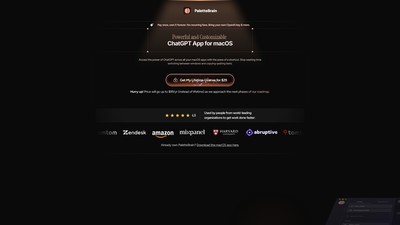
PaletteBrain is a macOS application that lets you use ChatGPT with any application by using a shortcut. Create custom templates with your own shortcuts or use the default templates provided.

Stop wasting hours editing your podcast. Cleanvoice is an artificial intelligence which removes filler sounds, stuttering and mouth sounds from your podcast or audio recording.

DreamOmni2 is a multimodal AI image generation and editing tool that supports simultaneous text and image instructions for creation, capable of generating new images or editing existing ones while maintaining visual consistency and creative freedom.
MAKE YOUR NEXT MOVE
Visit the official website to explore the latest features and get started.