
Small audio jobs have an annoying habit of turning into software projects. I might only need the voice pulled out of a song, a rough transcript from a meeting, or thirty seconds trimmed from a recording. Then I am downloading a desktop editor, looking for the right plug-in, and remembering export settings for a task that should have taken five minutes.
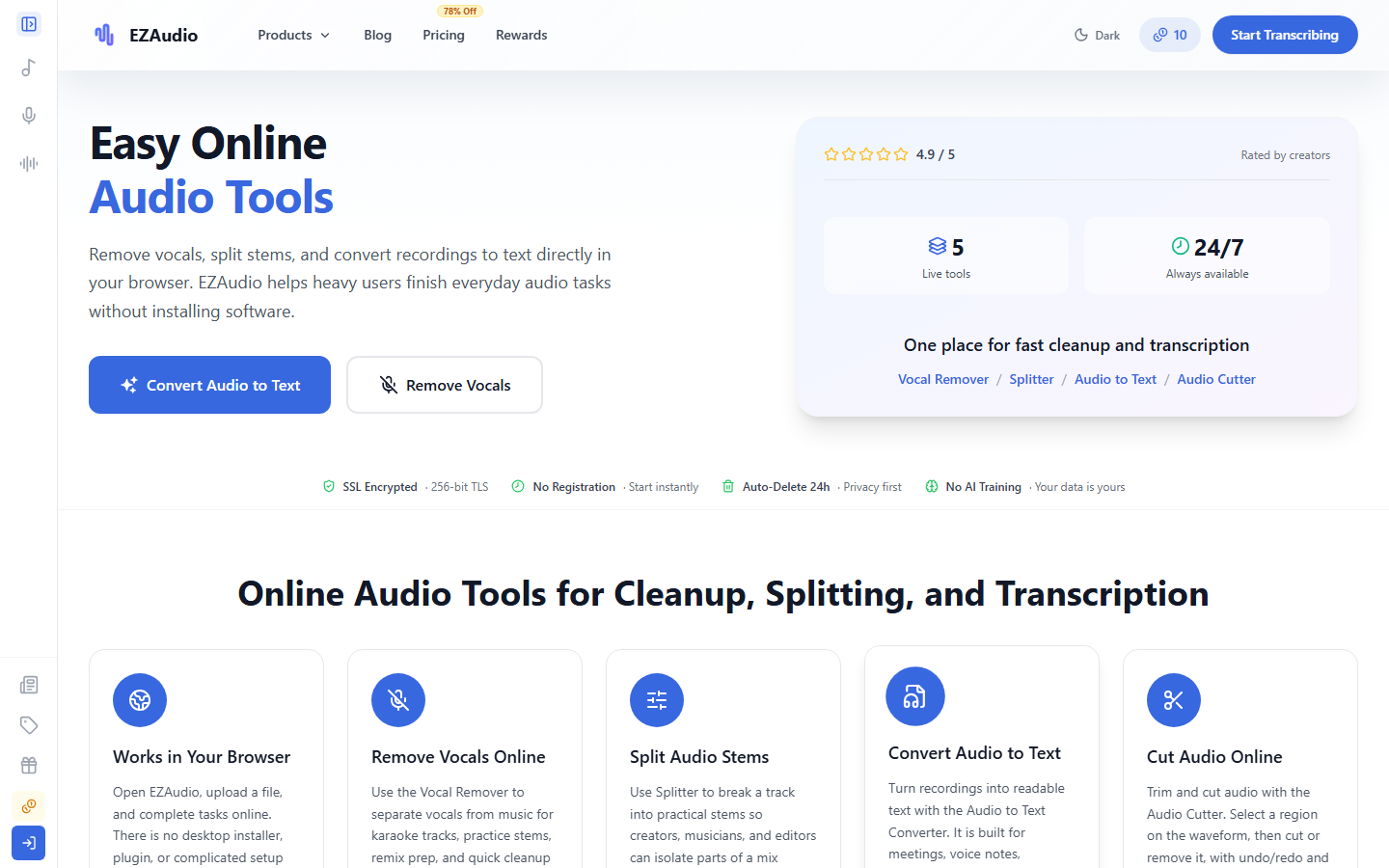
EZAudio takes the opposite approach. It puts a handful of focused audio tools in the browser: vocal removal, stem splitting, speech-to-text, and a cutter. I spent time with the public tool pages, limits, pricing, and privacy policy to see whether it makes sense as a bookmark for occasional work. There is also a quick directory entry for EZAudioIO on ToolAI.
The appeal is the short path from file to result
EZAudio is not trying to look like a digital audio workstation. There are no virtual mixing desks or rows of plug-ins to configure before anything happens. Each tool starts with the same practical question: what file do you have, and what result do you want?
The Vocal Remover produces a vocal track and an instrumental track. The Splitter goes further and separates a mix into four standard stems for more control. Audio to Text accepts an uploaded recording or a recording made in the browser, then opens a transcript that can be reviewed and summarized. The Audio Cutter shows a waveform for selecting the part to keep or remove, with undo and redo.
That narrow design suits the way I usually need these tools. If I am preparing a karaoke practice track, cleaning up a short video, pulling notes from an interview, or making a ringtone-length clip, I do not want to learn a production suite first. A specialist will still prefer a real editor for detailed restoration, multitrack mixing, or mastering. EZAudio is for getting a usable first result quickly.
Vocal removal and stem splitting solve different problems
It is easy to treat these as the same feature, but they are useful in different situations. Two-part vocal removal is the straightforward choice for karaoke, backing tracks, and hearing what sits behind a lead vocal. Four-stem splitting is better when I want separate control over vocals, drums, bass, and the remaining instruments.
The quality of either result will depend on the source. A clean studio mix with a centered lead vocal gives separation software a fair chance. Live recordings, heavy reverb, doubled vocals, distorted guitars, and instruments occupying the same frequencies can leave watery edges or bits of one stem in another. That is normal for this kind of processing, so I would listen to a difficult section before treating any separated track as final.
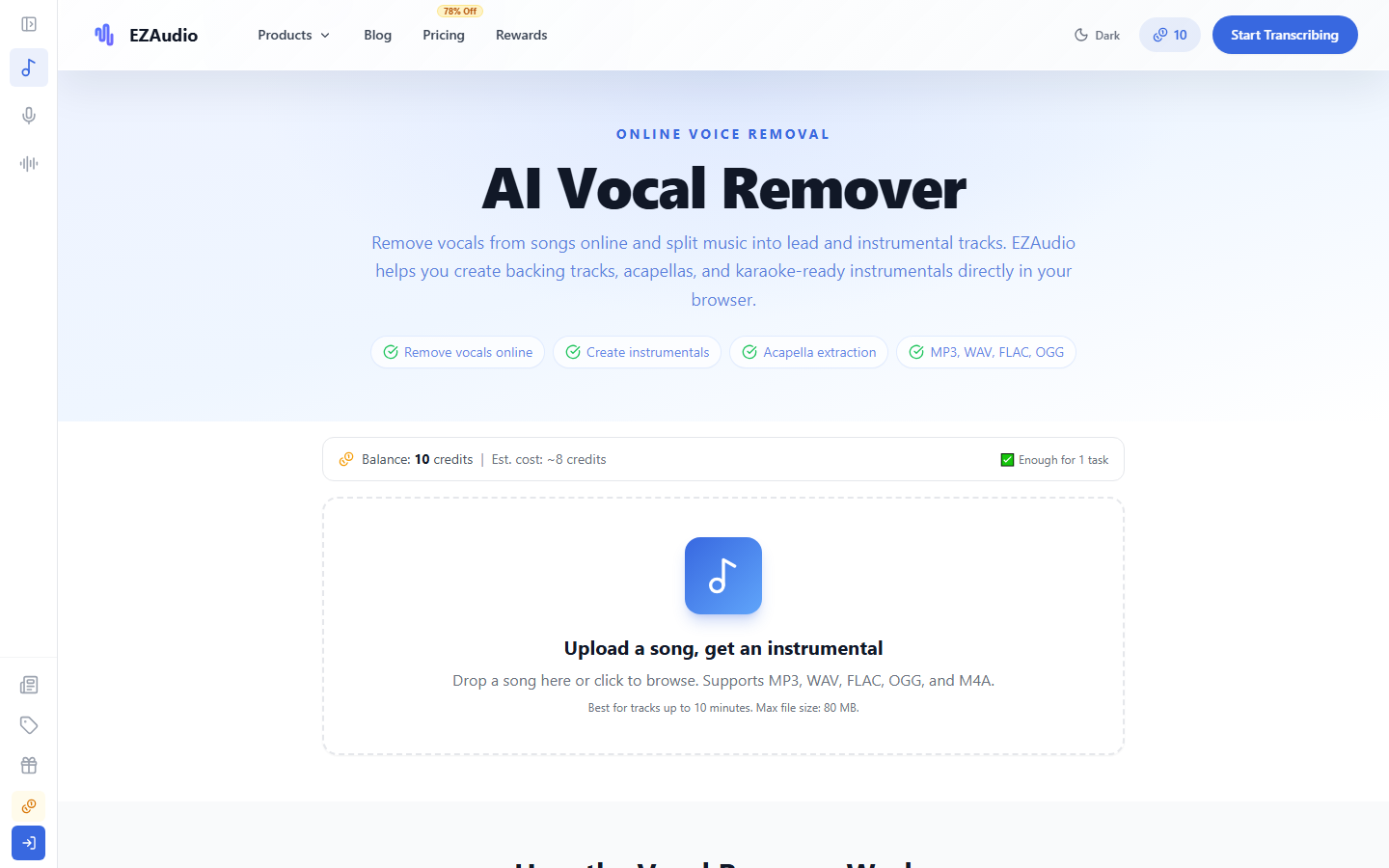
The current Vocal Remover page lists MP3, WAV, FLAC, OGG, and M4A support, recommends tracks up to ten minutes, and shows an 80 MB maximum. Limits differ by tool and can change; the upload panel is the safest place to confirm them before preparing a large batch.
The transcription page is pleasantly direct
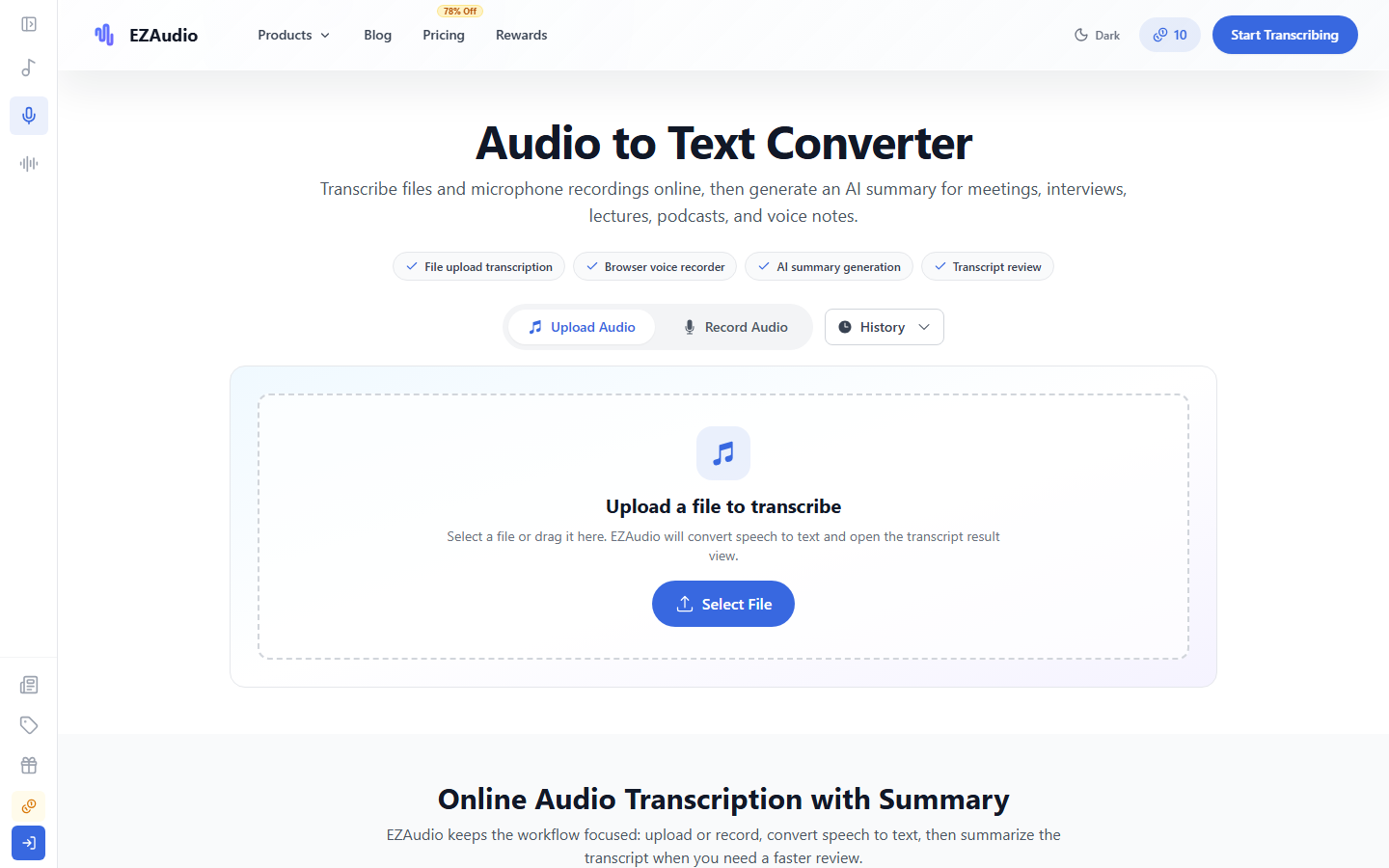
The Audio to Text page has three clear tabs: upload, record, and history. After transcription, the result can be reviewed rather than disappearing into a download immediately. An optional summary is useful for a meeting or lecture, although I would always check names, figures, dates, and action items against the recording.
This is the feature I can imagine using most often. Voice notes and interview recordings tend to sit around because opening a full editing application feels excessive. A browser recorder also removes the extra step of finding the file on a phone. On the other hand, sensitive client calls, medical conversations, or unpublished research deserve a privacy check before upload, no matter how convenient the button is.
EZAudio advertises broad language coverage and several export formats on its guide pages. Those are welcome, but language support is not the same as equal accuracy. Accents, room echo, several people speaking at once, and specialized vocabulary still matter. For anything that will be published, the transcript is a draft to edit, not a substitute for listening.
The credit system is workable once you read the small print
Most processing uses credits, and the amount depends on the tool and the length of the file. The site shows a credit estimate before a task starts, which is the number I would use; older launch posts and newer product pages do not always quote identical examples.
On the pricing page I checked, a registered free account received 20 daily credits, a one-time 50-credit registration bonus, access to all features, and a limit of three tasks per day. Daily credits do not accumulate. The homepage also presents a small guest allowance, so it is possible to look around before committing to a subscription.
Paid plans were listed at $9 per month for 1,000 monthly credits, $29 for 5,000, and $99 for 20,000, each with additional daily credits. One-time packs were $5 for 100 credits, $10 for 250, and $20 for 600, with no expiry. These are September 2026 snapshots, not promises about future pricing. For sporadic work, a permanent pack is easier to understand than a subscription. For regular transcription or batches of stems, the monthly plans become more sensible.
What the privacy policy actually says
EZAudio’s interface highlights encrypted transfer, automatic deletion within 24 hours, and a statement that uploads are not used for AI training. The full privacy policy adds useful detail: uploaded audio is sent over HTTPS to its servers or storage provider, may be held temporarily in cloud object storage, and may be processed by third-party AI providers. It says the company does not use uploaded audio to train its own models without prior consent.
That is more precise than reading “works in your browser” as “the audio never leaves my computer.” The interface runs in a browser, but the heavy processing can happen on a server. For everyday, non-confidential material, the stated 24-hour deletion window may be perfectly reasonable. For protected or contractually restricted audio, I would read the policy, identify any required data-processing terms, or keep the job in an approved local workflow.
How I would use EZAudio without wasting credits
I would begin with a short representative section rather than the complete file. A thirty-second chorus reveals whether vocal separation is clean enough. A minute of the noisiest meeting audio is a better transcription test than the quiet introduction. Trimming silence and exporting a sensible source format before upload can also reduce waiting and make the result easier to judge.
For transcription, I would keep the original recording open while editing the text and mark uncertain names immediately. For stems, I would solo each result through headphones and check the transition into loud sections. For the cutter, I would save a copy instead of making the only source file the working version. None of these habits is complicated, but they turn a quick browser tool into a safer workflow.
My bottom line
EZAudio is appealing because it does not ask me to pretend every audio task is a production session. Its four main tools are easy to distinguish, the upload screens are clear, and the mix of daily credits and non-expiring packs leaves room for occasional use. The honest limitations are familiar: separation is source-dependent, transcripts still need proofreading, and browser convenience does not mean local-only processing.
I would keep it bookmarked for quick, low-risk jobs and test the hardest part of a file before spending credits on the rest. If a project grows into detailed editing, restoration, or sensitive bulk work, I would move to a dedicated setup. For the small tasks that start with “I just need to…,” EZAudio looks like a practical place to begin.