Tools voor ontwikkelaars
gptcli
Alles-in-één ChatGPT CLI met AI Commit en AI Command. Maak met YAML je eigen AI-opdrachtregeltool, net als met GitHub Actions.
Over deze tool
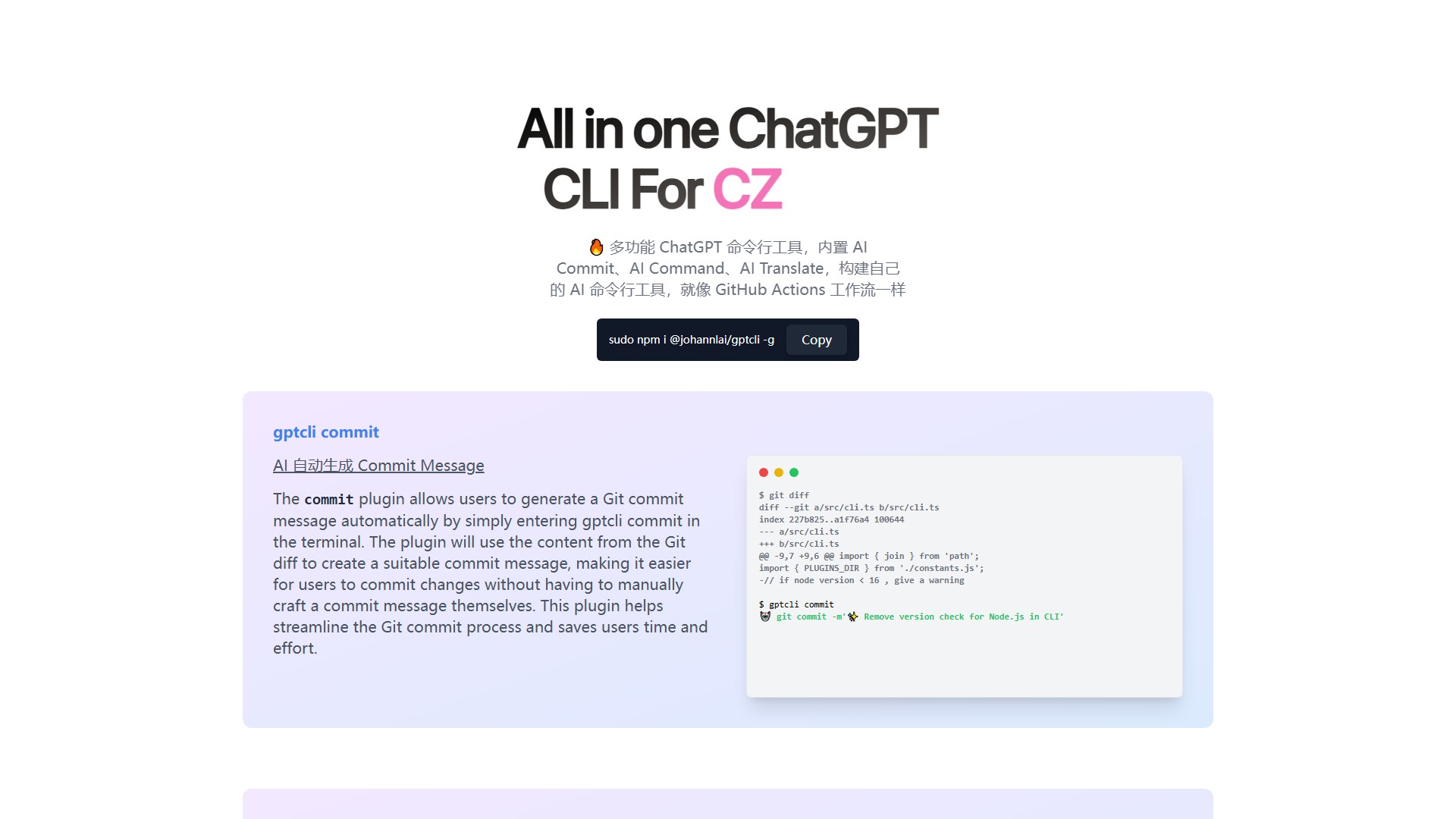
GPT CLI is een alles-in-één ChatGPT CLI-tool die je installeert met sudo npm i @johannlai/gptcli -g. De tool bevat ingebouwde AI-plug-ins en helpt gebruikers hun eigen AI-opdrachtregeltools te bouwen, vergelijkbaar met GitHub Actions-workflows.
Belangrijke modules zijn AI Commit, AI Command, AI Translate, AI Weather, AI gitmoji, CZ, Notion en Whisper.
- AI Commit (
gptcli commit): maakt automatisch Git-commitberichten op basis van de inhoud van de Git diff. Metgptcli commitin de terminal kan bijvoorbeeld een bericht als✨ Remove version check for Node.js in CLIworden gegenereerd. - AI Command (
gptcli command): schrijft opdrachten met GPT. Beschrijf een gewenste opdracht in natuurlijke taal en de plug-in geeft de bijbehorende opdracht.gptcli command 'js files in the folder'levert bijvoorbeeldls *.jsop en vraagt om bevestiging voor uitvoering.
Voordelen: natuurlijke taal omzetten in terminalopdrachten, praktische plug-ins, open source en snelle wereldwijde installatie via npm, voor meer efficiëntie in terminalomgevingen.
Verkeersanalyse
Verkeers-, ranking- en betrokkenheidssignalen voor deze tool.
Bezoektrend
Geen trendgegevens
Betrokkenheid
- Bouncepercentage--
- Pagina's per bezoek--
- Gemiddelde duur--
Verkeersbronnen
Geen brongegevens
Belangrijkste landen
Geen landgegevens
Voorvertoning van de interface