
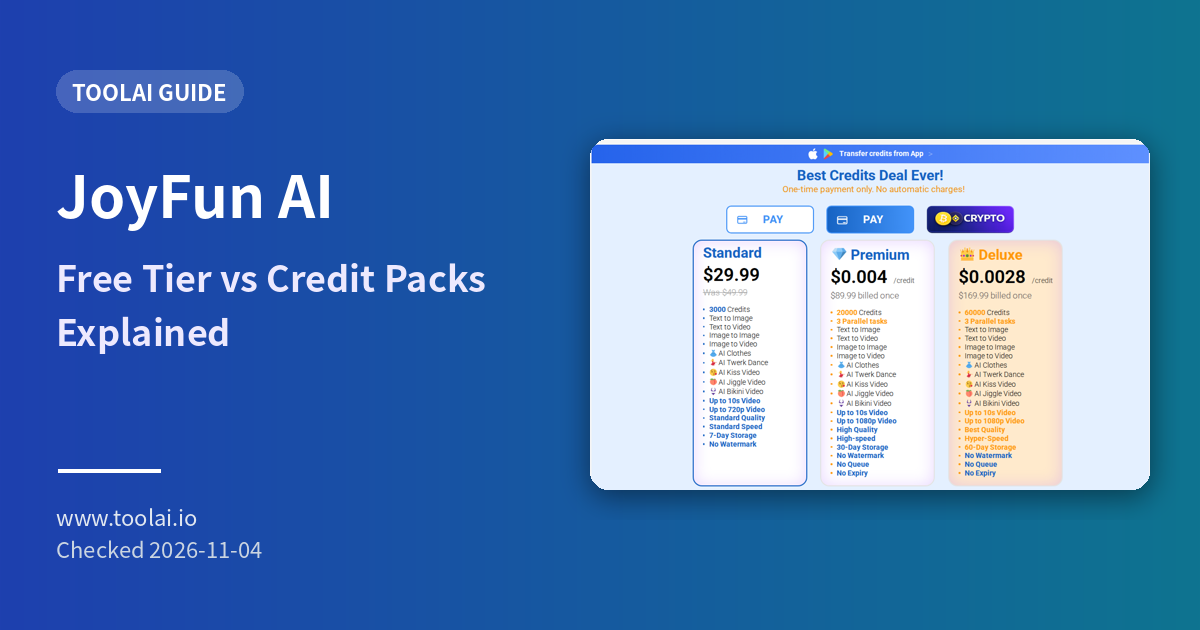
ToolAI Editorial · Official homepage and pricing page checked on November 4, 2026
JoyFun AI is a browser-based AI video and image suite with image-to-video, text-to-video, image-to-image, face swap and one-click effect templates. The question we see most often is simple: is it free? The answer depends on which page you read. This guide puts the homepage claims and the pricing page side by side. The tool profile is on our JoyFun AI page.
1. What "free" means on JoyFun
The homepage calls JoyFun "Truly Unlimited and 100% Free" and says it rejects "restrictive credit packs and paywalls". The same page also shows a credit counter, a "Daily free credits" banner, and a Pricing link to one-time credit packs. In practice:
- You can start without paying and use a daily free credit allowance.
- Higher resolution, more storage, faster processing and parallel tasks come with paid packs.
- Treat "unlimited" as marketing language and check your credit balance before long jobs.
2. The three credit packs
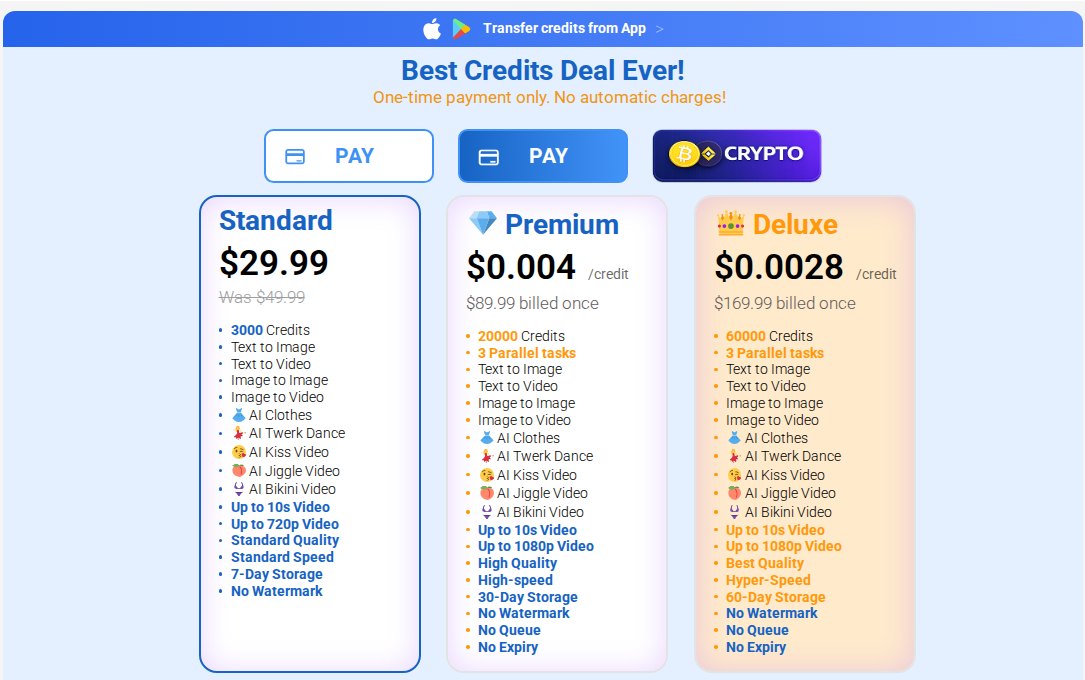
| Pack | Price (one-time) | Credits | Max video | Speed / extras | Storage |
|---|---|---|---|---|---|
| Standard | $29.99 (shown as reduced from $49.99) | 3,000 | 10 s, up to 720p | Standard quality and speed, no watermark | 7 days |
| Premium | $89.99 (about $0.004 per credit) | 20,000 | 10 s, up to 1080p | High quality, high speed, 3 parallel tasks, no queue | 30 days |
| Deluxe | $169.99 (about $0.0028 per credit) | 60,000 | 10 s, up to 1080p | Best quality, "hyper-speed", 3 parallel tasks, no queue | 60 days |
The page states "One-time payment only. No automatic charges!" There is one exception: Face Swap is sold as a subscription, and the pricing page has a separate unsubscribe form for it. If you only want face swap, read that part carefully before paying.
3. What the generator lets you choose
On the homepage generator (Image To Video / Text To Video tabs) we saw these settings:
- Model: the default "JoyFun v3.1 Fast" showed about 1 minute and 80+ credits per job. Other JoyFun variants can be switched in.
- Video length: 5 s or 10 s.
- Resolution: 480p, 720p or 1080p.
- Visibility: Public or Private.
- Uploads: JPG, PNG or WEBP, up to 10 MB and larger than 300 px.
At roughly 80 credits per default job, the 3,000-credit Standard pack covers about 37 clips at that setting. Longer or higher-resolution jobs cost more, so treat this only as a rough guide. The homepage also says third-party models are available, including GPT Image 2, Nano Banana Pro and Grok Imagine for images and Kling 3.0 Omni, Veo 3.1 and Seedance 2.0 for video. Which models you can use may depend on your plan.
4. Refunds, expiry and transfers
- Refunds: full refund only if you ask within 48 hours and have used 100 credits or fewer (contact support@joyfun.ai).
- Expiry: the FAQ says purchased credits never expire. The pack list shows "No Expiry" only for Premium and Deluxe, so confirm with support if expiry matters for a Standard pack.
- Transfers: you cannot transfer credits to other users or redeem them for cash. You can move credits bought in the mobile app to the web ("Transfer credits from App").
5. Consent and safe use
JoyFun describes itself as "largely uncensored" and says illegal content is prohibited. Face swap and image-to-video work on real people's photos, so:
- Only upload photos of yourself or of people who have agreed.
- Never create sexual, humiliating or deceptive content of a real person; in many countries this is illegal.
- Keep generations set to Private unless you mean to publish them.
FAQ
Is JoyFun AI completely free?
You can start free with daily credits. The 1080p tiers, longer storage and faster processing come with one-time paid packs from $29.99.
Is there a subscription?
The credit packs are one-time payments. Face Swap is the exception and is sold as a subscription.
Can I get a refund?
Only within 48 hours of purchase and if you have used 100 credits or fewer.
Sources
- JoyFun AI homepage and pricing page (checked November 4, 2026)
- ToolAI: JoyFun AI profile