TOOL PROFILE TOOLAI

JoyFun AI

Browser-based AI video and image generation suite with face swap, image-to-video, text-to-video and one-click effect templates

joyfun.aiPRODUCT PREVIEW
JoyFun AI — product preview View full image
Interface and results previewImages: 1

THE BIG PICTURE

About JoyFun AI

JoyFun AI is a browser-based creative suite for generating and editing videos and images with artificial intelligence. The official site presents it as an all-in-one toolkit covering face swapping in photos and videos, animating still images, generating video from text prompts, and applying pre-trained effect templates. The homepage describes the mission as removing financial, technical and restrictive barriers so users can move from an idea to a finished clip quickly.

The platform is positioned around instant, low-friction access. The homepage states that no sign-up is required to start creating, and the FAQ repeats that no login is needed for generation. It also claims that generations are free and unlimited without watermarks, while the pricing page separately sells credit packs and notes that Face Swap subscriptions exist, so the free and paid statements should be read together rather than as one consistent offer. The site says videos can be up to 10 seconds long and exported at up to 1080p Full HD, and that common image and video formats are accepted.

A distinctive part of the product is its stated openness. JoyFun describes itself as largely uncensored and permits NSFW themes while prohibiting illegal content. Alongside mainstream tools such as face swap, image-to-video and text-to-video, the navigation lists adult-oriented effect templates. The site also advertises access to a rotating library of third-party and in-house models for both video and image generation, and it offers companion mobile apps for iOS and Android in addition to the web app.

WHAT YOU CAN DO

A toolkit worth exploring

Get to know the capabilities. Find your own way to use them.

Face Swap and Video Face Swap

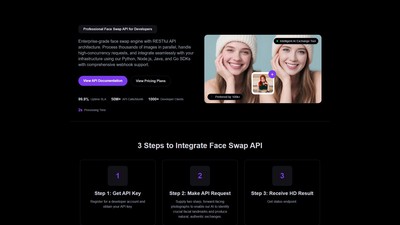
AI-powered face swapping for both photos and videos. The homepage says the algorithm integrates facial features, lighting and expressions to produce a believable result, and lists uses such as memes, personalized video greetings and prototyping character looks.

Image to Video Generator

Uploads a photograph, digital painting or AI-generated artwork and animates it using text prompts. The site gives examples such as turning a landscape into a living scene with drifting clouds or making a portrait subtly smile and blink.

Text to Video Generator

Generates video directly from written descriptions, described as useful for storyboarding, visualizing concepts or producing footage without source material. The homepage example is a cinematic shot of a dragon flying over a castle.

Image to Image Generator

Uses an uploaded image as a blueprint and applies text prompts to create a new version while retaining composition, colors and structure. The page describes style morphing, outfit changes and full photo reimagining, and mentions multi-image fusion for combining several uploaded photos into one scene.

One-Click AI Video Effect Templates

A library of pre-trained effect templates that generate specific animations from an uploaded image. The twerk tool page lists templates including Twerk, Kiss, Expansion, Jiggle, Hip Shake, Dance, Bikini, Muscle, Ghibli, South Park, Cartoon and Gender Swap, among others.

Model Selection

The generation interface exposes a model switcher with many named video models, including in-house JoyFun versions and third-party options such as Wan, Seedance, Kling, Veo, Hailuo, Pixverse, Vidu, Runway, Luma and Pika variants. The homepage also advertises image models including GPT Image 2 and Google's Nano Banana series.

Output Controls

The twerk tool interface shows selectable video length (6s or 10s), resolution (512p, 768p or 1080p), an audio option with prompt-based audio description, and a public or private visibility toggle.

Image Editing Templates

The image-to-image interface offers templates such as Remove Background, Remove Watermark, Action Figure, Enhancer, Unblurer, Old, Baby, Cloth, Hairstyle, Clay, Pixar, Ghibli, Pixel, Avatar, Headshot, Eye Color, Mugshot, South Park, Simpsons, Fat and Seed.

MADE FOR YOUR WORKFLOW

Where it fits into your day

USE CASE 01

Social media clips and memes

The site repeatedly frames its tools around short, shareable content, including face-swap clips for friends, dance and twerk animations for TikTok or Instagram Reels, and reaction GIFs made from photos of friends with their permission.

USE CASE 02

Animating artwork and portraits

Digital artists can upload character portraits or illustrations and add subtle motion such as breathing, blinking or background movement, or animate characters into dance and other effect templates for a portfolio or audience.

USE CASE 03

Storyboarding and concept visualization

The text-to-video tool is presented as a way for writers, game developers and filmmakers to turn written scenes into quick animated storyboards or concept footage without shooting anything.

USE CASE 04

Virtual outfit and portrait previews

The image-to-image page describes using prompts to change clothing, try swimwear styles virtually, or turn a casual selfie into a professional headshot with studio lighting and a corporate background.

YOUR FIRST STEPS

From first click to first result

Try it on the official website
  1. Choose a tool

    From the site navigation, select the relevant tool such as Face Swap, Video Face Swap, Image to Video, Text to Video, Image to Image or one of the AI effect pages.

  2. Provide input

    Upload an image or video, or type a text prompt. The twerk tool page advises clear, well-lit, full-body or half-body photos for best results, and the image-to-image page accepts JPG or PNG files up to 10MB.

  3. Select a model and settings

    Use the model switcher to pick a generation model, then set options such as video length, resolution, audio and public or private visibility where the interface offers them.

  4. Generate

    Click the Generate button. The site states that processing typically takes seconds to about a minute depending on request complexity and server traffic.

  5. Download the result

    Download the finished video or image. The site states that generated videos are watermark-free, and the FAQ says generated videos may be used for personal or commercial projects.

PLAN YOUR NEXT STEP

A plan for the way you work

JoyFun lists one-time credit packs: Standard at $29.99 for 3000 credits, Premium at $89.99 for 20000 credits and Deluxe at $169.99 for 60000 credits, with credits described as non-expiring. The pricing page also notes that Face Swap subscriptions exist and provides an unsubscribe form for them, so not every part of the service is a one-time purchase. The homepage and FAQ separately describe the service as free and unlimited, so the free claim and the paid credit packs coexist on the official pages.

Subscribe on the tool's website

PLAN

Standard

Entry credit pack listed at a reduced price from $49.99, including 3000 credits, up to 10-second videos at up to 720p, standard quality and speed, 7-day storage and no watermark.

$29.99

one-time payment

  • 3000 credits
  • Text to Image
  • Text to Video
  • Image to Image
  • Image to Video
  • AI Clothes
  • AI Twerk Dance
  • AI Kiss Video
  • AI Jiggle Video
  • AI Bikini Video
  • Up to 10s video
  • Up to 720p video
  • Standard quality
  • Standard speed
  • 7-day storage
  • No watermark
View plan on website

PLAN

Premium

Mid-tier credit pack at $0.004 per credit, including 20000 credits, 3 parallel tasks, up to 1080p video, high quality and high-speed generation, 30-day storage, no queue and no expiry.

$89.99

one-time payment

  • 20000 credits
  • 3 parallel tasks
  • Up to 10s video
  • Up to 1080p video
  • High quality
  • High-speed
  • 30-day storage
  • No watermark
  • No queue
  • No expiry
View plan on website

PLAN

Deluxe

Top credit pack at $0.0028 per credit, including 60000 credits, 3 parallel tasks, up to 1080p video, best quality and hyper-speed generation, 60-day storage, no queue and no expiry.

$169.99

one-time payment

  • 60000 credits
  • 3 parallel tasks
  • Up to 10s video
  • Up to 1080p video
  • Best quality
  • Hyper-speed
  • 60-day storage
  • No watermark
  • No queue
  • No expiry
View plan on website

Prices, usage limits and terms can change. Confirm the latest details on the tool's official website before subscribing.

The pricing page lists one-time credit packs, per-credit rates and feature tiers, while other parts of the site advertise free generation and Face Swap subscriptions. Confirm the access model, price and limits for your selected feature before purchasing.

Sources checked

A FEW MORE THINGS

Good questions. Useful answers.

More on the official website

Is JoyFun AI free to use?

The homepage and FAQ state that JoyFun is 100% free with no subscriptions or credit systems. The official pricing page, however, sells one-time credit packs and notes that Face Swap subscriptions exist, so the free claim and the paid options appear side by side on the site and should be verified against current terms.

Do I need an account to generate content?

The site states that no sign-up and no login are required to start creating. A sign-in option with Google or email exists, and the pricing page notes that Face Swap subscriptions require a separate unsubscribe form.

How long and how high quality can generated videos be?

The FAQ states videos can be up to 10 seconds long, with the highest quality being 1080p Full HD. The pricing page lists 720p as the cap for the Standard pack and 1080p for Premium and Deluxe.

What file formats are supported?

The FAQ lists JPG, PNG and WEBP for images and MP4, MOV and WEBM for videos. The image-to-image page specifies JPG or PNG uploads up to 10MB with aspect ratios between 1:3 and 3:1 and a maximum resolution of 6000x6000 pixels.

Are generated videos watermarked?

The FAQ states that all videos generated on JoyFun are completely free of watermarks, and the pricing page lists no watermark as a feature of each credit pack.

Can I use generated videos commercially?

The FAQ states that users are free to use generated videos for both personal and commercial projects, giving examples such as YouTube videos, social media ads and creative portfolios.

Do credits expire, and can I get a refund?

The pricing page states that purchased credits never expire and are non-transferable with no cash value. A full refund is offered only if the request is made within 48 hours of purchase and 100 credits or fewer have been used from the pack.

What is the content policy?

The FAQ describes JoyFun as a largely uncensored platform that allows a wide range of artistic expression including NSFW content, while stating that illegal content is strictly prohibited and that detailed guidelines are in the terms of service.

FROM THE COMMUNITY

What has your experience been?

YOUR NEXT DISCOVERY

More tools to explore

Explore all tools

MAKE YOUR NEXT MOVE

Ready to explore JoyFun AI?

Visit the official website to explore the latest features and get started.

Visit official website
JoyFun AIjoyfun.ai
Visit website

GALLERY

PASS IT ALONG

Share JoyFun AI