コードアシスタント
Cline
Open-source Plan-and-Act coding agent across desktop, IDE extensions, CLI, and SDK.
Cline の概要と主な特徴
Cline (Open source free (BYO API key or usage credits) / Enterprise custom pricing) — Open-source Plan-and-Act coding agent across desktop, IDE extensions, CLI, and SDK, with top alternatives including Chat2CSV, Cursor, Copilot.
- Category
- コードアシスタント
- Pricing
- Open source free (BYO API key or usage credits) / Enterprise custom pricing
- Verified
- 2026-11-24
このツールについて
Overview
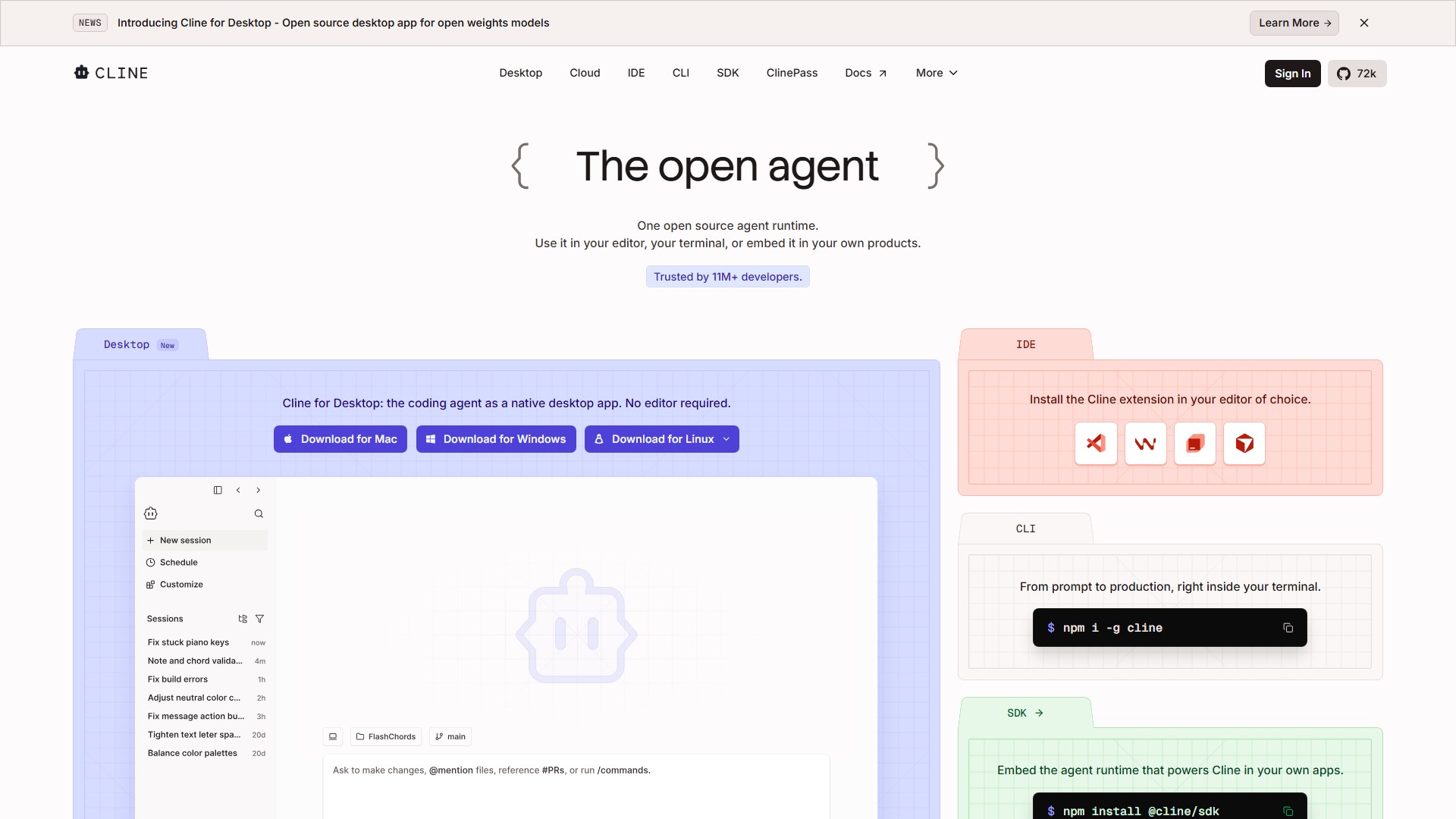
Cline is an open-source autonomous coding agent runtime with zero vendor lock-in, adopted across Visual Studio Code, JetBrains, Cursor, Windsurf, standalone desktop apps (Mac, Windows, Linux), terminal CLI, and the embeddable @cline/sdk. Centered on a transparent Plan-and-Act loop, Cline reads repository architecture, plans multi-file edits with linter-aware checkpoints and one-click undo, and connects to cloud or local model endpoints.
Main features
- Plan-and-Act control loop: Align on an implementation plan in Plan mode before switching to Act mode, with step-by-step approval or configurable auto-approve.
- Checkpoints & multi-file refactoring: Coordinates edits across files, runs terminal commands with linter checks, and supports instant rollback at every step.
- Cross-surface runtime: Available as Cline for Desktop, IDE extensions (VS Code, Cursor, Windsurf, JetBrains), headless CLI (
npm i -g cline), and@cline/sdk. - Open model choice: Connect your own API keys or endpoints from Anthropic, OpenAI, Google Gemini, DeepSeek, Groq, Cerebras, OpenRouter, AWS Bedrock, GCP Vertex, Ollama, or LM Studio.
Pricing
- Open-source Individual tier: Free forever with no subscription or seat fee for the desktop app, VS Code/Cursor/Windsurf extension, or CLI; you pay only for AI inference either directly through your own provider API keys or on a pay-as-you-go basis via Cline inference credits.
- Enterprise: Custom pricing adding JetBrains enterprise controls, centralized team billing, role-based access control (RBAC), SSO/OIDC/SCIM provisioning, audit logs, VPC deployment options, OpenTelemetry, SLA, and dedicated support.
Who it is for
Developers who want transparent diff review, multi-provider flexibility, and local Ollama/LM Studio compatibility without paying a fixed monthly IDE subscription, plus enterprises requiring SSO and VPC governance.
How to start
Install the Cline extension inside VS Code (or download Cline for Desktop at cline.bot / install npm i -g cline), configure an LLM API key or local Ollama endpoint, and start a task in Plan mode first.
Things to note
While Cline’s open-source client carries $0 seat fees, autonomous multi-file tasks send large repository context windows and consume third-party LLM tokens rapidly unless scoped and reviewed step by step. Enterprise features such as SCIM, audit logs, and centralized billing require an Enterprise contract.
Similar tools
Cursor, Windsurf, Aider, Claude Code, GitHub Copilot.
トラフィック分析
このツールのトラフィック、ランキング、エンゲージメントの指標。
まだ分析データはありません
インターフェースプレビュー
Embed "Featured on ToolAI.io" Badge
Copy the HTML snippet below to display your ToolAI featured badge on your website or docs.