
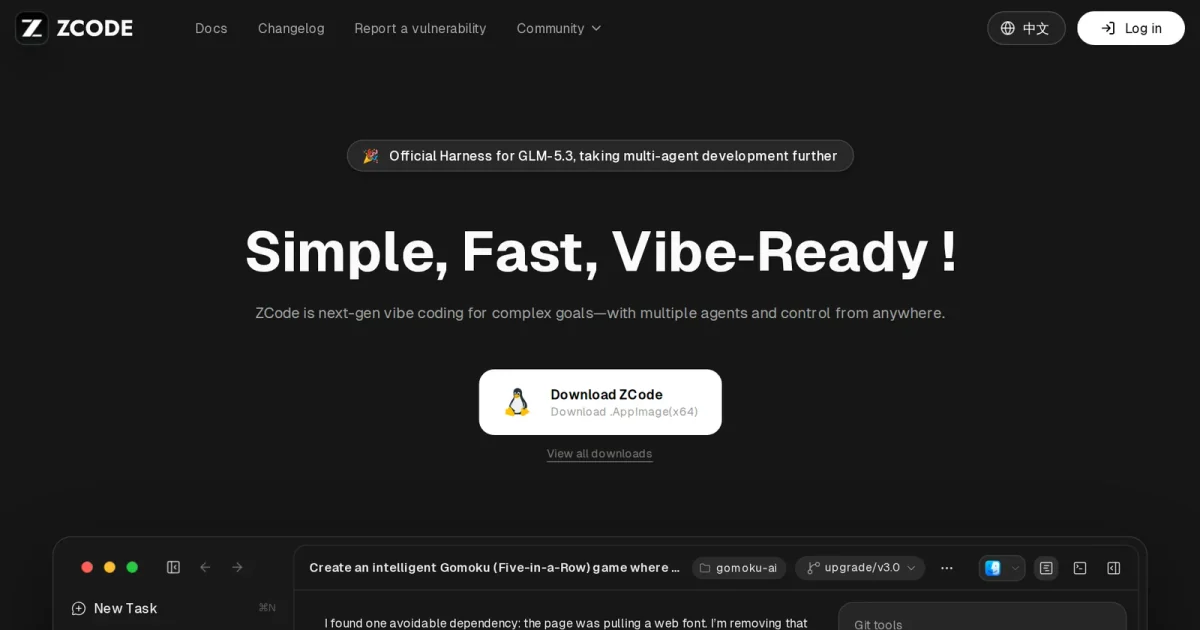
Picking a coding harness on word of mouth alone is risky when the outer loop can swing your token bill by an order of magnitude. The FrontierHarness Eval site currently displays “FrontierHarness v1.1 is live,” while Z.ai updated its open-source ZCode harness to v3.18.2 on 2026-11-12.
First, draw a clear line around what the public snapshots actually verify. Static fetches of FrontierHarness only capture the “FrontierHarness v1.1 is live” banner and navigation shell, with no saved v1.1 leaderboard rows, model roster, or sponsor breakdown. The complete, inspectable dataset with task definitions and reproduction scripts remains the v1.0 baseline in the FrontierHarness GitHub repository.
Check the verified v1.0 baseline: 17.5x cost spread on one model
To see how much an outer loop changes outcomes, look at v1.0's controlled run. It tested 9 coding-agent harnesses across 12 configurations on the same Kimi K3 model (served by Fireworks) and 30 software-engineering tasks—21 from Terminal-Bench and 9 from DeepSWE—totaling 360 evaluations on Runta's Golden Checkpoint restores.
Pass rates clustered between 50.0% and 66.7%, whereas cost diverged sharply. Codex (0.148.0) posted the highest pass rate at 66.7% with a $3.47 median figure, followed by DeepSeek Harness (DSH) Creator at 63.3% and $3.28. Pi (0.84.2) reached 60.0% at $2.43, Exo Harness (0.1.0) hit 53.3% at $1.05, and Claude Code (2.1.237) matched 63.3% at $18.34—17.5x above Exo Harness.
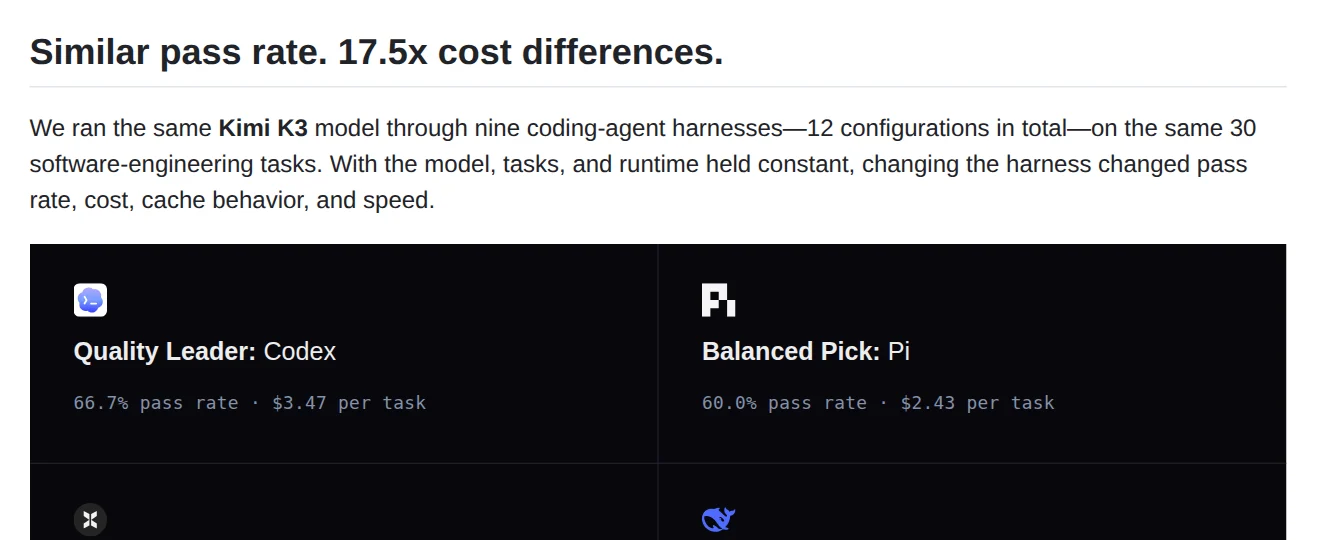
Read the cost label carefully before quoting it for budget planning. The GitHub README table headers call that column “Median cost per pass,” while the site's v1.0 chart and repository summary cards label those same dollar figures “Median cost per task” or “per task,” and the reproduction spec separately defines effective_cost_per_pass as total cost divided by passes. Either way, benchmark medians are reference points under fixed tasks rather than a fixed quote per solved issue in your own repo.
Before running ZCode v3.18.2: install paths, local scope, and plans
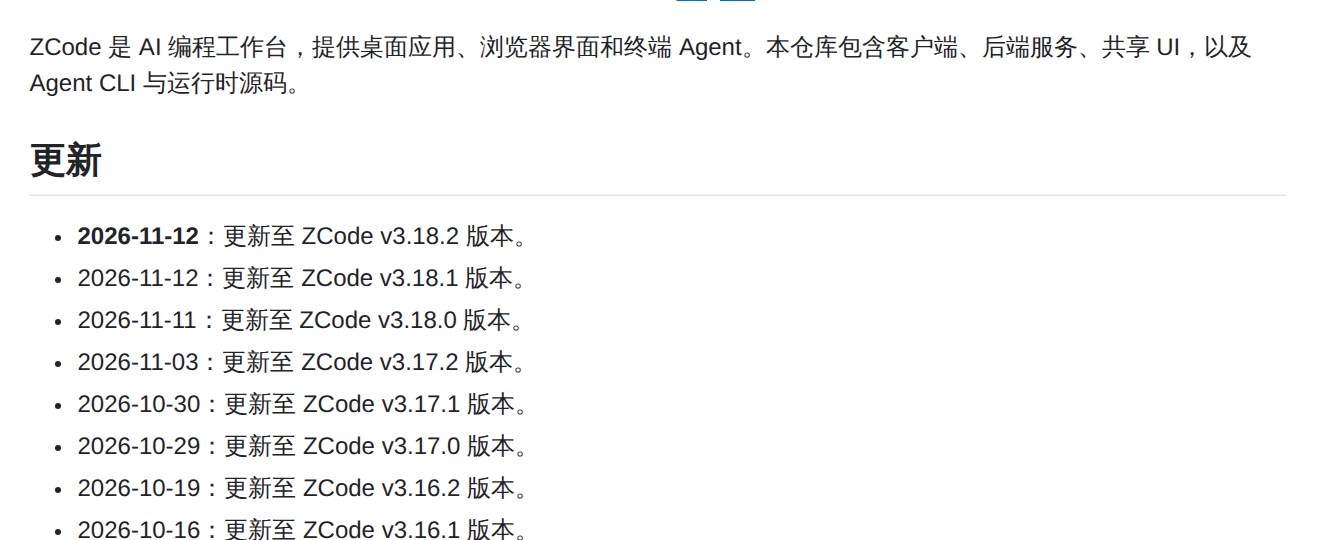
ZCode does not appear in the v1.0 archive, and its repository is moving fast: Z.ai shipped v3.18.0 on 2026-11-11, then pushed v3.18.1 and v3.18.2 on 2026-11-12 under the Apache-2.0 license (8.7k stars, 2.7k forks).
If you want to try the CLI web workspace, do not skip the installation prerequisites—running zcode assumes the binary is already built or installed. Per the ZCode homepage and repository README, there are three ways to get started:
- Desktop installers: v3.18.2 binaries are listed for macOS (Apple Silicon and Intel), Windows (64-bit and ARM64), and Linux Beta (.deb, .rpm, .AppImage).
- CLI release bundle: Install via
install.shfrom a configuredZCODE_DIST_BASE_URL(defaulting to~/.zcode/runtimeand~/.local/bin/zcode), or build a local archive withpnpm build:zcodeintodist/zcode/. Running the packaged CLI still requires Node.js matchingmise.toml. - Build from source: The monorepo holds the desktop app, web client, server, and CLI/TUI runtime inside
apps/zcode-cli/. Source setup requires Git, Node.js 24.14.0, and pnpm 10.33.2 viapnpm bootstraporpnpm --filter @zcode/cli... build.
Once command -v zcode resolves, running zcode --web --workspace /path/to/project --port 3030 --no-open starts the local web UI and backend server without Electron. Only the interface and local server processes stay on 127.0.0.1 by default, however: where model prompts and auth tokens actually travel depends on your provider setup—such as ZCODE_BUILTIN_PROVIDER_CONFIG_FILE for custom providers or /api/v1/oauth/token proxies—alongside ZCODE_DATA_BASE_DIR if you want an isolated data directory.
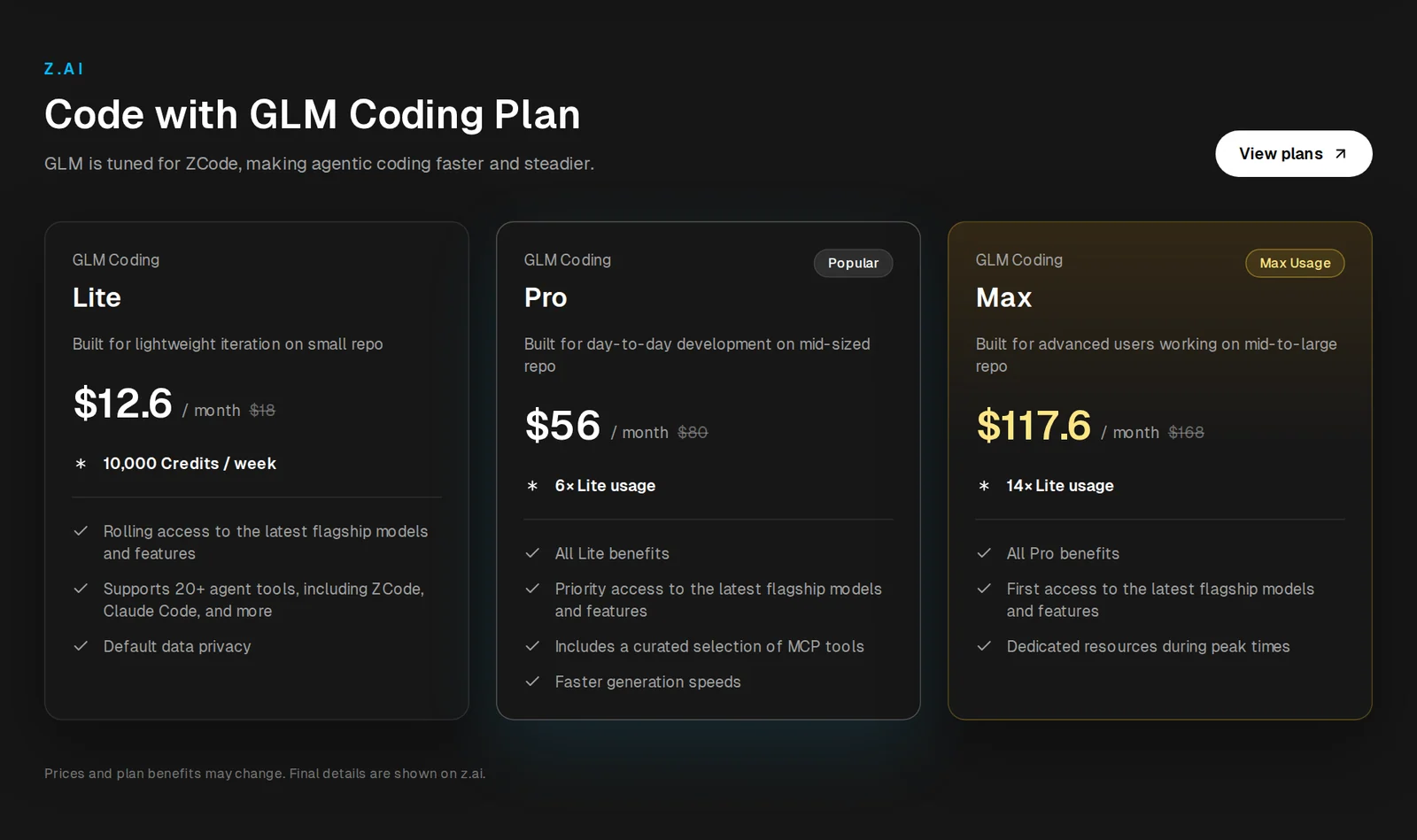
On the model and billing side, the ZCode homepage brands it as the “Official Harness for GLM-5.3,” with GLM-5.3-Flash built in for screenshot and image tasks plus remote control from WeChat, Feishu, and Telegram. If you subscribe to Z.ai's GLM Coding Plan instead of paying raw API rates, listed tiers run $12.6 per month ($18 list, 10,000 Credits per week) for Lite, $56 per month ($80 list, 6x Lite usage) for Pro, and $117.6 per month ($168 list, 14x Lite usage) for Max across 20+ agent tools.
Running your own FrontierHarness check: Runta setup and control rules
If you want to benchmark ZCode v3.18.2 or another harness yourself, the repository points to npx skills add frontier-harness-eval/eval --skill frontierharness-eval. Installing the skill alone does not run any trials.
Before executing a run, the README requires Runta's companion skills (npx skills add https://runta.com/docs --skill runta-installer runta-cli), an authenticated runta login session, jq, node >= 18, Python >= 3.9, and a provider key saved via runta secret set (such as FIREWORKS_API_KEY). Keep comparability rules in mind too: third-party runs default to methodology_comparable: false with no leaderboard rank unless you run a matched control harness under the exact same egress_policy allowlist, Kimi K3 model, and Golden Checkpoint cold-start rules. Start with one Terminal-Bench task and one DeepSWE task to verify your plumbing before committing full API spend.