
Your Gemini 4 Neon coding agent stalls on a simple edit. Or it refuses a direct request to document a public function. Before rewriting your latest prompt, check the rules you wrote months ago.
On November 25, 2026, Google DeepMind engineer Philipp Schmid, who works on Agents and the Gemini API, shared a field report on his blog and in an X article after weeks of daily coding and evaluations with Gemini 4 Neon. Guardrails, skills, and instructions written to patch older models were slowing Neon down and causing failures on edge cases it can solve alone.
Cut Your User-Level GEMINI.md Down to One Screen
In daily agent sessions, your typed prompt takes up only a tiny slice of the context window. System instructions, repository files, tool schemas, skills, and past turns stay active across every future request, so overly narrow rules eventually collide with what you ask right now.
Consider a common clash Schmid highlighted. A global rule bans comments, while your current prompt asks the agent to document a public function. Gemini 4 Neon burns extra thinking tokens resolving that contradiction, then often obeys the older rule anyway.
He deleted rigid code-style bans outright. Instead, he tells the model to match the surrounding codebase style, naming, and comment density. His user-level GEMINI.md now fits on a single screen, keeping only universal safety habits and reply formatting rules.
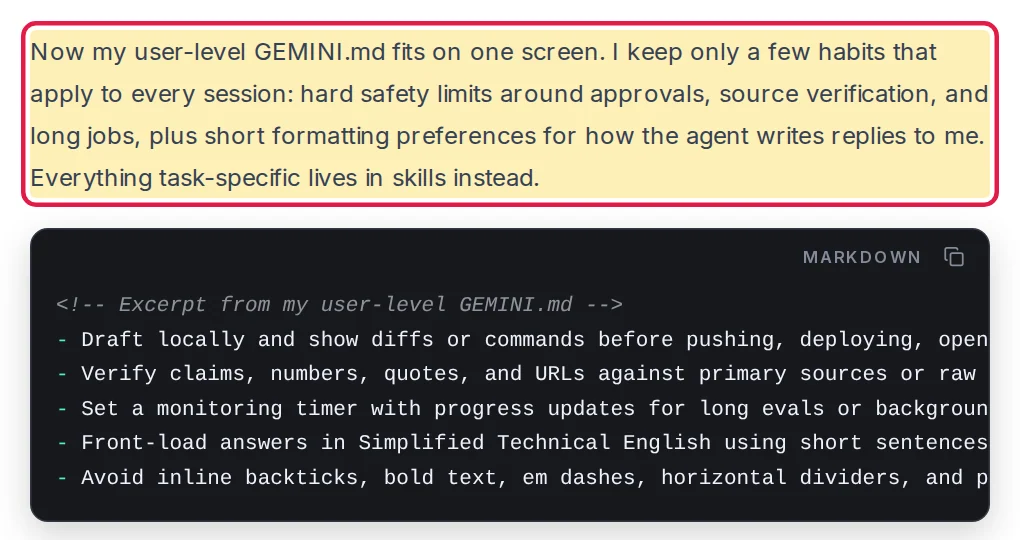
- Draft locally and show diffs or commands before pushing, deploying, opening pull requests, or editing shared docs.
- Verify claims, numbers, quotes, and URLs against primary sources or raw outputs instead of guessing.
- Set a monitoring timer with progress updates for long evaluations or background jobs.
- Front-load answers in Simplified Technical English using short sentences, active voice, and honest phrasing, while avoiding inline backticks, bold text, em dashes, horizontal dividers, and parenthetical clutter in prose.
Bloated ban lists failed anyway. In Schmid's tests, they did not reliably keep older models read-only during debugging; dropping them on Gemini 4 Neon cut wasted thinking tokens and kept edits inside scope.
Prune Project Files: Compare Against Gemini CLI Docs
Repository config files bloat even faster than user defaults. Schmid deleted nearly all of his project-level AGENTS.md and GEMINI.md files because they mostly repeated directory layouts the model can read directly or decayed into stale append-only logs.
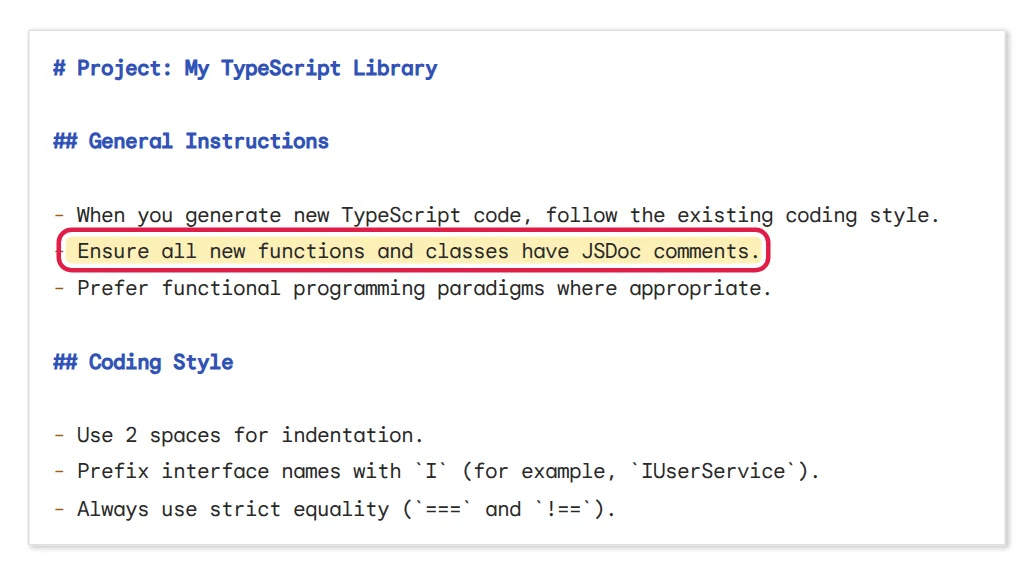
Contrast that with the official Gemini CLI GEMINI.md documentation. Last updated June 18, 2026, the same day unpaid and Google One users moved to Antigravity CLI, its TypeScript example still tells developers to put 2-space indentation, interface prefixes, and mandatory JSDoc comments in a root GEMINI.md.
For Gemini 4 Neon, Schmid keeps project instructions bare-bones: a short repository summary plus genuine gotchas a model cannot infer from code, such as a non-standard test command or the single file where shared types belong. Domain workflows for UI guidelines, API reviews, long-form editing, and CLI guides move into lightweight skills with one-line index descriptions. Neon loads those skills reliably on demand, cutting trial-and-error turns and total token usage on fast-moving CLIs and SDKs.
State Tool Rules Once in JSON Schema, Drop Few-Shot Examples
Earlier models often needed tool guidance in two places: once in system prompts and again in tool descriptions, padded with few-shot examples. On Gemini 4 Neon, Schmid dropped both the repeated system instructions and the examples.
Examples backfire on edge cases. They work on routine inputs, yet when a task shifts slightly, the model copies extra fields or mismatched argument shapes straight from the example and sends invalid calls.
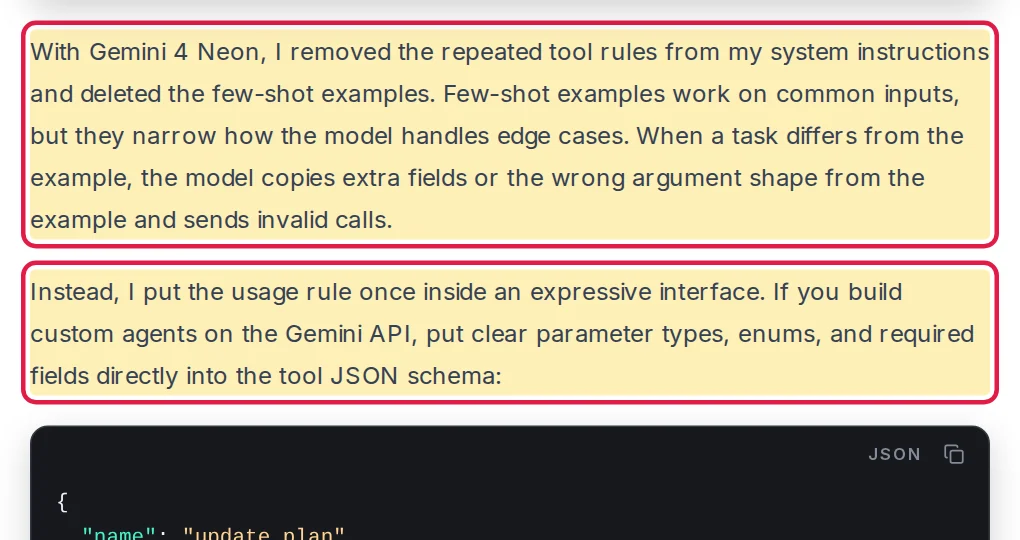
He now states each rule once inside an expressive interface. When building custom agents on the Gemini API, put parameter types, enums, required fields, and disabled extra properties directly in the tool JSON schema, as in his update_plan checklist tool. For everyday coding agents, apply the same rule to helper scripts and CLI flags, remove overlapping search tools, and save long command logs to files instead of flooding context.
Check UI Visually and Hand Off Context Before 500k Tokens
Text works fine for backend edits. Once UI layout, diagrams, or motion matter, Schmid skips long CSS paragraphs and attaches a reference screenshot or short screen recording instead. Before finishing, the agent must render the page, chart, or video frames and inspect the actual PNG or clip to catch clipped text, awkward line wraps, and broken alignment.
Long sessions still degrade inside a 1M token window. Compaction always hurts because summarizing mid-task breaks the prompt cache, strips line-level details, and forces re-reads on subsequent turns. Schmid writes a short handoff file with the goal, verified decisions, and exact file paths between phases to start a fresh session, or forks the thread when parallel work splits off. If you keep auto-compaction as a fallback, trigger it around 500k tokens and pin active file paths in the summary.
Check Which CLI Loads Your Rules First
Before deleting anything, verify what your agent actually reads on each turn. If you are still running Gemini CLI, use /memory show to print the full concatenated GEMINI.md context sent to the model and spot conflicting bans right away. Note that unpaid and Google One users were moved from Gemini CLI to Antigravity CLI on June 18, 2026, so if your environment has already switched, skip Gemini CLI-specific commands and inspect the global and project config files your current CLI loads instead.