
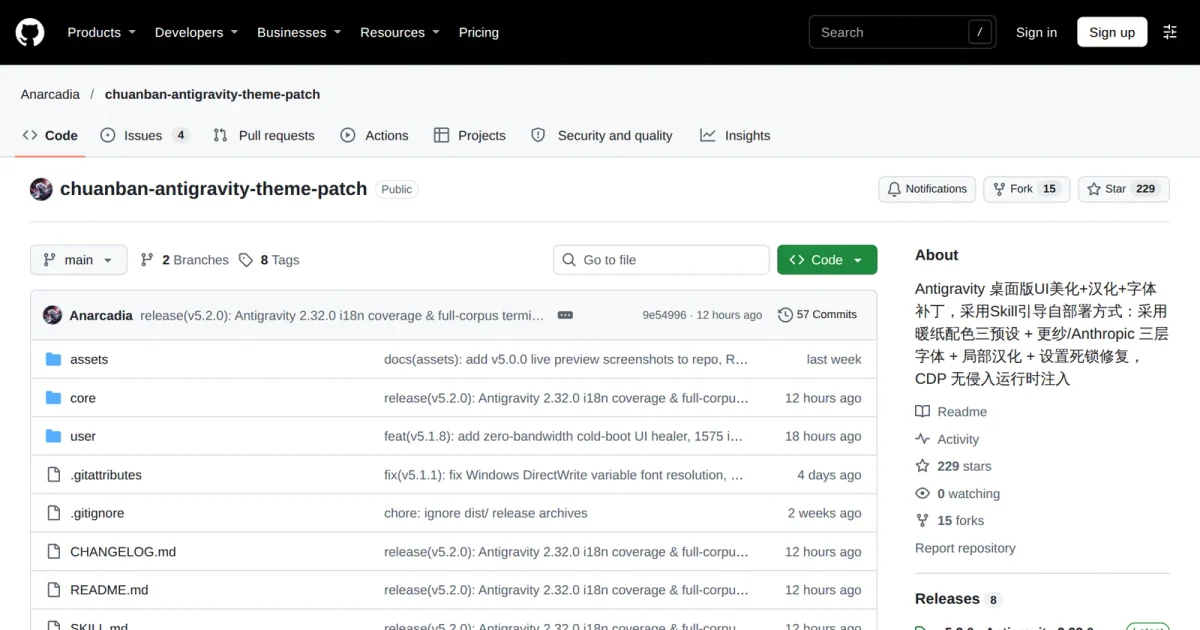
If you just updated Google Antigravity to 2.32.0 and still find its light mode harsh or want a localized Chinese workspace, the open-source chuanban-antigravity-theme-patch shipped v5.2.0 on November 14, 2026. According to its GitHub repository, the patch injects warm-paper color presets, four-tier typography, and 1,630 Chinese UI strings over the local Chrome DevTools Protocol (CDP) without unpacking app.asar, packaging the workflow in SKILL.md for coding agents to run. Two caveats apply upfront: you still have to download the font bundle separately, and the live token-rate bar requires Node.js 22.13.0 or newer.
Three prerequisites to check first: Node version, fonts, and debug ports
Per the repository's SKILL.md deployment guide, install.mjs blocks anything older than Node.js 22.0.0. Between Node.js 22.0.0 and 22.12.x, themes, fonts, and localization load normally, while the node:sqlite session telemetry readout disables itself quietly without crashing.
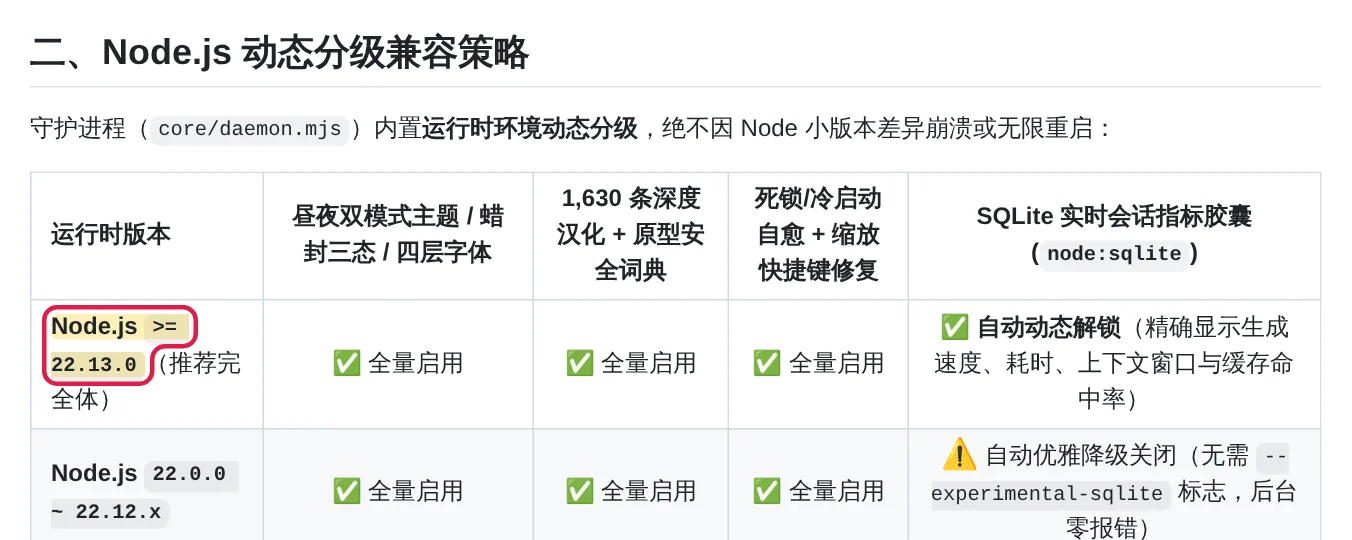
Unlocking live generation speed (tok/s), time to first token (TTFT), 256k context usage, and cache hit readouts requires Node.js 22.13.0 or later. If you only want Chinese menus and warmer contrast, 22.0.0 is enough.
Fonts are the second hurdle. The GitHub repository holds only scripts, stylesheets, and the translation dictionary; the Anthropic font family (Anthropic Sans, Anthropic Serif, Anthropic Mono) and Sarasa-SuperTTC.ttc live in a shared Google Drive folder linked in the docs. When Google Drive hits its 24-hour download quota, macOS users can pull Sarasa Gothic via brew install --cask font-sarasa-gothic, while Windows and Linux users can fetch Sarasa-SuperTTC.ttc from the be5invis/Sarasa-Gothic GitHub Releases page. On Windows 10 and Windows 11, copying font files manually into the local Fonts folder will not register them for Chromium's local() lookup, so you must run node install.mjs install-fonts to write the registry entries.
For attachment, Antigravity 2.31.x and later writes a dynamic DevToolsActivePort file on launch, allowing the daemon to hook in immediately without restarting the client. Older builds without that file rely on the installer writing fallback ports 9222 (Stable) or 9223 (Insiders) into argv.json, which takes one client restart.
Three commands for your agent, with user edits kept separate
The patch splits runtime files into a SHA-256-verified read-only core/ kernel and a persistent user/ customization layer under .gemini/antigravity/theme-patch/ in your home directory. Handing the repository URL and prompt to Antigravity, Claude Code, Codex, or Cursor runs three steps in order:
- Check Node.js, ports, and font status with
node install.mjs doctor - Install
core/, preserveuser/, and register the background service withnode install.mjs install - Verify live window injection and confirm
"ok": truewithnode install.mjs verify
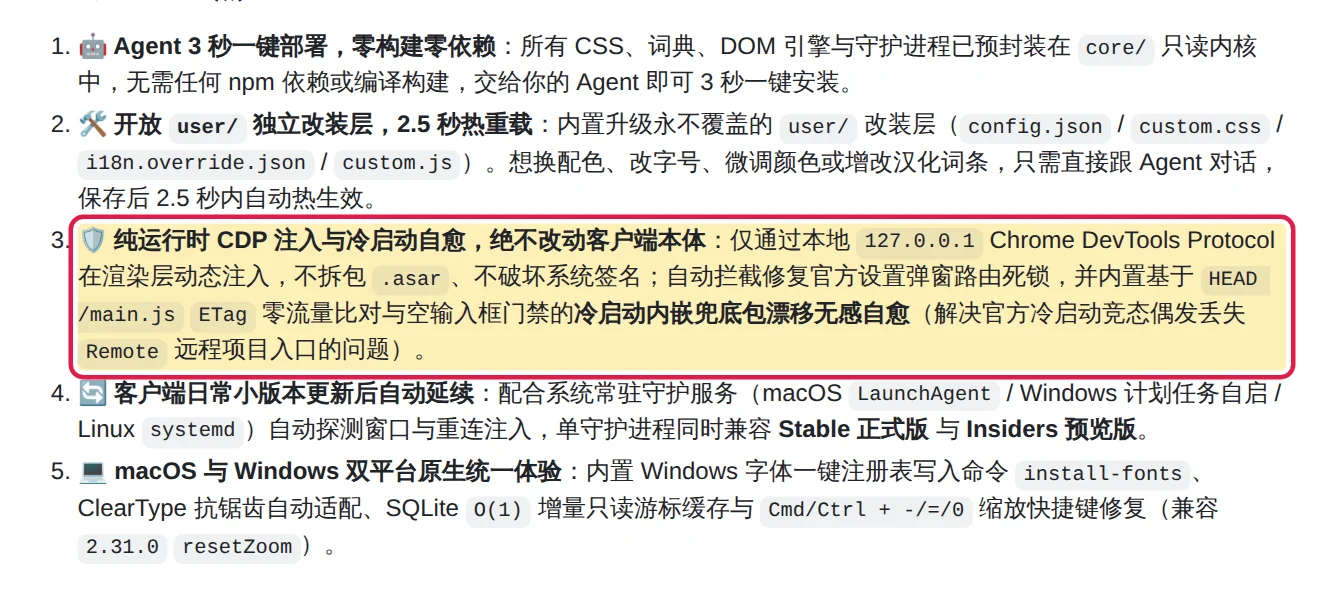
Unlike patches that modify app.asar, runtime injection over 127.0.0.1 keeps client signatures intact. After minor Antigravity updates, a background service—LaunchAgent on macOS, systemd on Linux, or Windows Task Scheduler—re-detects the window and reapplies styles. The patch also intercepts settings dialog routing deadlocks and runs an ETag check on HEAD /main.js gated on an empty composer box to recover missing Remote project entries after cold-boot races without wiping drafted prompts; if you already started typing on launch, a manual hard refresh restores the entry.
To tweak sizes, colors, or wording later, leave core/ untouched and edit only the four files inside user/, which the daemon hot-reloads every 2.5 seconds. Light mode offers three presets—High Contrast default (#F7F5F0 warm oat sidebar, #FCFCFB main pane, #0A0A0A ink text), ClaudeDesktop pure white, and Vintage Deep—while switching Antigravity to Dark mode keeps the 1.5px borders and four-tier typography (sans controls, serif body prose, strict 1:2 monospace code, and slab serif composer input) and restores Google's stock Onyx palette from 2.30.0–2.32.0 (#070708 background, #111114 sidebar, #15151A composer card, and #2F71E3 accent blue). In user/config.json you can toggle individual modules or flip enabled to false to revert the UI to stock English in 2.5 seconds; user/custom.css, user/i18n.override.json, and user/custom.js handle style tweaks, translation overrides, and sandboxed hooks. You can isolate customization conflicts with node install.mjs verify --safe-mode, revert via rollback, or run uninstall to restore the stock English UI while leaving user/ intact.
What Antigravity 2.32.0 already covers natively
Reading the patch notes alongside the official Google Antigravity changelog clarifies what you actually gain. On November 13, 2026, Antigravity 2.32.0 added native Everforest Light and Everforest Dark themes specifically for warm, lower-contrast reading and fixed a bug where bold Chinese, Japanese, and Korean text rendered at regular weight under the default font; earlier release 2.31.0 already exposed 12, 14, and 16 pixel interface font sizes.
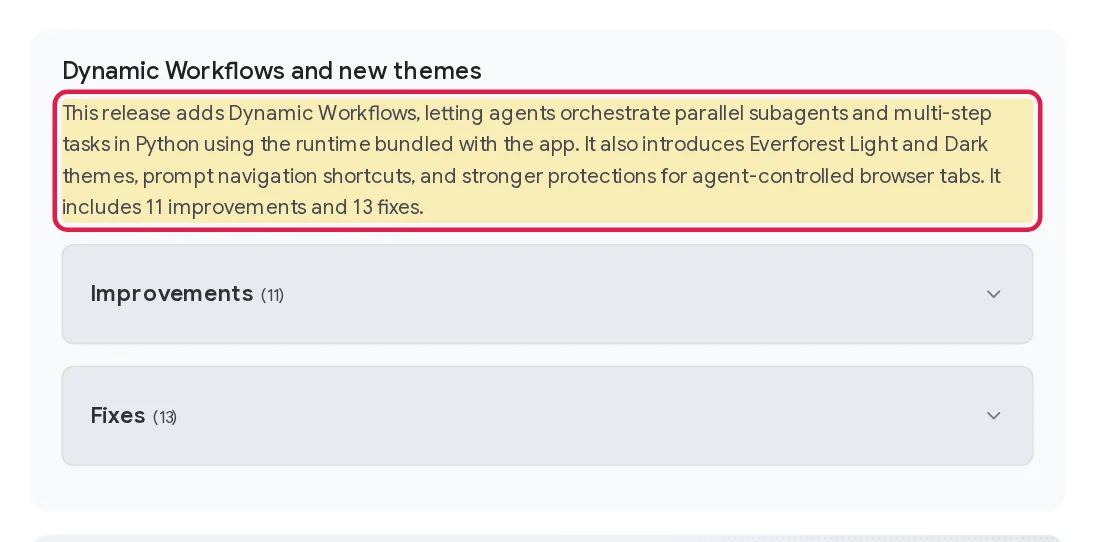
Putting both documents side by side shows that if eye strain and thin CJK bold text were your main complaints, upgrading to stock 2.32.0 already closes most of that gap without needing a background daemon. Where this 229-star patch still earns its keep is in three areas Google has not shipped: 1,630 Chinese localization entries covering Swarm panels, permission menus, and GitHub clone flows, the Anthropic serif/sans/mono plus Sarasa font pairing, and the live SQLite token-speed and cache bar inside the composer. The trade-offs are relying on an external Google Drive folder for fonts and keeping a local CDP daemon running—which on locked-down Windows machines with strict antivirus blocking .vbs startup scripts requires switching to a direct node.exe scheduled task via schtasks.
Before committing, run node -v and node install.mjs doctor to inspect what is missing on your machine; if you only wanted warmer colors, try Antigravity 2.32.0's built-in Everforest theme for a day first.