
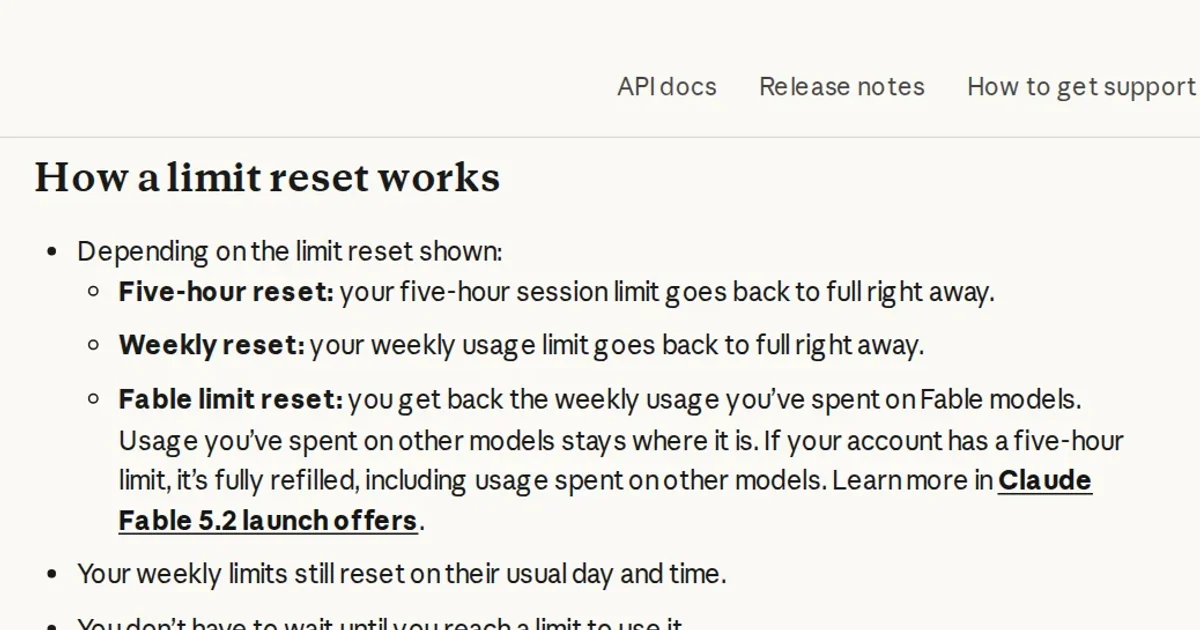
Before using a free Claude reset to get back to work, check whether it says Fable or Weekly. A Fable reset returns the weekly allowance consumed by Fable models; usage from other models stays on the meter. A Weekly reset restores the whole weekly allowance. Neither action can be undone.
Claude's Fable 5.2 launch-offer documentation dates the promotion to November 9, 2026. The resets cover every Fable model, not just the latest release.
Two meters still draw from one weekly pool
The plan documentation makes the accounting clear: included Fable usage can consume up to 50% of the weekly limit. It is not an additional 50% on top. Other models draw from that same weekly allowance, so room on the Fable meter does not necessarily mean the account has room left overall.
Claude provides a useful example. An account has consumed 80% of its weekly allowance: 50% on Fable and 30% on other models. Applying a Fable reset brings weekly usage back to 30%, not zero. The ceiling remains unchanged; previously consumed allowance becomes available again.
There is a separate effect for accounts with a five-hour limit. A Fable reset refills that entire window, including usage from other models. Verified Ultra accounts have no five-hour limit, so only their weekly allowance is affected.
Use the account settings, not the terminal
Reset counts and deadlines vary by tier. Pro subscribers and standard Team seats get one reset (alongside a week of included Fable access) expiring on November 16, 2026 at 11:59 pm PT. Max, Ultra, premium Team seats, and premium seats on legacy seat-based Enterprise plans receive one to three resets based on paid subscription length, expiring on March 8, 2027 at 11:59 pm PT. Free plans, standard seats on legacy seat-based Enterprise plans, self-serve Enterprise plans, and usage-based Enterprise plans are excluded.
Eligibility normally requires paid billing on the account or organization before November 9, 2026 at 10:00 am PT, with organizational seat holders having joined before then. Subscribers who started before that cutoff but remain in a free trial receive resets after converting to paid. Self-serve Team trials count as paid.
- Open Claude on the web, desktop, or mobile, then go to Settings and Usage.
- Under Limit resets, check the reset type and expiry. Select Reset for free and confirm.
- Check the usage meters before resuming your task.
Two practical catches apply before you start. Your default model does not change automatically, so you must select a Fable model manually from the model picker. Fable models also consume your weekly usage limits faster than other Claude models. For Pro and standard Team seats, exhausting the 50% allowance during the trial or reaching the end of the offer moves continued Fable use to usage credits, if enabled. Without credits enabled, there is no automatic switch to credit-billed use.
The reset help page says the button is not currently available in Claude Code's terminal or IDE interface. Activate it in another Claude client instead. The restored allowance applies to Claude Code too, because usage limits are shared across the account.
A reset leaves the usual weekly refresh schedule intact. It also does not refund extra usage already billed or change the balance of usage credits.
Our practical advice: judge a reset by what it would restore, not by how many resets you have. If other models consumed most of your weekly allowance, a Fable reset will offer limited weekly relief. You can use one before hitting a limit, but check Fable consumption, the next scheduled refresh, and the reset's expiry before confirming.