
Check your local coding setup before starting your next agent session.
On November 29, 2026, Google's Logan Kilpatrick (@OfficialLoganK) told developers on X, "don't be, we will fix, you have my word," and shared Lkilpatrick@google.com after Steve Ruiz (@steveruizok) admitted he was terrified of using his Gemini subscription. That outcry followed a November 28 screenshot from developer Noah (@itsnoahd) showing his entire personal Gmail account disabled for suspected multi-account abuse. Earlier, on November 20, Kilpatrick had also pointed to December 2 as Google's "first step" toward fixing how Gemini subscriptions work across developer tools.
Until Google ships that update and revises its written terms, current enforcement policies stay active. Auditing how your editors and scripts authenticate today takes five minutes and keeps your main Google login out of trouble.
Audit high-risk auth paths first
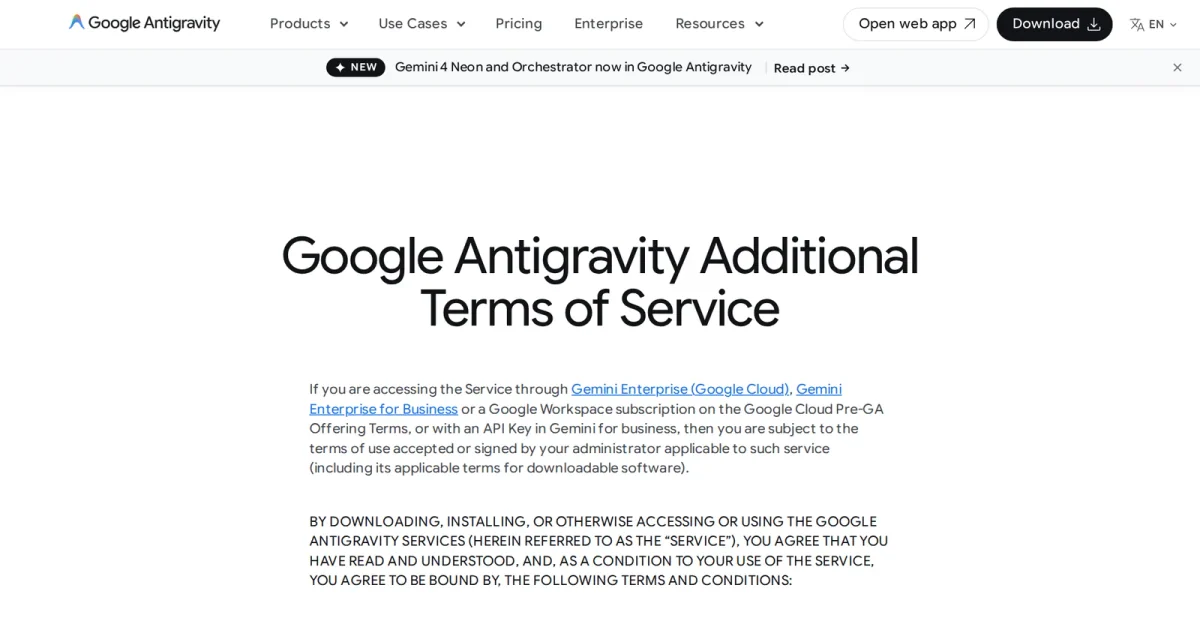
Reading Section 6 of the Google Antigravity Additional Terms of Service alongside the official Antigravity FAQ reveals two bright red lines for consumer plans—free, Google AI Pro, and Google AI Ultra alike.
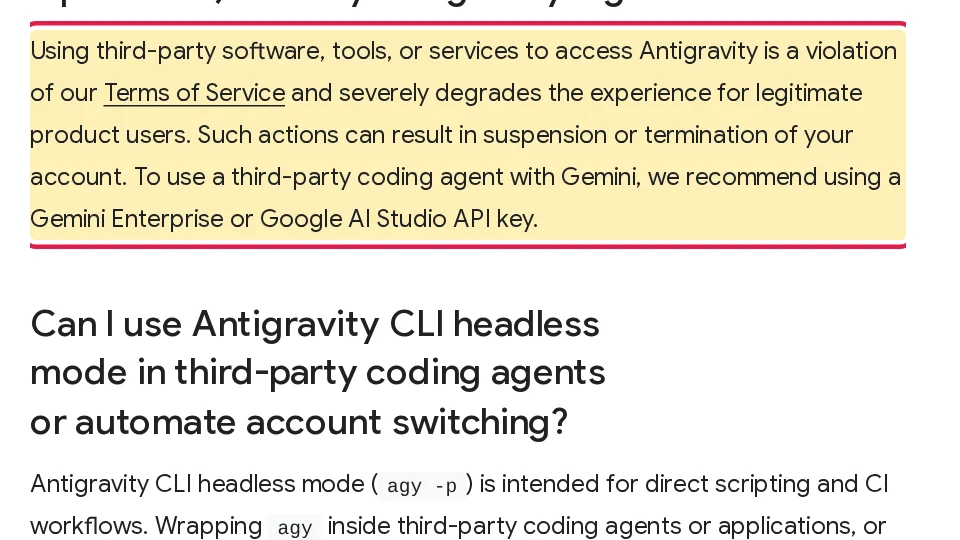
Plugging Antigravity OAuth sessions into third-party harnesses or proxies is off-limits. The FAQ explicitly flags OpenClaw, OpenCode, and Claude Code, while forum cases show 9Router triggers the same enforcement. Headless mode also has a narrow boundary: running agy -p inside your own direct scripts or CI pipelines is supported, yet wrapping agy inside external coding agents or automating account rotation is barred on consumer plans.
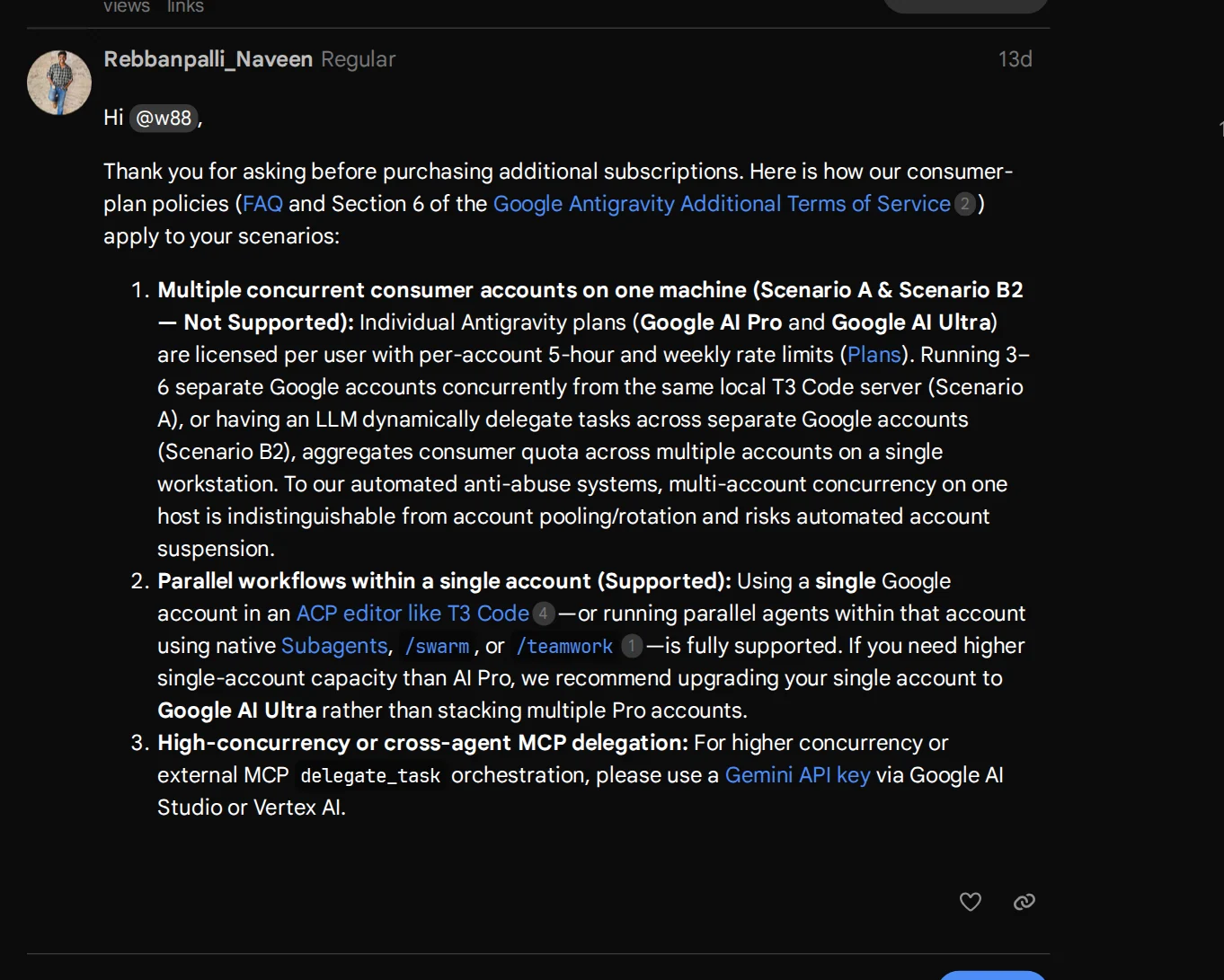
Paying for multiple accounts does not buy safe parallelism either. In a November 16 Google AI Developers Forum reply, Google engineer Rebbanpalli_Naveen rejected running 3 to 6 paid AI Pro accounts concurrently on one workstation, noting that anti-abuse systems cannot separate multi-account concurrency on one host from prohibited quota pooling. Even manual sign-out switching—permitted on paper per an October 19 forum note—has produced false-positive lockouts when done on the same machine.
Verify you are running the real agy acp binary
Developers often confuse compliant external editors such as Zed, JetBrains IDEs, Xcode, and T3 Code with banned OAuth wrappers. The dividing line comes down to what process actually talks to Google.
Run agy --version and agy acp --help in your terminal and you will see Google's built-in Agent Client Protocol server. As Flavio Copes explained, compliant ACP editors launch Google's unmodified agy acp binary locally over stdio JSON-RPC, keeping authentication, agent loops, and telemetry controls inside Google's official runtime. Fake OAuth shims and proxies bypass that binary entirely and replay session tokens against backend endpoints.
Right now, you stay inside the rules using the Antigravity App, Antigravity IDE, official IDE extensions, agy CLI, or ACP editors spawning the genuine agy acp binary. Keep one detail in mind: Gemini models run in any ACP editor, whereas third-party partner models are limited to officially supported editors: JetBrains IDEs, Android Studio, Android Performance Analyzer, Zed, and Xcode.
Match your account type and scale quota safely
Sign-in friction also hits users mixing up work and personal logins. Under the Antigravity Plans guide, consumer tiers apply only to personal @gmail.com accounts for users 18 and older in eligible regions. Even if your company pays for a Google Workspace plan with Gemini features, Workspace logins receive only a limited starter quota unless you switch to Google Cloud Pay As You Go or a Gemini Enterprise license.
When your 5-hour refresh window or weekly cap runs out on a personal plan, pick one of three compliant ways to expand capacity instead of stacking accounts.
Stay inside one login and run parallel tasks via native Subagents, /swarm, or /teamwork. If you still hit ceilings, upgrade from Google AI Pro to Google AI Ultra and toggle AI Credit Overages between Always and Never in Settings so extra usage bills against purchased AI credits at Gemini Enterprise pricing.
For third-party harnesses, claim your included monthly Cloud credits instead. Flavio Copes noted that Google AI Pro includes $10/month in Google Cloud credits, while Google AI Ultra bundles $40/month on 5x and $100/month on 20x. Generating an API key in Google AI Studio lets you run OpenClaw, OpenCode, or custom scripts legitimately without touching Antigravity OAuth.
Another low-blast-radius option, if you are subscribing fresh and do not rely on 30 TB of Drive storage on your everyday Gmail, is isolating your coding plan on a dedicated secondary Google account so a false flag never freezes personal mail or photos.
What to do after a 403 suspension or Family Group hit
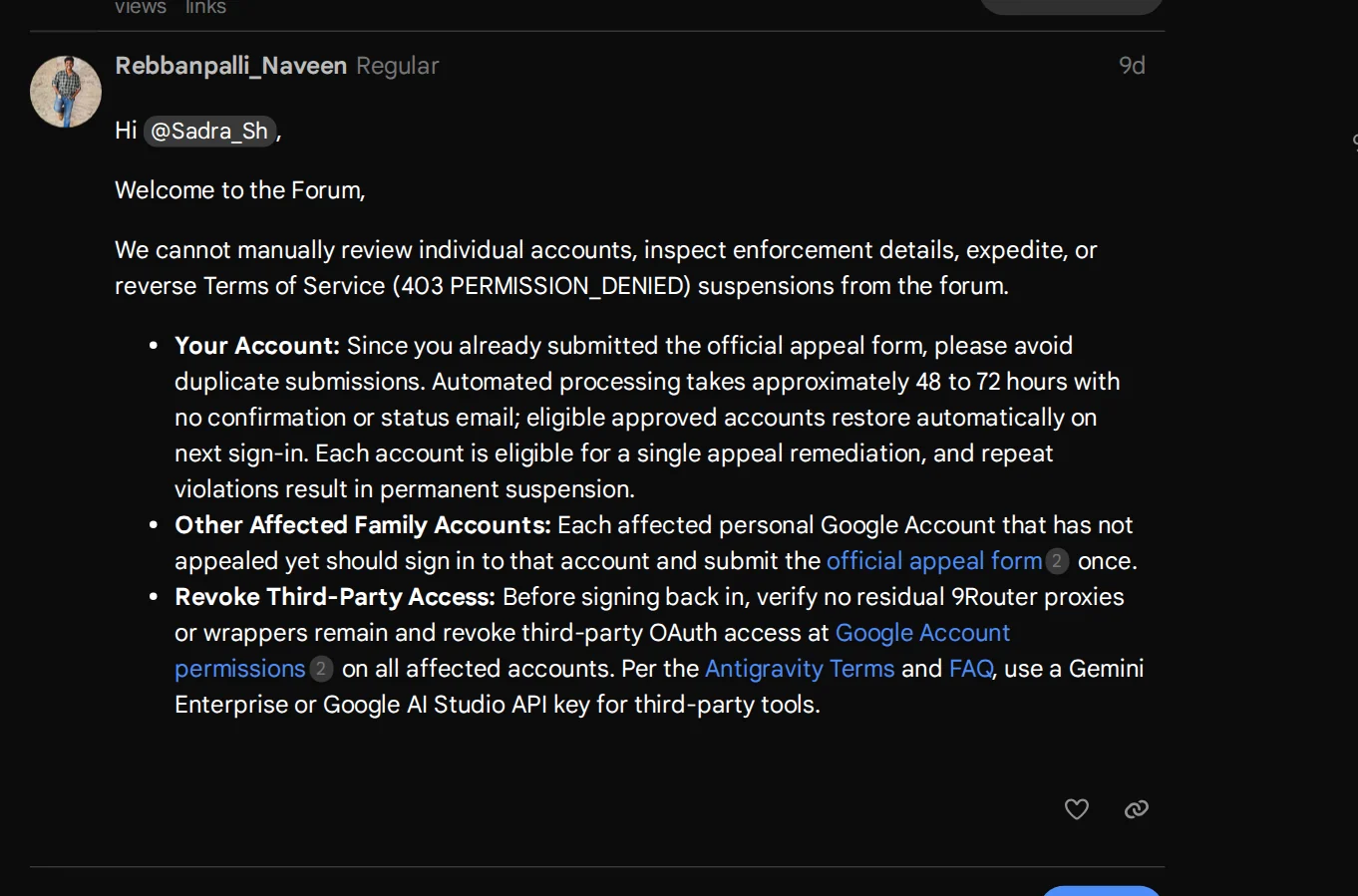
In a November 20 forum thread, a user who had previously routed OAuth through 9Router saw 403 PERMISSION_DENIED blocks spread to their Family Group manager and uninvolved family accounts. Forum staff cannot manually review or expedite appeals, and laid out four recovery steps:
- Remove any leftover 9Router proxies or wrappers locally, then revoke third-party OAuth access in Google Account permissions across every affected account.
- Sign in to each suspended account and submit the official Terms of Service appeal form once; affected Family Group members must appeal separately from their own logins.
- Do not send duplicate appeals, which can delay the queue. Automated review takes roughly 48 to 72 hours with no confirmation email, and approved accounts restore on next sign-in.
- Each account gets only one appeal remediation; a repeat violation brings permanent suspension.
Before December 2 arrives, clear out any background OAuth proxies, move external coding harnesses onto a Google AI Studio API key, and keep your primary Gmail account separated from experimental agent traffic.