
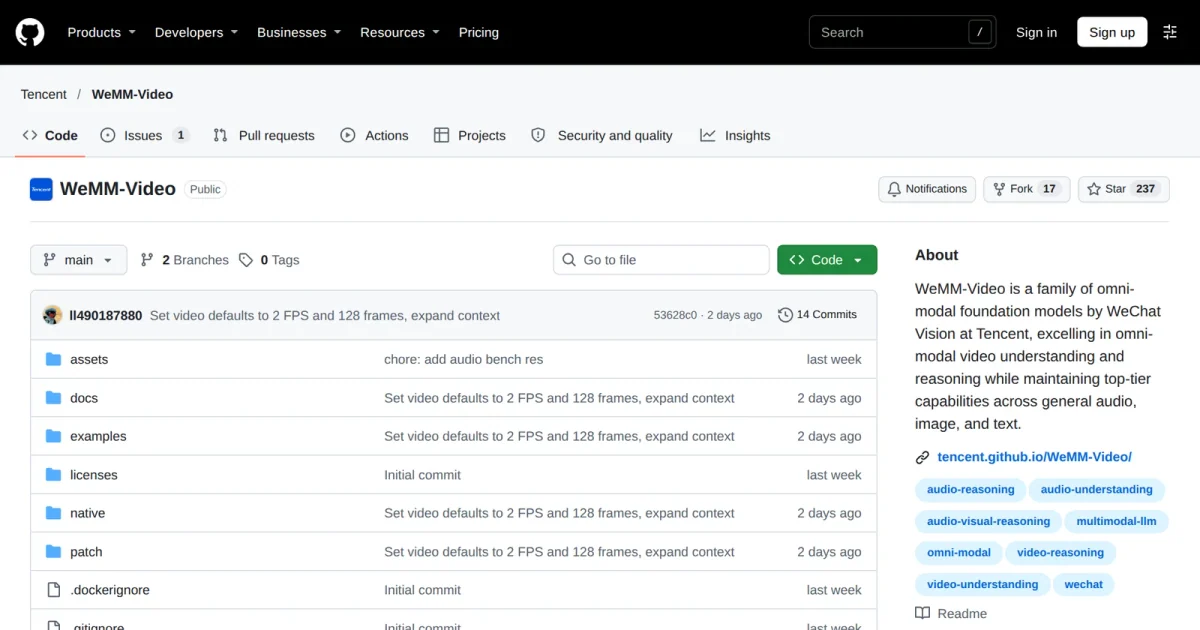
Tencent's WeChat Vision team has open-sourced WeMM-Video under the Apache 2.0 license, following an announcement on the WeChat AI account. All four tiers—2B, 4B, and 9B dense models plus a 35B-A3B mixture-of-experts flagship—are now live in the GitHub repository across BF16, FP8 Block128, AWQ W4A16, GGUF Q4_K_M, and NVFP4 W4A16 weights. Ready to deploy? Slow down. A careful pass through the repository and model cards reveals patched inference servers, rigid dependency pins, and payload settings that can silently drop the audio track.
Picking a Size: Why 4B and 9B Beat 30B Peers
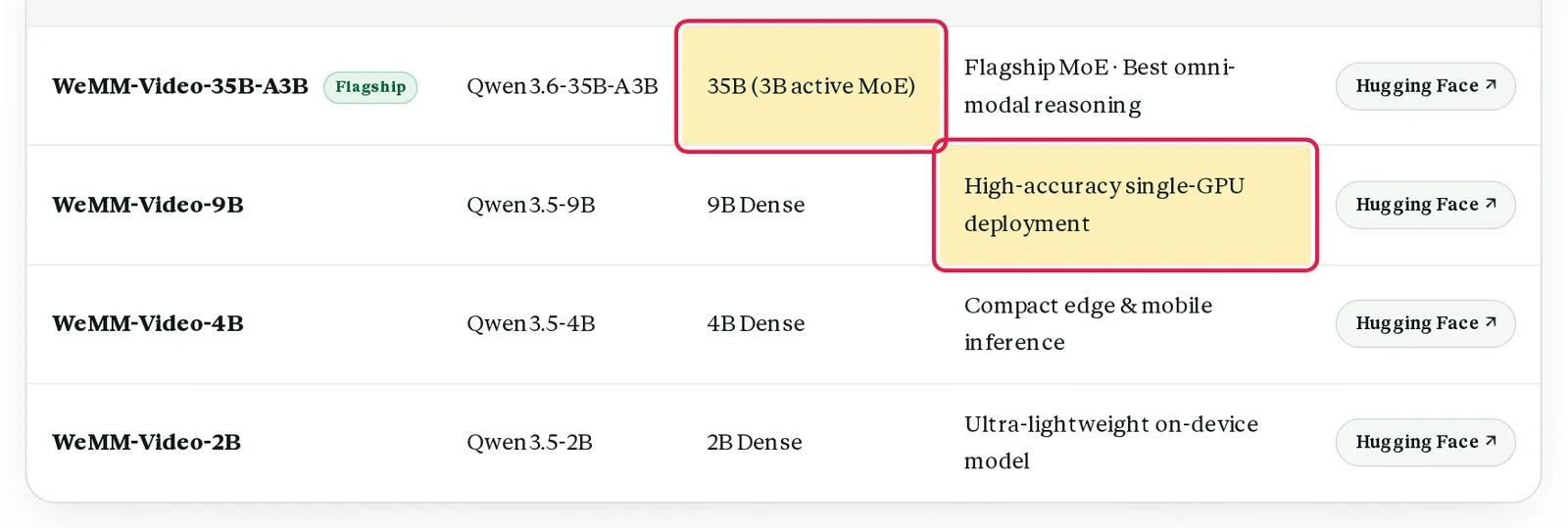
WeMM-Video accepts text, images, standalone audio, silent video, and video paired with its original soundtrack, and responds in text only. On the project page, Tencent maps the 2B, 4B, and 9B checkpoints to matching Qwen3.5 backbones aimed at edge devices, mobile hardware, and high-accuracy single-GPU servers. The flagship 35B-A3B sits on Qwen3.6-35B-A3B with 35B total parameters and 3B active per token. According to the Hugging Face model card, its BF16 safetensors take up 67.39 GiB on disk, and the official vLLM and SGLang serving recipes split it across two GPUs with tensor parallelism after validation on H20 hardware.
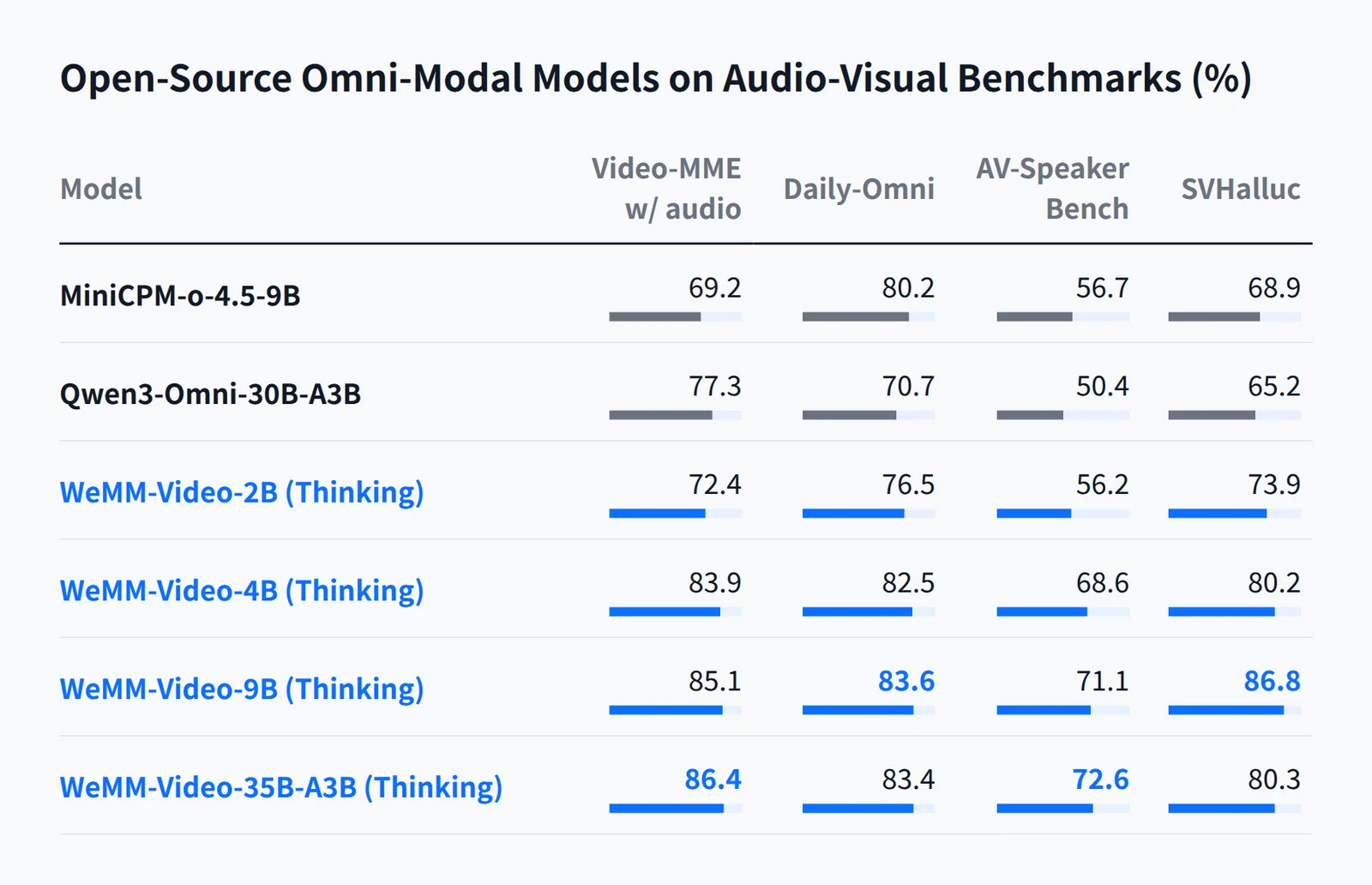
Cut voice output, reclaim GPU memory. That single architectural decision sets WeMM-Video apart from full-duplex alternatives such as Qwen3-Omni-30B-A3B-Instruct, which bundles both a thinker and a speech-generating talker module. On Qwen3-Omni, teams that only need text replies have to call model.disable_talker() after loading just to save roughly 10GB of GPU memory. WeMM-Video spends every parameter on perception and reasoning instead. In arXiv:2611.26409, WeMM-Video-9B in Thinking mode scores 85.1 on Video-MME with audio, 83.6 on Daily-Omni, 71.1 on AV-SpeakerBench, and 86.8 on SVHalluc—beating Qwen3-Omni-30B-A3B-Instruct on all four (77.3, 70.7, 50.4, and 65.2). Even WeMM-Video-4B reaches 83.9 on Video-MME with audio and 82.5 on Daily-Omni. Single-GPU teams can skip the 35B flagship without giving up much accuracy.
Runtime Traps: Upstream vLLM and SGLang Will Fail
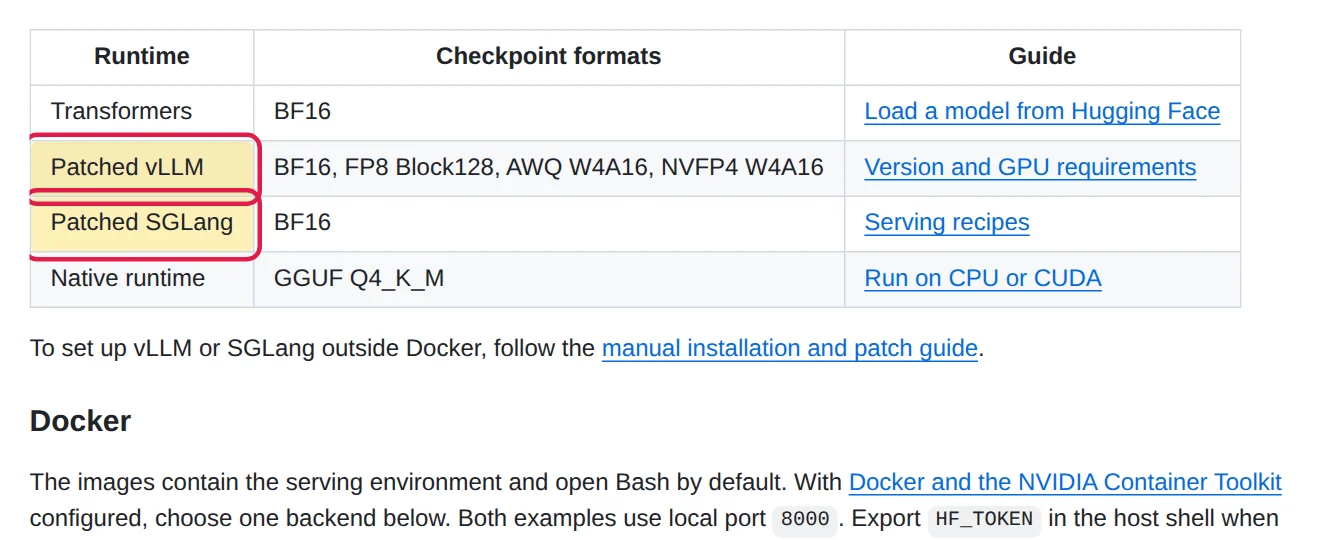
Check your local environment before downloading anything. The quick-start instructions require Python 3.12, an NVIDIA driver compatible with CUDA 12.9, FFmpeg, PyTorch 2.10.0, TorchVision 0.25.0, TorchCodec 0.10.0, and Transformers 5.2.0. Standard upstream serving stacks cannot load these checkpoints out of the box either. Plain Transformers is documented for BF16 weights only. Running FP8 Block128, AWQ W4A16, or NVFP4 W4A16 in production requires Tencent's patched vLLM build (0.18.0 or 0.31.0) or the bundled Docker image for vLLM 0.18, while patched SGLang (0.5.16 or 0.5.19) currently documents BF16 support.
Watch the serving flags inside those Docker templates as well. Both backends expose an OpenAI-compatible server on port 8000, using a 65536 context window in the 2B GitHub recipe and 8192 in the 35B-A3B model card example. On vLLM, the launch command explicitly disables prefix caching and forces the Mamba SSM cache to float32, while SGLang specifies Triton backends for both standard and linear attention. Every Transformers, vLLM, and SGLang recipe also passes trust_remote_code=True, so audit the custom repository files and pin revision to a specific commit hash before going live. No CUDA 12.9 cluster on hand? Pull the GGUF Q4_K_M build and run it through the native launcher on CPU or CUDA.
Payload Flags and Sampling Defaults That Mute Sound or Blur Frames
A running endpoint still misses the soundtrack if your client payload uses the wrong key. In Python with Transformers, passing video feeds visual frames alone; switching the item type to video_audio is mandatory to include audio. Over HTTP on patched vLLM or SGLang, the serving docs specify passing video_url.use_audio explicitly—set it to true to include the soundtrack or false for frames only. Under the hood, WeMM-Video pairs a Whisper-based acoustic encoder with a 0.1-second window-level Q-Former to produce 10 audio tokens per second and interleave them chronologically with timestamped video frames. If the audio path is not enabled, that entire pipeline sits idle.
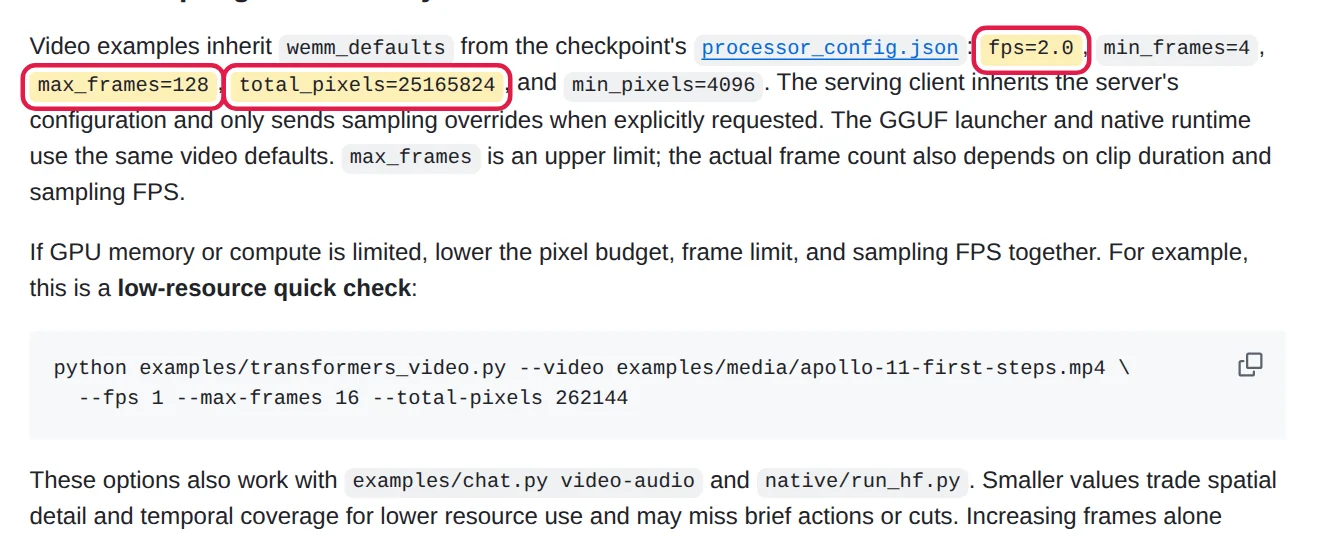
Sampling budgets create a subtler trap. By default, wemm_defaults caps every video clip at 2.0 frames per second, at least 4 frames, at most 128 frames, and a total pixel budget of 25,165,824 (with a 4,096 floor). Bumping the frame ceiling alone spreads that fixed pixel budget thinner across more frames and softens spatial detail, whereas dialing down to the README's quick-check settings (1 fps, 16 frames max, and 262,144 total pixels) risks missing fast edits and brief gestures. Instruct mode is also active by default unless you enable Thinking mode, which delivers roughly a 7% average relative gain across 33 public audio-visual benchmarks. When tuning generation parameters from the Hugging Face card, note that Thinking mode expects a temperature of 0.6 on video, 0.9 on standalone audio, and 1.0 on image or text tasks (matching Instruct mode's 1.0), paired with top-p 0.95, top-k 20, a presence penalty of 1.5, and a repetition penalty of 1.0. Each prompt also limits multimodal inputs to 4 images, 2 videos, and 2 audio clips.
What to Verify Before Going Live
Start small. Pin a commit SHA for WeMM-Video-9B or a GGUF Q4_K_M checkpoint inside an isolated Python 3.12 environment, then run the bundled video script on a clip containing off-screen dialogue or sudden sound effects. Test video against video_audio with Thinking mode turned on, confirm that audio-visual causal questions pass reliably, and only then decide whether your workload warrants raising the 128-frame cap.