
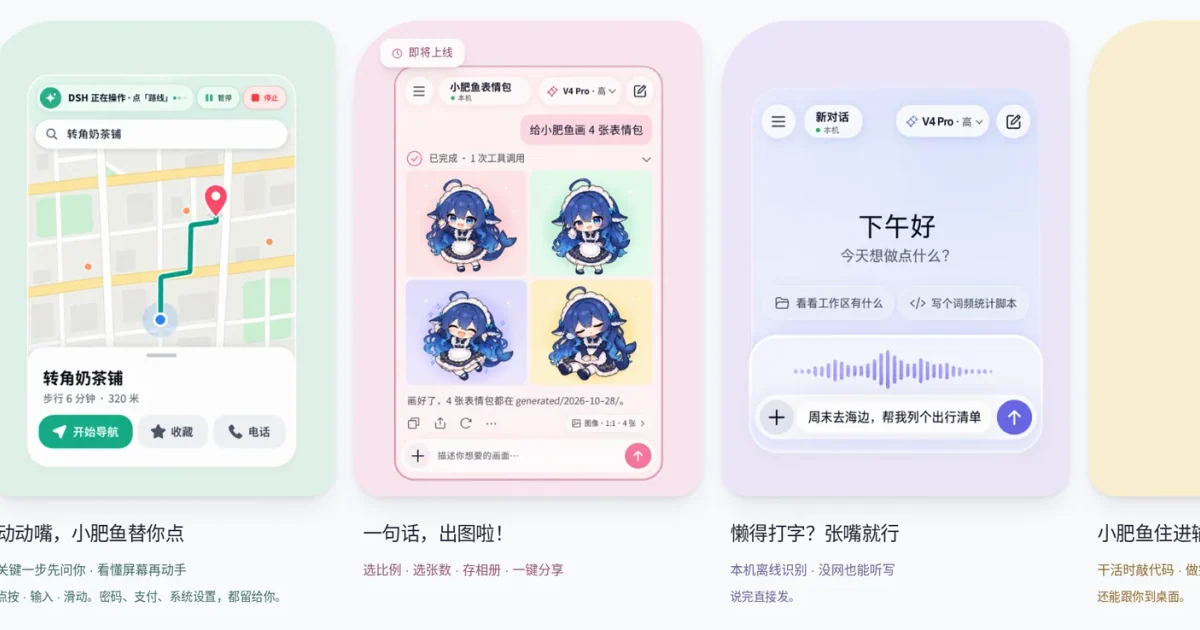
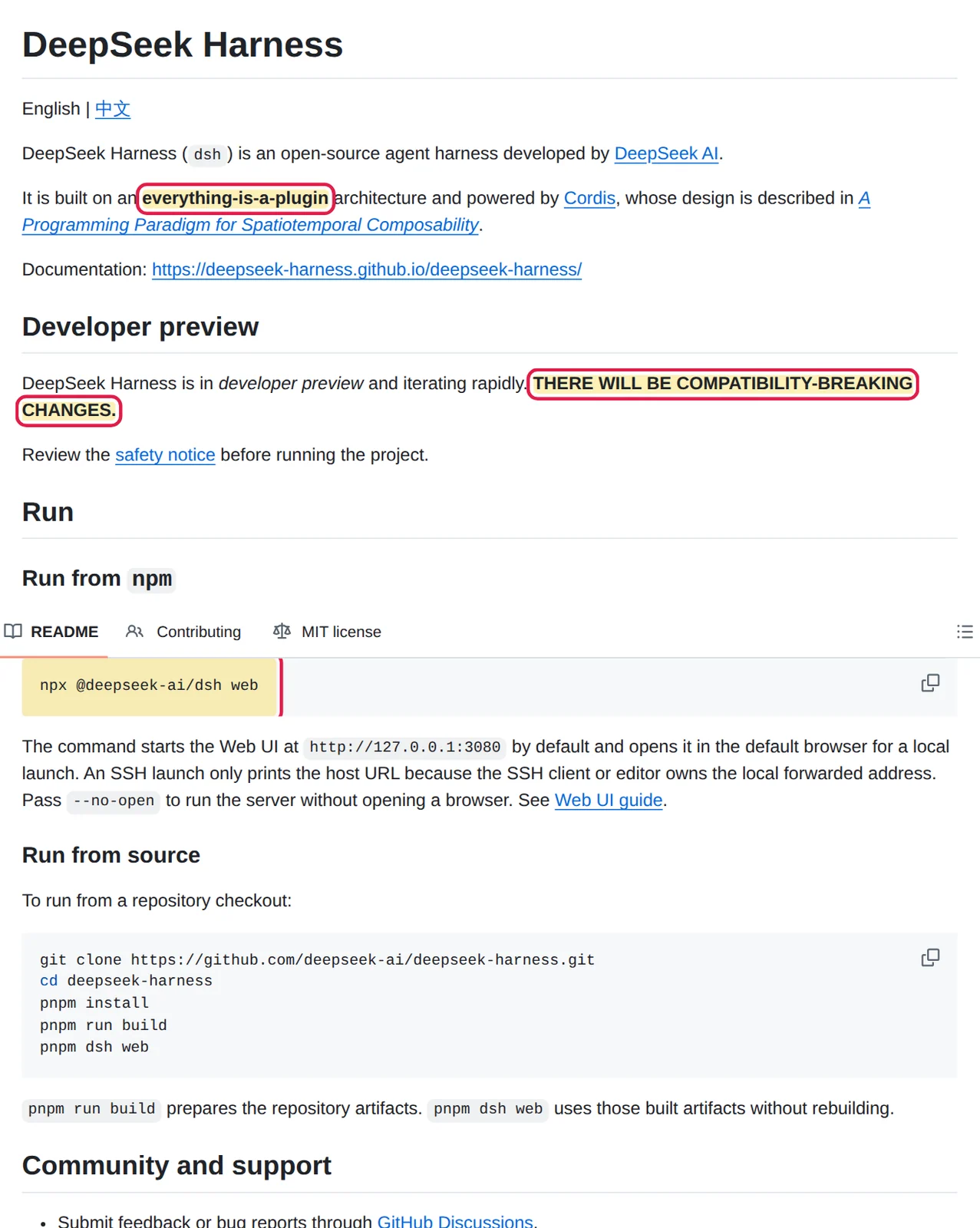
DeepSeek's open-source agent framework DeepSeek Harness (dsh) ships primarily for desktop terminals and a local browser interface at http://127.0.0.1:3080, which leaves developers stranded once they step away from their desk. To take that workflow mobile, the community project DSH Go—now at 34.2k GitHub stars with v1.4.1 released on November 27, 2026—lets Android users either run the full harness inside an app-bundled Linux environment or steer a desktop host remotely.
Before downloading the APK, clear up one common misconception: running DSH Go locally does not mean offline model inference. Only the DeepSeek Harness runtime and tool orchestration layer live on your phone; model requests still travel over the network to whichever API provider or subscription account you configure, billed under that provider's terms.
Pick Your Mode First: Local Runtime vs. Remote Host
On first launch, DSH Go asks you to choose between an on-device runtime and a remote host connection. Because the storage footprint and feature set differ sharply between the two, deciding upfront prevents unnecessary setup work.
- On-device runtime: Installs Ubuntu, Node.js, and the DSH environment inside the app without Root or a separate Termux setup, requiring about 1 GB of free phone storage.
- Remote connection: Connects to DSH running on a desktop or server via SSH or DSHarness Remote, skipping the local phone runtime altogether while handling prompts, tool approvals, and session replays on mobile.
If you choose the remote route via DSHarness Remote to save space, expect clear channel trade-offs documented in the English README. DSHarness Remote currently supports image attachments only, cannot open the web interface inside the app, limits plugin management to toggling plugins on or off, and omits both DS Bot and conversation-export features. In v1.4.1, the maintainer added relay support for DS Bot via dsBot/call and dsBot/feed, provided the remote host plugin includes ds-harness-remote#605.
Pre-Install Checklist: Android Versions, Sideloading, and Signatures
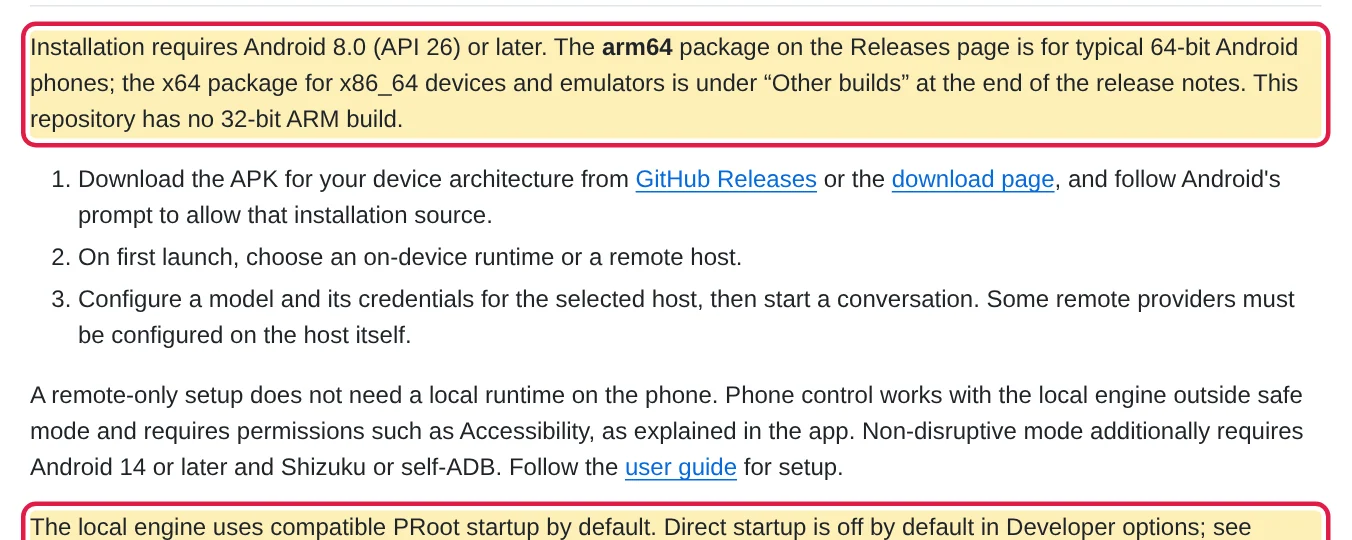
DSH Go targets APK sideloading rather than Google Play distribution. Standard 64-bit Android phones running Android 8.0 (API 26) or later should grab dsh-go-1.4.1-arm64.apk from GitHub Releases or the project site, while x86_64 devices and emulators need the x64 build listed under Other builds at the end of the release notes. There is no 32-bit ARM build.
Apple and HarmonyOS users face extra friction for now. An iOS app is still in development and device testing with no public installer, requiring a Mac build signed with your own developer team; HarmonyOS code shares the main line and received an unsigned sideload HAP in v1.4.0, with v1.4.1 patching on-device image packaging and lifecycle sync.
Upgrading from older test builds carries a trap: if your phone already has an early test APK signed with a different key, Android will block an in-place update. You must uninstall the old build first, which wipes stored chats, the local Linux environment, and app settings, so export any important threads beforehand. For local launches, v1.3.0 switched Android 10 and newer devices to tawcroot by default—cutting startup on the maintainer's test phone from roughly 5 seconds to 1.5 seconds—while automatically falling back to compatible PRoot startup if anything breaks.
Phone Control, Billing Channels, and v1.4.1 Testing Gaps
Beyond remote terminal steering, DSH Go attracts attention for its on-device phone control, letting the local engine read the screen, tap, and type. That capability only works with the local engine outside safe mode and requires Accessibility permission; enabling non-disruptive mode additionally demands Android 14 or later alongside Shizuku or self-ADB.
Guardrails exist: v1.2.0 introduced three confirmation choices—allow once, allow for this turn, or cancel—while leaving passwords, payments, and system settings to the user, and v1.4.0 added floating progress islands and reusable phone skills. Still, the disclaimer is blunt: during phone-control tasks, screen text and screenshots may be sent to your configured model provider, and users should avoid lifting app limits on phones holding banking or payment data.
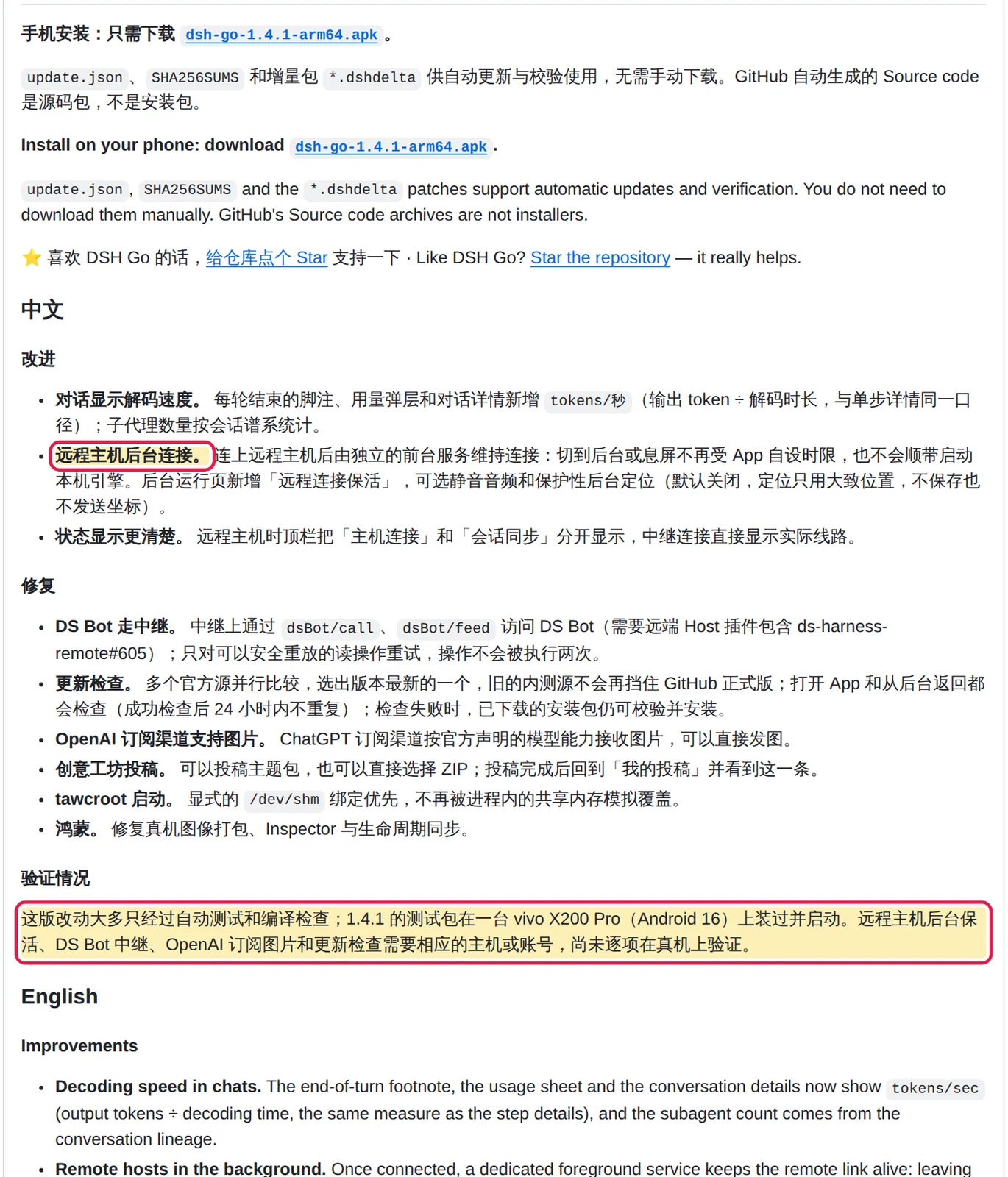
On the billing side, supported local Android engines added ChatGPT subscription sign-in in v1.4.0, and v1.4.1 enabled image inputs on that channel according to each model's declared capabilities, alongside a new tokens/sec metric in chat footnotes and usage sheets. Release v1.4.1 also moves remote host persistence into a dedicated foreground service so screen-off time no longer triggers self-imposed disconnects, with optional silent audio and coarse background-location keep-alive off by default.
Before putting v1.4.1 on a daily-driver phone, read the Testing note at the bottom of the changelog. The maintainer states that most changes were checked only through automated tests and builds, with the 1.4.1 test package installed and started on a single vivo X200 Pro on Android 16; remote background protection, DS Bot over relay, OpenAI subscription images, and update checks have not each been verified on real hardware. Starting with remote-host mode—leaving the 1 GB local Linux runtime and Accessibility permissions untouched—remains the safest first step.