
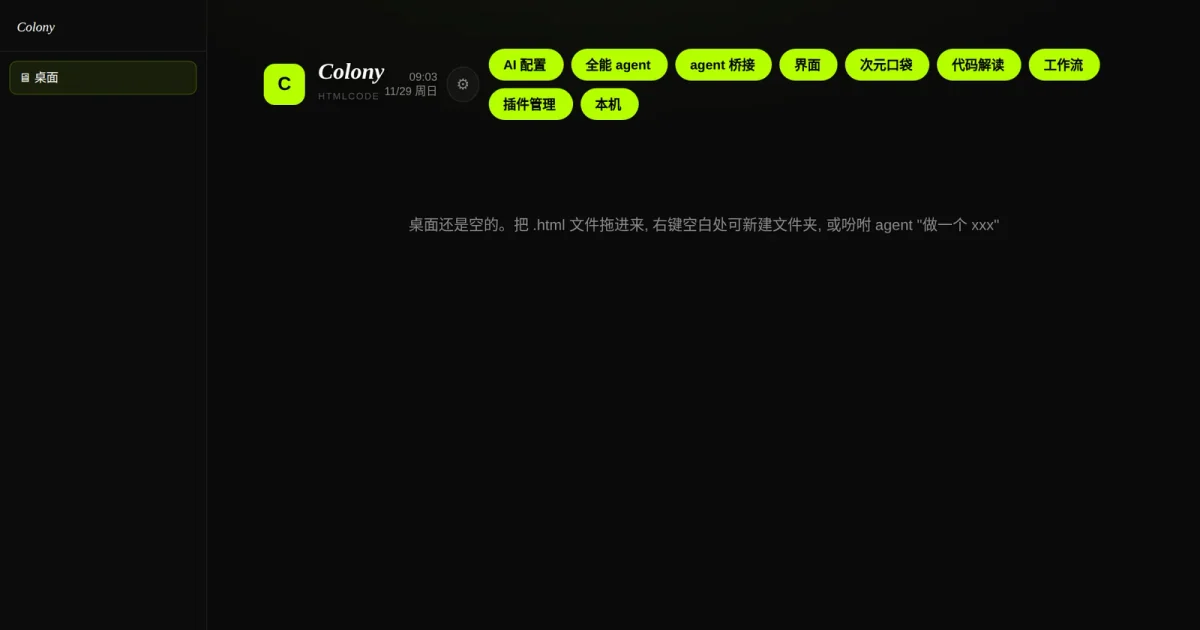
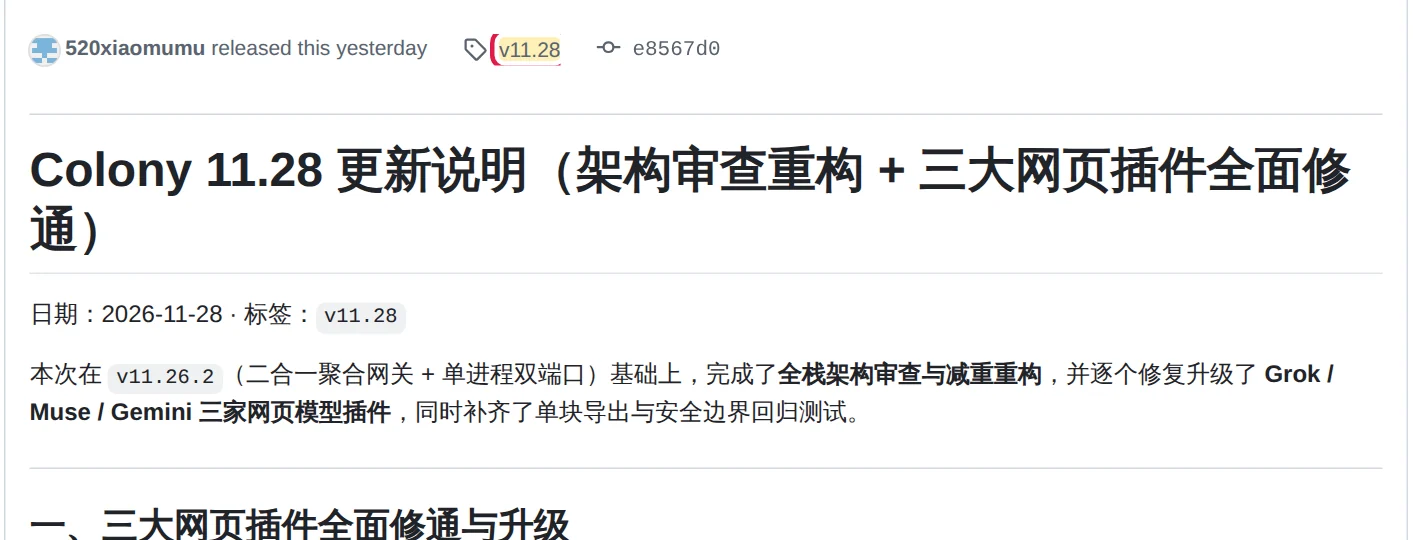
Connecting multiple AI subscriptions under one open-source interface usually requires running a local proxy binary or Node.js process, and on Windows 11 machines with Smart App Control turned on, unsigned .bat launchers downloaded from GitHub are often blocked before they start. On November 28, 2026, the MIT-licensed project Colony shipped v11.28, packing the client into a single colony.html file paired with a Chrome extension that unlocks four official OAuth logins and three web-based models without any local runtime.
The headline change in v11.28 is permission parity for local file:// pages. Opening colony.html straight from disk now carries the same extension privileges as the hosted page at https://colonyai.fun/s/colony1128, provided one Chrome extension setting is enabled.
Three Setup Steps, and the Toggle Users Miss
According to the release-2026-11-28 README, most users can stop at Step 2, which the project describes as unlocking 90% of its capabilities without Node.js:
- Open the workbench: Launch the extracted
colony.htmlin Chrome or Edge, or use the hosted URL listed in the docs. Anyone holding API keys for OpenAI, Claude, Gemini, DeepSeek, or OpenRouter can paste them into the AI configuration panel and start chatting right away. - Load Colony Bridge v0.6: Navigate to
chrome://extensions, enable Developer Mode, click Load Unpacked, and select theplugin/folder inside the release directory. - Allow file URLs: For local
colony.htmlfiles, open the Colony Bridge extension details page and switch on Allow access to file URLs, then refresh Colony. The top-right plugin manager indicator must show online version 0.6.
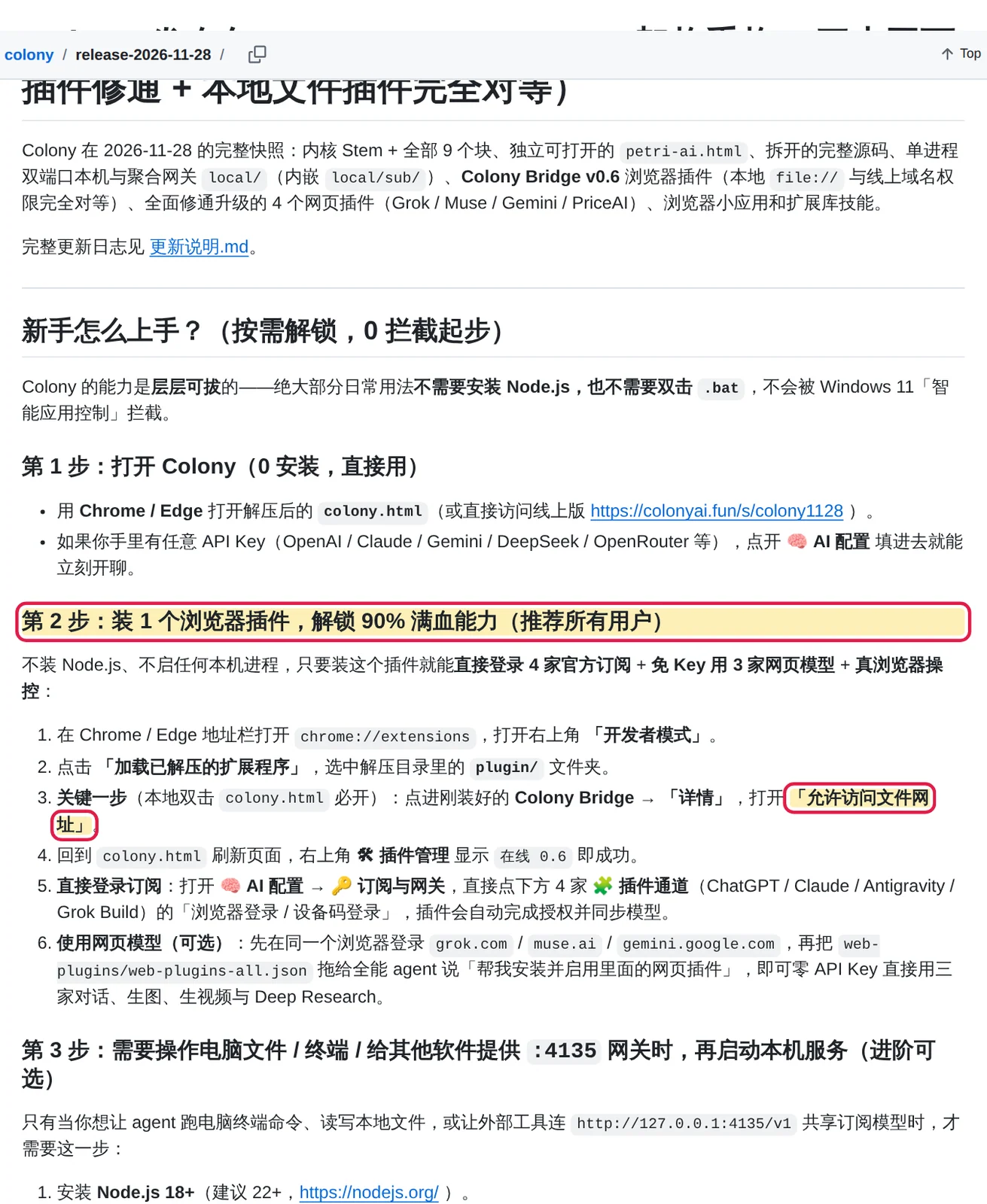
Once connected, the subscription and gateway tab exposes four extension-based OAuth channels: ChatGPT, Claude, Antigravity, and Grok Build. Clicking browser login or device-code login completes authorization through the extension and syncs available models with no terminal window.
For zero-key web models, the documentation instructs users to sign into grok.com, muse.ai, and gemini.google.com in the same browser profile, then drag web-plugins/web-plugins-all.json into Colony's agent window to install and enable chat, image, video, and Deep Research wrappers driven through live browser tabs.
When You Actually Need the Local Node Service
Browser extensions cannot reach local files or expose an API server to external coding tools. Colony divides those privileges into three distinct layers:
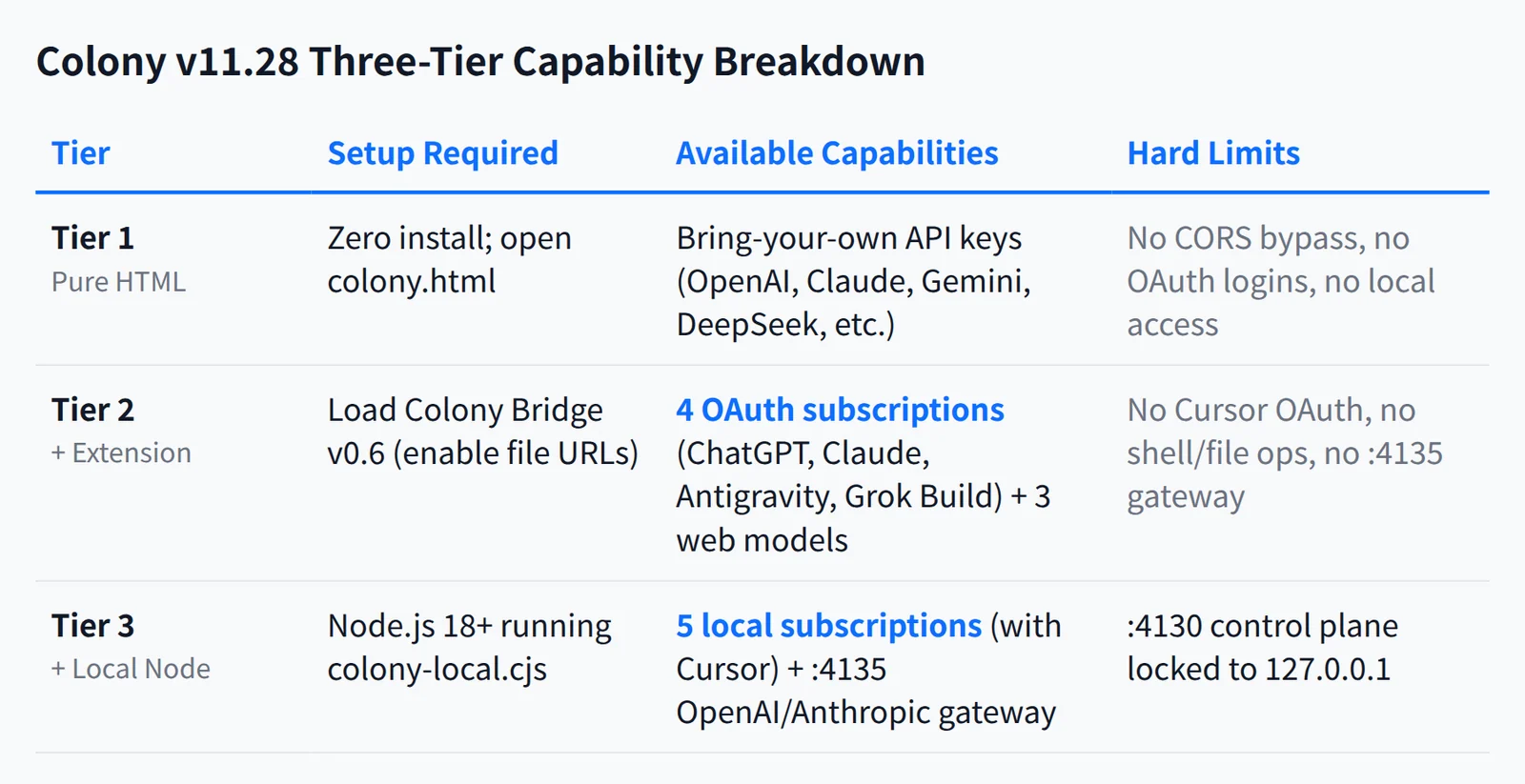
Moving to Tier 3 is only required for two scenarios: using the Cursor subscription driver (which the v11.26 v2 release notes flag as local-only, requiring a one-time npm install inside local/sub), or letting external tools like Claude Code, Cline, Codex CLI, and Cherry Studio connect via http://127.0.0.1:4135/v1 alongside shell and file access.
Tier 3 requires Node.js 18+ (22+ recommended). Rather than telling Windows 11 users to double-click an unsigned start-all.bat script that Smart App Control will quarantine, the local panel now provides a one-line command: node local/colony-local.cjs --install. Invoking the script through the officially signed Node binary bypasses the block, starts a single dual-port process, and registers background startup.
What v11.28 Fixed in the Grok, Muse, and Gemini Web Plugins
Web-tab integrations break whenever target sites update their frontend. The v11.28 changelog focuses heavily on repairing three bundled web plugins:
- Grok (web): Adapted to the new native
<textarea>input ongrok.com, fixed missed send clicks caused by React button-state delays, and corrected routing sogrok-4.7-fastno longer falls into the Expert reasoning mode. Text chat,grok-imagine-imagegeneration, and Pro quota checks all pass in the release tests. - Muse (web): Resolved a blank-screen hydration failure in React 19 and Next.js Streaming SSR caused by Chrome throttling
requestAnimationFramein background tabs, moving that keep-alive helper into the shared plugin-manager layer alongside directblob:high-resolution image extraction. - Gemini (web): Added four features inspired by
agy-gemini-web—multi-account routing via/u/Nor?authuser=, directgemIdlinks to custom Gems, adeep_researchaction that confirms research plans and pulls cited reports, and cleanup of trailinggoogleusercontent.com/lmdx_content/...placeholder URLs while returningchatUrl.
Four Practical Caveats Before Switching
First, web-model plugins remain tied to live DOM behavior. The fact that v11.28 had to patch a <textarea> switch on Grok and background-tab hydration on Muse shows how quickly upstream UI changes can stall browser automation compared with official APIs.
Second, unpacked extension permissions warrant code inspection. Removing the old LOCAL_FILE_OPS and localOnly caps means Colony Bridge v0.6 handles temporary declarativeNetRequest header rewrites, OAuth callback interception, and local file:// access. While cs.js verifies top-level Colony files, rejects non-Colony HTML, users are still loading an unpacked extension and should inspect plugin/ first.
Third, know the boundary between standalone exports and local ports. The standalone petri-ai.html (~165 KB) works as an independent model console, whereas the local service hard-locks its :4130 shell/file control plane to 127.0.0.1 and keeps the :4135 data plane passwordless only on localhost unless LAN exposure is explicitly turned on with a custom password.
Fourth, the repository is very early-stage. With 7 stars and 17 commits on GitHub, passing 4/4 single-block export checks and 10/10 local smoke tests still leaves little community troubleshooting history. Start by testing colony.html plus the extension with a secondary account, verify the online 0.6 badge and one OAuth channel, and hold off on local Node setup unless you specifically need Cursor or :4135.