TOOL PROFILE TOOLAI

Speechify

Listen to documents, articles, and books with text-to-speech, adjustable playback, and voice tools.

speechify.comPRODUCT PREVIEW
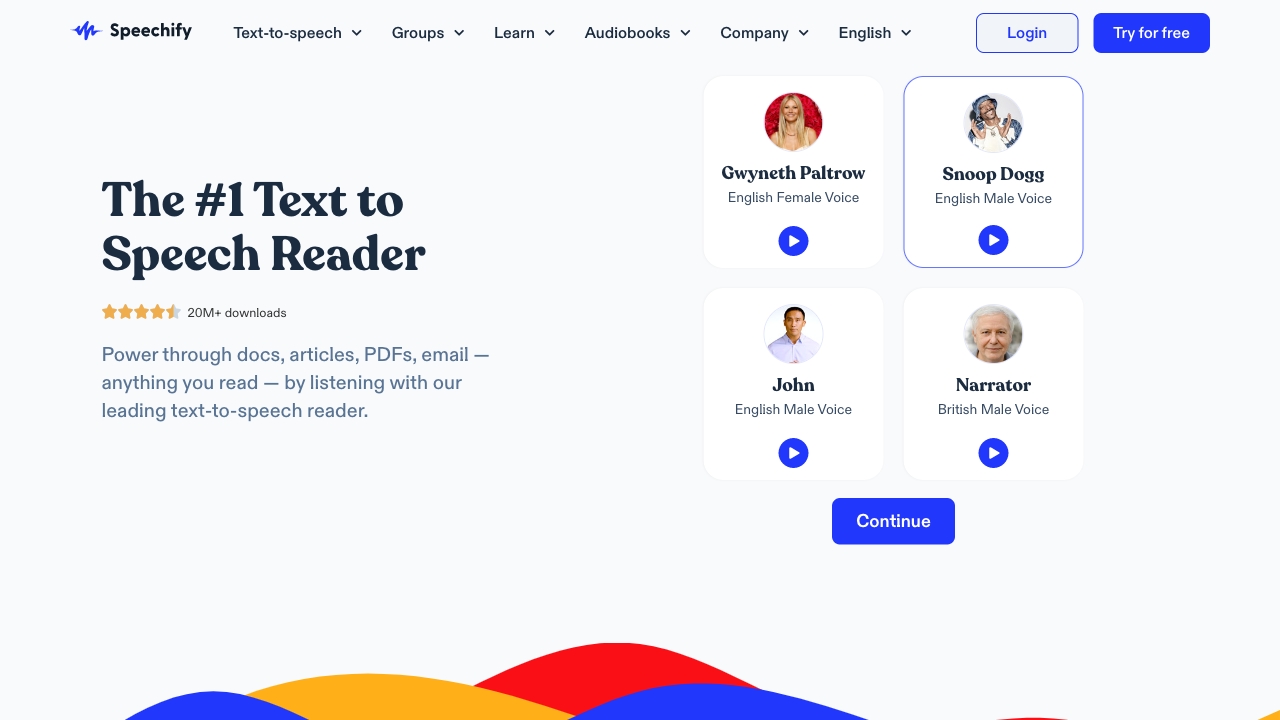
Product preview from the ToolAI listing; see Speechify's official page for current apps and plan features. View full image
Product preview from the ToolAI listing; see Speechify's official page for current apps and plan features.Images: 1

THE BIG PICTURE

About Speechify

Speechify is a reading and voice assistant for turning text into audio. The product spans web, desktop, mobile, and browser-extension experiences, with tools for listening to documents and web pages, scanning printed text, and adjusting playback speed. Its current pricing page also lists voice typing, AI podcasts, an assistant, summaries, chat, and cloud-drive integrations on Premium.

Listening can make long reading sessions easier to fit into a commute or a second task, and following highlighted text may help some readers stay oriented. The useful test is not the biggest speed number; it is whether you can understand and retain the material at your chosen pace. Voice availability, language support, and feature access vary by plan, so check the exact device and language you need before subscribing.

WHAT YOU CAN DO

A toolkit worth exploring

Get to know the capabilities. Find your own way to use them.

Read text aloud

Listen to supported documents, web pages, articles, and books with selectable voices and playback controls.

Scan and listen

Use supported scanning workflows to turn printed text into audio when reading from the page is inconvenient.

Voice and speed choices

Choose from plan-dependent voices and adjust speed to fit the material and your listening comprehension.

Voice typing and AI tools

Premium lists dictation, AI summaries and chats, and AI podcast creation alongside the reader features.

Cross-device access

Use web, mobile, desktop, or browser-extension apps and connect supported cloud drives on eligible plans.

MADE FOR YOUR WORKFLOW

Where it fits into your day

USE CASE 01

Listen to a long article

Convert a web page or document into audio for a walk or commute, then save passages that need a closer read.

USE CASE 02

Review a draft by ear

Listen to your own writing to catch awkward phrasing, repetition, or missing transitions.

USE CASE 03

Access printed material

Scan a page and listen when a paper copy is easier to obtain than an accessible digital version.

YOUR FIRST STEPS

From first click to first result

Try it on the official website
  1. Choose an input

    Open a document, article, web page, or supported scan in the app or extension.

  2. Select voice and speed

    Choose an available voice and a pace that remains easy to follow; slow down for dense material.

  3. Listen and navigate

    Follow the text, pause on important passages, and use highlights or summaries if included in your plan.

  4. Check key information

    Reopen the source for exact numbers, quotations, legal terms, or any detail where extraction could be wrong.

PLAN YOUR NEXT STEP

A plan for the way you work

The current page lists a Free tier with 1.5x playback and 10 voices, and Premium at $29/month with 1,000+ natural voices, 60+ languages, and additional AI tools.

Subscribe on the tool's website

PLAN

Free

The pricing page lists text-to-speech, playback up to 1.5x, listening across devices, and 10 robotic-sounding voices.

$0

Free tier

  • Text-to-speech
  • Up to 1.5x playback
  • 10 voices
View plan on website

PLAN

Premium

Lists 1,000+ natural voices, 60+ languages, playback up to 5x, scan and listen, AI summaries and chats, and drive integrations.

$29

Per month shown

  • 1,000+ natural voices
  • 60+ languages
  • AI summaries and chats
View plan on website

Prices, usage limits and terms can change. Confirm the latest details on the tool's official website before subscribing.

Checked on 4 October 2026. Speechify's pricing page displays monthly/yearly options and a $29 monthly Premium amount; local promotions, billing cadence, and taxes can vary. Confirm the final charge in checkout.

Sources checked

A FEW MORE THINGS

Good questions. Useful answers.

More on the official website

What does Speechify do?

Speechify reads text aloud across supported apps and also offers voice and AI assistant features on eligible plans.

How many languages and voices are included?

The current Premium pricing page lists 1,000+ natural voices and 60+ languages. Free lists 10 voices; available choices may depend on platform.

Can Speechify read printed pages?

The Premium plan lists Scan & Listen. Check your device and plan for current scanning availability and limits.

Is faster playback always better?

No. Increase speed only while comprehension stays comfortable. Revisit dense or important sections at a slower pace and check the original text.

FROM THE COMMUNITY

What has your experience been?

YOUR NEXT DISCOVERY

More tools to explore

Explore all tools

MAKE YOUR NEXT MOVE

Ready to explore Speechify?

Visit the official website to explore the latest features and get started.

Visit official website
Speechifyspeechify.com
Visit website

GALLERY

PASS IT ALONG

Share Speechify