Image editing

Remakeai

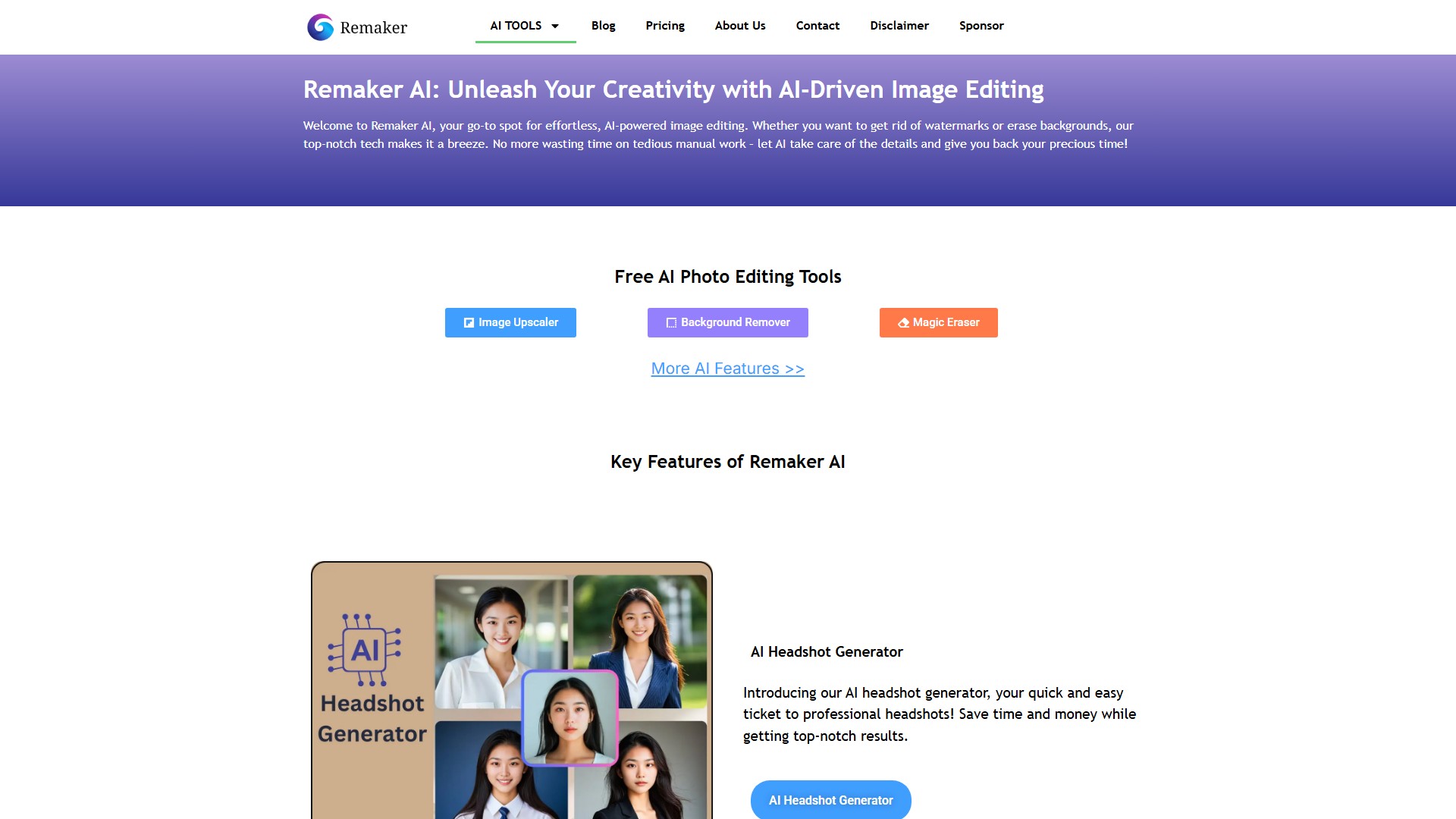
Remaker AI is an AI-powered platform for image and video editing, offering tools like background removal, image upscaling, watermark removal, AI headshot generation, and video enhancement to help users effortlessly create professional-quality visual content.

Visit Site
Views -
Monthly visits --
Global rank --
Votes 0
QUICK ANSWER · FACT SUMMARY Verified 2025-09-16

What is Remakeai? Quick Facts & Alternatives

Remakeai (Freemium / Check Official Pricing) — Remaker AI is an AI-powered platform for image and video editing, offering tools like background removal, image upscaling, watermark removal, AI headshot generation, with top alternatives including Lumiere3D, Rem BG, PixCap 3D Illustration Pack.

Category
Image editing
Pricing
Freemium / Check Official Pricing
Verified
2025-09-16
IN-DEPTH GUIDE

Complete AI Face Swap Guide: Open-Source GPU vs Online Cloud Tools

Read full guide

About this tool

Main Functions

  • AI Headshot Generator: Quickly transforms ordinary photos into professional headshots, ideal for business professionals, corporate teams, and job seekers.
  • AI Background Removal: Intelligently detects and removes image backgrounds with one click, preserving fine details like hair, perfect for product photography and design.
  • AI Image Upscaler: Upscales low-resolution images to high-definition without quality loss, free to use, suitable for printing and restoring old photos.
  • AI Watermark Removal: Smartly identifies and removes watermarks from images while maintaining the integrity of the original content.
  • AI Video Enhancer: Upscales low-quality videos to 4K resolution, automatically fixes blurry footage, and improves overall video quality.

Key Features

  • Advanced AI Models: Utilizes cutting-edge AI technology to ensure precision and high-quality results.
  • Data Privacy: Provides top-tier security to keep user information safe and secure.
  • Reliable Stability: Ensures a dependable user experience through rigorous testing, meticulous quality control, and seamless updates.
  • Cross-Platform Accessibility: Works on Windows and Mac computers, has a mobile-friendly interface, and is cloud-based.

Target Users

  • E-commerce store owners, social media managers, content creators.
  • Business professionals and job seekers needing to update professional headshots.
  • E-commerce and designers who need to process product images.
  • Users looking to restore and enhance old photos/videos.

Core Advantages

  • Cost-Effective: Offers free credits for basic use. Uses a one-time credit purchase system with no subscription fees and no expiration.
  • Time-Saving: Provides instant results, supports batch processing, and features an intuitive interface with a low learning curve.
  • Professional-Grade Results: Delivers professional headshots, high-definition images, and 4K videos suitable for commercial and professional needs.

Pricing Model

  • Adopts a Freemium model.
  • Offers free credits for basic features.
  • Advanced features are unlocked through one-time credit purchases, with no monthly or annual subscription fees, and credits never expire.
Tool NameRemakeai
CategoryImage editing , Video editing
Pricing ModelFree Trial
Listed Date2025-09-16
Top AlternativesLumiere3D , Rem BG , PixCap 3D Illustration Pack

Traffic analysis

Traffic, ranking, and engagement signals for this tool.

No analytics data yet

Interface preview

Frequently asked questions

How does Remaker AI's free credit system work?

Remaker AI provides initial sign-up and daily check-in credits for single-photo and group-photo face swaps right in your mobile or desktop browser, with one-time pay-as-you-go credit packs (no forced monthly lock-in) for batch photos and video clips.

Can Remaker AI swap multiple faces in a family or team group photo?

Yes—its dedicated Multiple Face Swap tab detects every face in a group photo individually and lets you upload separate replacement portraits for each person in one pass.

What other editing tools are bundled inside Remaker AI?

Alongside photo and video face swapping, Remaker includes AI image upscaling, background removal/generation, watermark cleanup, and AI headshot portrait templates.

What are the best alternatives if I run out of Remaker AI credits?

For unlimited free offline swapping on your own PC, use open-source FaceFusion; for high-end 4K commercial video ads, try Akool; for live OBS webcam streaming, check Swapface.

User reviews

Embed "Featured on ToolAI.io" Badge

Copy the HTML snippet below to display your ToolAI featured badge on your website or docs.

Featured on ToolAI.io