

Product background removal
Separate a clearly visible product from its background and prepare a clean cutout for a listing or new scene.
TOOL PROFILE TOOLAI
Prepare consistent product photos at catalog scale with background, retouching, and batch-editing tools.
 View full image
THE BIG PICTURE
Photoroom is an image editor focused on product photography and commerce. Remove or replace backgrounds, create AI scenes, adjust framing, clean up objects, and prepare images for listings and campaigns. Its Batch workflow applies selected edits across many images, while Spaces and brand tools help keep shared work together. The product also offers mobile apps and business-oriented integrations.
Photoroom makes the most sense when a team repeats the same visual tasks across a catalog. Batch work can save time, but consistency does not guarantee product accuracy: AI backgrounds, lighting, or retouching may change how an item appears. Inspect fabric, packaging, colors, labels, and shadows before an image goes live, especially where a marketplace listing must match the item customers receive.
A CLOSER LOOK
Explore product screens and published examples. Open any image for a closer look.
WHAT YOU CAN DO
Get to know the capabilities. Find your own way to use them.
Separate a clearly visible product from its background and prepare a clean cutout for a listing or new scene.
Create alternate backgrounds or fashion-model visuals from product material, with usage drawing on plan credits where applicable.
Apply selected operations across product-image sets to reduce repetitive work and keep catalog presentation aligned.
Use tools such as object cleanup, fill, expand, enhancement, and resizing to prepare an image for its intended placement.
Organize work in Spaces, share designs, and use eligible integrations or API workflows for larger catalogs.
MADE FOR YOUR WORKFLOW
Remove inconsistent supplier backgrounds and export clean product views, then compare every result with the source item.
Create several on-brand background treatments from approved product photos without rebuilding every composition by hand.
Batch-edit a new collection with shared framing and visual rules, then review the most complex shapes individually.
YOUR FIRST STEPS
Use sharp images where the product is visible and its edges are distinct; keep an untouched copy of each source.
Select background removal, a new scene, retouching, or batch editing and check whether the action uses AI credits.
Check shape, color, surface, labels, shadows, and crop against the original product before approving the image.
Track monthly credits and exports, then save the approved sizes for the intended listing or campaign.
PLAN YOUR NEXT STEP
The pricing page currently shows Pro at $7.50/month, Max at $20.99/month, and Ultra at $82.50/month when billed yearly; Enterprise is custom. Credit and export limits differ by plan.
PLAN
For solo sellers; the pricing page lists 8,000 AI credits and 1,000 exports per month, plus core editing tools.
$7.50
Per month, billed yearly
PLAN
For small businesses; lists 25,000 AI credits, 3,000 exports, and additional AI workflows including video generation.
$20.99
Per month, billed yearly
PLAN
Ultra lists 75,000 AI credits and 10,000 exports. Enterprise adds tailored limits, visual QA, SLA/SSO, and support options.
$82.50 / custom
Per month, billed yearly / custom
Prices, usage limits and terms can change. Confirm the latest details on the tool's official website before subscribing.
Checked on 4 October 2026. The amounts above are USD monthly equivalents billed yearly on the official pricing page; prices and included credits may vary by country. Review the current checkout and fair-use/export limits before subscribing.
Sources checked
No. AI credits power selected advanced tools, while an export is counted when you save an image. The monthly limits are shared within a Space and differ by plan.
Yes. Its Batch workflow applies supported editing operations across a set of product images; available operations and quotas depend on the plan.
No. Plans list monthly AI credits, and different tools use different amounts. Check the live pricing page for your region and workflow.
Review it against the real item. Background and retouching tools can change edges, texture, color, or text in ways that matter to buyers.
FROM THE COMMUNITY
Sign in to share your experience and help others find the right tool.
YOUR NEXT DISCOVERY

Seamlessly integrate generative AI into Adobe Experience Manager for unparalleled content generation. Enhance your workflow, unlock creative potential, and transform your digital experiences with cutting-edge AI technology.

Galileo AI creates delightful, editable UI designs from a simple text description. It empowers you to design faster than ever.
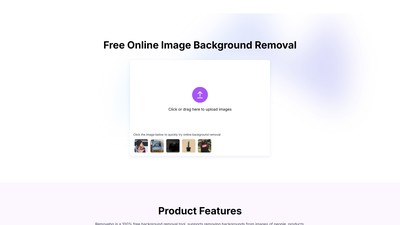
Main features: automatic background removal for images of people, products, animals, cars, logos, etc. Core characteristics: 100% free with ad support, compatible with PNG/JPG/JPEG/WEBP formats, max processing size 6400px/10MB, includes secondary editing tools (blemish removal, background color change). Target users: e-commerce professionals (product image optimization), digital marketers (ad creative production), graphic designers (subject isolation), software developers (API integration), photographers (post-processing acceleration), general users (personal projects). Key advantages: fast processing (8-28 seconds), cross-platform support (Windows/macOS/mobile browsers), no registration required. Typical workflow: upload image → automatic background removal → optional editing → download result.

Simpedit is an online tool for one-click image style transformation, allowing users to convert their pictures into various trendy styles. It offers a diverse range of filters from retro to futuristic aesthetics, with continuous updates, making image editing simple and effortless.
MAKE YOUR NEXT MOVE
Visit the official website to explore the latest features and get started.