
Image to Video
Animates a static image into a short video clip. The homepage describes it as technology that 'breathes life into your static pictures' and can be used without an account.
TOOL PROFILE TOOLAI
All-in-one AI platform for video creation, image generation, and image editing
 View full image
THE BIG PICTURE
Funy AI is a browser-based, all-in-one AI content platform that combines video generation, image generation, and image editing tools in a single interface. Its homepage describes it as a platform for "Video Creation – Image to Video & Text to Video, Image Editing & Generation," and it advertises that many tools can be tried without creating an account. The site organizes its tools into two main families: AI Video (content creation such as Image to Video and Text to Video, plus action and effects tools) and AI Image (image generation, filters, and image editing utilities).
The video side centers on two core workflows: turning a still image into a short animated clip, and turning a written prompt into a video. The image side spans text-to-image and image-to-image generation, plus a broad set of editing and filter tools such as background removal, image upscaling, unblurring, photo enhancement, watermark removal, hairstyle and hair color changers, an age filter, and a headshot generator. The site's navigation also lists a set of named video models (for example Sora AI, PixVerse, Veo AI, Kling AI, Vidu AI, Pika AI, Hailuo AI, Luma AI, Hunyuan AI, and Wan AI) as part of its video offering.
The platform is presented as accessible and low-friction: the homepage states no sign-up is required to start, and the pricing page describes a credit-based system with free starter credits and one-time paid credit packs rather than recurring subscriptions. Funy AI is also offered through iOS and Android apps in addition to the web interface.
A CLOSER LOOK
Explore product screens and published examples. Open any image for a closer look.
WHAT YOU CAN DO
Get to know the capabilities. Find your own way to use them.
Animates a static image into a short video clip. The homepage describes it as technology that 'breathes life into your static pictures' and can be used without an account.
Generates short videos from written text prompts. The homepage presents it as turning simple text prompts into dynamic, high-quality videos.
Creates images from text descriptions or transforms an existing image into a new one. The homepage describes turning ideas into AI art, from realistic photos to 3D characters and digital illustrations.
Applies age progression or regression to a face using a custom prompt. The dedicated page states users can specify any target age from 0 to 200 years, rather than choosing fixed presets.
Lets users preview different hairstyles from a photo upload. The homepage describes generating a variety of new styles for choosing a haircut or creating profile pictures.
Removes image backgrounds in a single click to produce a clean, transparent image, described on the homepage as suitable for product images or design work.
Includes an AI Photo Enhancer to sharpen and improve image quality, an Unblur Image tool to sharpen blurry photos, and an AI Image Upscaler. The homepage lists these as separate editing utilities.
Removes watermarks from images. The pricing FAQ states that typically one watermark removal costs one credit.
The site's navigation lists video models including Sora AI, PixVerse, Veo AI, Kling AI, Vidu AI, Pika AI, Hailuo AI, Luma AI, Hunyuan AI, and Wan AI as part of its video offering.
MADE FOR YOUR WORKFLOW
Creators can generate short AI videos and images for platforms like Instagram and X. The AI Age Filter page explicitly suggests posting high-definition aging filter results as social media content.
Sellers can use background removal and image enhancement tools to prepare cleaner product photos. The homepage cites background removal for product images as a use case.
Users can preview hairstyles, apply age filters, or create headshots from their own photos without professional editing software.
Marketers and creators can turn a text idea or a single image into a short video clip to test a concept before investing in full production.
YOUR FIRST STEPS
Navigate to the specific tool on the Funy AI site, such as Image to Video, Text to Video, or the AI Age Filter, from the All Tools menu.
Select text-to-video or image-to-video for video generation, or upload a photo for image editing and filter tools.
Enter a detailed text prompt or upload your chosen image. For the AI Age Filter, type the target age (0–200) into the custom prompt box.
Click the generate button and let the AI process your input. The AI Age Filter page states results are typically ready within seconds.
Download the generated image or video. For video, users can review the result and refine the prompt to iterate, as described on the Hailuo AI comparison page.
PLAN YOUR NEXT STEP
Credit-based with free starter credits and one-time paid credit packs: Standard ($29.99 for 3000 credits), Premium ($89.99 for 20000 credits), and Deluxe ($169.99 for 60000 credits)
PLAN
3000 credits. Includes text to image, text to video, image to image, image to video, AI Clothes, and several video effects; up to 10s video, up to 720p, standard quality and speed, 7-day storage, no watermark.
$29.99
one-time
PLAN
20000 credits. Adds 3 parallel tasks, up to 1080p video, high quality, high-speed processing, 30-day storage, no queue, and no expiry.
$89.99
one-time
PLAN
60000 credits. Adds 3 parallel tasks, up to 1080p video, best quality, hyper-speed processing, 60-day storage, no queue, and no expiry.
$169.99
one-time
Prices, usage limits and terms can change. Confirm the latest details on the tool's official website before subscribing.
Plan names, credit amounts, and one-time prices are taken from the official pricing page. The page states one-time payment only with no automatic charges; verify current details on the official pricing page before purchase.
Sources checked
The homepage states that Funy AI offers free credits to create and export content without watermarks, and the pricing FAQ mentions 30+ free credits to get started. Additional usage requires upgrading to a paid credit pack.
The homepage and pricing FAQ state that no sign-up is required to start using many tools, including the watermark remover. However, signing up allows access to advanced features and credit management.
Credits are the unit of usage on the platform. Each transformation or task consumes credits, and different tasks may require varying amounts; the pricing FAQ gives an example that one watermark removal typically costs one credit.
The pricing FAQ states that unused credits do not expire.
The pricing FAQ states that major credit and debit cards are accepted, and that payments are handled by Stripe. For payment questions, users can contact info@funy.ai.
The homepage FAQ states that all AI-generated content is public domain and can be used commercially, as long as it complies with the content policy.
The homepage FAQ states that Funy AI works on Windows, Mac, iOS, and Android, and the site offers iOS and Android apps in addition to the web interface.
FROM THE COMMUNITY
Sign in to share your experience and help others find the right tool.
YOUR NEXT DISCOVERY

Transform your sketch into a photorealistic image

DeepFloyd IF is a modular composed of a frozen text encoder and three cascaded pixel diffusion modules: a base model that generates 64x64 px image based on text prompt and two super-resolution models, each designed to generate images of increasing resolution: 256x256 px and 1024x1024 px
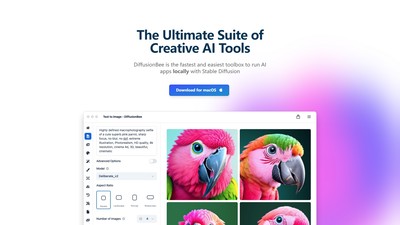
The easiest way to generate AI art on your computer with Stable Diffusion.

Nana Banana Pro is a generative AI image editing platform that uses multimodal intelligence to interpret both text and image prompts while preserving character identity across poses, scenes, and art styles. It delivers professional-quality, high-resolution outputs (up to 4K) quickly—often in under 40 seconds—with 99%+ character consistency accuracy. The tool is designed for creators of any skill level and supports commercial use for marketing, social content, game assets, and more.
MAKE YOUR NEXT MOVE
Visit the official website to explore the latest features and get started.