재미있는 도구
Interior AI
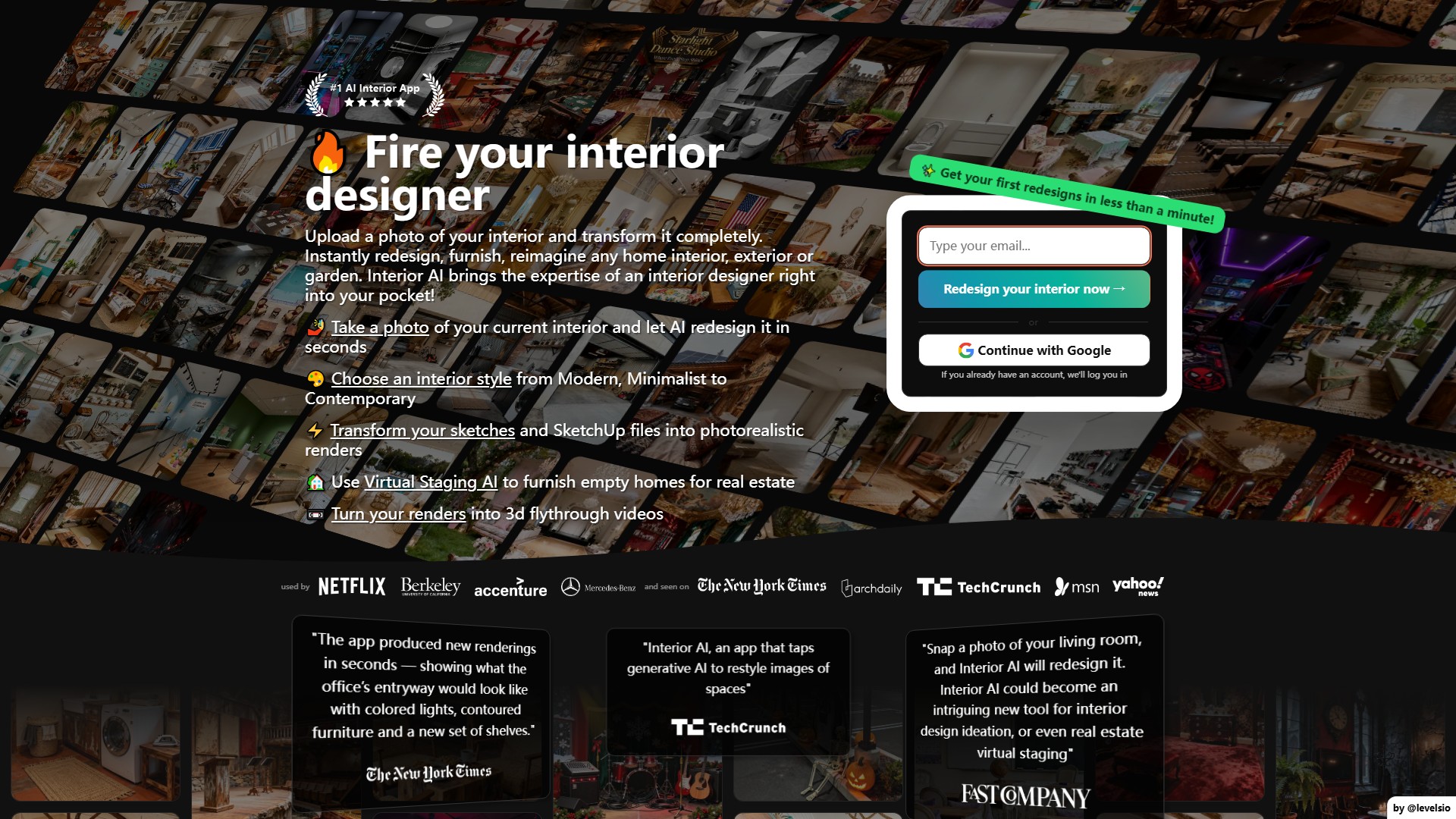
빈 방을 촬영하면 AI가 인테리어 디자인을 대신해 줍니다.
조회수
742.4K
월간 방문 수
742.4K
글로벌 순위
##123,843
투표 수
1
이 도구 정보
주요 기능
- 인테리어 재디자인: 현재 인테리어 사진을 업로드하면 AI가 1분 이내에 새로운 스타일의 사실적인 렌더링을 생성합니다.
- Virtual Staging AI: 부동산을 위해 건물 구조는 유지하면서 빈 방에 가구를 배치합니다. 가상 스테이징을 적용한 주택은 87% 더 빠르게, 15% 더 높은 가격에 판매됩니다.
- Sketch2Image™: 인테리어 디자인 스케치나 SketchUp 스크린샷을 고객에게 보여 줄 수 있는 사실적인 렌더링으로 바로 변환합니다.
- 3D 플라이스루 동영상: Stable Video Diffusion 기술을 사용해 AI 인테리어 디자인 렌더링을 몰입감 있는 3D 플라이스루 동영상으로 바꿉니다.
- 3D 월드 탐색: World Labs와의 협력을 통해 인테리어 디자인을 사용자가 걸어 다니며 모든 각도에서 살펴볼 수 있는 몰입형 3D 환경으로 변환합니다.
- 야외 디자인: 식물, 꽃, 나무 및 기타 야외 요소를 추가해 정원과 야외 공간을 재디자인합니다.
- 맞춤 설정: 30가지 이상의 방 유형과 55가지 이상의 인테리어 스타일을 지원하며, 사람 추가, 방향 변경, 선택적 프롬프트 입력이 가능합니다.
핵심 장점
- 빠른 생성: 디자인 하나를 약 25초 만에 생성하며 최대 16개 방을 동시에 렌더링할 수 있습니다.
- 저해상도, 비스듬한 각도, 광택 또는 유리 질감 등 까다로운 입력 사진에서도 구조와 선명도, 높은 사실성을 유지해 Decorify, AI Room Planner, RoomGPT 같은 경쟁 서비스보다 뛰어난 결과를 제공합니다.
- IKEA에서 구매할 수 있을 법한 현실적이고 왜곡되지 않은 가구를 사용합니다.
- 개인정보 보호: 사용자 사진을 학습에 사용하지 않으며 사진과 렌더링은 비공개로 안전하게 저장됩니다.
사용 방법
- 현재 인테리어 사진을 촬영하거나 업로드합니다. JPG, PNG, WebP, AVIF를 지원하며 벽이나 창문을 향해 정면으로 촬영하는 것이 좋습니다.
- 방 유형과 인테리어 스타일을 선택합니다.
- 모드를 선택합니다: Interior design, Style transfer, Virtual staging, Sketch2Image, SketchUp, Outdoor design, Empty the space.
- 선택 사항으로 프롬프트와 방향을 입력하고 사람을 추가합니다.
- ‘Create design’을 누르고 렌더링이 완료될 때까지 약 30초 기다립니다.
- 결과를 다운로드하거나 편집하고, 동영상을 만들거나 3D 월드에서 탐색할 수 있습니다.
대상 사용자
- 주택 소유자: 인테리어 아이디어를 얻고 새로운 스타일을 빠르게 미리 보고 싶은 사용자.
- 인테리어 디자이너: 디자인 콘셉트를 빠르게 만들고 스케치에서 제작한 사실적인 렌더링을 고객에게 보여 주려는 사용자.
- 부동산 중개인: 가상 스테이징으로 빈 주택을 더 빠르게 판매하려는 사용자.
요금 및 결제
높은 GPU 비용으로 인해 무료 버전이나 환불은 제공되지 않습니다. 연간 요금제는 6개월 이상 무료 혜택을 제공합니다.
- Pro: 월 49달러(연간: 월 29달러, 연 349달러). 월 1,000개 디자인, Flux™ 모델, 낮은 품질의 렌더링, 최대 4개 방 동시 처리, 맞춤 프롬프트, 상업적 이용 라이선스가 포함됩니다.
- Premium: 월 99달러(연간: 월 49달러, 연 599달러). 가장 인기 있는 요금제입니다. 월 5,000개 디자인, Hyper Realism™, 중간 품질의 렌더링, 최대 8개 방 동시 처리와 함께 디자인 편집, 가상 스테이징, 업스케일, 벽 색상 변경, 조명 변경, 사람 추가, Google Lens, 워크스루 동영상 생성, 가구 추가, VR 워크스루 기능을 제공합니다.
- Ultra: 월 199달러(연간: 월 99달러, 연 1,199달러). 월 25,000개 디자인, Hyper Realism™, 초고품질 렌더링, 최대 16개 방 동시 처리, 렌더링 무제한 저장, 우선 렌더링 속도, 전용 렌더링 서버가 포함됩니다.
FAQ
- 모드 차이: Interior design with 3D Vision은 현재 방의 구조를 유지합니다. Virtual Staging AI는 빈 공간을 가구로 채웁니다. Freestyle은 입력 사진 없이 처음부터 생성합니다. Sketch2Image는 스케치를 변환하고 SketchUp은 SketchUp 스크린샷을 변환합니다.
- 결제 문제: 사기 방지를 위해 VPN을 끄고 카드 정보가 은행 계좌와 일치하는지 확인한 뒤 3D Secure를 활성화하세요. 신용카드, 체크카드, iDeal·SOFORT 등의 현지 결제를 지원하지만 PayPal과 암호화폐는 지원하지 않습니다.
- 아티팩트: 약 10%의 렌더링에서 의자 다리가 비논리적으로 생성되는 등의 AI 아티팩트가 나타날 수 있습니다. 편집기에서 브러시로 해당 부분을 지운 뒤 다시 생성할 수 있습니다.
트래픽 분석
이 도구의 트래픽, 순위 및 참여도 지표입니다.
글로벌 순위
##123,843
국가 순위
#140,523
월간 방문 수
742.4K
방문 추이
추이 데이터 없음
참여도
- 이탈률--
- 방문당 페이지 수--
- 평균 체류 시간--
트래픽 소스
소스 데이터 없음
주요 국가
국가 데이터 없음
인터페이스 미리보기