비디오 편집

Edit Videos Online

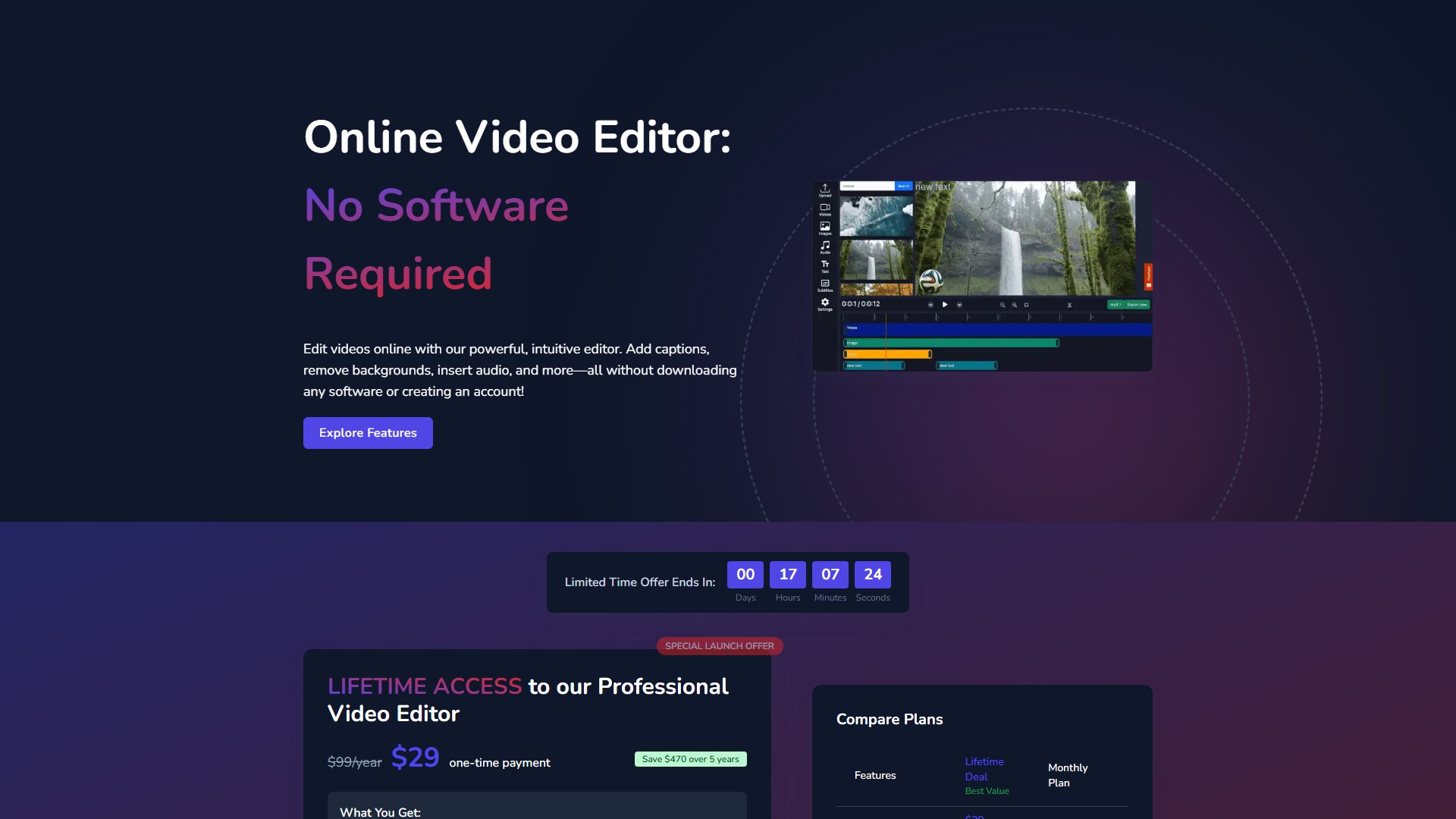
Our free online video editor empowers creators with intuitive tools for seamless editing & storytelling. Effortlessly merge, trim, add effects & text to videos, with no watermarks.

Views 27.1K
Monthly visits 27.1K
Global rank --
Votes 0

About this tool

Main Features & Characteristics:

  • AI Background Removal: No green screen required. AI-powered technology automatically detects and removes video backgrounds. One-click removal, add new backgrounds instantly, works with people, objects, and products.
  • Automatic Caption Generation: AI-powered captions automatically transcribe audio and create perfectly-timed subtitles. Customizable fonts and styles, export with or without burned-in captions.
  • Dynamic Text Overlays: Add titles, captions, callouts, and annotations. Hundreds of font options, animated text effects, precise timing controls.
  • Advanced Audio Solutions: Upload music tracks, record voiceovers directly in the browser, or generate AI voiceovers using text-to-speech technology with multiple voice options.
  • Brand Watermarking: Add custom watermarks (logos, badges, images) with full control over size, position, opacity, and duration. Supports uploading PNG with transparency.

Core Advantages:

  • No Registration Required: Jump straight into editing without creating an account, downloading software, or providing personal information.
  • Browser-Based: Cloud-based editor runs smoothly in all modern browsers with no plugins or installations required.
  • Fast Processing: Optimized cloud infrastructure processes edits and renders videos quickly.
  • No Watermarks: Export clean videos without any branded overlays, even with the free version.

Supported Formats:

  • Input: .MP4, .MOV, .AVI, .WMV, .MKV, .FLV
  • Output: HD 720p (1280×720), Full HD 1080p (1920×1080), Vertical 9:16 (Portrait), Square 1:1 (1080×1080), Widescreen 16:9, Custom Dimensions.

Usage Workflow:

  1. Upload Your Video: Drag and drop or click to browse. Supports all major video formats.
  2. Edit and Enhance: Use intuitive tools to trim, crop, add text, music, captions, remove backgrounds, and apply effects.
  3. Export and Share: Choose quality settings and format, download the finished video completely free with no watermarks.

Pricing & Billing:

  • Free Version: No registration required. Allows uploads up to 500MB and videos up to 30 minutes in length. No watermarks on exports.
  • Lifetime Deal: $29 one-time payment (originally $99/year). Includes full access to all features forever, all future updates, no recurring payments, and priority access to new features. Saves $470 over 5 years.
  • Monthly Plan: $9.99/month (Total cost after 5 years is $599.40).

FAQ:

  • Do I need to sign up or register? No, completely free to use without any registration. No personal information collected.
  • Which file formats are supported? All major formats including MP4, MOV, AVI, WMV, FLV, and MKV. MP4 with H.264 codec is recommended for best performance.
  • Is there a limit to the size or length of videos? Free version allows uploads up to 500MB and up to 30 minutes. Premium plans offer increased limits.
  • Are there watermarks on exported videos? No, no watermarks are added, even with the free version.
  • Is my video content secure? Yes, processed securely in the browser using encrypted connections. Videos are processed on the user's device, not stored on servers.
  • How do I export? Click the "Export" button in the top-right corner, choose quality, resolution, and format, then download directly to the device.

Traffic analysis

Traffic, ranking, and engagement signals for this tool.

No analytics data yet

Interface preview

User reviews