画像編集
AI Recolor
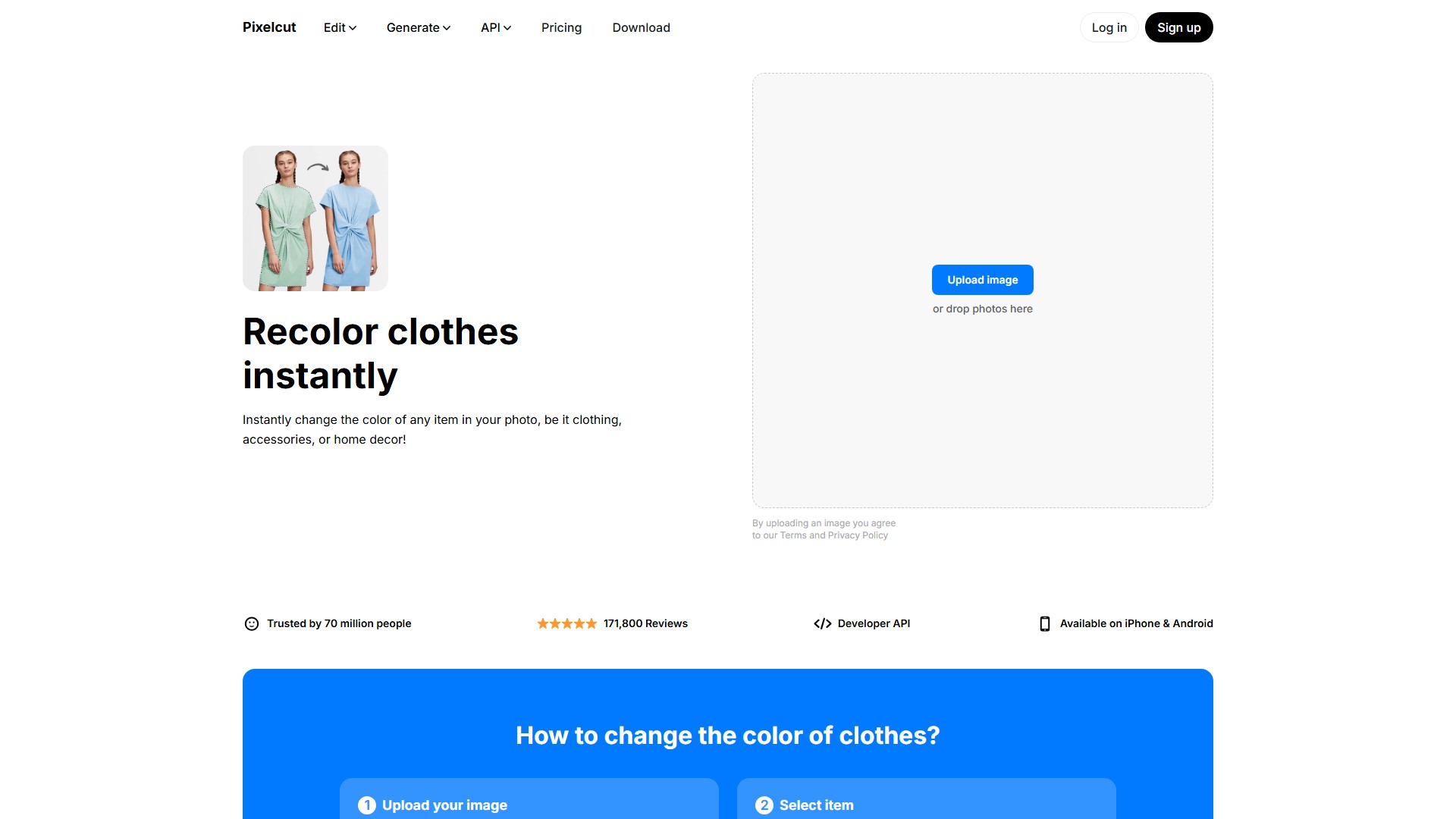
PixelcutのRecolorツールなら、衣服からインテリアまで、写真内のあらゆるものの色をすばやく簡単に変更できます。
閲覧数
-
月間訪問数
--
世界ランキング
##33,813
票数
0
このツールについて
主な機能
PixelcutのRecolorツールはAIを活用し、衣服など写真内のさまざまなオブジェクトを高い精度で自動検出・識別します。画像のカラーパレットを簡単に変更でき、写真をすぐにカスタマイズして見栄えを高められます。シャツやドレスなど、あらゆる衣服の色を変更できます。
主な特徴
- 複数のオブジェクトを検出:AIがシャツやショートパンツなど画像内の複数のオブジェクトを自動認識し、数回のクリックでそれぞれの色を個別に変更できます。写真内の各アイテムを自動検出し、色相、彩度、明るさを個別に調整できます。オブジェクトの周囲に自動でマスクを作成し、その領域だけの色を変更します。
- 商品をオンラインで簡単に紹介:画像の任意の部分の色を自動で置き換え、オンライン販売の作業を効率化できます。商品について正確で一貫した色違いを簡単に作成でき、オンラインでの表示を整えられます。JPGとPNGに対応し、商品の色を実物に合わせてすばやく変更できます。
利用手順
- 画像をアップロード:色を変更するJPG、PNG、またはHEICファイルをアップロードします。
- アイテムを選択:PixelcutのAIが、衣服やインテリアなど写真内のすべてのアイテムを自動で見つけます。
- アイテムの色を変更:希望の色を選ぶと、Pixelcutがアイテムの色を変更します。
- 画像をダウンロード:新しい画像をダウンロードして共有するか、フォトエディターで編集を続けて新しい要素を追加します。
対象ユーザー
商品に異なる色のバリエーションを作成したいEC事業者、小規模事業者、マーケター、オンライン小売業者、写真編集が必要な一般ユーザー。
主なメリット
Photoshopなしでオンラインで無料利用できます。AIによる自動検出とマスク作成、シンプルで高速な操作、複数アイテムの色を個別に調整する機能を備えています。EC向けに正確な商品カラーバリエーションをすばやく作成でき、時間と作業を節約できます。JPGとPNGに対応しています。開発者向けAPIを利用できます。iPhoneおよびAndroidアプリを提供しています。
よくある質問
- シャツの色を変更するには? Pixelcutの無料Recolorツールなら、シャツの色をすぐに変更できます。写真をアップロードすると、Pixelcutがシャツを自動で検出し、新しい色を選べるようにします。
- 服の色を変更するには? Pixelcutの無料オンラインRecolorツールが画像内の衣服を自動検出し、希望の色にすぐ変更できます。
- 画像内のオブジェクトの色を変更するには? Pixelcutのような無料のAI搭載Recolorツールを使うのが簡単です。画像をアップロードしてオブジェクトを選択し、色を無料で変更できます。
料金情報
ページではオンラインでの色変更を無料で利用できると説明されている一方、開発者向けAPIとアプリのダウンロードも提供されており、フリーミアムモデルであることが示されています。
トラフィック分析
このツールのトラフィック、ランキング、エンゲージメントの指標。
世界ランキング
##33,813
国別ランキング
#14,971
月間訪問数
--
訪問数の推移
トレンドデータなし
エンゲージメント
- 直帰率--
- 1回の訪問あたりのページ数--
- 平均滞在時間--
トラフィックソース
ソースデータなし
上位の国
国別データなし
インターフェースプレビュー