
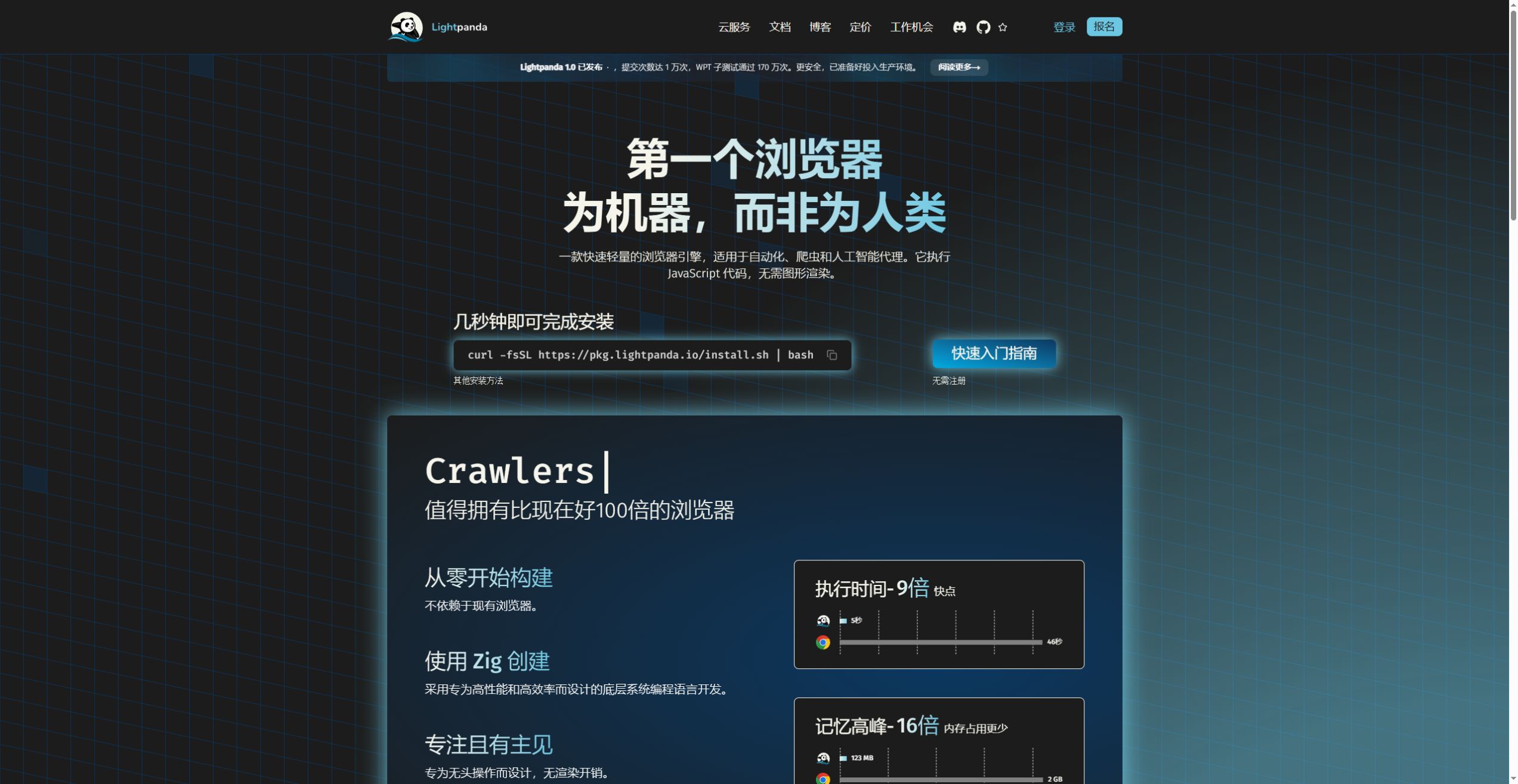
Lightpanda is built for software that needs to read and operate web pages: extracting dynamic content, collecting structured data, or carrying out browser tasks for AI agents. Lightpanda 1.0 shipped on October 2, 2026, ending its Beta phase. Its independent engine is written primarily in Zig and runs JavaScript through V8. The project repository contains the source, release information and local setup instructions.
Page execution and visual rendering
Lightpanda focuses on network requests, JavaScript, the DOM and page interactions. It uses Libcurl for HTTP and html5ever for HTML parsing, rather than deriving its engine from Chromium or WebKit.
It can work with script-generated content, clicks, forms and cookies, then expose HTML, Markdown or accessibility information to downstream software. Its PNG and PDF exports lay out text from page Markdown; they are not faithful screenshots of a fully rendered CSS page. Layout inspection, font checks and visual regression work require a browser with a complete rendering pipeline.
Read the benchmark with its workload
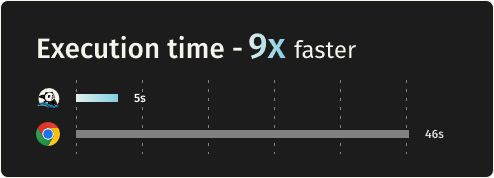
The homepage advertises 9x speed and 16x lower peak memory. The detailed benchmark crawls 933 URLs from a demonstration website on an AWS m5.xlarge machine running Ubuntu, using the same chromedp client. At 25 tasks, 25 Lightpanda processes took 4.81 seconds and peaked at 123.0 MB. Chrome, using 25 tabs, took 46.70 seconds and peaked at 2.0 GB.
The gap changes with concurrency: a single task took 51.68 seconds in Lightpanda and 82.83 seconds in Chrome. Independent processes and shared browser tabs are also different units of parallel execution. These are published results for a particular crawl, not a promise for every site or a measure of agent accuracy. We did not rerun this benchmark.
Connect an existing automation client
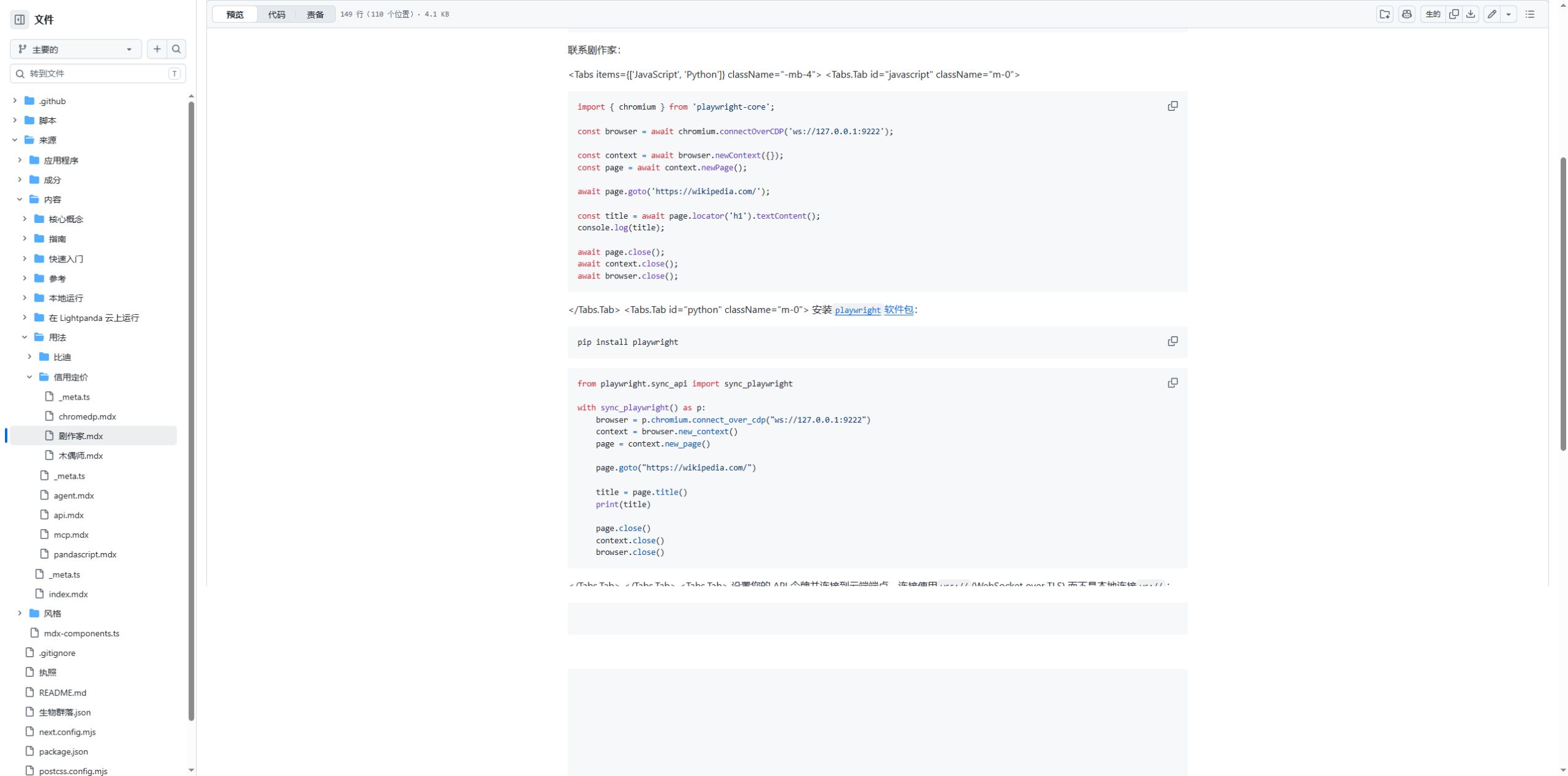
A local CDP server lets Playwright, Puppeteer and chromedp clients connect to Lightpanda. The Playwright example calls chromium.connectOverCDP('ws://127.0.0.1:9222'). The chromium name belongs to the Playwright API; the connected engine remains Lightpanda.
Start migration with a small set of pages covering navigation, selectors, forms, cookies and redirects. Check error responses and waiting behavior too. CDP support does not imply complete Chrome protocol or Web API parity. WebDriver BiDi is another supported connection route.
MCP tools and reusable browser scripts
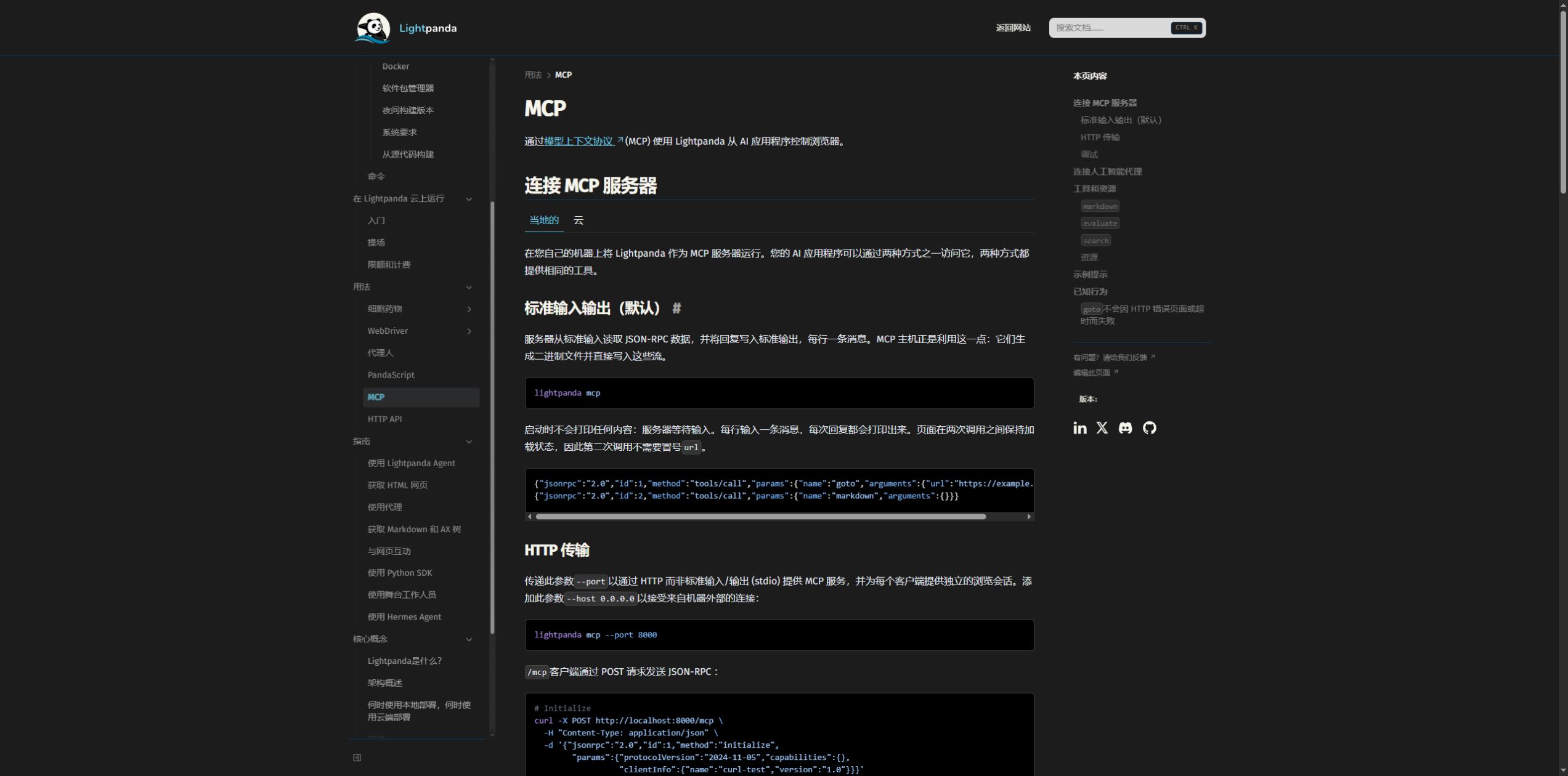
The native MCP server supports stdio and HTTP. HTTP clients should retain the Mcp-Session-Id returned during initialization and send it with later requests. This maintains a separate page and cookie state; requests without that header use the default shared session.
The built-in agent can ask a language model to plan browser actions and export a PandaScript file. A fixed script can be replayed with lightpanda run session.js. Replay steps that do not invoke an LLM avoid another inference charge, while browser compute, network use and proxies still have costs. Keep provider keys out of public scripts.
Local software and hosted browser time
Prebuilt binaries cover Linux and macOS on x86_64 and arm64. Windows users can use the Linux version through WSL2; the repository currently provides no native Windows binary. Linux builds require glibc, so Alpine or other musl environments need additional compatibility work. Record the installed version before comparing runs.
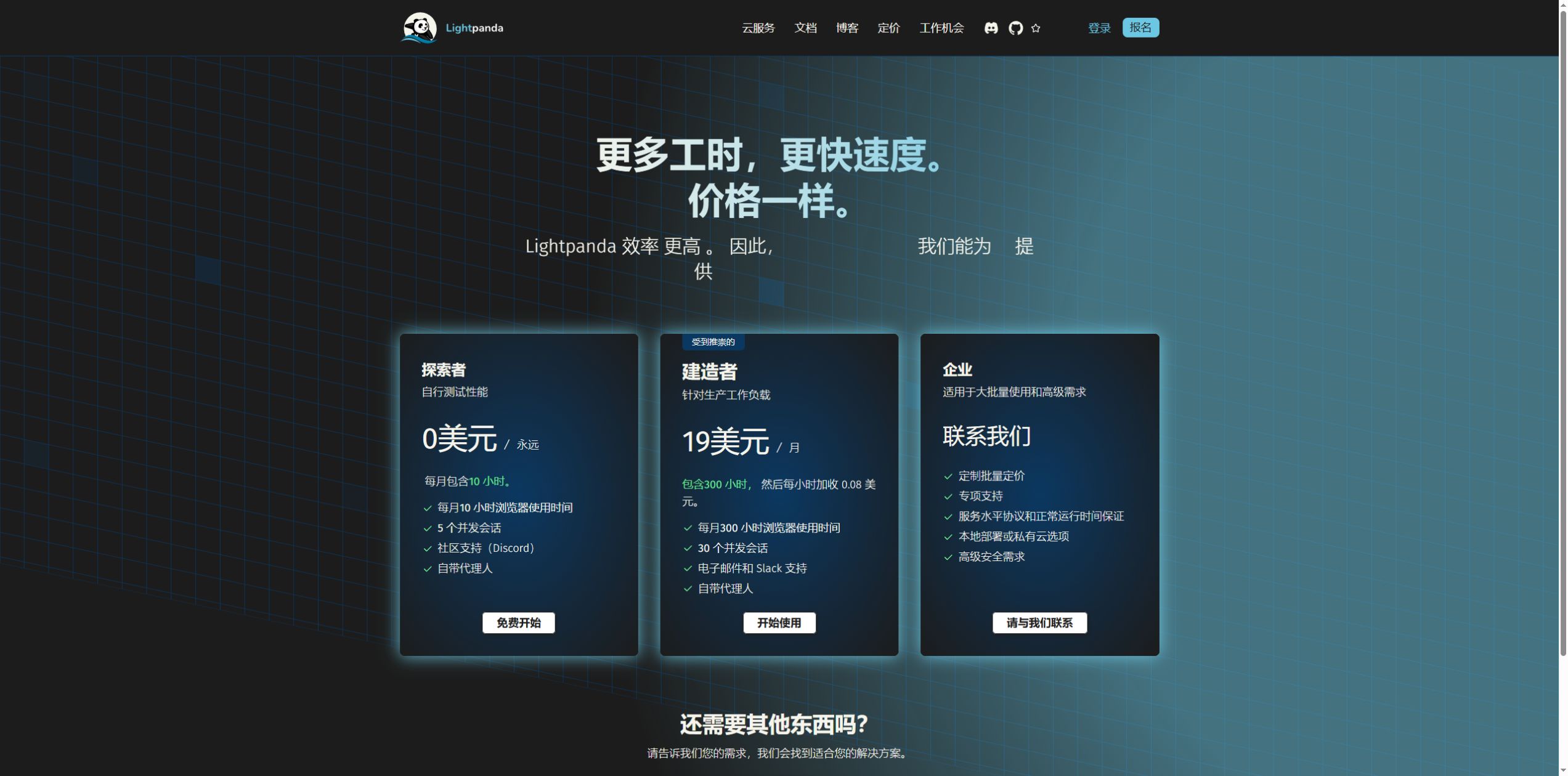
The Cloud pricing page checked on October 15, 2026 lists Explorer at $0 per month, with 10 browser hours and 5 concurrent sessions. Builder is $19 per month, with 300 hours and 30 concurrent sessions; overage costs $0.08 per hour. Hours add up across open sessions: five sessions running for one hour consume five browser hours. LLM and bring-your-own proxy charges are separate.
A practical evaluation
Dynamic content extraction, browser research and resource-sensitive automation are useful starting workloads. Canvas-heavy interaction or visual acceptance testing calls for a different rendering capability. Measure page success rate, extracted data completeness, latency and peak memory on the actual target sites before increasing volume.
Version 1.0 enforces CORS by default. Bind local services to 127.0.0.1 and use --obey-robots when robots rules should be checked, alongside site permission and request budgets. Telemetry is enabled by default and can be disabled with LIGHTPANDA_DISABLE_TELEMETRY=true. The LICENSING file identifies AGPL-3.0-only as the default source license; the hosted service has separate terms.