Édition d'images
Redimensionneur de photos d’identité
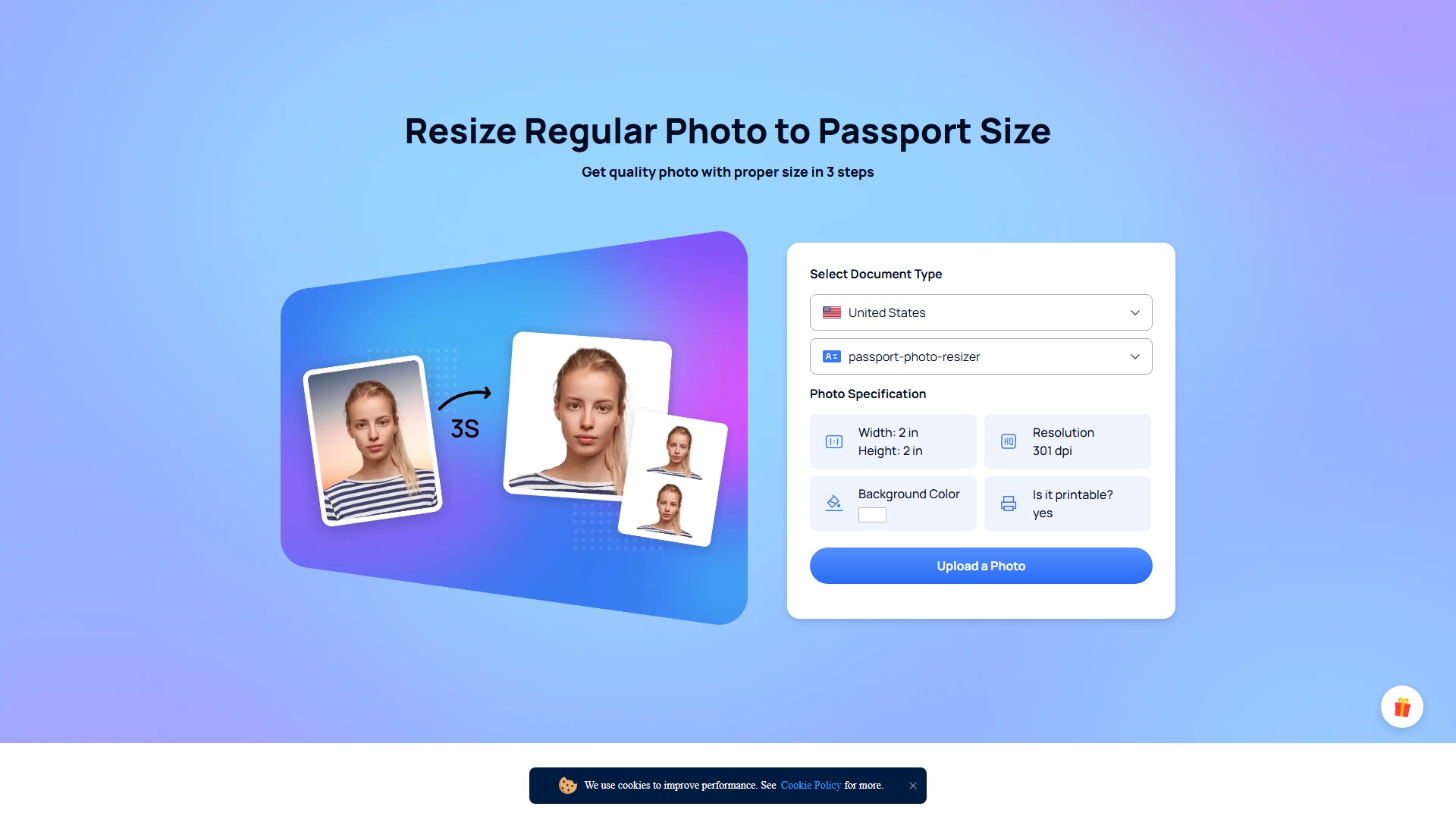
Redimensionnez facilement vos photos au format passeport. AiPassportPhotos peut modifier automatiquement la taille, l’arrière-plan et la tenue pour répondre aux exigences officielles.
À propos de cet outil
Redimensionnez facilement vos photos au format passeport. AiPassportPhotos peut modifier automatiquement la taille, l’arrière-plan et la tenue pour répondre aux exigences officielles.
Fonctionnalités principales
- Redimensionnement automatique au format passeport, par exemple 2 x 2 pouces ou 35 x 45 mm, avec recadrage automatique et centrage du visage.
- Suppression automatique de l’arrière-plan et remplacement par un fond blanc.
- Vérifications de conformité pour garantir une acceptation à 100 % des photos.
- Exportation en PNG haute qualité ou en JPG de taille plus modeste.
- Création de modèles imprimables pour les formats standards 3 x 4, 4 x 4, 4 x 6, 5 x 6 ou A4.
Caractéristiques clés
- Technologie de traitement par IA : examine intelligemment les photos d’identité en ligne pour vérifier leur conformité.
- Solution économique : générez des photos biométriques numériques en ligne, puis faites-les imprimer en magasin à un prix plus avantageux.
- Gain de temps : obtenez des photos de passeport en ligne depuis chez vous, en quelques secondes, sans attendre dans un studio photo.
- Conformité assurée : cet outil photo complet garantit une acceptation à 100 % et évite les rejets dus à de légères ombres ou à des déséquilibres.
Utilisation et workflow
- Téléversez une image : prenez une photo avec votre téléphone à la maison ou sélectionnez-en une dans votre galerie.
- Recadrez automatiquement : l’IA redimensionne, recadre et transforme le portrait aux dimensions idéales.
- Enregistrez un modèle imprimable : générez un modèle prêt à imprimer.
- Découpez et utilisez : imprimez et découpez la photo.
Exemple de spécifications photo : passeport américain
- Taille : largeur 2 pouces x hauteur 2 pouces
- Résolution : 301 dpi
- Hauteur de la tête : 1,29 pouce
- Bas de la photo jusqu’à la ligne des yeux : 1,18 pouce
- Couleur d’arrière-plan : blanc
- Adaptée à la soumission en ligne et à l’impression
- Exigences de la photo numérique : résolution comprise entre 600 et 1200 pixels, espace colorimétrique sRGB conforme, taille maximale de 240 kB et format JPEG.
Utilisateurs concernés
Les voyageurs et les utilisateurs qui doivent demander un passeport, un visa, un permis de conduire, une carte d’étudiant ou d’autres documents nécessitant une photo d’identité.
FAQ
- Comment obtenir une photo d’identité au format parfait ? Téléversez une photo : AiPassportPhotos la traite en une seconde, sans redimensionnement, recadrage ni modification manuels des marges.
- Comment redimensionner gratuitement une photo au format passeport ? De nombreux redimensionneurs gratuits existent, mais AiPassportPhotos inclut la suppression de l’arrière-plan, le changement de tenue et la vérification de conformité.
- Puis-je redimensionner une photo sur iPhone ou Android ? Oui, AiPassportPhotos est accessible via le site web, l’Apple Store ou Google Play.
- Puis-je redimensionner un fichier .jpg au format passeport ? Oui, AiPassportPhotos peut redimensionner intelligemment n’importe quelle image .jpg au format passeport en ligne, en quelques secondes et sans compétences en retouche.
Modèle tarifaire
Un aperçu gratuit est disponible. La création d’une photo de passeport électronique est proposée à un prix d’achat attractif. Les utilisateurs peuvent également inviter des amis pour gagner des crédits gratuits.
Analyse du trafic
Signaux de trafic, de classement et d’engagement pour cet outil.
Tendance des visites
Aucune donnée de tendance
Engagement
- Taux de rebond--
- Pages par visite--
- Durée moyenne--
Sources de trafic
Aucune donnée sur les sources
Principaux pays
Aucune donnée par pays
Aperçu de l’interface